Read the statement by Michael Teeuw here.
Wunderlist - your todos on the mirror
-
This module is perfect since we’re using Wunderlist already but I’m having a difficult time getting it to display. It installed properly, I’ve included my clientID and accessToken in config.js, it loads the header but the actual widget is blank and it’s not throwing any errors.
Any help is appreciated.
Chris
-
@chrismoore Can you show me your
lists: []entry in your config? -
Sure, it’s just:
lists: ["today"]which is currently populated and active on Wunderlist. The app url on Wunderlist is http://localhost:8080 -
The list is exactly written like this?
-
{ module: 'MMM-Wunderlist', position: 'top_right', // This can be any of the regions. Best results in left or right regions. header: 'To-Do List', // This is optional config: { accessToken: '***', clientID: '***', lists: ["today"] } } -
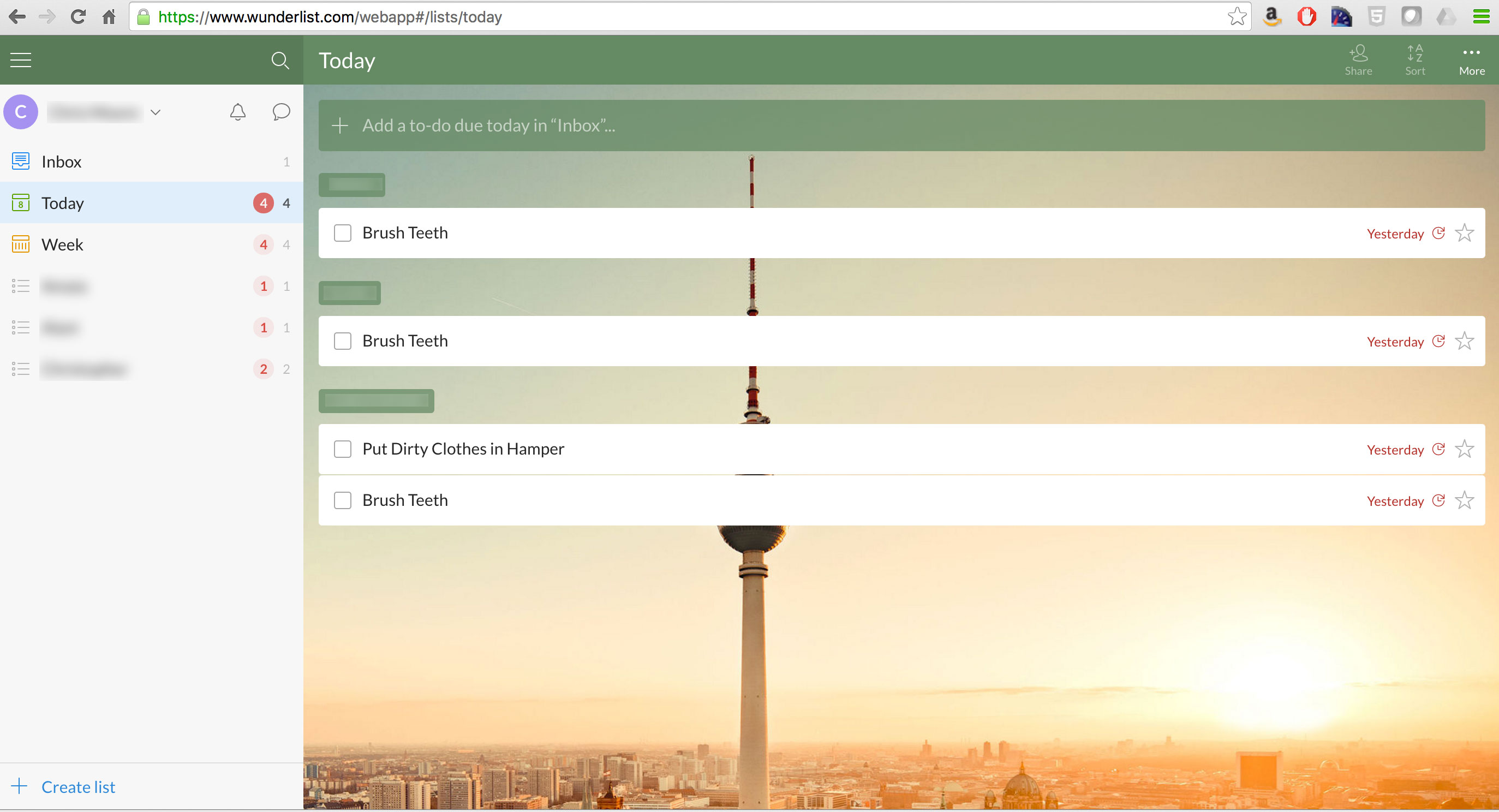
@chrismoore can you send me a Screenshot from the Wunderlist app showing the name of the list you try to embed?
-
Here you go.
-
@paviro any plans for adding iCal reminders?
-
@chrismoore ah! No idea how that list is called in the API :/ you’d have to check the API docs for that :)
-
@MichMich iCal reminders? Like the Apple reminders? Are they synced via iCal?
We’re all stories in the end. Just make it a good one, eh?
– The Doctor
-
@paviro As a test I also tried “inbox” which has a test to-do on Wunderlist but that also doesn’t show up.
-
Just to add my comment to this, I am making using of an IFTTT recipe to link my gmail calendar to Wunderlist.
It creates the relevant to do item with a due date, so I’m only showing this items on my mirror.
-
@paviro Although when I use ‘week’ as the list, it seems to have stopped working :cold_sweat:
-
Could you guys try to execute
curl -H "X-Access-Token: OAUTH-TOKEN" -H "X-Client-ID: CLIENT-ID" https://a.wunderlist.com/api/v1/listsin a terminal? -
Is the name of the list case sensitive? “today” / “Today”?
-
@zombi27 I tried that earlier in the process and nothing appeared. I’m going to rip everything apart and try to figure out where the issue is.
-
Seems like there is no today list available via the API.
-
is it possible to get this module to work with magic mirror v2? if so how can i get the api?
-
@jagerpower this module is for MM v2.0? :confused:
-
Hi @jagerpower
It’s definitely working. I just followed paviro’s instructions.Here is my config:
module: 'MMM-Wunderlist', position: 'top_left', header: 'Wunderlist', config: { accessToken: '*******************', clientID: '************', lists: [ 'inbox', 'Einkaufsliste' ], interval: 60, fade: true }@paviro, thanks




Hello! It looks like you're interested in this conversation, but you don't have an account yet.
Getting fed up of having to scroll through the same posts each visit? When you register for an account, you'll always come back to exactly where you were before, and choose to be notified of new replies (either via email, or push notification). You'll also be able to save bookmarks and upvote posts to show your appreciation to other community members.
With your input, this post could be even better 💗
Register Login