Read the statement by Michael Teeuw here.
MMM-Timetable
-
MMM-Timetable
Display static structured timetable for school or work.
Screenshots
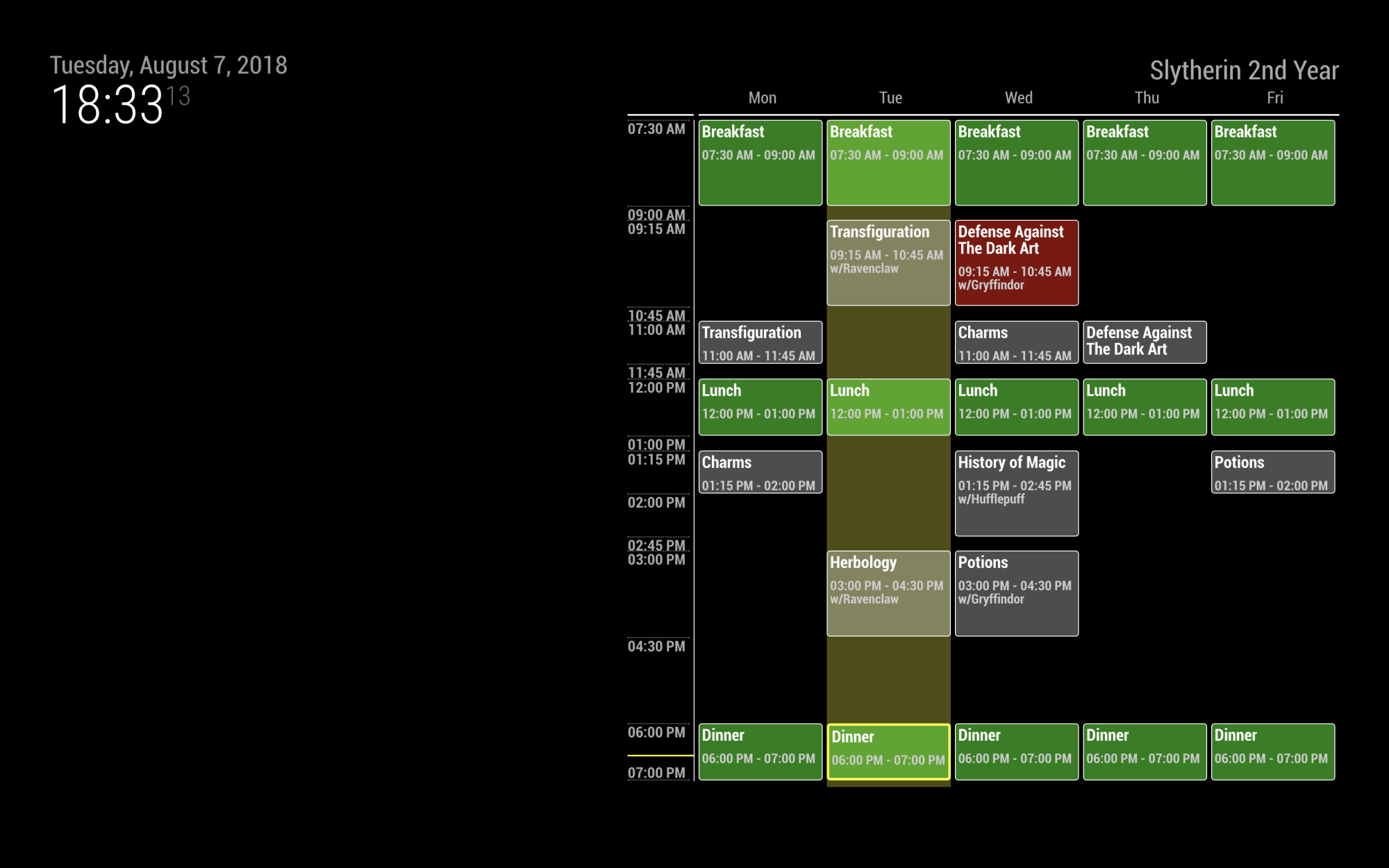
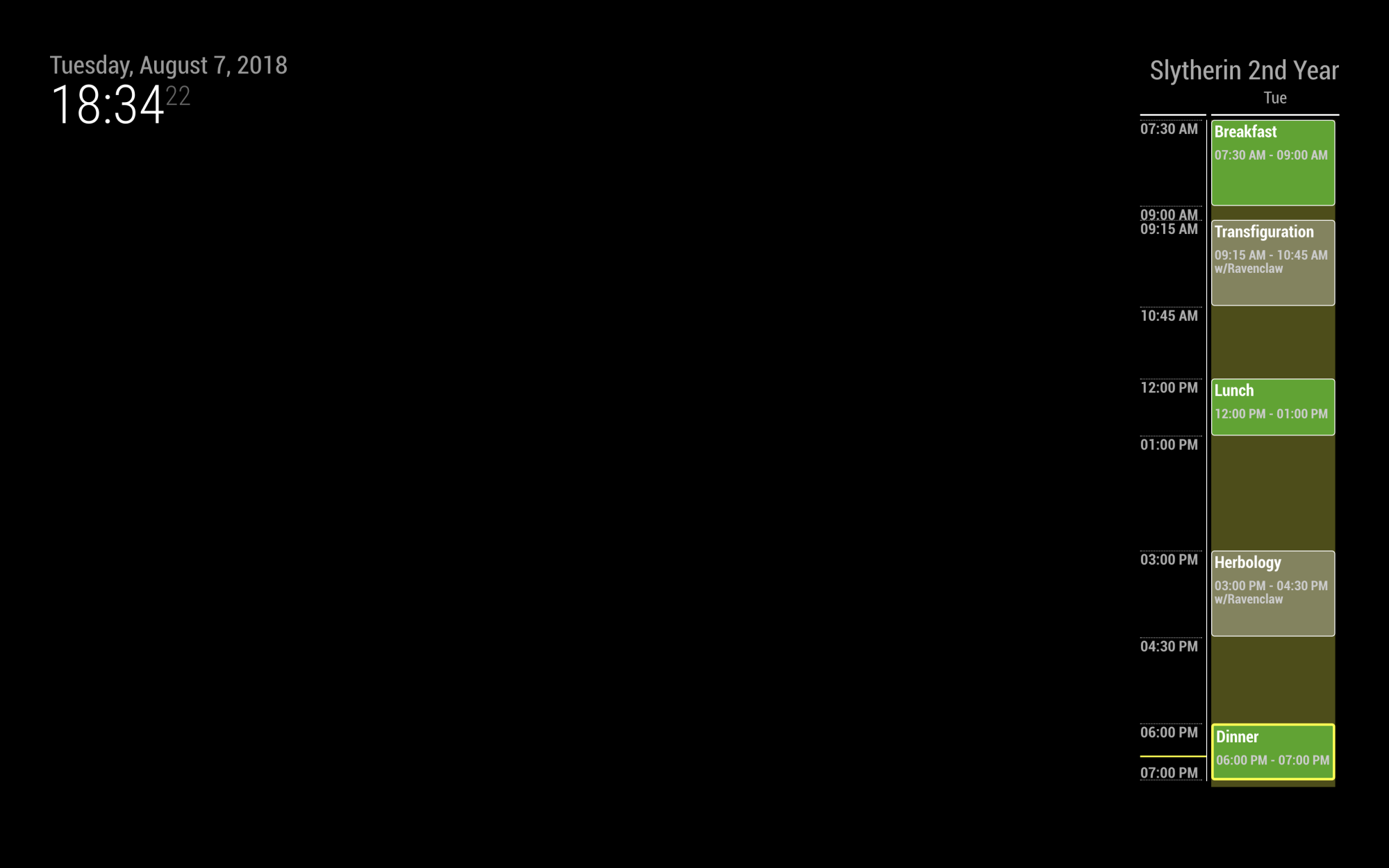
Details
[card:eouia/MMM-Timetable]
-
Hi!
Thanks for a simple and configurable module.
I have problems showing swedish characters such as å, ä & ö. Any clues where to start look?
Best regards -
@erq I think that might be font issue. Is there same issue in other module?
-
@erq
https://forum.magicmirror.builders/topic/5406/issue-with-polish-letters-font-missing-diacritical-marksThis could be a same issue with you.
-
@Sean really like the design :) (although with my daily schedule this would a pain in the arse to manage lol)
Might be interesting to combine this with a normal calendar so you just give it a csv file for example it can use, so you do not have to copy the whole calendar into the new format -
@maxbachmann You could write it in a CSV/tabular format and use a converter to transform it into JSON array format. You can also do it locally if you’re so inclined.
-
Ik I will do that probably ;)
Well first I still need to set my calendar up since I want to finally self host it to get away from google and similar stuff there. But converting from cal dav or csv to convert to this format should not be a that big deal. -
@sean
No, no problems i any other modules, just this one. -
Never mind, it was a user-error! =)
For some reason my putty-session did not write å,ä & ö correctly. From a linux-session it worked. -
@maxbachmann
I think a structured static timetable is somehow different with schedule of calendar.
But Anyway, you can consider this.https://forum.magicmirror.builders/topic/5426/mmm-calendarexttimeline-display-timeline-table
[card:eouia/MMM-CalendarExtTimeline] -
@Sean yeah it kind of has the advantage to show multiple events at the same time better. Therefor I prefer this design a lot, so still have to think about which one I will go with. The static structure is not that much of a problem for me then I will just change it to my needs ;) The design part is what I absolutely suck in xD
-
@sean I like your module, the design is fantastic but I could ask you for a change to use a csv or txt file for schedule? I do not really trust to let my daughter change the config.js file while a txt or csv file is not so complicated.
Thanks again for your work. -
@electros I’ll consider.
-
@electros
I’ve added function of reading schedule from comma(,) separated text file(or csv). -
awesome :)
-
@sean Wow, so fast thank you very much. I tested and everything is fine, thank you again for a great work.
-
@sean amazing, thanks. Just a question - my kids have different Timetable for odd and for even week. Is there way how to show them the correct one? Now Iˇve visible in Cal module the number of week and in TimeTable they have 2 rows (odd/even). Or can be still on 2 rows, but use different colors for odd and even?
Thanks, Zdeněk
-
@zdenek
Wow, It’s a very odd timetable which has never been imagined. :)
Do you need the 2 timetables are displayed at the same time always? or Just 1 timetable for the right week at that time? -
@zdenek
0) display 2 timetables together;
Hmmm… I think it’s hard. I had considered that case at the development, but gave up. because I thought the screen was too small to display complex timetables.- display 2 timetables by rotation
refreshInterval: 1000*60,
schedules: [
  {
    title: "Even Weeks",
    schedule: [ ... ]
  },
  {
    title: "Odd Weeks",
    schedule: [ ... ]
  }
This would make a rotation of timetables per every 1 minutes.
- Display right timetable of that week.
I think it could be done by new feature - reading schedule from file.
Prepare 2 csv files, -even.csv,odd.csv
And you can add below code into yourcrontabto change from each .csv tothisweek.csv
0 8 * * 6 test $((10#$(date +\%W)\%2)) -eq 1 && cp /your/path/odd.csv /your/paht/thisweek.csv || cp /your/path/even.csv /your/path/thisweek.csvThis will copy odd.csv or even.csv to thisweek.csv on each Saturday.
The configuration could be like this;
refreshInterval: 1000*60,
schedules: [
  {
    title: "My Kids Timetable",
    file: "thisweek.csv",
  },
I didn’t test but you can catch the idea.
-
@Sean
Thanks a lot for this module
For testing i have simply copied your example to my config.
But i am not able to get it running
The screen stays black
Any idea
Do i have to use the lastest version of the magic mirror sw?Thanks a lot
Greetz0|mm | Shutting down server... 0|mm | > magicmirror@2.4.1 start /home/pi/MagicMirror 0|mm | > sh run-start.sh 0|mm | Starting MagicMirror: v2.4.1 0|mm | Loading config ... 0|mm | Loading module helpers ... 0|mm | No helper found for module: clock. 0|mm | No helper found for module: alert. 0|mm | No helper found for module: MMM-Timetable. 0|mm | All module helpers loaded. 0|mm | Starting server on port 8080 ... 0|mm | Server started ... 0|mm | Sockets connected & modules started ... 0|mm | Launching application.{ //disabled:true, module: "MMM-Timetable", position: "top_right", config: { timeFormat: "hh:mm A", height: "800px", width: "150px", mode: "5days", // "today", "5days", "7days" refreshInterval: 1000*60, displayEndTime:true, //whether display endTime on timeline or not. schedules: [ //array of schedules { title: "Slytherin 2nd Year", file: null, // or "test.csv" - comma separated text file. (see `test.csv`) schedule: [ // [weekday, starttime(24h), endtime(24h), title, subtitle, backgroundColor(optional)] // weekday : 1 for Monday, 2 for Tuesday, ... 7 for Sunday [1, "0730", "0900", "Breakfast", "", "rgba(0,255,0, 0.5)"], [2, "0730", "0900", "Breakfast", "", "rgba(0,255,0, 0.5)"], [3, "0730", "0900", "Breakfast", "", "rgba(0,255,0, 0.5)"], [4, "0730", "0900", "Breakfast", "", "rgba(0,255,0, 0.5)"], [5, "0730", "0900", "Breakfast", "", "rgba(0,255,0, 0.5)"], [1, "1200", "1300", "Lunch", "", "rgba(0,255,0, 0.5)"], [2, "1200", "1300", "Lunch", "", "rgba(0,255,0, 0.5)"], [3, "1200", "1300", "Lunch", "", "rgba(0,255,0, 0.5)"], [4, "1200", "1300", "Lunch", "", "rgba(0,255,0, 0.5)"], [5, "1200", "1300", "Lunch", "", "rgba(0,255,0, 0.5)"], [1, "1800", "1900", "Dinner", "", "rgba(0,255,0, 0.5)"], [2, "1800", "1900", "Dinner", "", "rgba(0,255,0, 0.5)"], [3, "1800", "1900", "Dinner", "", "rgba(0,255,0, 0.5)"], [4, "1800", "1900", "Dinner", "", "rgba(0,255,0, 0.5)"], [5, "1800", "1900", "Dinner", "", "rgba(0,255,0, 0.5)"], [1, "1100", "1145", "Transfiguration", "w/Ravenclaw"], [1, "1315", "1400", "Charms", "w/Hufflepuff"], [2, "0915", "1045", "Transfiguration", "w/Ravenclaw"], [2, "1500", "1630", "Herbology", "w/Ravenclaw"], [3, "0915", "1045", "Defense Against The Dark Art", "w/Gryffindor", "rgba(255,0,0,0.5)"], [3, "1100", "1145", "Charms", "w/Hufflepuff"], [3, "1315", "1445", "History of Magic", "w/Hufflepuff"], [3, "1500", "1630", "Potions", "w/Gryffindor"], [4, "1100", "1145", "Defense Against The Dark Art", "w/Gryffindor"], [5, "1315", "1400", "Potions", "w/Gryffindor"], ] }, { title: "Slytherin 2nd Year (only classes)", schedule: [ [1, "1100", "1145", "Transfiguration", "w/Ravenclaw"], [1, "1315", "1400", "Charms", "w/Hufflepuff"], [2, "0915", "1045", "Transfiguration", "w/Ravenclaw"], [2, "1500", "1630", "Herbology", "w/Ravenclaw"], [3, "0915", "1045", "Defense Against The Dark Art", "w/Gryffindor", "rgba(255,0,0,0.5)"], [3, "1100", "1145", "Charms", "w/Hufflepuff"], [3, "1315", "1445", "History of Magic", "w/Hufflepuff"], [3, "1500", "1630", "Potions", "w/Gryffindor"], [4, "1100", "1145", "Defense Against The Dark Art", "w/Gryffindor"], [5, "1315", "1400", "Potions", "w/Gryffindor"], ] }, ] } },

Hello! It looks like you're interested in this conversation, but you don't have an account yet.
Getting fed up of having to scroll through the same posts each visit? When you register for an account, you'll always come back to exactly where you were before, and choose to be notified of new replies (either via email, or push notification). You'll also be able to save bookmarks and upvote posts to show your appreciation to other community members.
With your input, this post could be even better 💗
Register Login