MagicMirror Forum
    • Recent
    • Tags
    • Unsolved
    • Solved
    • MagicMirror² Repository
    • Documentation
    • 3rd-Party-Modules
    • Donate
    • Discord
    • Register
    • Login
    A New Chapter for MagicMirror: The Community Takes the Lead
    Read the statement by Michael Teeuw here.

    Mmm aurora

    Scheduled Pinned Locked Moved Development
    14 Posts 3 Posters 5.5k Views 3 Watching
    Loading More Posts
    • Oldest to Newest
    • Newest to Oldest
    • Most Votes
    Reply
    • Reply as topic
    Log in to reply
    This topic has been deleted. Only users with topic management privileges can see it.
    • C Offline
      chassain 0
      last edited by

      Hello,

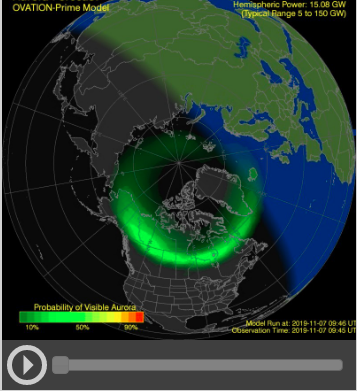
      Is it possible to have animation video for this module like i see on the website noaa.gov ? This module takes only the lastest.jpg all x minutes… (message for mykle :) ) thanks

      Mykle1M 1 Reply Last reply Reply Quote 0
      • C Offline
        chassain 0
        last edited by

        0_1573120925037_aurora.png

        1 Reply Last reply Reply Quote 0
        • Mykle1M Offline
          Mykle1 Project Sponsor Module Developer @chassain 0
          last edited by

          @chassain-0 said in Mmm aurora:

          Is it possible to have animation video for this module like i see on the website noaa.gov ?

          What animation video are you talking about? That link brings me the NOAA homepage where there is no video. :-/

          Create a working config
          How to add modules

          Mykle1M 1 Reply Last reply Reply Quote 0
          • Mykle1M Offline
            Mykle1 Project Sponsor Module Developer @Mykle1
            last edited by Mykle1

            Send a better link

            Create a working config
            How to add modules

            C 1 Reply Last reply Reply Quote 0
            • C Offline
              chassain 0 @Mykle1
              last edited by

              @Mykle1 https://www.swpc.noaa.gov/

              Mykle1M 2 Replies Last reply Reply Quote 0
              • Mykle1M Offline
                Mykle1 Project Sponsor Module Developer @chassain 0
                last edited by Mykle1

                @chassain-0

                Ok, so this is the source of the animation.

                https://services.swpc.noaa.gov/products/animations/ovation-north.json

                Basically, it’s an animated jpg. made from alot of seperate jpg files. I think that any Pi will struggle to handle this smoothly. From what I gather from looking at the animation is that you’re seeing a representation of the past 20 hours up to nearly the present. The way the module works now is that it retrieves only the most current image as it is the most relevant.

                Give me some time and I will take a look at incorporating that link into the module but don’t expect it to run as smoothly as it does from your desktop PC.

                Or, you could fork the repo and make the changes yourself and send a PR to the repo.

                Create a working config
                How to add modules

                1 Reply Last reply Reply Quote 0
                • Mykle1M Offline
                  Mykle1 Project Sponsor Module Developer @chassain 0
                  last edited by

                  @chassain-0

                  In the repo conversation, you said, “it’s working when i change adress to see /animation/enlil :)”. Can you give me the entire url because I can’t seem to make that work.

                  Create a working config
                  How to add modules

                  C 1 Reply Last reply Reply Quote 0
                  • C Offline
                    chassain 0 @Mykle1
                    last edited by

                    @Mykle1
                    hello mykle…i added some parameters for my magicmirror interessting for my work with your module…

                    if (this.config.pole === "north") {
                              this.url = 'https://services.swpc.noaa.gov/images/animations/ovation-north/latest.jpg';
                        } else if (this.config.pole === "south"){
                              this.url = 'https://services.swpc.noaa.gov/images/animations/ovation-south/latest.jpg';
                            } else if (this.config.pole === "solar"){
                              this.url = 'https://services.swpc.noaa.gov/images/animations/enlil/latest.jpg';
                        } else if (this.config.pole === "coronal"){
                              this.url = 'https://services.swpc.noaa.gov/images/animations/lasco-c3/latest.jpg';
                        } else if (this.config.pole === "sunX"){
                              this.url = 'https://services.swpc.noaa.gov/images/animations/GOES-14-CS-PTHNA-0.4/latest.png';
                            }
                    
                    Mykle1M 2 Replies Last reply Reply Quote 0
                    • Mykle1M Offline
                      Mykle1 Project Sponsor Module Developer @chassain 0
                      last edited by

                      @chassain-0

                      I’ll add it to the module if you like. I asked you to send a PR to the repo if you wanted it incorporated into the module but I don’t see a PR waiting for me. I’m glad you are interested in the module. Let me know how you want me to proceed. :thumbsup:

                      Create a working config
                      How to add modules

                      C 1 Reply Last reply Reply Quote 0
                      • C Offline
                        chassain 0 @Mykle1
                        last edited by

                        @Mykle1
                        My request is more about the animation. i know the difficult to have this. Maybe not the 20 hours before if raspberry can’t run . the other parameters is for my work. i send you a PR and you will decide but it’s not really mmm Aurora.

                        1 Reply Last reply Reply Quote 0
                        • Mykle1M Offline
                          Mykle1 Project Sponsor Module Developer @chassain 0
                          last edited by

                          @chassain-0

                          I think I’ll add the solar, coronal and sunX options that you’ve provided above but forgo the animation at this time. I’ll work on it tonight. :thumbsup:

                          Create a working config
                          How to add modules

                          C 1 Reply Last reply Reply Quote 0
                          • C Offline
                            chassain 0 @Mykle1
                            last edited by

                            @Mykle1
                            :thumbs_up:

                            Mykle1M 1 Reply Last reply Reply Quote 0
                            • Mykle1M Offline
                              Mykle1 Project Sponsor Module Developer @chassain 0
                              last edited by Mykle1

                              @chassain-0

                              Ok, I have added your code to the module and it works nicely. If you want multiple displays of the module you can simply add another config entry.

                              {
                                      disabled: f,
                                      module: 'MMM-Aurora',
                                      position: 'top center',
                                      config: {
                                          pole: "sunX", // north, south, solar, coronal or sunX.
                                          maxWidth: "55%", // Adjusts size of image
                                          updateInterval: 5 * 60 * 1000, // Image source updates about every 10 minutes
                                          animationSpeed: 3000 // fade in/out speed. 0 = no fade in/out
                                    }
                                 },
                                      {
                                          disabled: f,
                                          module: 'MMM-Aurora',
                                          position: 'top center',
                                          config: {
                                              pole: "solar", // north, south, solar, coronal or sunX.
                                              maxWidth: "55%", // Adjusts size of image
                                              updateInterval: 5 * 60 * 1000, // Image source updates about every 10 minutes
                                              animationSpeed: 3000 // fade in/out speed. 0 = no fade in/out
                                        }
                                     },
                              

                              Gets you this:
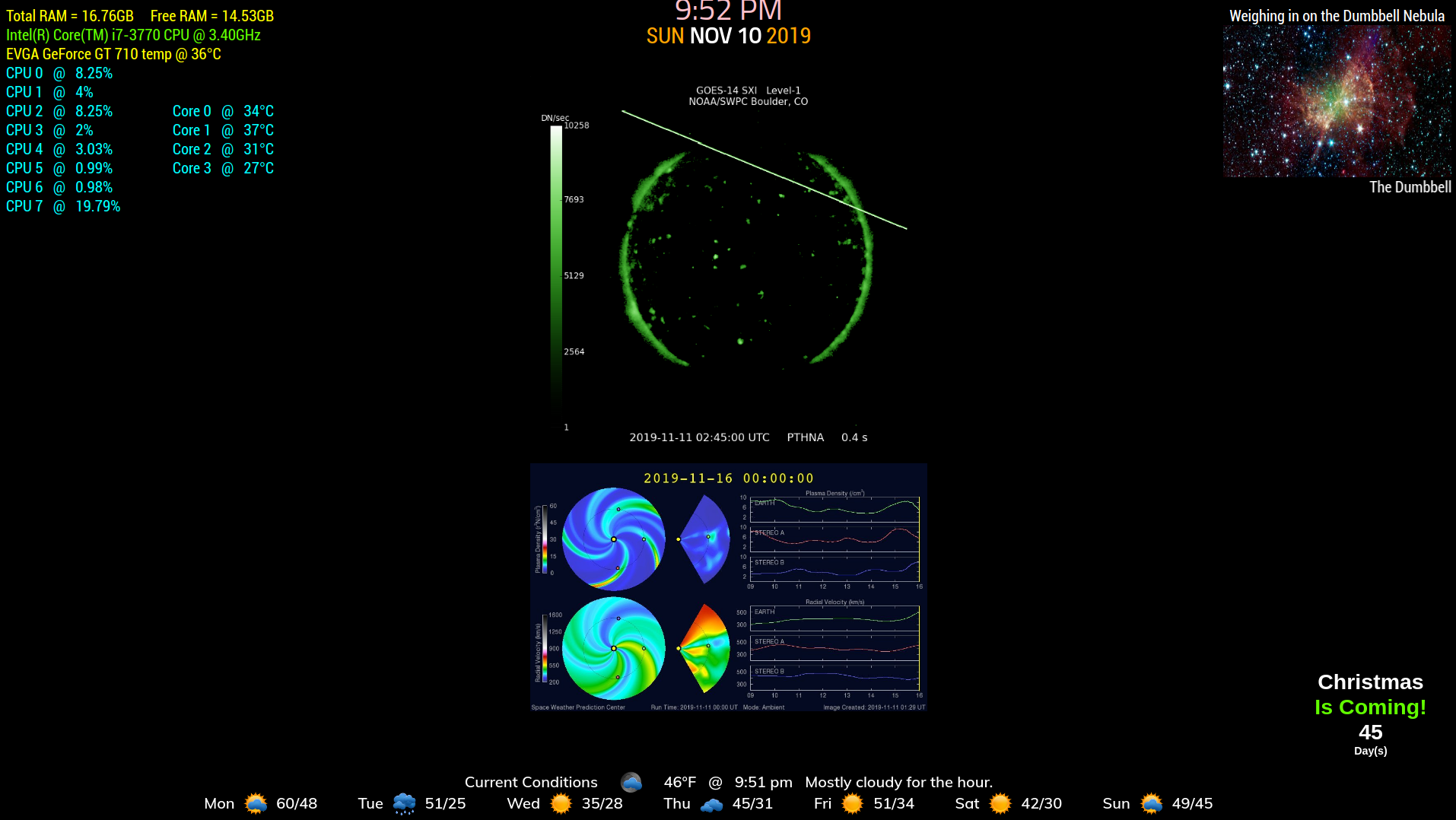
                              0_1573441559550_212.png

                              And finally, if you look at the updated readMe, you’ll find a credit in your name. :-)

                              git pull in the MMM-Aurora directory or install as per the readMe.

                              https://github.com/mykle1/MMM-Aurora

                              Create a working config
                              How to add modules

                              C 1 Reply Last reply Reply Quote 1
                              • C Offline
                                chassain 0 @Mykle1
                                last edited by

                                @Mykle1 Nice job :)…Thanks

                                1 Reply Last reply Reply Quote 1

                                Hello! It looks like you're interested in this conversation, but you don't have an account yet.

                                Getting fed up of having to scroll through the same posts each visit? When you register for an account, you'll always come back to exactly where you were before, and choose to be notified of new replies (either via email, or push notification). You'll also be able to save bookmarks and upvote posts to show your appreciation to other community members.

                                With your input, this post could be even better 💗

                                Register Login

                                • 1 / 1
                                • First post
                                  Last post
                                Enjoying MagicMirror? Please consider a donation!
                                MagicMirror created by Michael Teeuw.
                                Forum managed by Sam, technical setup by Karsten.
                                This forum is using NodeBB as its core | Contributors
                                Contact | Privacy Policy