MagicMirror Forum
    • Recent
    • Tags
    • Unsolved
    • Solved
    • MagicMirror² Repository
    • Documentation
    • 3rd-Party-Modules
    • Donate
    • Discord
    • Register
    • Login
    A New Chapter for MagicMirror: The Community Takes the Lead
    Read the statement by Michael Teeuw here.

    Adding jQuery

    Scheduled Pinned Locked Moved Solved Requests
    11 Posts 5 Posters 9.7k Views 5 Watching
    Loading More Posts
    • Oldest to Newest
    • Newest to Oldest
    • Most Votes
    Reply
    • Reply as topic
    Log in to reply
    This topic has been deleted. Only users with topic management privileges can see it.
    • S Offline
      snimax
      last edited by

      Hi,
      Im trying to develop a module and it would be helpfull to have jQuery but im not sure how to include it. when im using the

      getScripts: function() {
      return [“jQuery.js”];
      },*/

      everything just turns black and nothing loads. Any idea of what to do?

      strawberry 3.141S 1 Reply Last reply Reply Quote 0
      • strawberry 3.141S Offline
        strawberry 3.141 Project Sponsor Module Developer @snimax
        last edited by

        @snimax you probably getting an error in the console that it can’t find the script jquery make sure you add it to your module folder

        Please create a github issue if you need help, so I can keep track

        1 Reply Last reply Reply Quote 0
        • S Offline
          snimax
          last edited by

          Ah so if i want to use it for multiple modules, do i have to add the file to every modules folder or is there a “universal” place for them?

          strawberry 3.141S 1 Reply Last reply Reply Quote 0
          • strawberry 3.141S Offline
            strawberry 3.141 Project Sponsor Module Developer @snimax
            last edited by

            @snimax yes otherwise a user who will use only one of your modules is not able to use it correctly https://github.com/MichMich/MagicMirror/blob/master/modules/README.md#getscripts

            Please create a github issue if you need help, so I can keep track

            1 Reply Last reply Reply Quote 0
            • S Offline
              snimax
              last edited by

              Okey thank you very much!

              1 Reply Last reply Reply Quote 0
              • E Offline
                E3V3A
                last edited by

                @strawberry-3-141

                It seem that getscripts doesn’t work anymore, at least not as I expected. This seem to be because even though MM finds the script, we get hit by the security error:

                The resource from “http://192.168.1.2:8080/node_modules/jquery-ui-dist/jquery-ui.css” was blocked due to MIME type mismatch (X-Content-Type-Options: nosniff).
                

                Any idea how to get past this?

                "Everything I do (here) is for free – altruism is the way!"
                MMM-FlightsAbove, MMM-Tabulator, MMM-Assistant (co-maintainer)

                N 1 Reply Last reply Reply Quote 0
                • N Offline
                  ninjabreadman @E3V3A
                  last edited by

                  @E3V3A When I look up the error, I find this thread which says:

                  Check if the file path is correct and the file exists - in my case that was the issue - as I fixed it, the error disappeared.

                  I suspect that jQuery is installed in your module’s node_modules folder, and not at the root of your MagicMirror (I may however be wrong).

                  In which case I would expect jQuery to be installed at “http://192.168.1.2:8080/modules/MMM-Tabulator/node_modules/jquery-ui-dist/jquery-ui.css”. This is why in your thread here you needed to use this.file() so that it created a relative path.

                  Problem with config or JavaScript? Copy/paste it into JSHint.
                  Check out the detailed walkthroughs on install, config, modules, etc.

                  E 1 Reply Last reply Reply Quote 0
                  • E Offline
                    E3V3A @ninjabreadman
                    last edited by

                    @ninjabreadman Oh man, Excellent! I wish I’d had seen that a week ago…

                    Anyway, I’ve solved it since, but got another issue with getting the Tabulator code to actually do something. No errors shown, unfortunately.

                    PS. Is there a way to close a thread or mark it as solved??

                    "Everything I do (here) is for free – altruism is the way!"
                    MMM-FlightsAbove, MMM-Tabulator, MMM-Assistant (co-maintainer)

                    yawnsY 1 Reply Last reply Reply Quote 0
                    • yawnsY Offline
                      yawns Moderator @E3V3A
                      last edited by

                      @E3V3A
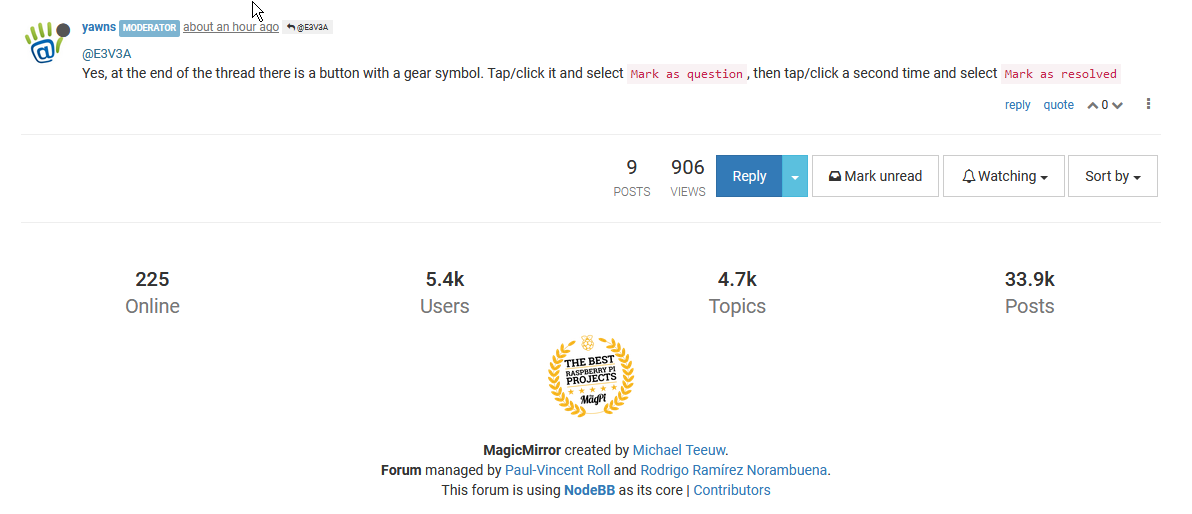
                      Yes, at the end of the thread there is a button with a gear symbol. Tap/click it and select Mark as question, then tap/click a second time and select Mark as resolved

                      E 1 Reply Last reply Reply Quote 0
                      • E Offline
                        E3V3A @yawns
                        last edited by

                        @yawns I must be blind!?

                        0_1519078979009_firefox_2018-02-20_00-22-00.png

                        "Everything I do (here) is for free – altruism is the way!"
                        MMM-FlightsAbove, MMM-Tabulator, MMM-Assistant (co-maintainer)

                        yawnsY 1 Reply Last reply Reply Quote 0
                        • yawnsY Offline
                          yawns Moderator @E3V3A
                          last edited by

                          @E3V3A
                          No, I guess it’s my mistake. As a moderator I have these options. And I think the thread starter has the option as well.


                          1 Reply Last reply Reply Quote 0

                          Hello! It looks like you're interested in this conversation, but you don't have an account yet.

                          Getting fed up of having to scroll through the same posts each visit? When you register for an account, you'll always come back to exactly where you were before, and choose to be notified of new replies (either via email, or push notification). You'll also be able to save bookmarks and upvote posts to show your appreciation to other community members.

                          With your input, this post could be even better 💗

                          Register Login

                          • 1 / 1
                          • First post
                            Last post
                          Enjoying MagicMirror? Please consider a donation!
                          MagicMirror created by Michael Teeuw.
                          Forum managed by Sam, technical setup by Karsten.
                          This forum is using NodeBB as its core | Contributors
                          Contact | Privacy Policy