Read the statement by Michael Teeuw here.
My mini magic Alarm Clock!
-
With MM2 as the backbone … Here it is!
Thanks to strawberry 3.141 for the touch alarm clock it’s working and it’s a pretty powerful little clock! :)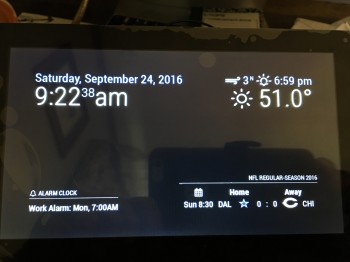
-
nice work! now tell us more about touch!!!
-
Right now the ONLY touch function that I needed was the alarm clock and this module is used for that:
https://github.com/fewieden/MMM-AlarmClockYou can turn the touch function on and off.
I have an official Raspberry Pi 7" touch screen so I had to do nothing to get it to work!! It just worked!
I plugged a powered speaker into the 3.5 jack on the RPI and I have sound… nothing more to do there.What I’d like to do is find out if it’s possible to add the touch function to this module:
https://github.com/barnabycolby/MMM-CarouselBUT I am also using this module:
https://github.com/ianperrin/MMM-ModuleSchedulerThat turns the modules on and off at different times… at night the only thing that shows is the time and date…
keeps the glare down :) -
my 7 inch touch just arrived this week and i havent opened it yet! lol…although i was thinking of using it with my extra Pi3 to make a photo booth!
-
@cyberphox That would work!!! I had the screen was waiting on the pi that got here yesterday and by last night it was up and running! :)
-
On Friday night my frame should be here [tried to make one but it literally exploded into pieces!]… and I’ll post more pics!
-
Actually I’m also waiting on this:
https://www.amazon.com/gp/product/B01K9IVUYM/ref=ya_st_dp_summary
because I’m curious and want to see if I can make this work on a pi zero :)
-
There it is complete!! :)
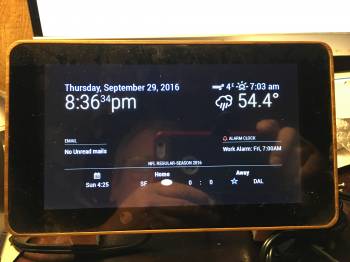
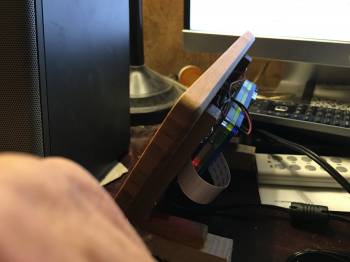
Thanks again @strawberry-3-141 for the awesome touch alarm clock! :)
-
Looks cool! Can you change the alarm from the GUI rather than the files themselves?
-
@Cheese2face No it has to be done via the config file… ;)
-
Hey, I know this topic is extremely old but I’m really interested in making an alarm clock like this and I was wondering if u could tell me what type of frame you used.
-
Man, I’ve been wanting to do this for so long, just didn’t know how to get touch working… ideally, I’d like to be able to schedule the alarms from the touchscreen, but this would work.
The “E” in “Javascript” stands for “Easy”
-
Ya there’s no way to do it from gui which is annoying but I was going to install a button and it didn’t seem worth it. I just decided to buy a touchscreen instead of a small screen and mirror
-
@aareben I ordered it off of Amazon here’s a search I did this morning:
https://www.amazon.com/s?k=7"+raspberry+pi+touch+screen+frame&ref=nb_sb_noss
-
@BKeyport the touch works the same as a mouse click so there’s nothing to getting it working. You get a 7" or 10" Raspberry pi screen they work really great! :)


Hello! It looks like you're interested in this conversation, but you don't have an account yet.
Getting fed up of having to scroll through the same posts each visit? When you register for an account, you'll always come back to exactly where you were before, and choose to be notified of new replies (either via email, or push notification). You'll also be able to save bookmarks and upvote posts to show your appreciation to other community members.
With your input, this post could be even better 💗
Register Login