Read the statement by Michael Teeuw here.
MMM-Volumio
-
I can’t seem to get this to work. It just displays “Connecting to Volumio…” in the mirror.
Logs show this line popping up every 15 seconds or so.
— MMM-Volumio: Socket Notification Received: MMM-VOLUMIO-SET-CONFIGIP for volumio is set to static 192.168.1.98. This is set correctly in the config.js.
Thanks for any help you might be able to give.
-
@Chiumanfu This is just a prrof of concept and I haven’t had any time to expand on it.
This sounds stupid but are you playing something on Volumio? If nothing is playing, it will not get any data.
Other than that, perhaps you can inspect the JS in your browser and see if there are any errors there. Sorry I cant offer more support right now.
Anthony
-
@trgraglia I realized my mistake. I had to add “http://” in front of the IP address in the config.js
Thanks for your work on this module.
-
@Chiumanfu The devil is in the details. ;)
-
Hello, This MMM-Volumio modul work great whit Volumio. I have Pi Zero whit RuneAudio. Volumiourl: “http://runeaudio.local” don’t work. Is possible MMM-Volumio modifier for RuneAudio? MMM-MPD don’t work for me.
Thanks -
Displaying the album art is pretty simple.
Volumio exposes it through the websocket already, just need to add it.Just add/change the following the MMM-Volumio.js file
        item.className = 'mmm-volumio-item';
        item.innerHTML = '<div>' + data['title'] + '<div>'
            + '<div>' + data['artist'] + '</div>'
            + '<div></br></div>'
            //+ '<div>' + data['title'] + '</div>'
            + '<div><img style="width:25%;height:25%;" src=' + data['albumart'] + '></div>';
        wrapper.appendChild(item);
edit:
it seems the site is removing the formatting from the codeHere is a screen shot of the changes.
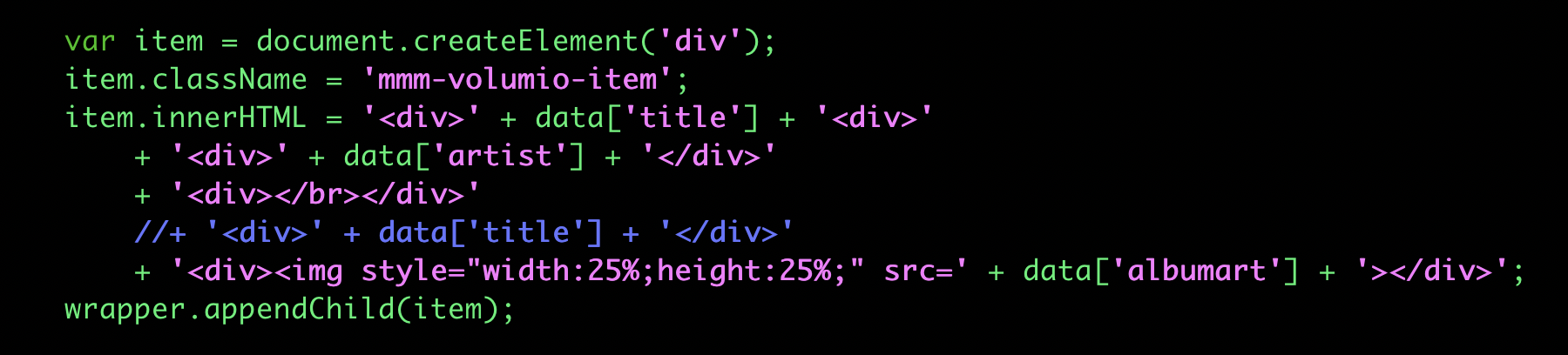
I would say play with the layout as it suits you. I had no need for the album title (the reason the one line is commented out).
My version is one the bottom bar.
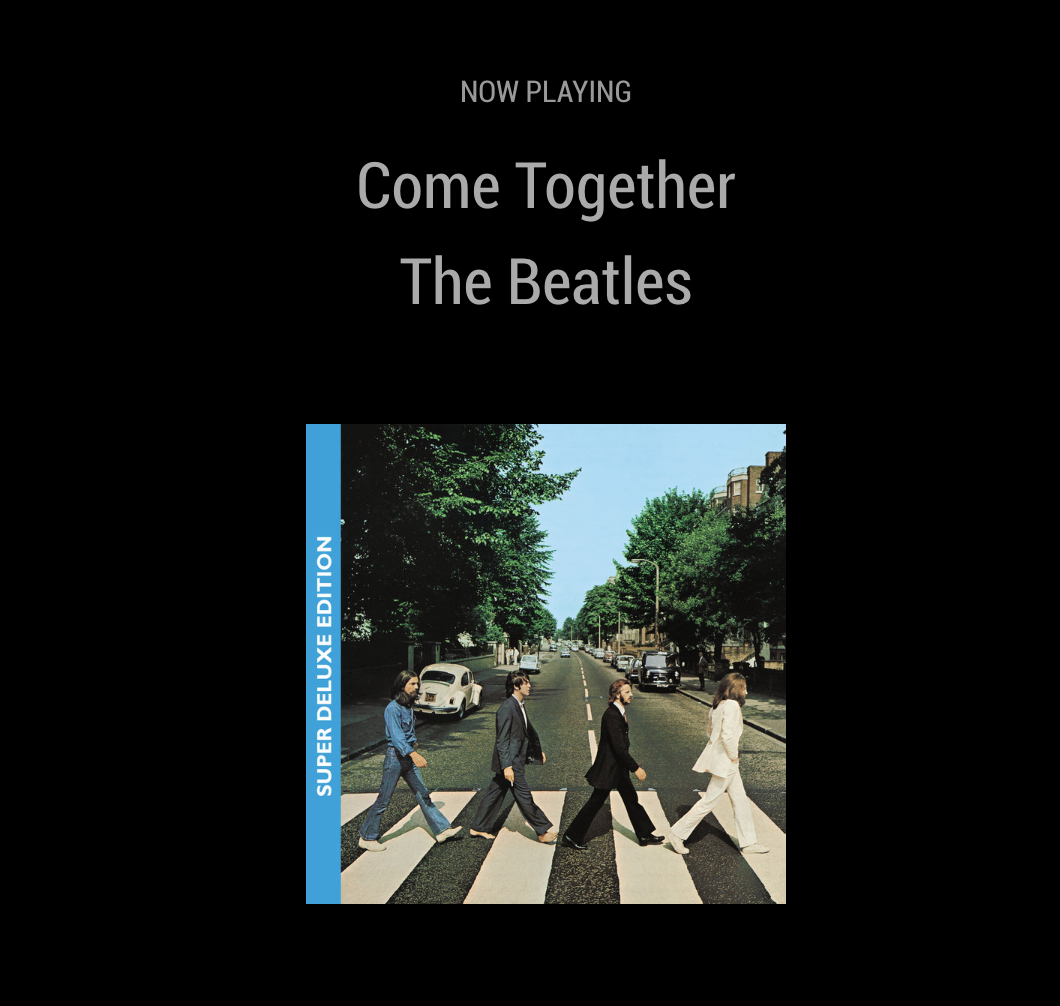
Some screenshots:
and
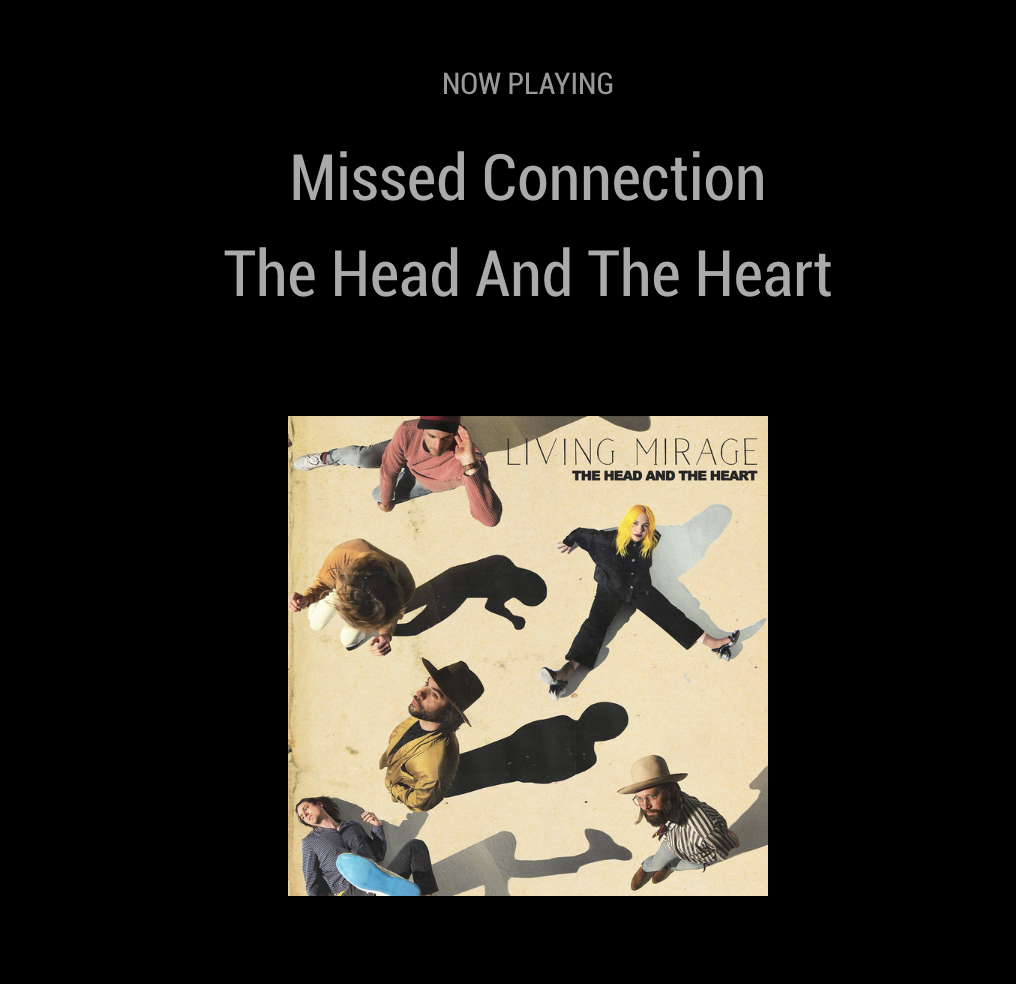
You will most likely need to play around with the css to match your layout.
One other note if when you first load the module, if you don’t see anything playing (assuming it’s playing on Volumio), stop then start the song again. After that everything will change automatically.
-
Hi, this look very nice. My Problem is I have RuneAudio on Rpi Zero. Can someone rewrite that code for RuneAudio or MPD? I want to have that.
Pls. -
I can’t make this work. I can display the album, artist and title but not albumart.
I have tried the code used by @stacyweb with no luck. I have displayed the albumart url on the screen so I know I have the url. I do get an image icon on the screen. If anyone can help I would really appreciate it. -
@EllyJ I made it work 🙂
-
@EllyJ Awesome! what did u have to change?
-
It was the url I was trying to use, it was missing the address of my Pi with the Volumio player at the beginning. Interestingly if I had been using the web radio option it would have worked and the radio stations logo would have appeared!
I should clean up my code now but as it is working I will leave it as is.
Hello! It looks like you're interested in this conversation, but you don't have an account yet.
Getting fed up of having to scroll through the same posts each visit? When you register for an account, you'll always come back to exactly where you were before, and choose to be notified of new replies (either via email, or push notification). You'll also be able to save bookmarks and upvote posts to show your appreciation to other community members.
With your input, this post could be even better 💗
Register Login