MagicMirror Forum
    • Recent
    • Tags
    • Unsolved
    • Solved
    • MagicMirror² Repository
    • Documentation
    • 3rd-Party-Modules
    • Donate
    • Discord
    • Register
    • Login
    A New Chapter for MagicMirror: The Community Takes the Lead
    Read the statement by Michael Teeuw here.

    OrangePi Zero 2 installation issues

    Scheduled Pinned Locked Moved Unsolved Troubleshooting
    41 Posts 2 Posters 11.7k Views 2 Watching
    Loading More Posts
    • Oldest to Newest
    • Newest to Oldest
    • Most Votes
    Reply
    • Reply as topic
    Log in to reply
    This topic has been deleted. Only users with topic management privileges can see it.
    • M Offline
      michelw @sdetweil
      last edited by

      @sdetweil

      Not sure I understand what you mean. I’m doing all of this using ssh.

      M 2 Replies Last reply Reply Quote 0
      • M Offline
        michelw @michelw
        last edited by

        This post is deleted!
        1 Reply Last reply Reply Quote 0
        • M Offline
          michelw @michelw
          last edited by michelw

          @michelw said in OrangePi Zero 2 installation issues:

          @sdetweil

          Not sure I understand what you mean. I’m doing all of this using ssh.

          Does this help?

          michel@orangepizero2:~$ cat /etc/X11/xorg.conf.d/01-orangepi-defaults.conf 
          Section "Monitor"
          	Identifier		"Monitor0"
          	Option			"DPMS" "false"
          EndSection
          Section "ServerFlags"
          	Option			"BlankTime" "0"
          	Option			"StandbyTime" "0"
          	Option			"SuspendTime" "0"
          	Option			"OffTime" "0"
          EndSection
          # rotate the screen
          Section "Device"
              Identifier "default"
              Driver "fbdev"
              Option "Rotate" "CCW"
          EndSection
          

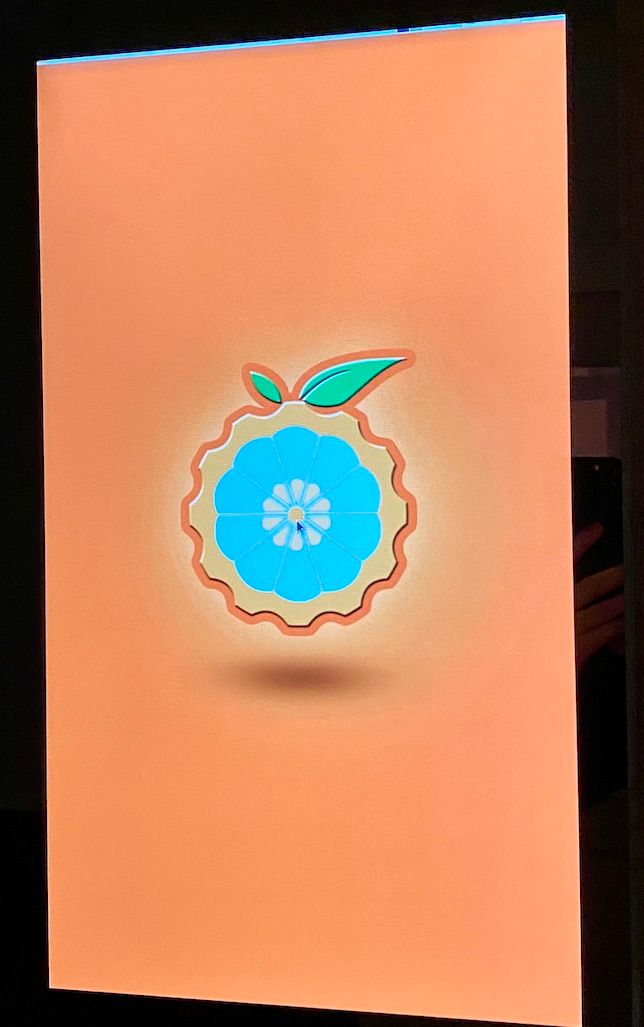
          I just added the rotation part and it rotated the desktop. The identifier seems to be " Monitor0"
          IMG_5509.JPG

          S 1 Reply Last reply Reply Quote 0
          • S Offline
            sdetweil @michelw
            last edited by sdetweil

            @michelw ok, using command line

            cd ~/MagicMirror
            export DISPLAY=Monitor0
            npm start
            

            if that works then edit installers/mm.sh and add that export before the npm start

            then pm2 start should work

            Sam

            How to add modules

            learning how to use browser developers window for css changes

            M 1 Reply Last reply Reply Quote 0
            • M Offline
              michelw @sdetweil
              last edited by

              @sdetweil said in OrangePi Zero 2 installation issues:

              npm start

              michel@orangepizero2:~/MagicMirror$ export DISPLAY=Monitor0
              michel@orangepizero2:~/MagicMirror$ npm start
              
              > magicmirror@2.17.1 start /home/michel/MagicMirror
              > DISPLAY="${DISPLAY:=:0}" ./node_modules/.bin/electron js/electron.js
              
              [10.12.2021 23:32.41.725] [LOG]   Starting MagicMirror: v2.17.1
              [10.12.2021 23:32.41.743] [LOG]   Loading config ...
              [10.12.2021 23:32.41.757] [LOG]   Loading module helpers ...
              [10.12.2021 23:32.41.762] [LOG]   No helper found for module: alert.
              [10.12.2021 23:32.41.800] [LOG]   Initializing new module helper ...
              [10.12.2021 23:32.41.804] [LOG]   Module helper loaded: updatenotification
              [10.12.2021 23:32.41.807] [LOG]   No helper found for module: clock.
              [10.12.2021 23:32.42.141] [LOG]   Initializing new module helper ...
              [10.12.2021 23:32.42.144] [LOG]   Module helper loaded: calendar
              [10.12.2021 23:32.42.146] [LOG]   No helper found for module: compliments.
              [10.12.2021 23:32.42.149] [LOG]   No helper found for module: weather.
              [10.12.2021 23:32.42.196] [LOG]   Initializing new module helper ...
              [10.12.2021 23:32.42.198] [LOG]   Module helper loaded: newsfeed
              [10.12.2021 23:32.42.200] [LOG]   All module helpers loaded.
              [10.12.2021 23:32.42.420] [LOG]   Starting server on port 8080 ... 
              [10.12.2021 23:32.42.453] [LOG]   Server started ...
              [10.12.2021 23:32.42.456] [LOG]   Connecting socket for: updatenotification
              [10.12.2021 23:32.42.459] [LOG]   Connecting socket for: calendar
              [10.12.2021 23:32.42.461] [LOG]   Starting node helper for: calendar
              [10.12.2021 23:32.42.463] [LOG]   Connecting socket for: newsfeed
              [10.12.2021 23:32.42.465] [LOG]   Starting node helper for: newsfeed
              [10.12.2021 23:32.42.467] [LOG]   Sockets connected & modules started ...
              The futex facility returned an unexpected error code.
              /home/michel/MagicMirror/node_modules/electron/dist/electron exited with signal SIGABRT
              npm ERR! code ELIFECYCLE
              npm ERR! errno 1
              npm ERR! magicmirror@2.17.1 start: `DISPLAY="${DISPLAY:=:0}" ./node_modules/.bin/electron js/electron.js`
              npm ERR! Exit status 1
              npm ERR! 
              npm ERR! Failed at the magicmirror@2.17.1 start script.
              npm ERR! This is probably not a problem with npm. There is likely additional logging output above.
              
              npm ERR! A complete log of this run can be found in:
              npm ERR!     /home/michel/.npm/_logs/2021-12-10T23_32_42_717Z-debug.log
              michel@orangepizero2:~/MagicMirror$ 
              
              
              S 1 Reply Last reply Reply Quote 0
              • S Offline
                sdetweil @michelw
                last edited by

                @michelw so, no

                Sam

                How to add modules

                learning how to use browser developers window for css changes

                S 1 Reply Last reply Reply Quote 0
                • S Offline
                  sdetweil @sdetweil
                  last edited by

                  @michelw does chromium work?

                  Sam

                  How to add modules

                  learning how to use browser developers window for css changes

                  S M 2 Replies Last reply Reply Quote 0
                  • S Offline
                    sdetweil @sdetweil
                    last edited by

                    @michelw armbian on pi
                    https://9to5linux.com/first-look-at-armbian-linux-on-raspberry-pi-4

                    Sam

                    How to add modules

                    learning how to use browser developers window for css changes

                    M 2 Replies Last reply Reply Quote 0
                    • M Offline
                      michelw @sdetweil
                      last edited by

                      @sdetweil

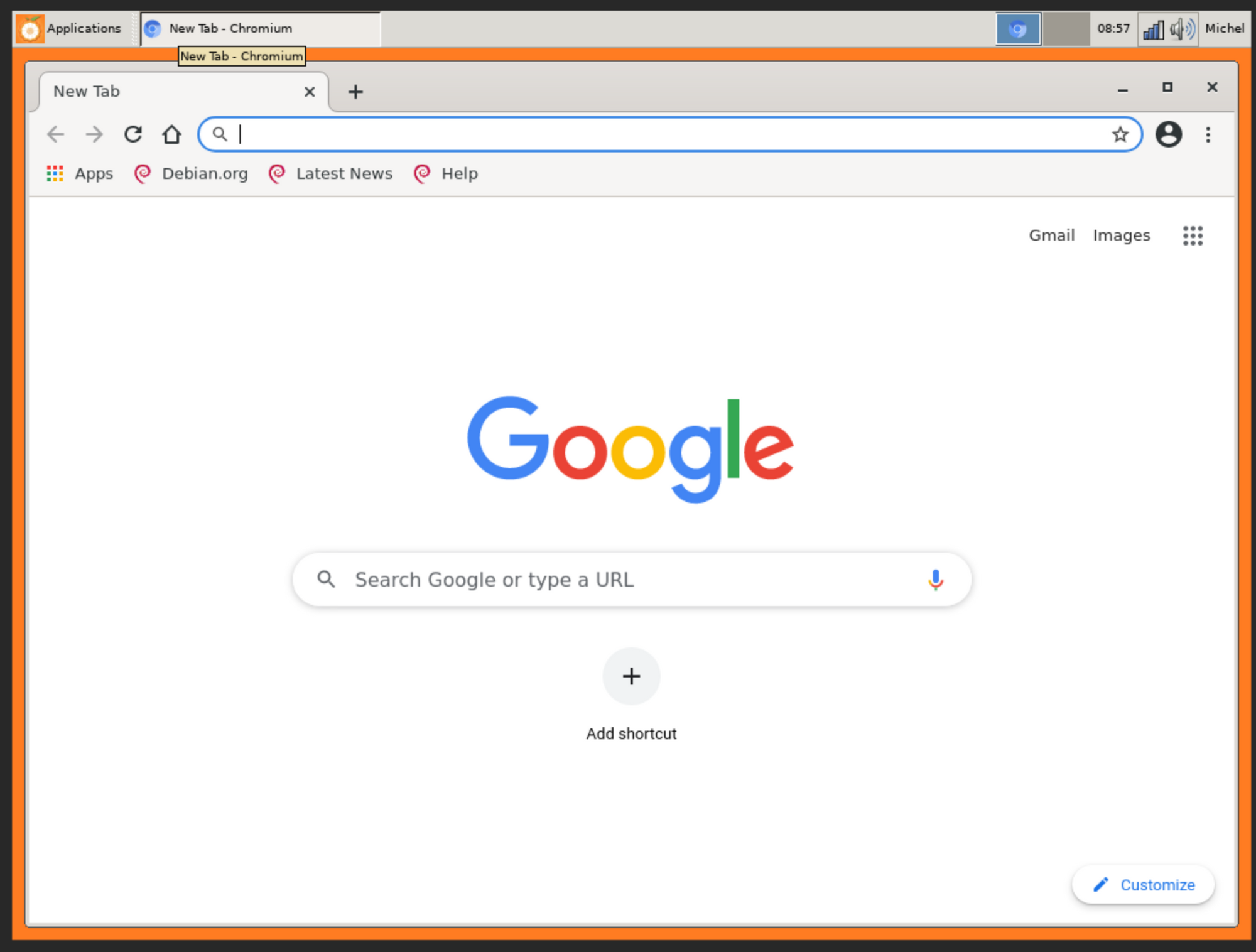
                      Yes chromium seems to work. I installed vnc server since this SBC is in my mirror and I have now way to attach a mouse.
                      6ac12b81-4e47-459b-b49e-d7db5645cdef-image.png

                      1 Reply Last reply Reply Quote 0
                      • M Offline
                        michelw @sdetweil
                        last edited by

                        @sdetweil

                        Not sure what you are trying to say by pointing me to the 9to5 article. Is there something relevant in there i missed? :)

                        S 1 Reply Last reply Reply Quote 0
                        • M Offline
                          michelw @sdetweil
                          last edited by michelw

                          @sdetweil

                          I just played around with the DISPLAY parameter and when setting:

                          michel@orangepizero2:~/MagicMirror$ export DISPLAY=:1
                          michel@orangepizero2:~/MagicMirror$ npm start
                          
                          > magicmirror@2.17.1 start /home/michel/MagicMirror
                          > DISPLAY="${DISPLAY:=:0}" ./node_modules/.bin/electron js/electron.js
                          
                          [11.12.2021 09:15.21.920] [LOG]   Starting MagicMirror: v2.17.1
                          [11.12.2021 09:15.21.937] [LOG]   Loading config ...
                          [11.12.2021 09:15.21.952] [LOG]   Loading module helpers ...
                          [11.12.2021 09:15.21.957] [LOG]   No helper found for module: alert.
                          [11.12.2021 09:15.21.994] [LOG]   Initializing new module helper ...
                          [11.12.2021 09:15.21.998] [LOG]   Module helper loaded: updatenotification
                          [11.12.2021 09:15.22.001] [LOG]   No helper found for module: clock.
                          [11.12.2021 09:15.22.350] [LOG]   Initializing new module helper ...
                          [11.12.2021 09:15.22.353] [LOG]   Module helper loaded: calendar
                          [11.12.2021 09:15.22.355] [LOG]   No helper found for module: compliments.
                          [11.12.2021 09:15.22.358] [LOG]   No helper found for module: weather.
                          [11.12.2021 09:15.22.404] [LOG]   Initializing new module helper ...
                          [11.12.2021 09:15.22.406] [LOG]   Module helper loaded: newsfeed
                          [11.12.2021 09:15.22.408] [LOG]   All module helpers loaded.
                          [11.12.2021 09:15.22.633] [LOG]   Starting server on port 8080 ... 
                          [11.12.2021 09:15.22.669] [LOG]   Server started ...
                          [11.12.2021 09:15.22.672] [LOG]   Connecting socket for: updatenotification
                          [11.12.2021 09:15.22.676] [LOG]   Connecting socket for: calendar
                          [11.12.2021 09:15.22.678] [LOG]   Starting node helper for: calendar
                          [11.12.2021 09:15.22.680] [LOG]   Connecting socket for: newsfeed
                          [11.12.2021 09:15.22.683] [LOG]   Starting node helper for: newsfeed
                          [11.12.2021 09:15.22.685] [LOG]   Sockets connected & modules started ...
                          [11.12.2021 09:15.23.736] [LOG]   Launching application.
                          [11.12.2021 09:15.29.501] [LOG]   Create new calendarfetcher for url: http://www.calendarlabs.com/ical-calendar/ics/76/US_Holidays.ics - Interval: 300000
                          [11.12.2021 09:15.29.593] [LOG]   Create new newsfetcher for url: https://rss.nytimes.com/services/xml/rss/nyt/HomePage.xml - Interval: 300000
                          [11.12.2021 09:15.29.661] [INFO]  Checking git for module: default
                          [11.12.2021 09:15.31.393] [INFO]  Calendar-Fetcher: Broadcasting 10 events.
                          [11.12.2021 09:15.31.553] [INFO]  Newsfeed-Fetcher: Broadcasting 58 items.


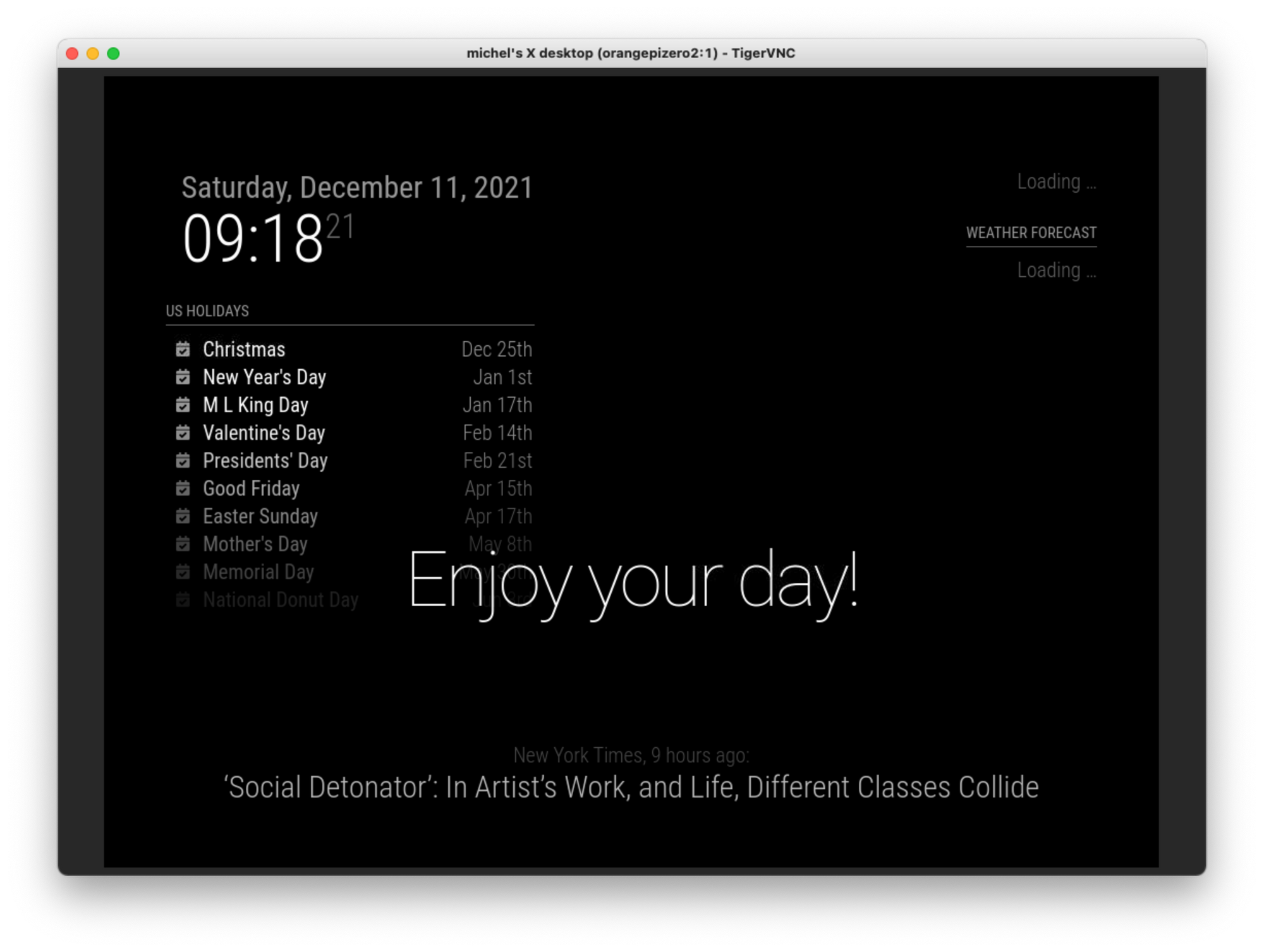
                          I get the magic mirror in the VNC session (but not on the monitor)
                          0f3dacac-c919-4a08-856e-849e5e76708b-image.png

                          So this seems to be related to the output somehow.

                          S 1 Reply Last reply Reply Quote 0
                          • S Offline
                            sdetweil @michelw
                            last edited by

                            @michelw no, but I can try armbian on my pi now

                            Sam

                            How to add modules

                            learning how to use browser developers window for css changes

                            1 Reply Last reply Reply Quote 0
                            • S Offline
                              sdetweil @michelw
                              last edited by

                              @michelw and when u are using vnc, the monitor is showing the desktop, right?

                              Sam

                              How to add modules

                              learning how to use browser developers window for css changes

                              M 1 Reply Last reply Reply Quote 0
                              • M Offline
                                michelw
                                last edited by

                                Ah right.

                                I would like to thank you very much for all your help.

                                Went looking for a second hand Raspberry PI 4B 1G today and found one. A little expensive but at least I have something more compatible now so I at least can get the magicmirror running :)

                                Still willing to help out (testing) if you would like to make your script Orange Pi Zero 2 compatible. That might help others.

                                S 1 Reply Last reply Reply Quote 0
                                • M Offline
                                  michelw @sdetweil
                                  last edited by

                                  @sdetweil said in OrangePi Zero 2 installation issues:

                                  @michelw and when u are using vnc, the monitor is showing the desktop, right?

                                  Yes, that is correct.

                                  1 Reply Last reply Reply Quote 0
                                  • S Offline
                                    sdetweil @michelw
                                    last edited by

                                    @michelw it’s not the script, it’s the assumption by the mm startup, defined in package.json), that DISPLAY needs to be :0 if not already set.

                                    Sam

                                    How to add modules

                                    learning how to use browser developers window for css changes

                                    1 Reply Last reply Reply Quote 0
                                    • S Offline
                                      sdetweil
                                      last edited by

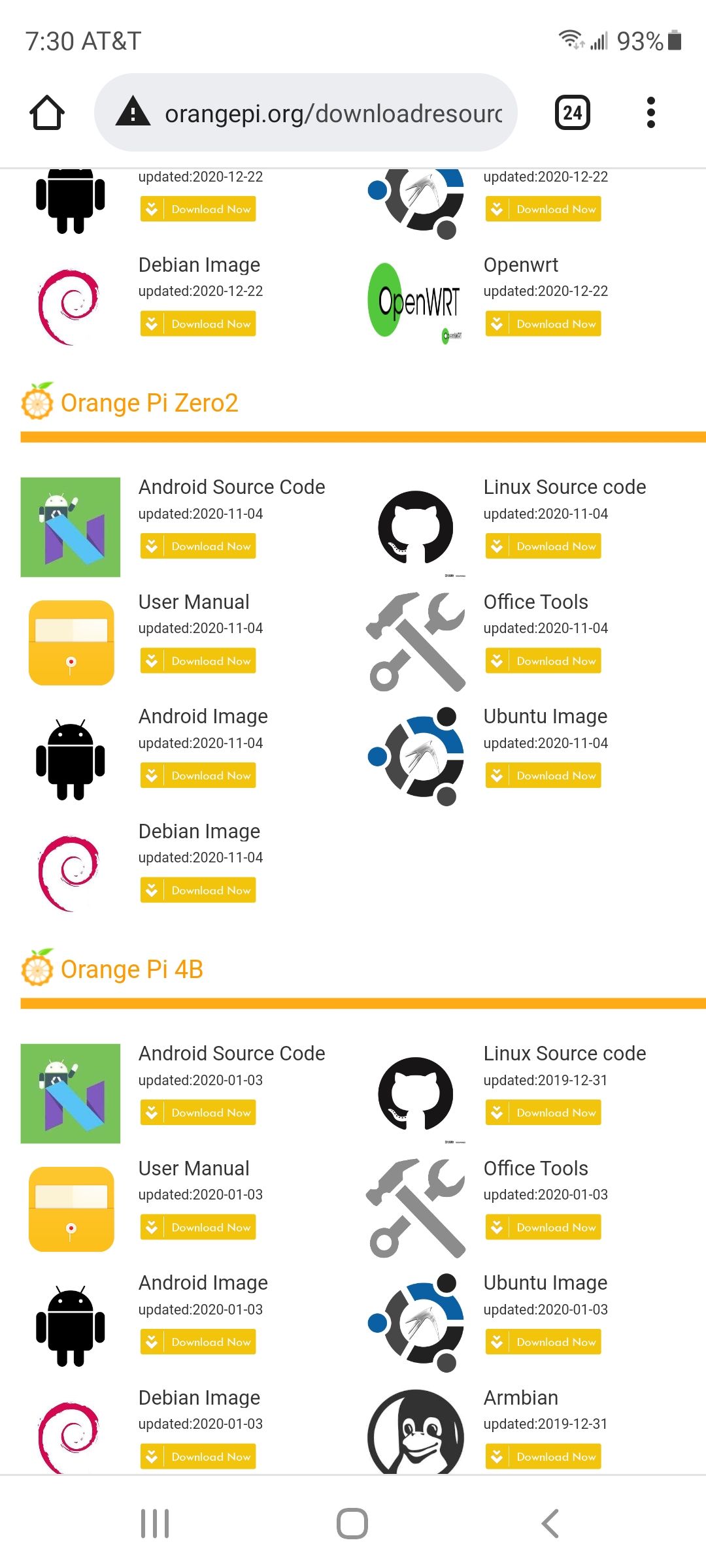
                                      which image did u try?

                                      debian or Ubuntu?
                                      Screenshot_20211211-073033_Chrome.jpg

                                      Sam

                                      How to add modules

                                      learning how to use browser developers window for css changes

                                      1 Reply Last reply Reply Quote 0
                                      • M Offline
                                        michelw
                                        last edited by

                                        I tried all of them, the latest I tried was : Orangepizero2_2.1.6_debian_buster_desktop_linux4.9.170.img

                                        S 1 Reply Last reply Reply Quote 0
                                        • S Offline
                                          sdetweil @michelw
                                          last edited by sdetweil

                                          @michelw installed XFCE desktop armbian on pi4(4gb)…

                                          opened terminal on desktop, see
                                          DISPLAY=:0.0

                                          installing MM now

                                          DISPLAY not set on ssh session

                                          SLOOOOOOOOOOOOOOOOOOOOOOOOOOOOOOOW!

                                          Sam

                                          How to add modules

                                          learning how to use browser developers window for css changes

                                          M 1 Reply Last reply Reply Quote 0
                                          • M Offline
                                            michelw @sdetweil
                                            last edited by

                                            @sdetweil

                                            Any results?

                                            S 1 Reply Last reply Reply Quote 0

                                            Hello! It looks like you're interested in this conversation, but you don't have an account yet.

                                            Getting fed up of having to scroll through the same posts each visit? When you register for an account, you'll always come back to exactly where you were before, and choose to be notified of new replies (either via email, or push notification). You'll also be able to save bookmarks and upvote posts to show your appreciation to other community members.

                                            With your input, this post could be even better 💗

                                            Register Login

                                            • 1
                                            • 2
                                            • 3
                                            • 2 / 3
                                            • First post
                                              Last post
                                            Enjoying MagicMirror? Please consider a donation!
                                            MagicMirror created by Michael Teeuw.
                                            Forum managed by Sam, technical setup by Karsten.
                                            This forum is using NodeBB as its core | Contributors
                                            Contact | Privacy Policy