Read the statement by Michael Teeuw here.
MMM-Spotify
-
@justjim1220 said in MMM-Spotify:
Error: connect ECANCELED
set
updateIntervalto 1500 or 2000, then try again. -
Hi everyone, I need your help
I successfully installed MM-Spotify and working fine
my problem I don’t know how how to put commands to play by voice assistant I’m still learning
about this raspberry pi, would anyone can share your command samples and where i place to put in
Thanks in advance!
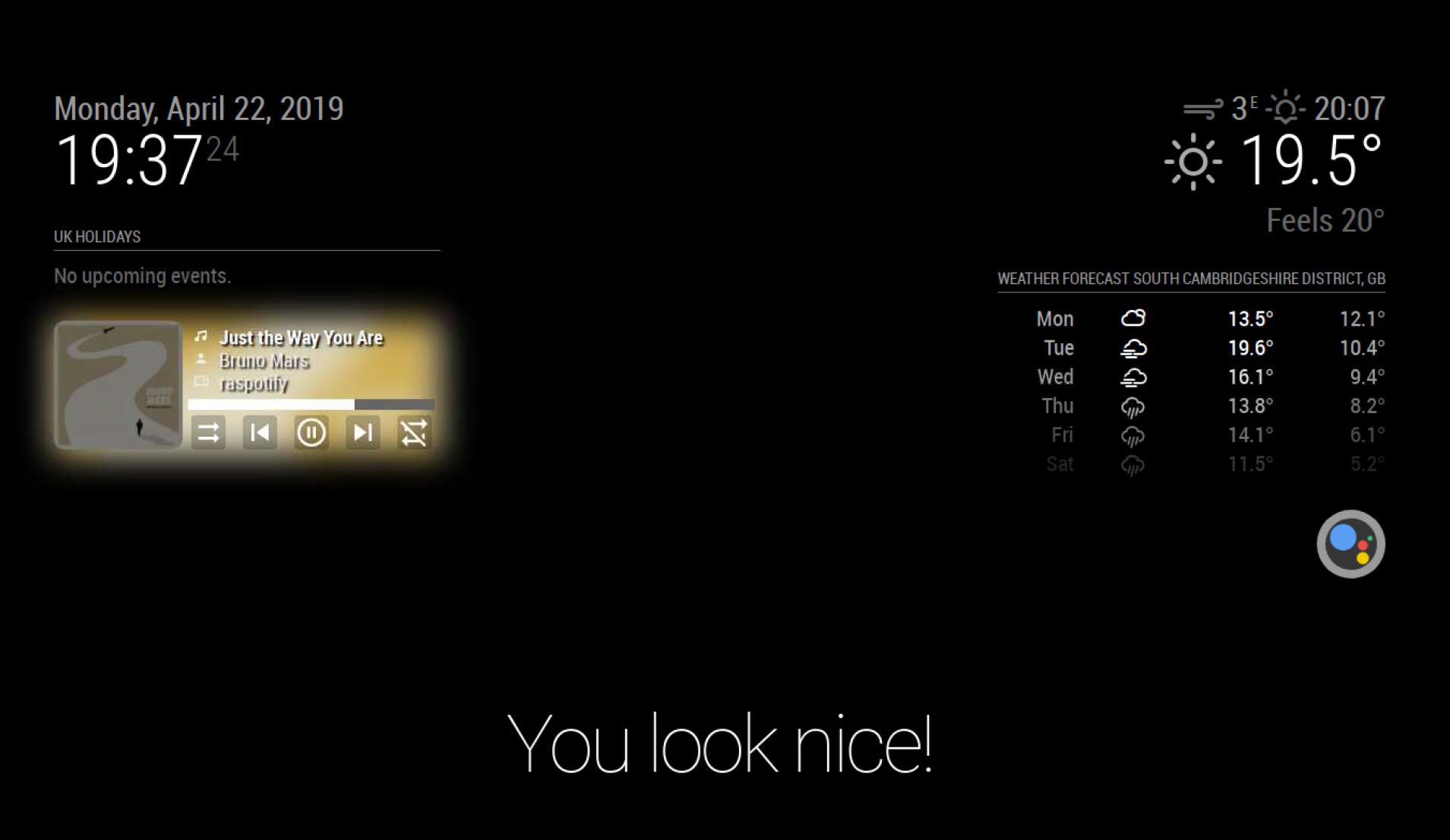
-
@Sean Hi Sean, from your descriptions I assume you have spent some quality time with the Spotify API. Is there a way to get user-related statistics (e.g. most often heard songs in recent time, new albums by favorite artists…) on the mirror? Have you tried out anything of that?
-
@lavolp3
Maybe possible.
https://developer.spotify.com/documentation/web-api/reference/personalization/
https://developer.spotify.com/documentation/web-api/reference/users-profile/
https://developer.spotify.com/documentation/web-api/reference/browse/
I didn’t implement these apis yet. But not too difficult.
But… I have no idea how to use them for MM modules.
Maybe you can implement it by yourself. I made a class to wrap APIs so I think ppl can easily expand. https://github.com/eouia/MMM-Spotify/blob/master/Spotify.js -
@Sean Well that’s fantastic. On my way…
What I see now as most interesting to me is a revolving Top 10 of songs for short_term, medium_term, and long_term.
-
@Sean I’ve switched Spotify account so I went to the MMM-Spotify folder, deleted the old token, update Client ID and Secret ID into spotify.config.json and created again (succesfully) the new token.
The problem is that now the module doesn’t come up when I want to play music from the smart mirror, BUT I still can hear the music (because of Raspotify I suppose).
Can you think about anything I am missing perhaps? :thinking_face:
PS: did you remove by chance your Telegram account? I am sending you private chat messages from time to time, but they never get a reply or show to be seen…
-
@Cr4z33 Show me the log. Usually I’m not in front of PC on weekends. :D
-
@Sean oh OK. :grinning_face_with_smiling_eyes:
I ran
npm start, but unfortunately no error came up.Same thing for PM2 logs.
At the end I tried to delete and reinstall MMM-Spotify, but the issue is still happening.
By the way this is my current config entry:
{ module: "MMM-Spotify", position: "top_left", disabled: false, config: { onStart: null, // disable onStart feature with `null` // allowDevices: ["Cr4z33 Mirror"], control: "hidden", //"default", "hidden" available } }, -
@Cr4z33
Try it without any config (default setup).
And nothing in log? Not only Error but also normal log can help to examine.
At least these(or similar) logs should be shown.Connecting socket for: MMM-Spotify [SPOTIFY_AUTH] Token is expired. It will be refreshed [SPOTIFY_AUTH] Token refreshing... [SPOTIFY_AUTH] Token is written. ## or [SPOTIFY_AUTH] Token is fresh. -
@Sean OK here is the console log output of default config with above module entry.
Please note that I also launched Spotify playing (after launching MM).npm start > magicmirror@2.7.1 start /home/pi/MagicMirror > sh run-start.sh Starting MagicMirror: v2.7.1 Loading config ... Loading module helpers ... No helper found for module: alert. Initializing new module helper ... Module helper loaded: MMM-Spotify Initializing new module helper ... Module helper loaded: updatenotification No helper found for module: clock. Initializing new module helper ... Module helper loaded: calendar No helper found for module: compliments. No helper found for module: currentweather. No helper found for module: weatherforecast. Initializing new module helper ... Module helper loaded: newsfeed All module helpers loaded. Starting server on port 8080 ... Server started ... Connecting socket for: MMM-Spotify [SPOTIFY_AUTH] Token is fresh. Connecting socket for: updatenotification Connecting socket for: calendar Starting node helper for: calendar Connecting socket for: newsfeed Starting module: newsfeed Sockets connected & modules started ... Launching application. Create new calendar fetcher for url: http://www.calendarlabs.com/templates/ical/US-Holidays.ics - Interval: 300000 Create new news fetcher for url: http://www.nytimes.com/services/xml/rss/nyt/HomePage.xml - Interval: 300000 -
@Cr4z33
Hmmm weird. It seems nothing special suspicious point at all.
The only thing I suspect is that you are using different account on MMM-Spotify and your real spotify player. but i think it would have bare chance.
TryonStartto activate it by force, at least it would show some errors.onStart: { device: null, search: { type: "playlist", keyword: "death metal", random:true, } } -
@Sean tried this config
		{
			module: "MMM-Spotify",
			position: "top_left",
			disabled: false,
			config: {
				// onStart: null, // disable onStart feature with `null`
				// allowDevices: ["Cr4z33 Mirror"],
				control: "hidden", //"default", "hidden" available
				}
		},
and the white big Spotify logo came up at MM loading and then disappeared.
Isn’t it enough to
//onStart line to let the module show all the time? :thinking_face: -
@Sean said in MMM-Spotify:
The only thing I suspect is that you are using different account on MMM-Spotify and your real spotify player.
Even if wasn’t the token OK at MM loading log?
-
@Cr4z33 said in MMM-Spotify:
The only thing I suspect is that you are using different account on MMM-Spotify and your real spotify player.
Even if wasn’t the token OK at MM loading log?
Token might be OK with different account, but if different account is used, it cannot derive current playback info. (You cannot get spotify info from your friend’s account playback with your account). Have you several accounts for spotify?
-
@Cr4z33 said in MMM-Spotify:
white big Spotify logo came up at MM loading and then disappeared.
This is normal. Unless you should customize CSS, with no playback, the module will be disappeared by default. (Some PPL have wanted so I added that feature.)
When playing on any Spotify player starts, module will be appeared. (If it can get current playback info from server) -
@Sean OK so to be 100% sure everything is set properly I start installing the module from scratch again generating once more the JSON file and the token.
-
@Sean working now!
For some reason previous installation generated a token without .JSON at the end (I know because I made a backup on the Desktop) while this time it was generated properly!
Thanks for your support anyway. :grinning_face_with_smiling_eyes:
-
@Sean Is it intentional that the z-index of the artwork (or the Spotify logo) is equal to or higher than whatever the Alert module shows? Alerts do not cover the Spotify module’s content.
-
@mmmmh not intentional. i rarely use alert module, so i didnt know about it. if you can make PR to fix it, feel free to contribute.
-
Hi all! i ve set a config as
SPOTIFY_MA_PLAYLIST: {
            notificationExec: {
                notification: "SPOTIFY_PLAY",
                payload: (params) => {
                    console.log("SPOTIFY_MA_PLAYLIST")
                    return {
                        context_uri: "spotify:playlist:1EaTnmluBfauzzcOdjebNG", // Uri of a personnal playlist or album
                    }
                },
                notification: "SPOTIFY_SHUFFLE", // added this to toogle shuffle
                notification: "SPOTIFY_NEXT" // added this to not always have the same song starting first
            }
        },
and activate it with
SPOTIFY_MA_PLAYLIST: {
            pattern: "play my playlist on spotify", // (.*)  is an action  eg: play my playlist / run my playlist etc...
            command: "SPOTIFY_MA_PLAYLIST"
        },
but every time i get this result which is very weird
weird responseany ideas plz?


Hello! It looks like you're interested in this conversation, but you don't have an account yet.
Getting fed up of having to scroll through the same posts each visit? When you register for an account, you'll always come back to exactly where you were before, and choose to be notified of new replies (either via email, or push notification). You'll also be able to save bookmarks and upvote posts to show your appreciation to other community members.
With your input, this post could be even better 💗
Register Login