Read the statement by Michael Teeuw here.
updated installer script available for testing
-
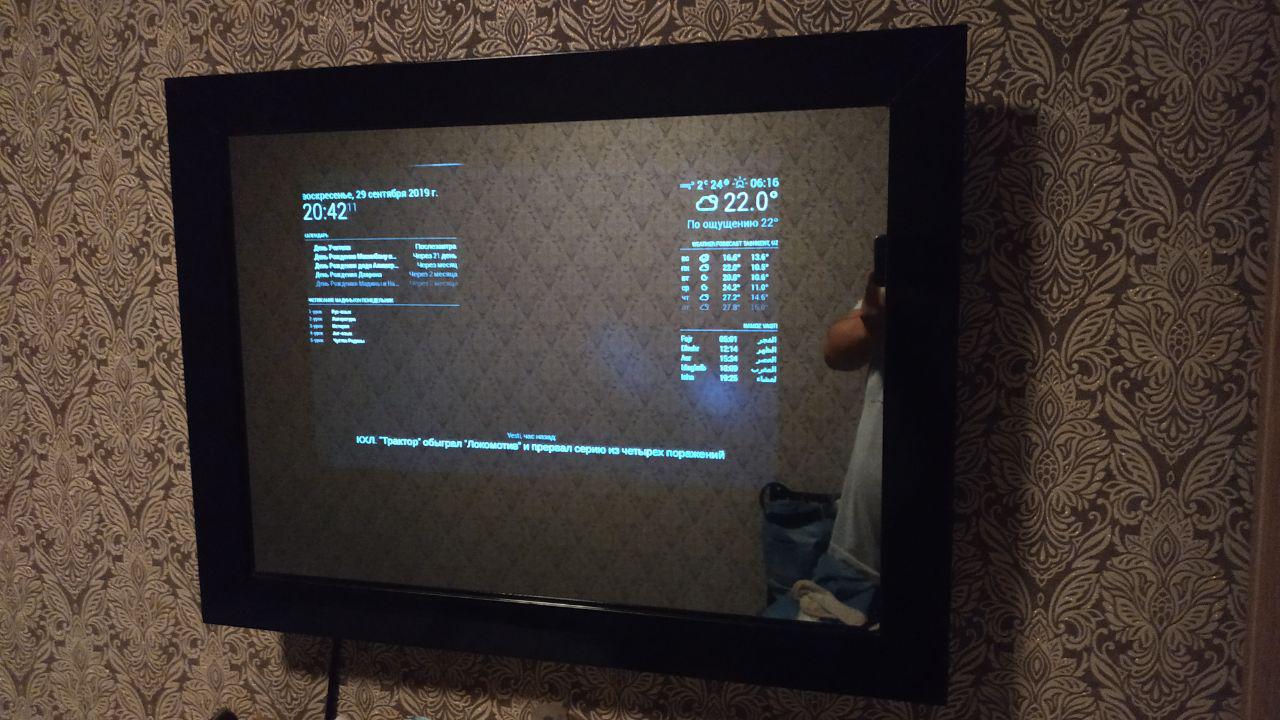
-
@bobwilliams awesome!!.. nice work
-
@sdetweil - I will be running your script on a fresh Raspberry Pi 4 1GB w/Buster desktop in a couple minutes. I’ll report back. Thank you for your hard work.
Updated to add: Well, it took a couple days because I didn’t have an microHDMI to HDMI adapter. But once I picked one up, I was able to get onto the Pi. The installation script worked first time with no issues. Great job!
-
@bhepler and??? a week later no news ??
-
@sdetweil - Sorry, I thought the update to my post covered it. The installer worked like a charm. Thanks again for your hard work!
-
@bhepler I missed the update
-
Hi. I’ve just installed MM on an Orange Pi PC board using this script. Works fine, and no errors. Thanks for your work @sdetweil
-
@qu1que Cool, thx
-
I used the regular method to install
bash -c "$(curl -sL https://raw.githubusercontent.com/MichMich/MagicMirror/master/installers/raspberry.shand ran into below error
while searching on google came across this post. Now how do I proceed?
How do I uninstall previous version? and install this?
-
@Newbie007 rename the MagicMirror folder out of the way
What kind of pi are u using?
-
@sdetweil said in Anyone want to try updated installer...:
What kind of pi are u using?
Raspberry Pi 2 Model B Rev 1.1
I don’t have to delete/uninstall previous one?
-
@Newbie007 no, just rename. If u are happy, just delete the older folder
-
I have submitted these changes under pull request 1789
-
i’ve tried running this installer a couple of times now but i keep getting the message-unable to install dependencies-any suggestions on how to proceed?
-
@mrdenmark show me the install.log from the MagicMirror folder… email to me if cannot post…
email userid is same as here on gmail
-
[0_1571974919417_install.log](Uploading 100%)
-
email sent,
-
-
Hey, it worked for me thanks!
-
no joy for me,heres a copy of the terminal output-
pi@raspberrypi:~/MagicMirror $ rm -rf node_modules
pi@raspberrypi:~/MagicMirror $ npm install
npm WARN deprecated time-grunt@2.0.0: Deprecated because Grunt is practically unmaintained. Move on to something better. This package will continue to work with Grunt v1, but it will not receive any updates.
npm WARN acorn-jsx@5.1.0 requires a peer of acorn@^6.0.0 || ^7.0.0 but none is installed. You must install peer dependencies yourself.npm ERR! code ENOENT
npm ERR! syscall chmod
npm ERR! path /home/pi/MagicMirror/node_modules/jsesc/bin/jsesc
npm ERR! errno -2
npm ERR! enoent ENOENT: no such file or directory, chmod ‘/home/pi/MagicMirror/node_modules/jsesc/bin/jsesc’
npm ERR! enoent This is related to npm not being able to find a file.
npm ERR! enoentnpm ERR! A complete log of this run can be found in:
npm ERR! /home/pi/.npm/_logs/2019-10-25T19_15_39_049Z-debug.log
pi@raspberrypi:~/MagicMirror $ DISPLAY=:0 npm startmagicmirror@2.9.0 start /home/pi/MagicMirror
sh run-start.shrun-start.sh: 7: run-start.sh: electron: not found
npm ERR! code ELIFECYCLE
npm ERR! syscall spawn
npm ERR! file sh
npm ERR! errno ENOENT
npm ERR! magicmirror@2.9.0 start:sh run-start.sh
npm ERR! spawn ENOENT
npm ERR!
npm ERR! Failed at the magicmirror@2.9.0 start script.
npm ERR! This is probably not a problem with npm. There is likely additional logging output above.npm ERR! A complete log of this run can be found in:
npm ERR! /home/pi/.npm/_logs/2019-10-25T19_16_09_123Z-debug.log
pi@raspberrypi:~/MagicMirror $ ^C
pi@raspberrypi:~/MagicMirror $any suggestions?
many thanks for your help so far!

Hello! It looks like you're interested in this conversation, but you don't have an account yet.
Getting fed up of having to scroll through the same posts each visit? When you register for an account, you'll always come back to exactly where you were before, and choose to be notified of new replies (either via email, or push notification). You'll also be able to save bookmarks and upvote posts to show your appreciation to other community members.
With your input, this post could be even better 💗
Register Login