MagicMirror Forum
    • Recent
    • Tags
    • Unsolved
    • Solved
    • MagicMirror² Repository
    • Documentation
    • 3rd-Party-Modules
    • Donate
    • Discord
    • Register
    • Login
    A New Chapter for MagicMirror: The Community Takes the Lead
    Read the statement by Michael Teeuw here.

    Error code EADDRINUSE

    Scheduled Pinned Locked Moved Solved Requests
    41 Posts 3 Posters 15.3k Views 3 Watching
    Loading More Posts
    • Oldest to Newest
    • Newest to Oldest
    • Most Votes
    Reply
    • Reply as topic
    Log in to reply
    This topic has been deleted. Only users with topic management privileges can see it.
    • P Offline
      PXNDA
      last edited by

      I also found this error code in the logs ELIFECYCLE. I’m using Git Bash.
      Entire log:

      0 info it worked if it ends with ok
      1 verbose cli [ 'C:\\Program Files\\nodejs\\node.exe',
      1 verbose cli   'C:\\Program Files\\nodejs\\node_modules\\npm\\bin\\npm-cli.js',
      1 verbose cli   'start' ]
      2 info using npm@6.9.0
      3 info using node@v10.16.0
      4 verbose run-script [ 'prestart', 'start', 'poststart' ]
      5 info lifecycle magicmirror@2.8.0~prestart: magicmirror@2.8.0
      6 info lifecycle magicmirror@2.8.0~start: magicmirror@2.8.0
      7 verbose lifecycle magicmirror@2.8.0~start: unsafe-perm in lifecycle true
      8 verbose lifecycle magicmirror@2.8.0~start: PATH: C:\Program Files\nodejs\node_modules\npm\node_modules\npm-lifecycle\node-gyp-bin;C:\Users\user1\MagicMirror\node_modules\.bin;C:\Program Files\Git\cmd;C:\Program Files (x86)\Common Files\Intel\Shared Libraries\redist\intel64\compiler;C:\WINDOWS\system32;C:\WINDOWS;C:\WINDOWS\System32\Wbem;C:\WINDOWS\System32\WindowsPowerShell\v1.0\;C:\Program Files\dotnet\;C:\Program Files\Microsoft SQL Server\130\Tools\Binn\;C:\Program Files\Microsoft SQL Server\Client SDK\ODBC\170\Tools\Binn\;C:\WINDOWS\System32\WindowsPowerShell\v1.0\;C:\WINDOWS\System32\OpenSSH\;C:\Program Files\nodejs\;C:\Program Files\Git\cmd;C:\Users\user1\AppData\Local\Microsoft\WindowsApps;C:\Users\user1\AppData\Roaming\npm
      9 verbose lifecycle magicmirror@2.8.0~start: CWD: C:\Users\user1\MagicMirror
      10 silly lifecycle magicmirror@2.8.0~start: Args: [ '/d /s /c', 'sh run-start.sh' ]
      11 silly lifecycle magicmirror@2.8.0~start: Returned: code: 1  signal: null
      12 info lifecycle magicmirror@2.8.0~start: Failed to exec start script
      13 verbose stack Error: magicmirror@2.8.0 start: `sh run-start.sh`
      13 verbose stack Exit status 1
      13 verbose stack     at EventEmitter.<anonymous> (C:\Program Files\nodejs\node_modules\npm\node_modules\npm-lifecycle\index.js:301:16)
      13 verbose stack     at EventEmitter.emit (events.js:198:13)
      13 verbose stack     at ChildProcess.<anonymous> (C:\Program Files\nodejs\node_modules\npm\node_modules\npm-lifecycle\lib\spawn.js:55:14)
      13 verbose stack     at ChildProcess.emit (events.js:198:13)
      13 verbose stack     at maybeClose (internal/child_process.js:982:16)
      13 verbose stack     at Process.ChildProcess._handle.onexit (internal/child_process.js:259:5)
      14 verbose pkgid magicmirror@2.8.0
      15 verbose cwd C:\Users\user1\MagicMirror
      16 verbose Windows_NT 10.0.18362
      17 verbose argv "C:\\Program Files\\nodejs\\node.exe" "C:\\Program Files\\nodejs\\node_modules\\npm\\bin\\npm-cli.js" "start"
      18 verbose node v10.16.0
      19 verbose npm  v6.9.0
      20 error code ELIFECYCLE
      21 error errno 1
      22 error magicmirror@2.8.0 start: `sh run-start.sh`
      22 error Exit status 1
      23 error Failed at the magicmirror@2.8.0 start script.
      23 error This is probably not a problem with npm. There is likely additional logging output above.
      24 verbose exit [ 1, true ]
      
      
      1 Reply Last reply Reply Quote 0
      • P Offline
        PXNDA
        last edited by

        I cloned MagicMirror and copied the run-start.sh into the original but it still doesn’t work.
        Entire error:

        { Error: listen EADDRINUSE 0.0.0.0:8080
            at Server.setupListenHandle [as _listen2] (net.js:1330:14)
            at listenInCluster (net.js:1378:12)
            at doListen (net.js:1492:7)
            at process._tickCallback (internal/process/next_tick.js:63:19)
            at Function.Module.runMain (internal/modules/cjs/loader.js:755:11)
            at startup (internal/bootstrap/node.js:241:19)
            at bootstrapNodeJSCore (internal/bootstrap/node.js:579:3)
          errno: 'EADDRINUSE',
          code: 'EADDRINUSE',
          syscall: 'listen',
          address: '0.0.0.0',
          port: 8080 }
        
        
        S mumblebajM 2 Replies Last reply Reply Quote 0
        • S Offline
          sdetweil @PXNDA
          last edited by

          @PXNDA that means something is already using port 8080. Maybe u have pm2 running magicmirror already

          Sam

          How to add modules

          learning how to use browser developers window for css changes

          1 Reply Last reply Reply Quote 0
          • mumblebajM Offline
            mumblebaj Module Developer @PXNDA
            last edited by

            @PXNDA As @sdetweil mentioned, the EADDRINUSE means that something is already listening on port 8080. You need to check what it is and kill the process and try restarting the MM again.

            Check out my modules at: https://github.com/mumblebaj?tab=repositories
            Check my blog-post: https://mumblebaj.xyz/
            Check my MM Container: https://hub.docker.com/repository/docker/mumblebaj/magicmirror/general

            1 Reply Last reply Reply Quote 0
            • P Offline
              PXNDA
              last edited by

              Thank you. It fixed the error code but now it is asking me to create a config file when I already have one.

              S 1 Reply Last reply Reply Quote 0
              • S Offline
                sdetweil @PXNDA
                last edited by

                @PXNDA u have a syntax error

                From the MagicMirror folder do

                npm run check:config
                

                Fix errors top down, rerun til no errors

                Sam

                How to add modules

                learning how to use browser developers window for css changes

                1 Reply Last reply Reply Quote 0
                • P Offline
                  PXNDA
                  last edited by

                  Thanks it worked but I now have a black screen, with nothing on it.

                  S 1 Reply Last reply Reply Quote 0
                  • S Offline
                    sdetweil @PXNDA
                    last edited by

                    @PXNDA open the developers console, ctrl-shift-i, select the console tab and scroll up to find any errors, usually in red text

                    Sam

                    How to add modules

                    learning how to use browser developers window for css changes

                    1 Reply Last reply Reply Quote 0
                    • P Offline
                      PXNDA
                      last edited by

                      I got this warning:

                      Electron Security Warning (Insecure Content-Security-Policy) This renderer process has either no Content Security
                      Policy set or a policy with “unsafe-eval” enabled. This exposes users of
                      this app to unnecessary security risks.

                      For more information and help, consult
                      https://electronjs.org/docs/tutorial/security.
                      This warning will not show up
                      once the app is packaged.

                      S 1 Reply Last reply Reply Quote 0
                      • S Offline
                        sdetweil @PXNDA
                        last edited by

                        @PXNDA don’t care about that… looking for errors

                        are you still getting the eaddressinuse error in the terminal window?

                        Sam

                        How to add modules

                        learning how to use browser developers window for css changes

                        1 Reply Last reply Reply Quote 0
                        • P Offline
                          PXNDA
                          last edited by

                          No, and i only have that warning.

                          1 Reply Last reply Reply Quote 0
                          • P Offline
                            PXNDA
                            last edited by

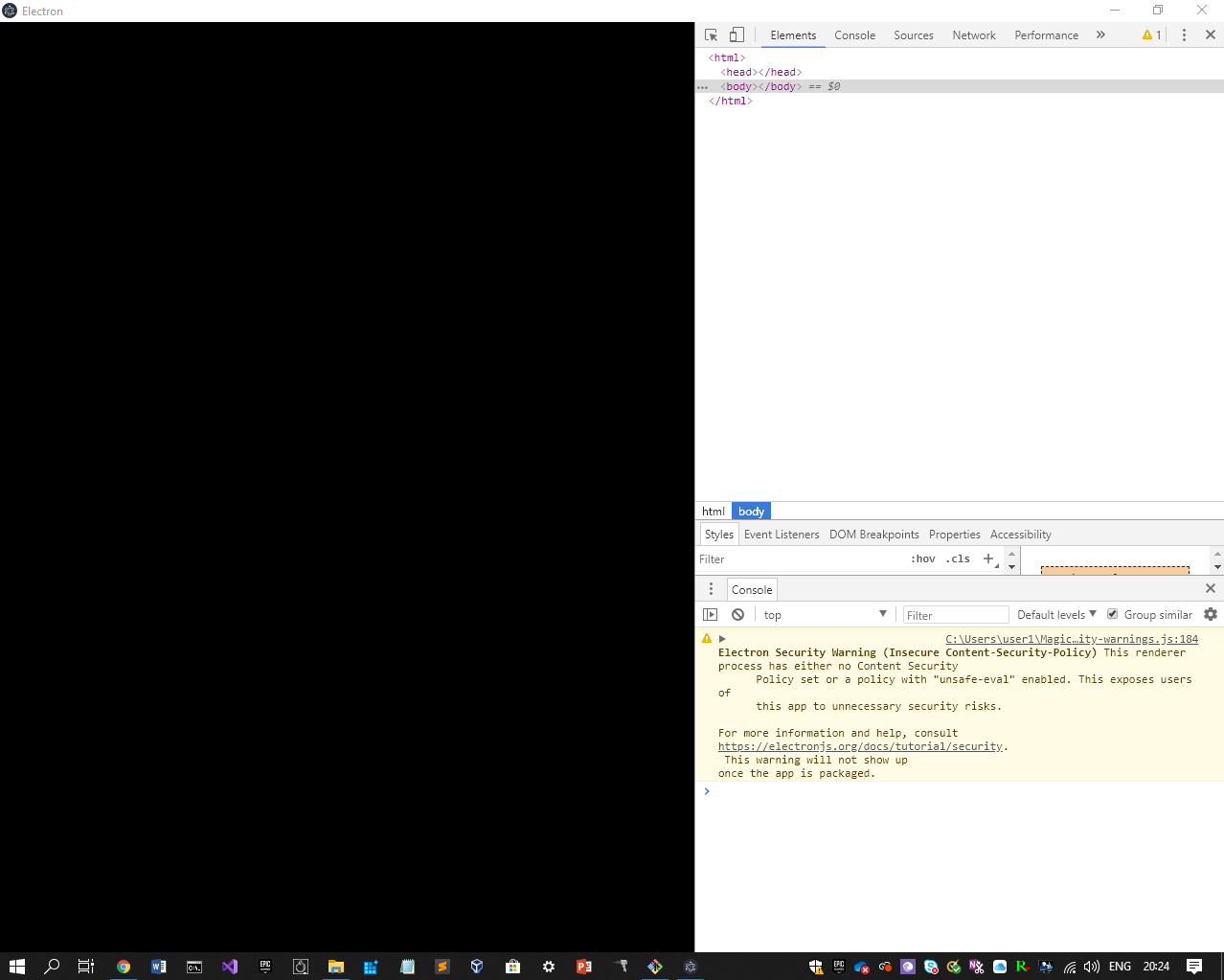
                            0_1564514696316_Capture.PNG

                            1 Reply Last reply Reply Quote 0
                            • S Offline
                              sdetweil
                              last edited by

                              select the console tab… you are on the elements tab

                              Sam

                              How to add modules

                              learning how to use browser developers window for css changes

                              1 Reply Last reply Reply Quote 0
                              • P Offline
                                PXNDA
                                last edited by

                                same thing:
                                C:\Users\user1\MagicMirror\node_modules\electron\dist\resources\electron.asar\renderer\security-warnings.js:184

                                Electron Security Warning (Insecure Content-Security-Policy) This renderer process has either no Content Security
                                Policy set or a policy with “unsafe-eval” enabled. This exposes users of
                                this app to unnecessary security risks.

                                For more information and help, consult
                                https://electronjs.org/docs/tutorial/security.
                                This warning will not show up
                                once the app is packaged.
                                warnAboutInsecureCSP @ C:\Users\user1\MagicMirror\node_modules\electron\dist\resources\electron.asar\renderer\security-warnings.js:184

                                S 1 Reply Last reply Reply Quote 0
                                • S Offline
                                  sdetweil @PXNDA
                                  last edited by

                                  @PXNDA change the filter from defaults to all

                                  Sam

                                  How to add modules

                                  learning how to use browser developers window for css changes

                                  1 Reply Last reply Reply Quote 0
                                  • P Offline
                                    PXNDA
                                    last edited by

                                    What do you mean?

                                    S 1 Reply Last reply Reply Quote 0
                                    • P Offline
                                      PXNDA
                                      last edited by

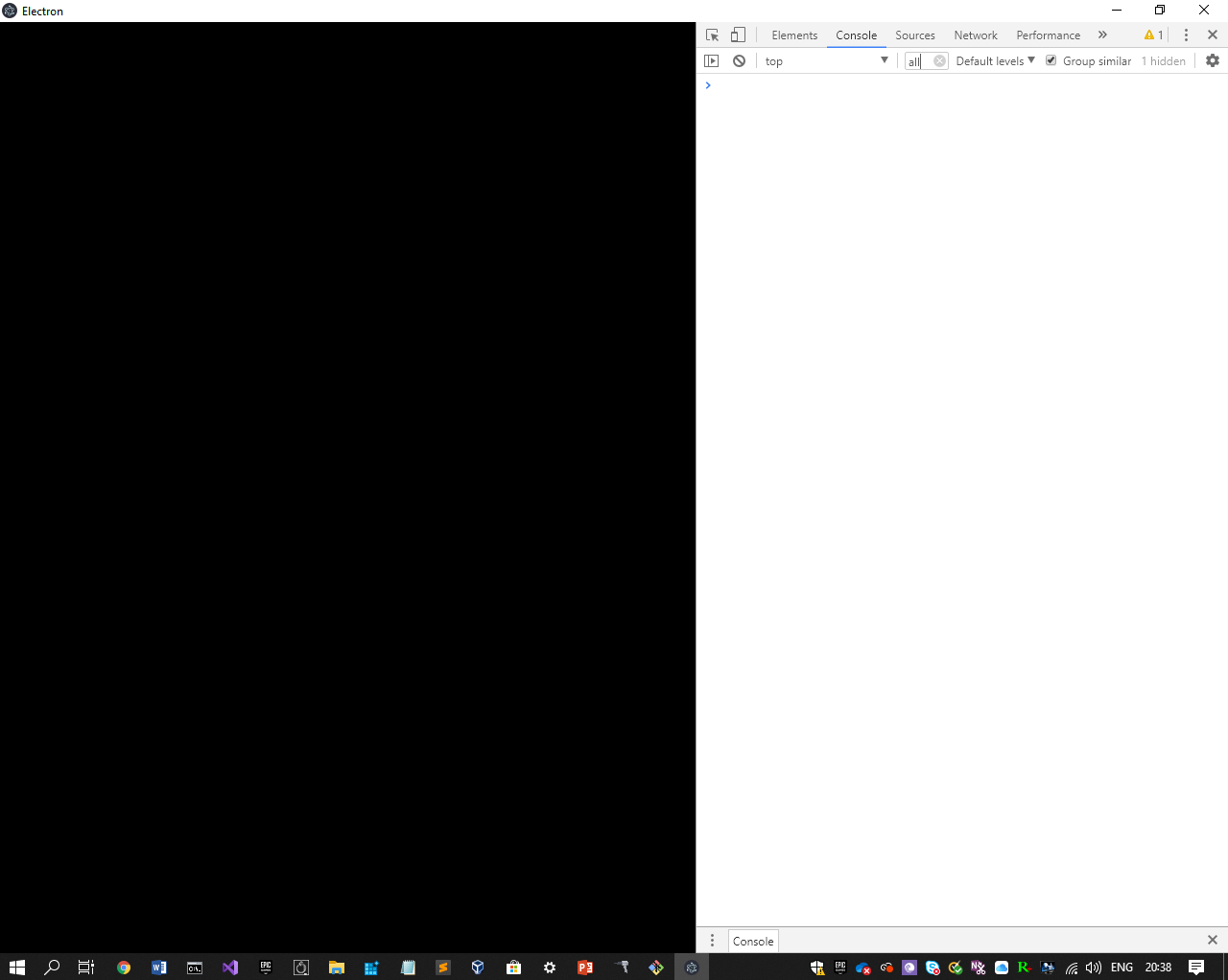
                                      0_1564515567301_Capture.PNG

                                      S 1 Reply Last reply Reply Quote 0
                                      • S Offline
                                        sdetweil @PXNDA
                                        last edited by

                                        @PXNDA there is a field called filter, center … there should be a lot of info in the console…

                                        the very top row, elements, console, sources, network, …

                                        Sam

                                        How to add modules

                                        learning how to use browser developers window for css changes

                                        1 Reply Last reply Reply Quote 0
                                        • S Offline
                                          sdetweil @PXNDA
                                          last edited by sdetweil

                                          @PXNDA not the word all, next to it there is a drop down says default levels

                                          Sam

                                          How to add modules

                                          learning how to use browser developers window for css changes

                                          1 Reply Last reply Reply Quote 0
                                          • P Offline
                                            PXNDA
                                            last edited by

                                            Same thing:
                                            Electron Security Warning (Insecure Content-Security-Policy)
                                            This renderer process has either no Content Security
                                            Policy set or a policy with “unsafe-eval” enabled. This exposes users of
                                            this app to unnecessary security risks.

                                            For more information and help, consult
                                            https://electronjs.org/docs/tutorial/security.
                                            This warning will not show up
                                            once the app is packaged.

                                            S 1 Reply Last reply Reply Quote 0

                                            Hello! It looks like you're interested in this conversation, but you don't have an account yet.

                                            Getting fed up of having to scroll through the same posts each visit? When you register for an account, you'll always come back to exactly where you were before, and choose to be notified of new replies (either via email, or push notification). You'll also be able to save bookmarks and upvote posts to show your appreciation to other community members.

                                            With your input, this post could be even better 💗

                                            Register Login

                                            • 1
                                            • 2
                                            • 3
                                            • 1 / 3
                                            • First post
                                              Last post
                                            Enjoying MagicMirror? Please consider a donation!
                                            MagicMirror created by Michael Teeuw.
                                            Forum managed by Sam, technical setup by Karsten.
                                            This forum is using NodeBB as its core | Contributors
                                            Contact | Privacy Policy