Read the statement by Michael Teeuw here.
Bright UI
-
Here is my bright ui for our kitchen monitor. The CSS is for the standard config of the MM.
The MagicMirror runs in an iFrame of an html page, the other pages are all written in html and css.
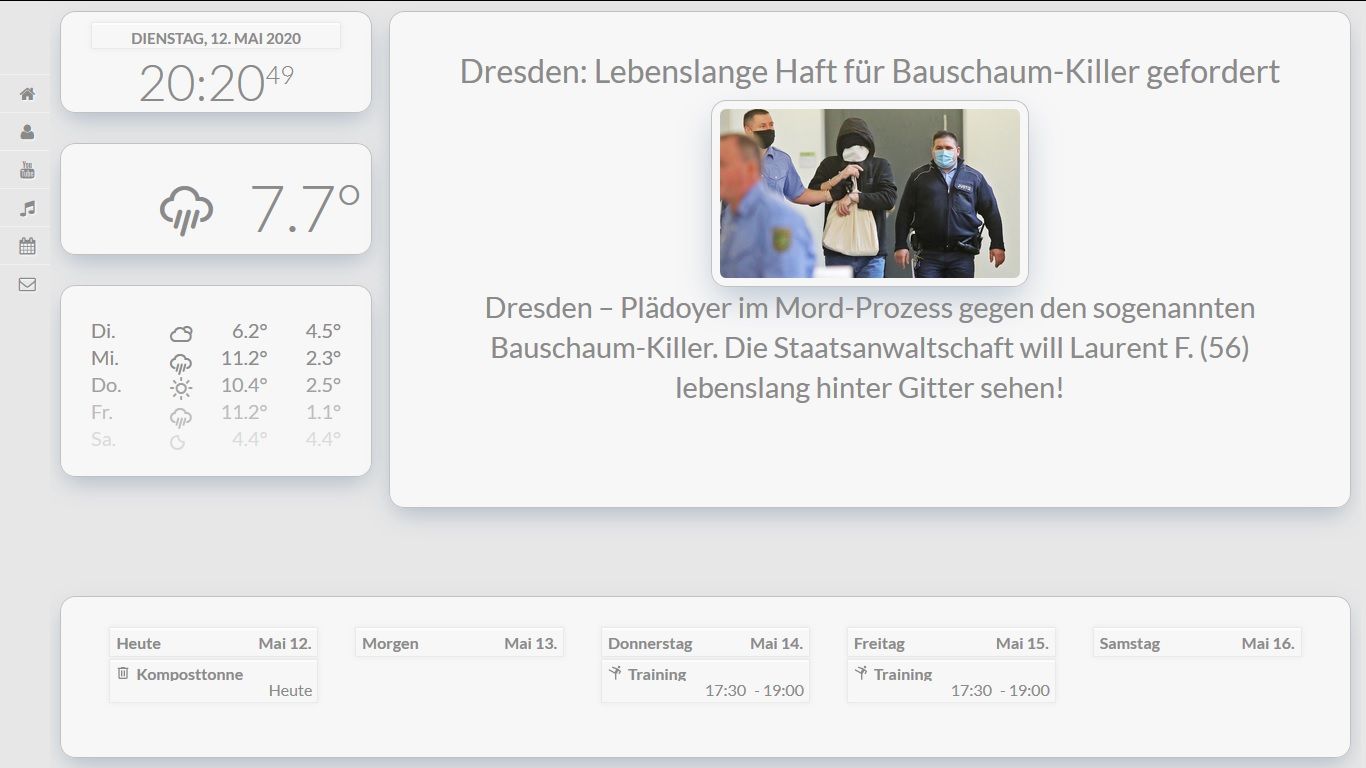
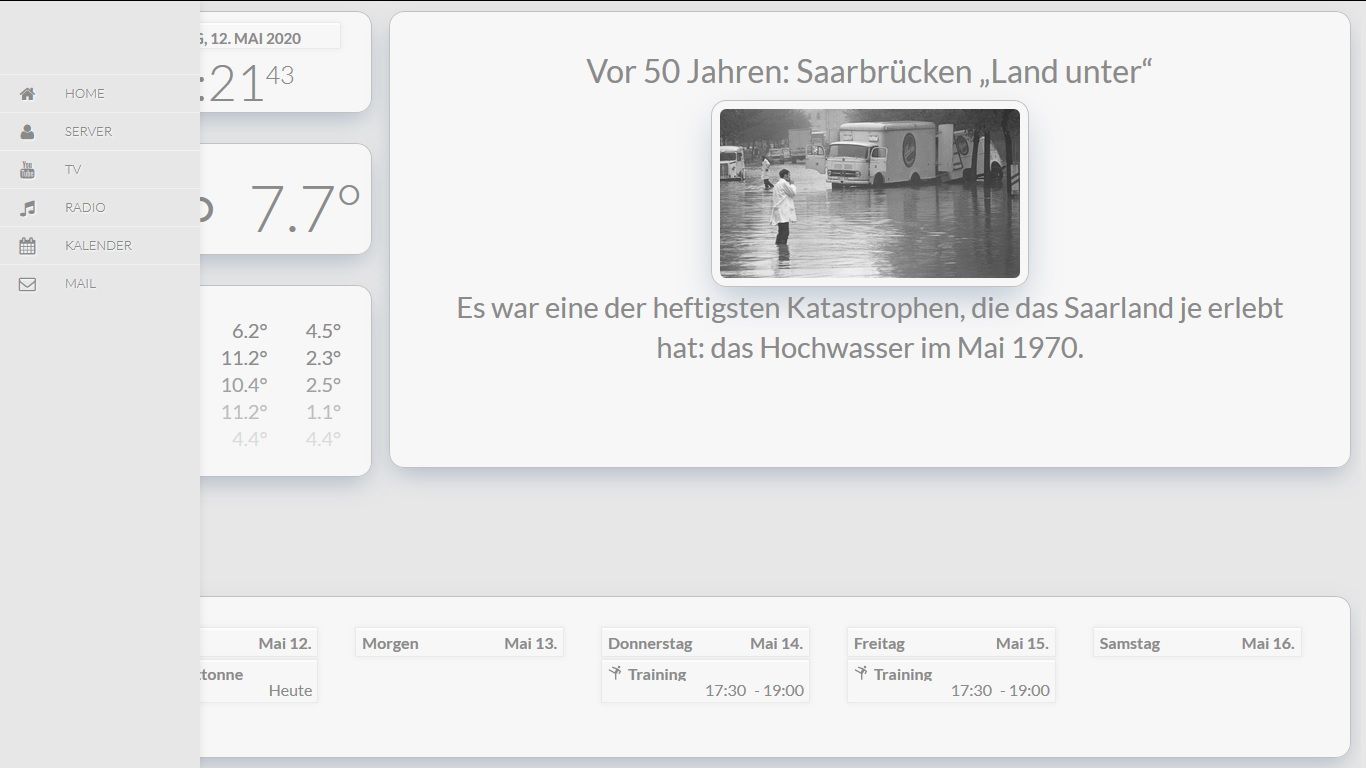
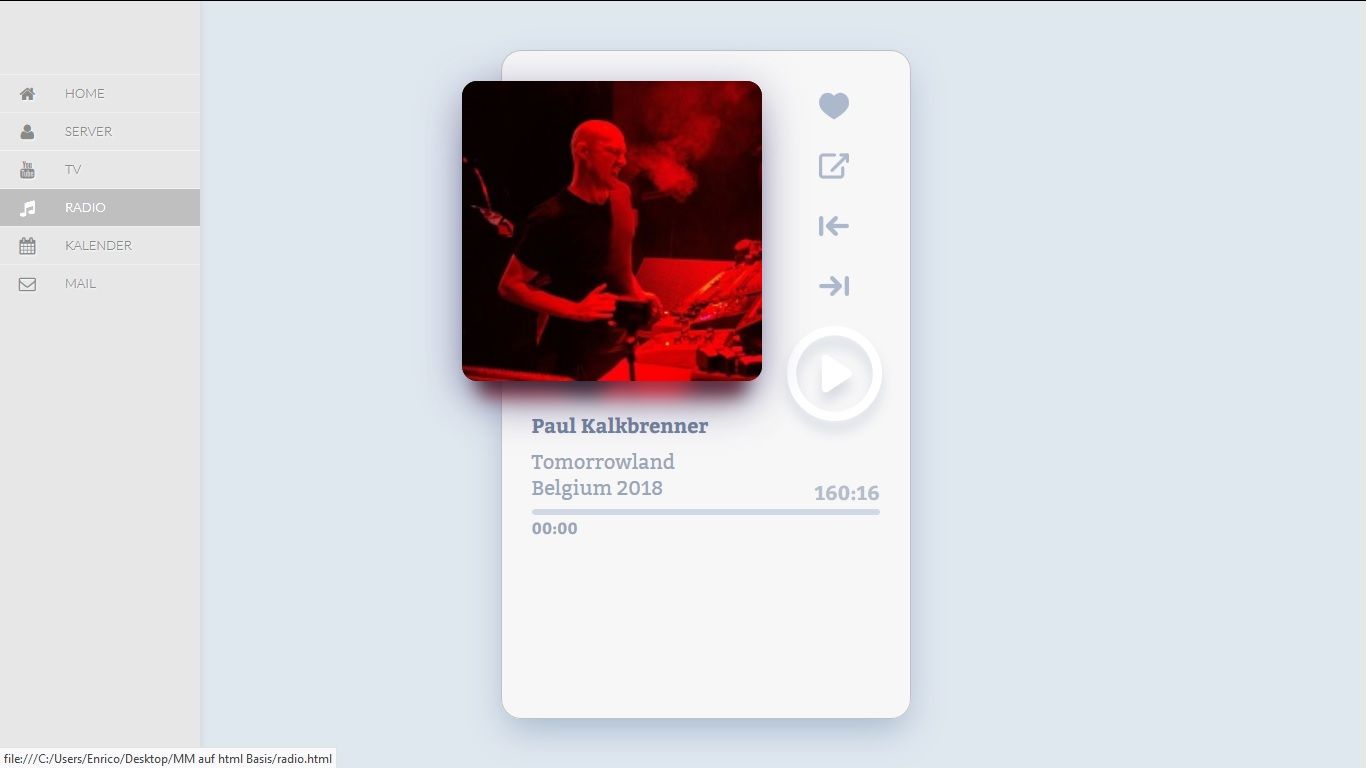
Here is the result for the standard config.
In the config, compliments must be set to center.{ module: "compliments", position: "center" },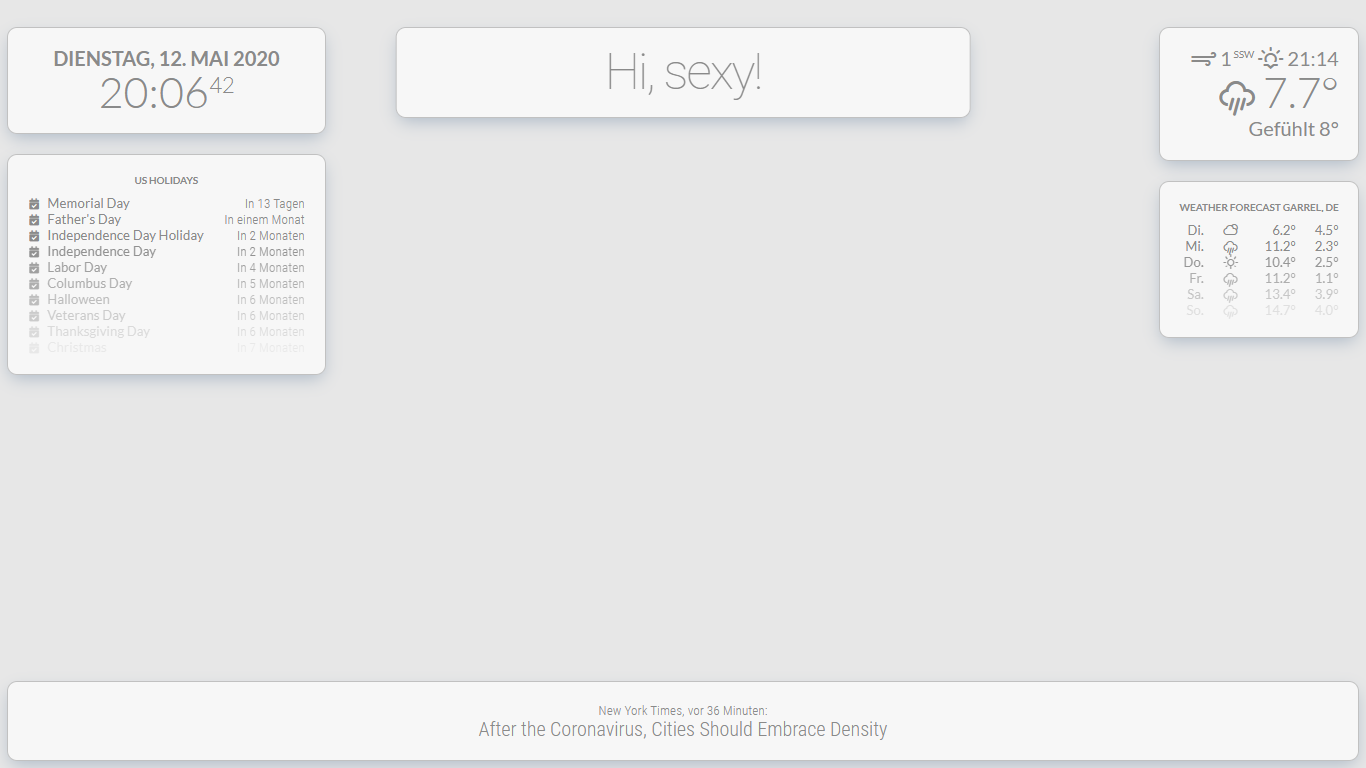
- custom.css
@import url("https://fonts.googleapis.com/css?family=Lato:300,400,700"); html { cursor: hidden; overflow: hidden; background: #e7e7e7;; } body { margin: 10px; position: absolute; width: calc(100% - 20px); height: calc(100% - 20px); background: #e7e7e7; color: #8a8a8a; font-weight: 400; font-size: 2em; font-family: "Lato", sans-serif; line-height: 1.5em; margin-bottom: -10px; -webkit-font-smoothing: antialiased; } header { text-transform: uppercase; font-family: "Lato", sans-serif; text-align: center; font-weight: bold; background: #F7F7F7; border-bottom: none; color:#8a8a8a; } .module.compliments, .module.newsfeed, .module.clock, .module.weatherforecast, .module.calendar, .module.currentweather { font-family: "Lato", sans-serif; background-color: #f7f7f7; color: #8a8a8a; border: 1px solid #c1c1c1; box-shadow: 0px 10px 25px -5px rgba(50, 88, 130, 0.32); border-radius: 15px; padding: 30px; } .dimmed { color: #8a8a8a; } .normal { color: #8a8a8a; } .bright { color: #8a8a8a; } /** * module.width_height */ .module.compliments { width:800px; } /** * clock. */ .clock .time { text-align: center; font-family: "Lato", sans-serif; } .clock .date { text-transform: uppercase; text-align: center; font-weight: bold; color: #8a8a8a; font-family: "Lato", sans-serif; } /** * weather. */ .currentweather .bright { font-family: "Lato", sans-serif; } .weathericon { color: #8a8a8a; } -
wow…what is that newsfeed with pics module?
Full time Dad, DJ and entertainer and lover of technology.
-
That looks great! Nice work.
-
Can you please post your “config.js” file (without personal information off course) and the name of module used ?
-
@cyberphox it is MMM-News
-
/* Magic Mirror Config Sample * * By Michael Teeuw http://michaelteeuw.nl * MIT Licensed. * * For more information how you can configurate this file * See https://github.com/MichMich/MagicMirror#configuration * */ var config = { address: "localhost", // Address to listen on, can be: // - "localhost", "127.0.0.1", "::1" to listen on loopback interface // - another specific IPv4/6 to listen on a specific interface // - "", "0.0.0.0", "::" to listen on any interface // Default, when address config is left out, is "localhost" port: 8080, ipWhitelist: ["127.0.0.1", "::ffff:127.0.0.1", "::1"], // Set [] to allow all IP addresses // or add a specific IPv4 of 192.168.1.5 : // ["127.0.0.1", "::ffff:127.0.0.1", "::1", "::ffff:192.168.1.5"], // or IPv4 range of 192.168.3.0 --> 192.168.3.15 use CIDR format : // ["127.0.0.1", "::ffff:127.0.0.1", "::1", "::ffff:192.168.3.0/28"], language: "de", timeFormat: 24, units: "metric", // serverOnly: true/false/"local" , // local for armv6l processors, default // starts serveronly and then starts chrome browser // false, default for all NON-armv6l devices // true, force serveronly mode, because you want to.. no UI on this device modules: [ { module: "alert", }, { module: "clock", position: "top_left" }, { module: "currentweather", position: "top_left", config: { location: "New York", locationID: "2922511", //ID from http://bulk.openweathermap.org/sample/city.list.json.gz; unzip the gz file and find your city appid: "xxxxxxxxxxxxxxxxxxxxxxxxxxxx" } }, { module: "weatherforecast", position: "top_left", config: { location: "New York", locationID: "2922511", //ID from http://bulk.openweathermap.org/sample/city.list.json.gz; unzip the gz file and find your city appid: "xxxxxxxxxxxxxxxxxxxxxxxxxxx" } }, { module: 'MMM-CalendarExt2', config: { scenes:[ { name: "DEFAULT", views: ["Overview Private"], }, ], views:[ { name: "Overview Private", mode: "daily", type: "row", position: "bottom_bar", slotCount: 5, locale: "de", hideOverflow: false, filterPassedEvent: true, calendars: ["Google","Karate","Abfall","Arbeit","Feiertage"], }, ], calendars: [ { name: "Google", icon: "mdi-calendar-check-outline", url: "xxxxxxxxxxxxxxxxxxxxxxxxxxxxxxxxxxxxxxxxxxxxxxxx", }, { name: "Karate", icon: "mdi-karate", url: "webcal://localhost:8080/config/Kalender/Karate.ics", }, { name: "Abfall", icon: "mdi-trash-can-outline", url: "webcal://localhost:8080/config/Kalender/Abfall.ics", }, { name: "Arbeit", icon: "mdi-forklift", url: "xxxxxxxxxxxxxxxxxxxxxxxxxxxxxxxxxxxxxxxxxxxxxxxxx", }, { name: "Feiertage", icon: "mdi-grill-outline", url: "webcal://localhost:8080/config/Kalender/feiertage_niedersachsen_2020.ics", }, ], }, }, { module: "MMM-News", position: "top_right", config: { apiKey : "xxxxxxxxxxxxxxxxxxxxxxxxxxxxxxxxxx", type: "vertical", query : [ { sources: "N-tv-de, tagesschau, bild", }, { country: "de", className: "redTitle", }, ], } }, ] }; /*************** DO NOT EDIT THE LINE BELOW ***************/ if (typeof module !== "undefined") {module.exports = config;} -
@Piranha1605 OK, thanks but what is that module vertical from left side and where is the radio ?
-
@electros
As already described above, it is a website in which the MagicMirror only runs as an iFrame; the radio and the menu are not in the MagicMirror. -
@Piranha1605 Ok, I understand now thanks.
-
Is that Tileboard or something similar you are running for the menu on the left?
-
@cyberphox said in Bright UI:
Is that Tileboard or something similar you are running for the menu on the left?
No is a css menu that runs in a website
-
WOW that looks fantasic!!!
-
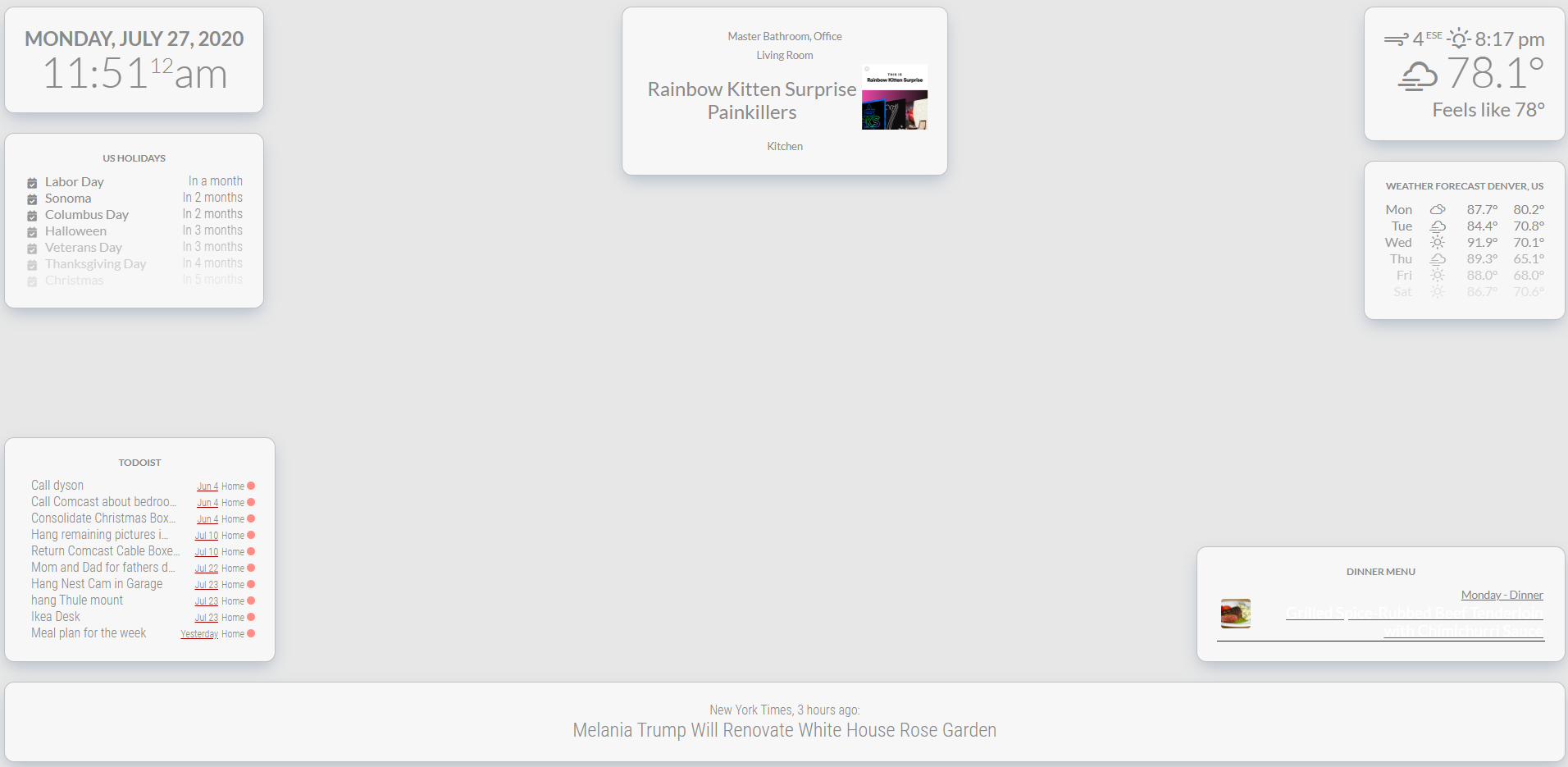
I have this mostly working and absolutely love it on our TV. 2 questions though.
- I am using MMM-PaprikaMenu to show our meal plan for the week and the font is the same color as the background. How can I fix that so it looks like the other?
- Is there a way with CSS to make the album art from MMM-sonos larger?
-
Please post me all three CSS, from the paprika menu, from Sonos and your custom.css, and I’ll get you ready
-
Thanks for the help
Custom.css
@import url("https://fonts.googleapis.com/css?family=Lato:300,400,700");

html {
  cursor: hidden;
  overflow: hidden;
  background: #e7e7e7;;
}


body {
  margin: 10px;
  position: absolute;
  width: calc(100% - 20px);
  height: calc(100% - 20px);
  background: #e7e7e7;
  color: #8a8a8a;
  font-weight: 400;
  font-size: 2em;
  font-family: "Lato", sans-serif;
  line-height: 1.5em;
  margin-bottom: -10px;
  -webkit-font-smoothing: antialiased;
}

header {
  text-transform: uppercase;
  font-family: "Lato", sans-serif;
  text-align: center;
  font-weight: bold;
  background: #F7F7F7;
  border-bottom: none;
  color:#8a8a8a;
}

 .module.compliments,
 .module.newsfeed,
 .module.clock,
 .module.weatherforecast,
 .module.calendar,
 .module.MMM-Todoist,
 .module.MMM-Sonos,
 .module.MMM-PaprikaMenu,
 .module.currentweather {
  font-family: "Lato", sans-serif;
  background-color: #f7f7f7;
  color: #8a8a8a;
  border: 1px solid #c1c1c1;
  box-shadow: 0px 10px 25px -5px rgba(50, 88, 130, 0.32);
  border-radius: 15px;
  padding: 30px;
}

.dimmed {
  color: #8a8a8a;
}

.normal {
  color: #8a8a8a;
}

.bright {
  color: #8a8a8a;
}


/**
 * module.width_height
 */

 .module.compliments {
  width:800px;
}

/**
 * clock.
 */

.clock .time {
 text-align: center;
 font-family: "Lato", sans-serif;

}
.clock .date {
  text-transform: uppercase;
  text-align: center;
  font-weight: bold;
  color: #8a8a8a;
  font-family: "Lato", sans-serif;
}


/**
 * weather.
 */

.currentweather .bright {
  font-family: "Lato", sans-serif;
}

.weathericon {
  color: #8a8a8a;
}
PaprikaMenu.css
.MMM-PaprikaMenu * {
  box-sizing: border-box;
}

.MMM-PaprikaMenu .module-content {
  width: 500px;
}

.MMM-PaprikaMenu table.menu {
  font-size: 17px;
  line-height: 1;
  border-collapse: collapse;
  table-layout: fixed;
  width: 100%;
}

.MMM-PaprikaMenu table.menu tr {
  border-bottom: solid 1px #222;
}

.MMM-PaprikaMenu table.menu tr.fade {
  opacity: 0.33;
}

.MMM-PaprikaMenu table.menu > tbody > tr > td:first-child {
  width: 55px;
  height: 55px;
}

.MMM-PaprikaMenu .menu .img-cell > img {
  float: left;
  width: 45px;
  height: 45px;
  margin: 5px;
}

.MMM-PaprikaMenu .menu .img-cell > img.rounded {
  border-radius: 10%;
}

.MMM-PaprikaMenu table.inner td {
  line-height: 24px;
  height: 28px;
}

.MMM-PaprikaMenu .menu > span {
  text-align: left;
  white-space: nowrap;
}

.MMM-PaprikaMenu .menu .date {
  font-size: 14px;
}

.MMM-PaprikaMenu .menu .meal {
  font-size: 17px;
  text-overflow: ellipsis;
  overflow: hidden;
}

.MMM-PaprikaMenu .menu .today .date {
  font-size: 17px;
}

.MMM-PaprikaMenu .menu .today .meal {
  color: #FFF;
  font-size: 24px;
}
Sonos.css is empty, might have mucked it up when logged on with my phone. I’ll need to check the github page for that one.
-
and the default sonos.css that I just reloaded from github.
.sonos ul { list-style-type: none; padding: 0; margin: 0; } .sonos ul .name, .sonos ul .art { display: inline-block; vertical-align: middle; } .sonos ul .name { padding: 0 .25em; } .sonos ul .art img { height: 100px; } .sonos ul .room { font-size: 50%; padding: .25em .5em; } .sonos ul.flip { direction: rtl; } /* This beautiful CSS-File has been crafted with LESS (lesscss.org) and compiled by simpLESS (wearekiss.com/simpless) */ -
I’ve been poking around and figured out how to make the Image art larger in the sonos module but could still use some help with the paprika font color.
-
At first glance, I think that these are the entries attached below.
.sonos ul .art img {
  height: 400px;
}

.MMM-PaprikaMenu .menu .today .meal {
  color: #8a8a8a;
  font-size: 24px;
}
But it may also be that something is written about the .js or .njk, so have a look
-
That fixed Sonos and paprika like I wanted. Thanks for the help.
-
Any one using this with MMM-calendarext2? Would love to get everything styled together.


Hello! It looks like you're interested in this conversation, but you don't have an account yet.
Getting fed up of having to scroll through the same posts each visit? When you register for an account, you'll always come back to exactly where you were before, and choose to be notified of new replies (either via email, or push notification). You'll also be able to save bookmarks and upvote posts to show your appreciation to other community members.
With your input, this post could be even better 💗
Register Login