Read the statement by Michael Teeuw here.
MM as Desktop background (for MacOS / Linux)
-
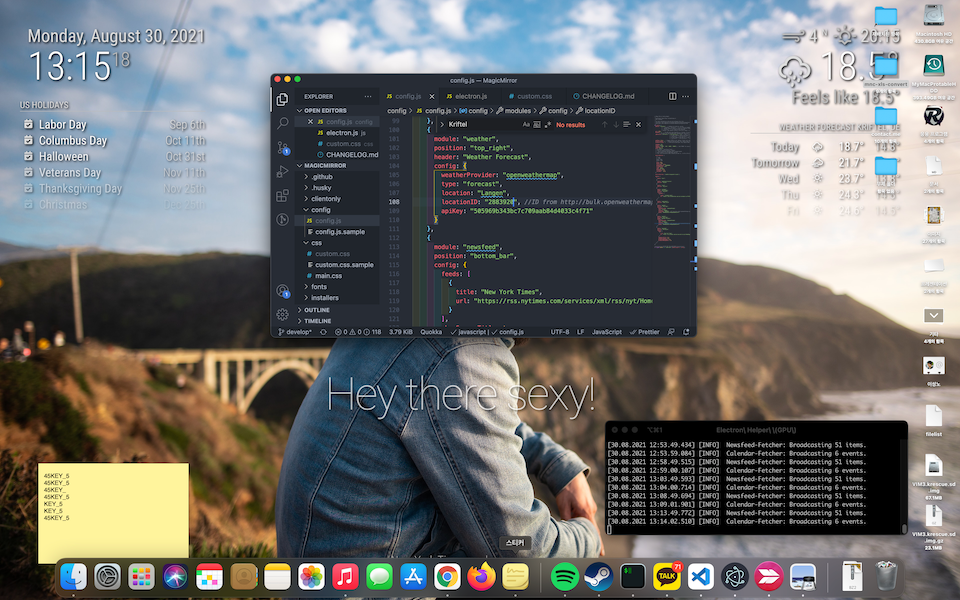
Though I’m not using Windows anymore, I always envy the
Rainmeterdespite its ridiculous instability and low performance.
10 minutes ago, suddenly I remembered the idea that the Electron could be used for that purpose. That means I can use MM as a desktop wallpaper. So I did.Here’s how to do it.
For disclaimers, Electron cannot hook Windows Desktop by itself. There are a few solutions for that, but I don’t want to hack MM heavily. For Windows, use
Rainmeter.custom.css
:root {
  --color-text: #DDD;
  --color-text-dimmed: #BBB;
  --color-text-bright: #fff;
  --color-background: rgba(0, 0, 0, 0);
 /* make fonts color brighter */

  --font-size: 2vh;
  --font-size-small: 0.75rem;

  --gap-body-top: 20px;
  --gap-body-right: 120px;
  --gap-body-bottom: 20px;
  --gap-body-left: 40px;
/* adjust margin for your screen */
}

* {
  text-shadow: 2px 2px 5px #000000; /* make text more readable on the background image */
}
config.js
In the case of Linux, some options might need to be modified.
electronOptions: { /* x: 1920, y: -320, width: 3360, height: 1892, */ width: 1920, height: 1200, fullscreen: false, backgroundColor: '#00000000', titleBarStyle: 'none', frame: false, type: 'desktop', hasShadow: false, transparent: true, resizable: false, },width,height: Your screen resolutionx,y: position offset from 0, 0 for the left-upper corner of MM screen.
If you are using multi-screen like this and you want to place MM to secondary monitor;
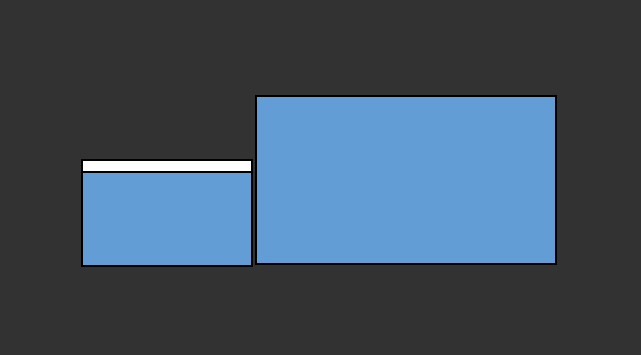
You can adjustxandyto move MM to the secondary monitor.js/electron.js
I’m not sure this is necessary. but when above modification is not enough, try this.
// line 22 of electron.js
// Change this line
app.commandLine.appendSwitch("autoplay-policy", "no-user-gesture-required");

// to this.
app.commandLine.appendSwitch("autoplay-policy", "no-user-gesture-required", "enable-transparent-visuals");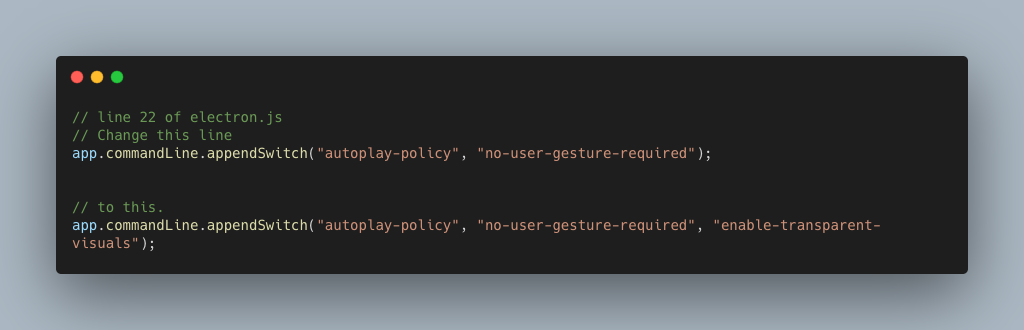
This needs source modification. I already made a PR to enable customizingelectron switches, but this online source modification is needed before acceptance of that PR.I tested it on macOS, and I believe it will be working on Linux also. Have good luck.
-
@mmrize u can pass the electronOptions in config.js
-
@sdetweil said in MM as Desktop background (for MacOS / Linux):
u can pass the electronOptions in config.js
Yup, I did it so of course. But the
switch(not electronOptions) is not customizable in MM. -
@mmrize yes, correct.
-
@MMRIZE why your weather app is overlapping with other apps?
-
@boblewis ??? I cannot catch your words. More details?
-
@MMRIZE I think he sees icons in front of the weather module, doesn’t realize MM is the desktop

Hello! It looks like you're interested in this conversation, but you don't have an account yet.
Getting fed up of having to scroll through the same posts each visit? When you register for an account, you'll always come back to exactly where you were before, and choose to be notified of new replies (either via email, or push notification). You'll also be able to save bookmarks and upvote posts to show your appreciation to other community members.
With your input, this post could be even better 💗
Register Login