Read the statement by Michael Teeuw here.
OrangePi Zero 2 installation issues
-
@sdetweil said in OrangePi Zero 2 installation issues:
@michelw your xwindows might have a different numbering, so use that
Not sure what you mean. I am not a linux expert ;)
michel@magicmirror:~$ pm2 stop all
[PM2] Applying action stopProcessId on app [all](ids: [ 0 ])
[PM2] [MagicMirror](0) ✓
┌─────┬────────────────┬─────────────┬─────────┬─────────┬──────────┬────────┬──────┬───────────┬──────────┬──────────┬──────────┬──────────┐
│ id  │ name           │ namespace   │ version │ mode    │ pid      │ uptime │ ↺    │ status    │ cpu      │ mem      │ user     │ watching │
├─────┼────────────────┼─────────────┼─────────┼─────────┼──────────┼────────┼──────┼───────────┼──────────┼──────────┼──────────┼──────────┤
│ 0   │ MagicMirror    │ default     │ 2.17.1  │ fork    │ 0        │ 0      │ 396  │ stopped   │ 0%       │ 0b       │ michel   │ disabled │
└─────┴────────────────┴─────────────┴─────────┴─────────┴──────────┴────────┴──────┴───────────┴──────────┴──────────┴──────────┴──────────┘
michel@magicmirror:~$ export DISPLAY=:0
michel@magicmirror:~$ cd ~/MagicMirror
michel@magicmirror:~/MagicMirror$ npm start

> magicmirror@2.17.1 start /home/michel/MagicMirror
> DISPLAY="${DISPLAY:=:0}" ./node_modules/.bin/electron js/electron.js

[10.12.2021 22:32.33.528] [LOG]   Starting MagicMirror: v2.17.1
[10.12.2021 22:32.33.544] [LOG]   Loading config ...
[10.12.2021 22:32.33.558] [LOG]   Loading module helpers ...
[10.12.2021 22:32.33.563] [LOG]   No helper found for module: alert.
[10.12.2021 22:32.33.600] [LOG]   Initializing new module helper ...
[10.12.2021 22:32.33.603] [LOG]   Module helper loaded: updatenotification
[10.12.2021 22:32.33.606] [LOG]   No helper found for module: clock.
[10.12.2021 22:32.33.953] [LOG]   Initializing new module helper ...
[10.12.2021 22:32.33.955] [LOG]   Module helper loaded: calendar
[10.12.2021 22:32.33.958] [LOG]   No helper found for module: compliments.
[10.12.2021 22:32.33.960] [LOG]   No helper found for module: weather.
[10.12.2021 22:32.33.997] [LOG]   Initializing new module helper ...
[10.12.2021 22:32.33.999] [LOG]   Module helper loaded: newsfeed
[10.12.2021 22:32.34.001] [LOG]   All module helpers loaded.
[10.12.2021 22:32.34.223] [LOG]   Starting server on port 8080 ...
[10.12.2021 22:32.34.255] [LOG]   Server started ...
[10.12.2021 22:32.34.258] [LOG]   Connecting socket for: updatenotification
[10.12.2021 22:32.34.260] [LOG]   Connecting socket for: calendar
[10.12.2021 22:32.34.262] [LOG]   Starting node helper for: calendar
[10.12.2021 22:32.34.264] [LOG]   Connecting socket for: newsfeed
[10.12.2021 22:32.34.266] [LOG]   Starting node helper for: newsfeed
[10.12.2021 22:32.34.268] [LOG]   Sockets connected & modules started ...
/home/michel/MagicMirror/node_modules/electron/dist/electron exited with signal SIGSEGV
npm ERR! code ELIFECYCLE
npm ERR! errno 1
npm ERR! magicmirror@2.17.1 start: `DISPLAY="${DISPLAY:=:0}" ./node_modules/.bin/electron js/electron.js`
npm ERR! Exit status 1
npm ERR!
npm ERR! Failed at the magicmirror@2.17.1 start script.
npm ERR! This is probably not a problem with npm. There is likely additional logging output above.

npm ERR! A complete log of this run can be found in:
npm ERR!     /home/michel/.npm/_logs/2021-12-10T21_32_34_516Z-debug.log
michel@magicmirror:~/MagicMirror$
Found this somewhere:
michel@magicmirror:~/MagicMirror$ ps -u $(id -u) -o pid= \ > | xargs -I PID -r cat /proc/PID/environ 2> /dev/null \ > | tr '\0' '\n' \ > | grep ^DISPLAY=: \ > | sort -u DISPLAY=:0 michel@magicmirror:~/MagicMirror$ -
@michelw xwindows has logical displays, using numbers for the ‘identifiet’
:0
etc…
some systems use different numbering
my zorin system uses :10
electron expects that I’d to be in the DISPLAY environment variable
so, open a terminal window and do
envshow the result
-
@sdetweil said in OrangePi Zero 2 installation issues:
env
michel@orangepizero2:~$ env SHELL=/bin/bash LANGUAGE=en_US.UTF-8 PWD=/home/michel LOGNAME=michel XDG_SESSION_TYPE=tty HOME=/home/michel LANG=en_US.UTF-8 LS_COLORS=rs=0:di=01;34:ln=01;36:mh=00:pi=40;33:so=01;35:do=01;35:bd=40;33;01:cd=40;33;01:or=40;31;01:mi=00:su=37;41:sg=30;43:ca=30;41:tw=30;42:ow=34;42:st=37;44:ex=01;32:*.tar=01;31:*.tgz=01;31:*.arc=01;31:*.arj=01;31:*.taz=01;31:*.lha=01;31:*.lz4=01;31:*.lzh=01;31:*.lzma=01;31:*.tlz=01;31:*.txz=01;31:*.tzo=01;31:*.t7z=01;31:*.zip=01;31:*.z=01;31:*.dz=01;31:*.gz=01;31:*.lrz=01;31:*.lz=01;31:*.lzo=01;31:*.xz=01;31:*.zst=01;31:*.tzst=01;31:*.bz2=01;31:*.bz=01;31:*.tbz=01;31:*.tbz2=01;31:*.tz=01;31:*.deb=01;31:*.rpm=01;31:*.jar=01;31:*.war=01;31:*.ear=01;31:*.sar=01;31:*.rar=01;31:*.alz=01;31:*.ace=01;31:*.zoo=01;31:*.cpio=01;31:*.7z=01;31:*.rz=01;31:*.cab=01;31:*.wim=01;31:*.swm=01;31:*.dwm=01;31:*.esd=01;31:*.jpg=01;35:*.jpeg=01;35:*.mjpg=01;35:*.mjpeg=01;35:*.gif=01;35:*.bmp=01;35:*.pbm=01;35:*.pgm=01;35:*.ppm=01;35:*.tga=01;35:*.xbm=01;35:*.xpm=01;35:*.tif=01;35:*.tiff=01;35:*.png=01;35:*.svg=01;35:*.svgz=01;35:*.mng=01;35:*.pcx=01;35:*.mov=01;35:*.mpg=01;35:*.mpeg=01;35:*.m2v=01;35:*.mkv=01;35:*.webm=01;35:*.ogm=01;35:*.mp4=01;35:*.m4v=01;35:*.mp4v=01;35:*.vob=01;35:*.qt=01;35:*.nuv=01;35:*.wmv=01;35:*.asf=01;35:*.rm=01;35:*.rmvb=01;35:*.flc=01;35:*.avi=01;35:*.fli=01;35:*.flv=01;35:*.gl=01;35:*.dl=01;35:*.xcf=01;35:*.xwd=01;35:*.yuv=01;35:*.cgm=01;35:*.emf=01;35:*.ogv=01;35:*.ogx=01;35:*.aac=00;36:*.au=00;36:*.flac=00;36:*.m4a=00;36:*.mid=00;36:*.midi=00;36:*.mka=00;36:*.mp3=00;36:*.mpc=00;36:*.ogg=00;36:*.ra=00;36:*.wav=00;36:*.oga=00;36:*.opus=00;36:*.spx=00;36:*.xspf=00;36: SSH_CONNECTION=192.168.207.6 61754 192.168.207.243 22 XDG_SESSION_CLASS=user TERM=xterm-256color USER=michel SHLVL=1 LC_MESSAGES=en_US.UTF-8 XDG_SESSION_ID=4 LC_CTYPE=UTF-8 XDG_RUNTIME_DIR=/run/user/1001 SSH_CLIENT=192.168.207.6 61754 22 LC_ALL=en_US.UTF-8 PATH=/usr/local/bin:/usr/bin:/bin:/usr/local/games:/usr/games MAIL=/var/mail/michel SSH_TTY=/dev/pts/0 _=/usr/bin/env michel@orangepizero2:~$ -
@michelw that was a window opened via the desktop right?
-
Not sure I understand what you mean. I’m doing all of this using ssh.
-
This post is deleted! -
@michelw said in OrangePi Zero 2 installation issues:
Not sure I understand what you mean. I’m doing all of this using ssh.
Does this help?
michel@orangepizero2:~$ cat /etc/X11/xorg.conf.d/01-orangepi-defaults.conf
Section "Monitor"
	Identifier		"Monitor0"
	Option			"DPMS" "false"
EndSection
Section "ServerFlags"
	Option			"BlankTime" "0"
	Option			"StandbyTime" "0"
	Option			"SuspendTime" "0"
	Option			"OffTime" "0"
EndSection
# rotate the screen
Section "Device"
    Identifier "default"
    Driver "fbdev"
    Option "Rotate" "CCW"
EndSection
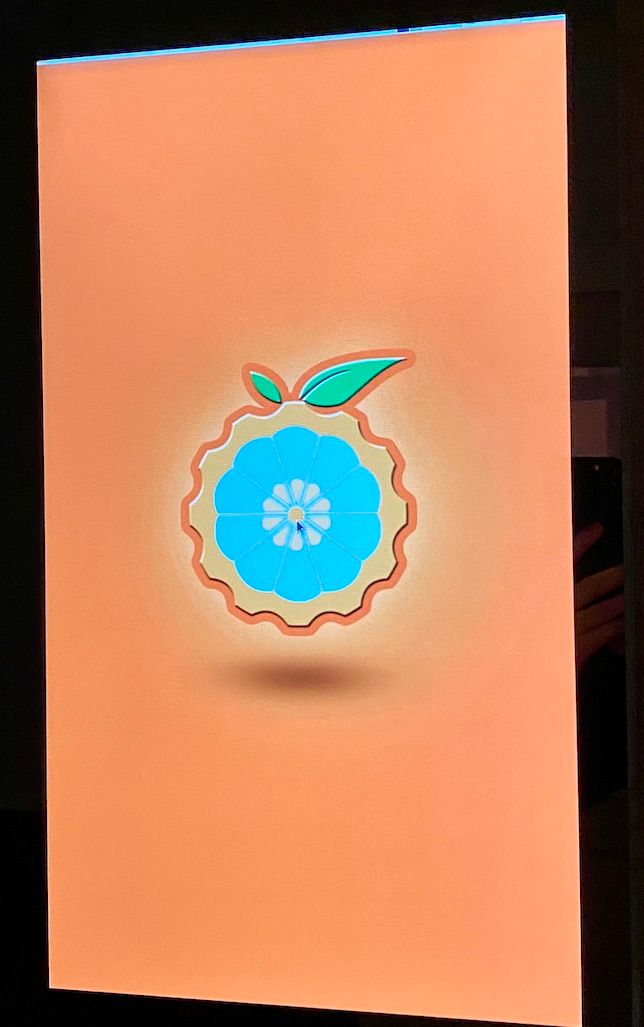
I just added the rotation part and it rotated the desktop. The identifier seems to be " Monitor0"
-
@michelw ok, using command line
cd ~/MagicMirror
export DISPLAY=Monitor0
npm start
if that works then edit installers/mm.sh and add that export before the npm start
then pm2 start should work
-
@sdetweil said in OrangePi Zero 2 installation issues:
npm start
michel@orangepizero2:~/MagicMirror$ export DISPLAY=Monitor0 michel@orangepizero2:~/MagicMirror$ npm start > magicmirror@2.17.1 start /home/michel/MagicMirror > DISPLAY="${DISPLAY:=:0}" ./node_modules/.bin/electron js/electron.js [10.12.2021 23:32.41.725] [LOG] Starting MagicMirror: v2.17.1 [10.12.2021 23:32.41.743] [LOG] Loading config ... [10.12.2021 23:32.41.757] [LOG] Loading module helpers ... [10.12.2021 23:32.41.762] [LOG] No helper found for module: alert. [10.12.2021 23:32.41.800] [LOG] Initializing new module helper ... [10.12.2021 23:32.41.804] [LOG] Module helper loaded: updatenotification [10.12.2021 23:32.41.807] [LOG] No helper found for module: clock. [10.12.2021 23:32.42.141] [LOG] Initializing new module helper ... [10.12.2021 23:32.42.144] [LOG] Module helper loaded: calendar [10.12.2021 23:32.42.146] [LOG] No helper found for module: compliments. [10.12.2021 23:32.42.149] [LOG] No helper found for module: weather. [10.12.2021 23:32.42.196] [LOG] Initializing new module helper ... [10.12.2021 23:32.42.198] [LOG] Module helper loaded: newsfeed [10.12.2021 23:32.42.200] [LOG] All module helpers loaded. [10.12.2021 23:32.42.420] [LOG] Starting server on port 8080 ... [10.12.2021 23:32.42.453] [LOG] Server started ... [10.12.2021 23:32.42.456] [LOG] Connecting socket for: updatenotification [10.12.2021 23:32.42.459] [LOG] Connecting socket for: calendar [10.12.2021 23:32.42.461] [LOG] Starting node helper for: calendar [10.12.2021 23:32.42.463] [LOG] Connecting socket for: newsfeed [10.12.2021 23:32.42.465] [LOG] Starting node helper for: newsfeed [10.12.2021 23:32.42.467] [LOG] Sockets connected & modules started ... The futex facility returned an unexpected error code. /home/michel/MagicMirror/node_modules/electron/dist/electron exited with signal SIGABRT npm ERR! code ELIFECYCLE npm ERR! errno 1 npm ERR! magicmirror@2.17.1 start: `DISPLAY="${DISPLAY:=:0}" ./node_modules/.bin/electron js/electron.js` npm ERR! Exit status 1 npm ERR! npm ERR! Failed at the magicmirror@2.17.1 start script. npm ERR! This is probably not a problem with npm. There is likely additional logging output above. npm ERR! A complete log of this run can be found in: npm ERR! /home/michel/.npm/_logs/2021-12-10T23_32_42_717Z-debug.log michel@orangepizero2:~/MagicMirror$ -
@michelw so, no
-
@michelw does chromium work?
-
-
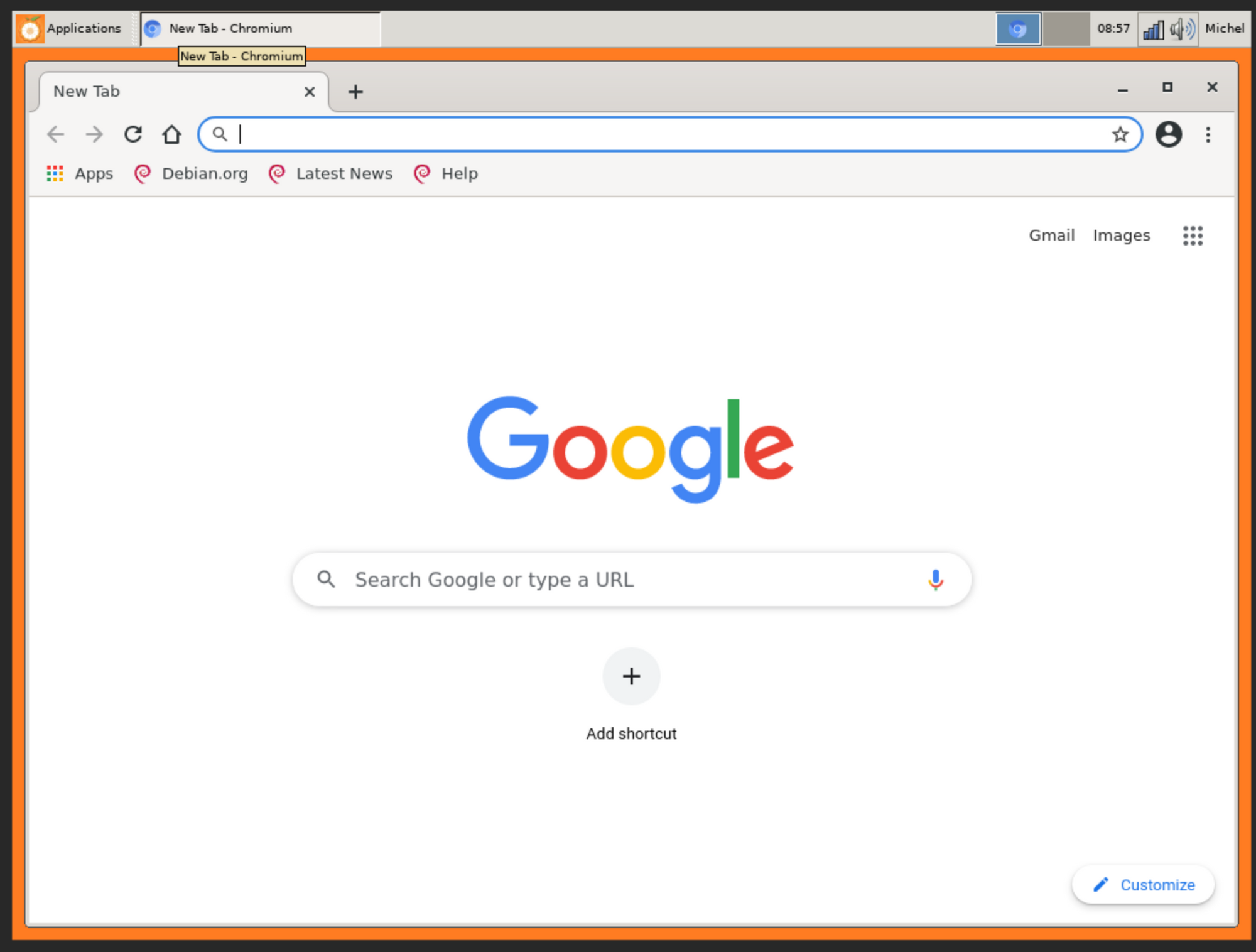
Yes chromium seems to work. I installed vnc server since this SBC is in my mirror and I have now way to attach a mouse.
-
Not sure what you are trying to say by pointing me to the 9to5 article. Is there something relevant in there i missed? :)
-
I just played around with the DISPLAY parameter and when setting:
michel@orangepizero2:~/MagicMirror$ export DISPLAY=:1
michel@orangepizero2:~/MagicMirror$ npm start

> magicmirror@2.17.1 start /home/michel/MagicMirror
> DISPLAY="${DISPLAY:=:0}" ./node_modules/.bin/electron js/electron.js

[11.12.2021 09:15.21.920] [LOG]   Starting MagicMirror: v2.17.1
[11.12.2021 09:15.21.937] [LOG]   Loading config ...
[11.12.2021 09:15.21.952] [LOG]   Loading module helpers ...
[11.12.2021 09:15.21.957] [LOG]   No helper found for module: alert.
[11.12.2021 09:15.21.994] [LOG]   Initializing new module helper ...
[11.12.2021 09:15.21.998] [LOG]   Module helper loaded: updatenotification
[11.12.2021 09:15.22.001] [LOG]   No helper found for module: clock.
[11.12.2021 09:15.22.350] [LOG]   Initializing new module helper ...
[11.12.2021 09:15.22.353] [LOG]   Module helper loaded: calendar
[11.12.2021 09:15.22.355] [LOG]   No helper found for module: compliments.
[11.12.2021 09:15.22.358] [LOG]   No helper found for module: weather.
[11.12.2021 09:15.22.404] [LOG]   Initializing new module helper ...
[11.12.2021 09:15.22.406] [LOG]   Module helper loaded: newsfeed
[11.12.2021 09:15.22.408] [LOG]   All module helpers loaded.
[11.12.2021 09:15.22.633] [LOG]   Starting server on port 8080 ...
[11.12.2021 09:15.22.669] [LOG]   Server started ...
[11.12.2021 09:15.22.672] [LOG]   Connecting socket for: updatenotification
[11.12.2021 09:15.22.676] [LOG]   Connecting socket for: calendar
[11.12.2021 09:15.22.678] [LOG]   Starting node helper for: calendar
[11.12.2021 09:15.22.680] [LOG]   Connecting socket for: newsfeed
[11.12.2021 09:15.22.683] [LOG]   Starting node helper for: newsfeed
[11.12.2021 09:15.22.685] [LOG]   Sockets connected & modules started ...
[11.12.2021 09:15.23.736] [LOG]   Launching application.
[11.12.2021 09:15.29.501] [LOG]   Create new calendarfetcher for url: http://www.calendarlabs.com/ical-calendar/ics/76/US_Holidays.ics - Interval: 300000
[11.12.2021 09:15.29.593] [LOG]   Create new newsfetcher for url: https://rss.nytimes.com/services/xml/rss/nyt/HomePage.xml - Interval: 300000
[11.12.2021 09:15.29.661] [INFO]  Checking git for module: default
[11.12.2021 09:15.31.393] [INFO]  Calendar-Fetcher: Broadcasting 10 events.
[11.12.2021 09:15.31.553] [INFO]  Newsfeed-Fetcher: Broadcasting 58 items.
I get the magic mirror in the VNC session (but not on the monitor)
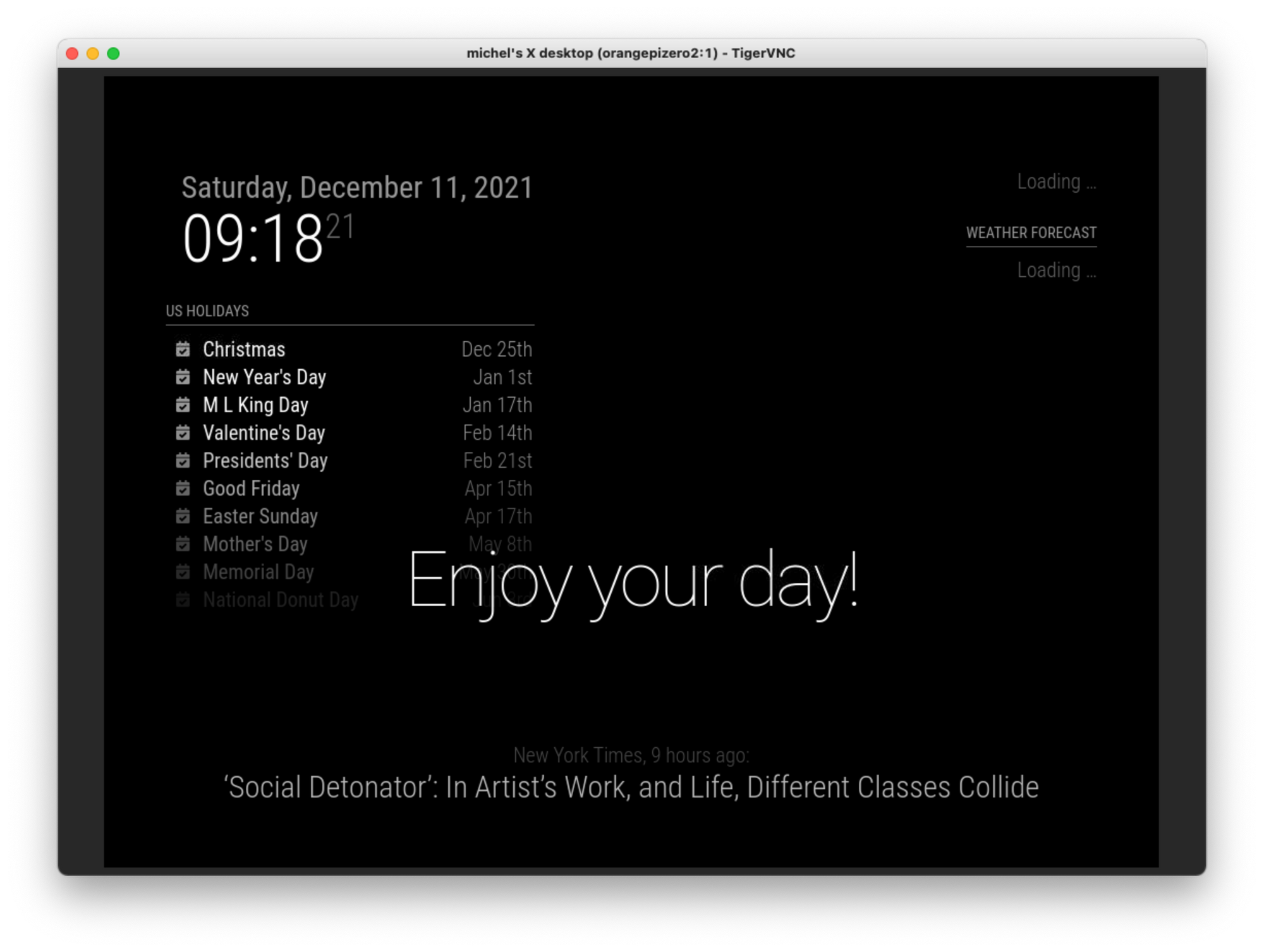
So this seems to be related to the output somehow.
-
@michelw no, but I can try armbian on my pi now
-
@michelw and when u are using vnc, the monitor is showing the desktop, right?
-
Ah right.
I would like to thank you very much for all your help.
Went looking for a second hand Raspberry PI 4B 1G today and found one. A little expensive but at least I have something more compatible now so I at least can get the magicmirror running :)
Still willing to help out (testing) if you would like to make your script Orange Pi Zero 2 compatible. That might help others.
-
@sdetweil said in OrangePi Zero 2 installation issues:
@michelw and when u are using vnc, the monitor is showing the desktop, right?
Yes, that is correct.
-
@michelw it’s not the script, it’s the assumption by the mm startup, defined in package.json), that DISPLAY needs to be :0 if not already set.
Hello! It looks like you're interested in this conversation, but you don't have an account yet.
Getting fed up of having to scroll through the same posts each visit? When you register for an account, you'll always come back to exactly where you were before, and choose to be notified of new replies (either via email, or push notification). You'll also be able to save bookmarks and upvote posts to show your appreciation to other community members.
With your input, this post could be even better 💗
Register Login