Read the statement by Michael Teeuw here.
how to update my MM
-
@rikko14 black screen… yeh. I added code to fix that but the bad file format problems prevented
do
pm2 stop all
pm2 flush
pm2 start 0wait til MM comes up
pm2 stop all
then do this (1st post is enough)
https://forum.magicmirror.builders/topic/15778/fix-for-black-screen-in-2-16-and-laterfor each module reporting a missing library (there are more than 1 library potentially missing, so I don’t give you the exact command to issue, but teach you how to find the error and fix it from there)
then after fixing for all modules with problem,
(note you MAY have to repeat this looking thru the log part, I don’t know if they ALL will report, or if it will stop after the 1st error)pm2 start 0
-
I’m not sure I understood and did the right thing …:
pi@raspberrypi:~ $ pm2 stop all
[PM2] Applying action stopProcessId on app [all](ids: [ 0 ])
[PM2] [mm](0) ✓
┌─────┬───────┬─────────────┬─────────┬─────────┬──────────┬────────┬──────┬───────────┬──────────┬──────────┬──────────┬──────────┐
│ id  │ name  │ namespace   │ version │ mode    │ pid      │ uptime │ ↺    │ status    │ cpu      │ mem      │ user     │ watching │
├─────┼───────┼─────────────┼─────────┼─────────┼──────────┼────────┼──────┼───────────┼──────────┼──────────┼──────────┼──────────┤
│ 0   │ mm    │ default     │ N/A     │ fork    │ 0        │ 0      │ 0    │ stopped   │ 0%       │ 0b       │ pi       │ disabled │
└─────┴───────┴─────────────┴─────────┴─────────┴──────────┴────────┴──────┴───────────┴──────────┴──────────┴──────────┴──────────┘
pi@raspberrypi:~ $ pm2 flush
[PM2] Flushing /home/pi/.pm2/pm2.log
[PM2] Flushing:
[PM2] /home/pi/.pm2/logs/mm-out.log
[PM2] /home/pi/.pm2/logs/mm-error.log
[PM2] Logs flushed
pi@raspberrypi:~ $ pm2 start 0
[PM2] Applying action restartProcessId on app [0](ids: [ '0' ])
[PM2] [mm](0) ✓
[PM2] Process successfully started
┌─────┬───────┬─────────────┬─────────┬─────────┬──────────┬────────┬──────┬───────────┬──────────┬──────────┬──────────┬──────────┐
│ id  │ name  │ namespace   │ version │ mode    │ pid      │ uptime │ ↺    │ status    │ cpu      │ mem      │ user     │ watching │
├─────┼───────┼─────────────┼─────────┼─────────┼──────────┼────────┼──────┼───────────┼──────────┼──────────┼──────────┼──────────┤
│ 0   │ mm    │ default     │ N/A     │ fork    │ 29137    │ 0s     │ 0    │ online    │ 0%       │ 2.4mb    │ pi       │ disabled │
└─────┴───────┴─────────────┴─────────┴─────────┴──────────┴────────┴──────┴───────────┴──────────┴──────────┴──────────┴──────────┘
pi@raspberrypi:~ $ pm2 stop all
[PM2] Applying action stopProcessId on app [all](ids: [ 0 ])
[PM2] [mm](0) ✓
┌─────┬───────┬─────────────┬─────────┬─────────┬──────────┬────────┬──────┬───────────┬──────────┬──────────┬──────────┬──────────┐
│ id  │ name  │ namespace   │ version │ mode    │ pid      │ uptime │ ↺    │ status    │ cpu      │ mem      │ user     │ watching │
├─────┼───────┼─────────────┼─────────┼─────────┼──────────┼────────┼──────┼───────────┼──────────┼──────────┼──────────┼──────────┤
│ 0   │ mm    │ default     │ N/A     │ fork    │ 0        │ 0      │ 0    │ stopped   │ 0%       │ 0b       │ pi       │ disabled │
└─────┴───────┴─────────────┴─────────┴─────────┴──────────┴────────┴──────┴───────────┴──────────┴──────────┴──────────┴──────────┘
pi@raspberrypi:~ $ npm init -y
Wrote to /home/pi/package.json:

{
  "name": "pi",
  "version": "1.0.0",
  "description": "",
  "main": "index.js",
  "scripts": {
    "test": "echo \"Error: no test specified\" && exit 1"
  },
  "keywords": [],
  "author": "",
  "license": "ISC"
}


pi@raspberrypi:~ $ npm install ???
npm ERR! code EINVALIDTAGNAME
npm ERR! Invalid tag name "???": Tags may not have any characters that encodeURIComponent encodes.

npm ERR! A complete log of this run can be found in:
npm ERR!     /home/pi/.npm/_logs/2022-01-13T15_57_40_124Z-debug.log
pi@raspberrypi:~ $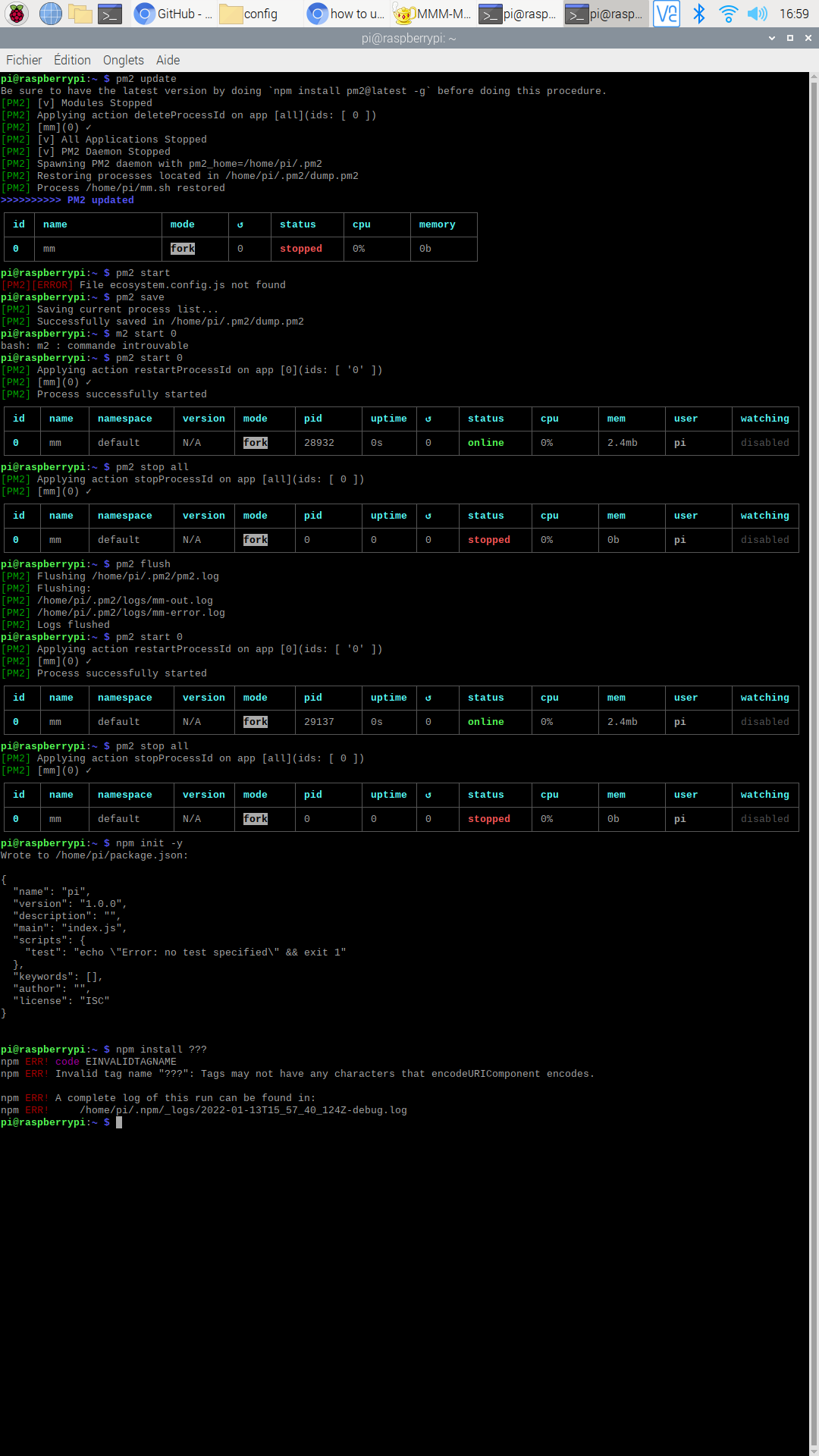
-
@sdetweil Maybe combine the script and check if exist then update, else frsh install? Would that work?
-
@rikko14 npm init -y
what is going on…
the instructions say
cd modulename (where modulename is the module having the error)

if the module does NOT provide a file called package.json, then do

npm init -y
why are you doing this in the users home folder?
-
so i have to do first :
cd ~/MagicMirror/and afternpm init -ythat’s right ? -
@mumblebaj said in how to update my MM:
Maybe combine the script and check if exist then update, else frsh install? Would that work?
what? check if what exist?
the problem here is that i looped thru all the installed modules, and found a package.json, which now requires a new
npm installin the module folder, BUT, the npm install failed cause of the networking problem
one that is finished, I loop thru all the modules and check to see if they use one of the troublesome libraries
and do NOT reference it in package.json…
and if NO package.json, then I create one, and THEN do the npm install of the libraryphew, all the same as the instructions i gave in the linked topic.
but there might be ANOTHER library too … that I don’t handle…
-
@rikko14 it says
to fix this you need to install the library in the module folder
cd ~/MagicMirror/modules
cd modulename (where modulename is the module having the error)
SO, you have to cd ~/MagicMirror/modules/modulename
same as every other time you were told to cd modulename
-
I’m lost …
here are all the modules I have installed.
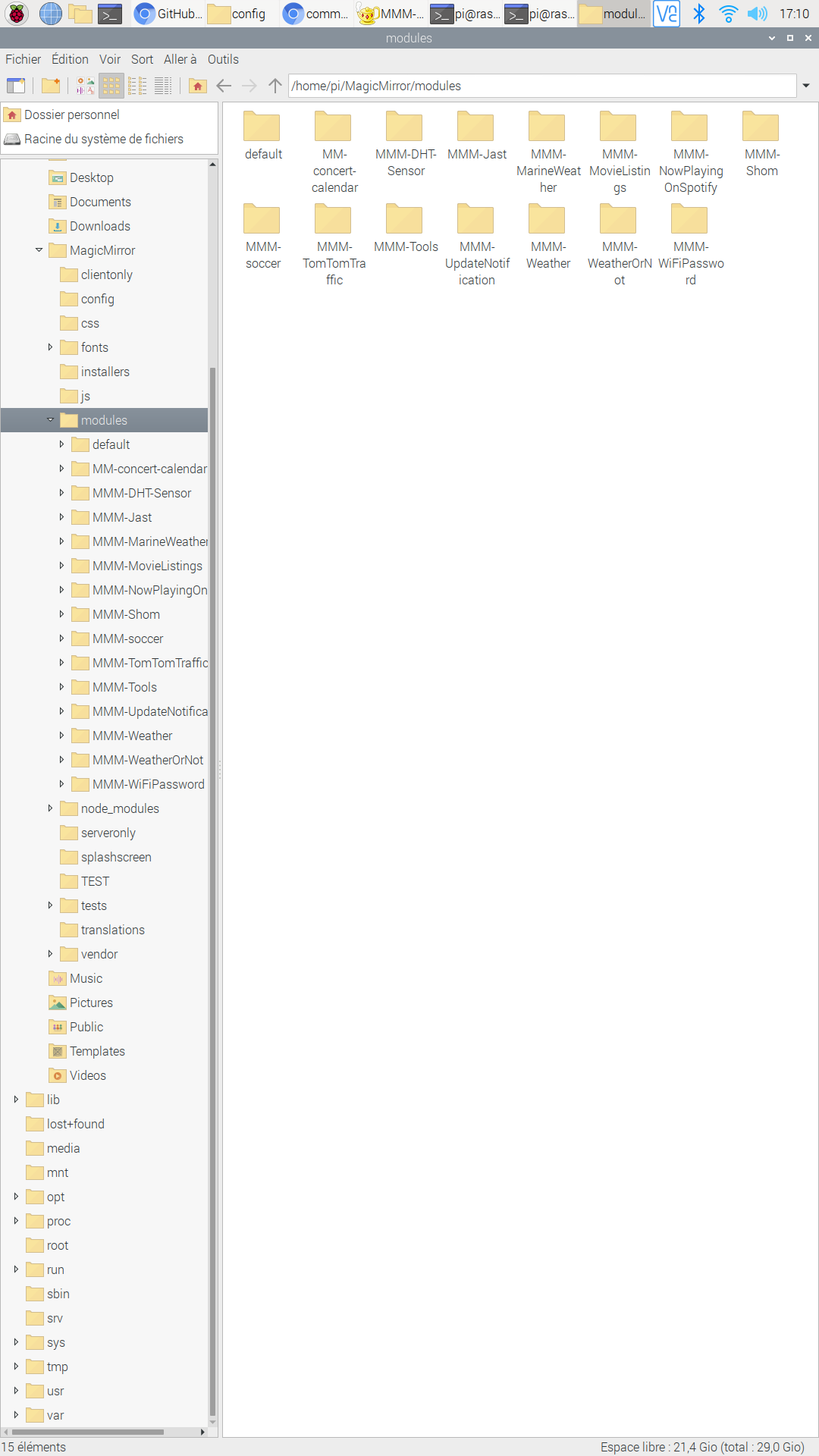
I have to do:
cd ~ / MagicMirror / modules / modulenamefor each module and thennpm init -y?
and post here all the results ofnpm init -y?I have already had this Electron problem several times and I do not remember what I had typed as the command line but it was not that
-
@sdetweil said in how to update my MM:
what? check if what exist?
What I was referring to is for a single script to run, check if MagicMirror exist, check version and upgrade if not on the latest, if not exist then do a fresh install. This way whoever runs your script does not run the wrong one. Just a suggestion.
-
@rikko14 look in the pm2 logs output
search for Cannot find module
sorry for the dual use of the word module. NPM calls the library a module and MagicMirror calls its app a module…
after that string, there will be a name in quotes ‘request’ or ‘valid-url’, or maybe something else
on one of the next lines will be a file path
MagicMirror/modules/??? some MagicMirror module name
THAT is the MagicMirror module which is missing the library found in the 'Cannot find module ’ message above
So, navigate to that MagicMirror module folder
cd ~/MagicMirror/modules/modulenameand then look for the package.json file
ls package.jsonif you get ‘No such file or directory’ in response to the ls command, then create the file by doing
npm init -ynext step,
npm install ???
where ??? is the name of the missing library in the message ’ Cannot find module ’done for this library for this MM module
-
@mumblebaj oh… no… don’t want to get into that
they are two distinct functions… users have to learn sometime
-
@sdetweil :-) I understand. But it would make your life easier with running the wrong script, messing up their install and you having to go through a 100 different things for them to do to get it fixed… :-)
-
@mumblebaj they can’t mess up their install …
install aborted as already present
upgrade won’t change anything unless you ask for it.
and it won’t try to upgrade to the same version, unless you report it and I tell you how to get around it.
(I am constantly finding things that users don’t understand, and trying to make life easier as best I can)this particular problem is unrelated to the scripts…
it was caused by a networking problem I can’t fix.
and I don’t know if all this will work . -
I do this for the first modul :
pi@raspberrypi:~ $ cd ~/MagicMirror/modules/MMM-DHT-Sensor
pi@raspberrypi:~/MagicMirror/modules/MMM-DHT-Sensor $ ls package.json
package.json
pi@raspberrypi:~/MagicMirror/modules/MMM-DHT-Sensor $
i do this :
npm init -y? -
@rikko14 no. the file exists.
only do npm init -y if the file does NOT exist
-
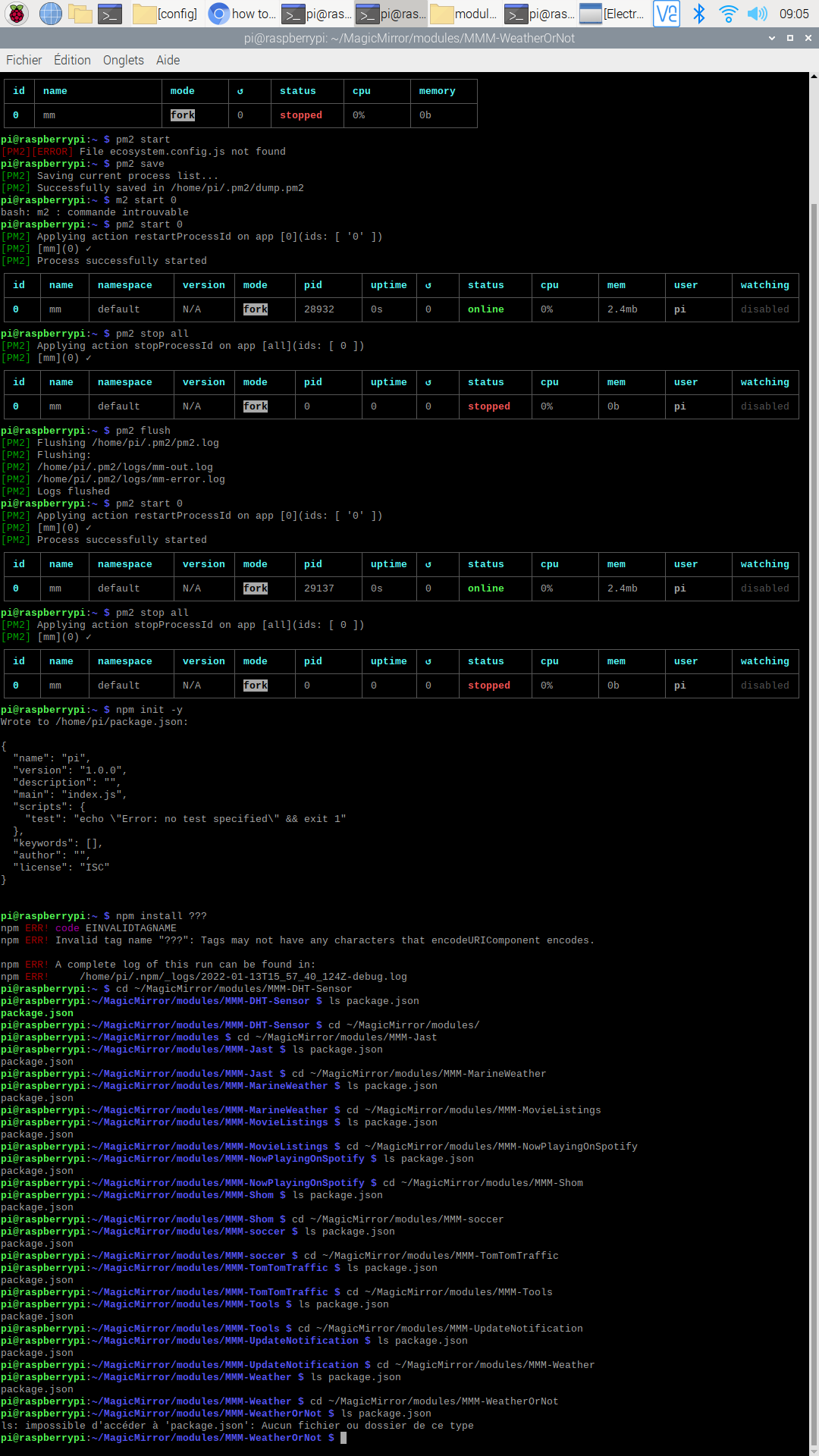
@sdetweil as you told me, I do
cd ~/MagicMirror/modules/modulenamefor each module.
I found an error in the last module : MMM-WeatherOrNot, a module that I no longer use so I deleted it with the command :cd ~ / MagicMirrorandrm -rf modules / MMM-WeatherOrNotthen i redid pm2 save and pm2 start 0 and turned the MM off and on again with ~ 1 minute but I still have a black screen and an electron problem.
what to do ?
-
@rikko14 Can you run the following command and post the output please?
grep -r -E '('request')' ~/MagicMirror/modules/*/*.jsOr post the pm2 logs again? There must be a module that is missing a module as per what Sam advised previously. Let us see if we can find the module that is broken.
-
pi@raspberrypi:~ $ grep -r -E '('request')' ~/MagicMirror/modules/*/*.js
/home/pi/MagicMirror/modules/MMM-Jast/node_helper.js:(()=>{"use strict";var e={944:function(e,t,o){var r=this&&this.__awaiter||function(e,t,o,r){return new(o||(o=Promise))((function(n,i){function s(e){try{c(r.next(e))}catch(e){i(e)}}function a(e){try{c(r.throw(e))}catch(e){i(e)}}function c(e){var t;e.done?n(e.value):(t=e.value,t instanceof o?t:new o((function(e){e(t)}))).then(s,a)}c((r=r.apply(e,t||[])).next())}))};Object.defineProperty(t,"__esModule",{value:!0});const n=o(543),i=o(61);e.exports=n.create({start(){console.log(`${this.name} helper method started...`)},requestStocks(e){return r(this,void 0,void 0,(function*(){let t=[];for(const o of e.stocks)try{const{summaryDetail:e,price:r}=yield i.default.quoteSummary(o.symbol);if(e&&r){const n={symbol:o.symbol,name:o.name,quantity:o.quantity};t.push({summaryDetail:e,price:r,meta:n})}}catch(e){console.error("There was an error requesting the API.",e.message)}return t}))},socketNotificationReceived(e,t){return r(this,void 0,void 0,(function*(){if(e){const e=yield this.requestStocks(t);this.sendSocketNotification("STOCKS_RESULT",e)}else console.warn(`${e} is invalid notification`)}))}})},543:e=>{e.exports=require("node_helper")},61:e=>{e.exports=require("yahoo-finance2")}},t={},o=function o(r){var n=t[r];if(void 0!==n)return n.exports;var i=t[r]={exports:{}};return e[r].call(i.exports,i,i.exports,o),i.exports}(944);module.exports=o})();
/home/pi/MagicMirror/modules/MMM-MovieListings/node_helper.js:var request = require('request');
/home/pi/MagicMirror/modules/MMM-MovieListings/node_helper.js:    request(
/home/pi/MagicMirror/modules/MMM-MovieListings/node_helper.js:    request(
/home/pi/MagicMirror/modules/MMM-MovieListings/node_helper.js:        request(
/home/pi/MagicMirror/modules/MMM-soccer/MMM-soccer.js:     * @description Adds nunjuck filters and requests for league data.
/home/pi/MagicMirror/modules/MMM-soccer/MMM-soccer.js:     * @description Sends request to the node_helper to fetch data for the current selected league.
/home/pi/MagicMirror/modules/MMM-soccer/node_helper.js: * @external request
/home/pi/MagicMirror/modules/MMM-soccer/node_helper.js: * @see https://www.npmjs.com/package/request
/home/pi/MagicMirror/modules/MMM-soccer/node_helper.js:const request = require('request');
/home/pi/MagicMirror/modules/MMM-soccer/node_helper.js: * @requires external:request
/home/pi/MagicMirror/modules/MMM-soccer/node_helper.js:     * @param {Object} options - request optionsthe notification.
/home/pi/MagicMirror/modules/MMM-soccer/node_helper.js:        request(options, (error, response, body) => {
/home/pi/MagicMirror/modules/MMM-TomTomTraffic/MMM-TomTomTraffic.js:    // Instead, on the first dom request, add a <script> tag and trigger a dom refresh
pi@raspberrypi:~ $
I do not remember anymore how to post the pm2 logs
-
@rikko14 So now you now that 2 modules require the module request. Please run the following scripts so we can determine which modules do not have request installed and post the output.
find ~/MagicMirror/modules/* -type d -name request -
pi@raspberrypi:~ $ find ~/MagicMirror/modules/* -type d -name request
/home/pi/MagicMirror/modules/MMM-MovieListings/node_modules/request
/home/pi/MagicMirror/modules/MMM-NowPlayingOnSpotify/node_modules/request
/home/pi/MagicMirror/modules/MMM-NowPlayingOnSpotify/node_modules/npm/node_modules/request
pi@raspberrypi:~ $

Hello! It looks like you're interested in this conversation, but you don't have an account yet.
Getting fed up of having to scroll through the same posts each visit? When you register for an account, you'll always come back to exactly where you were before, and choose to be notified of new replies (either via email, or push notification). You'll also be able to save bookmarks and upvote posts to show your appreciation to other community members.
With your input, this post could be even better 💗
Register Login