Read the statement by Michael Teeuw here.
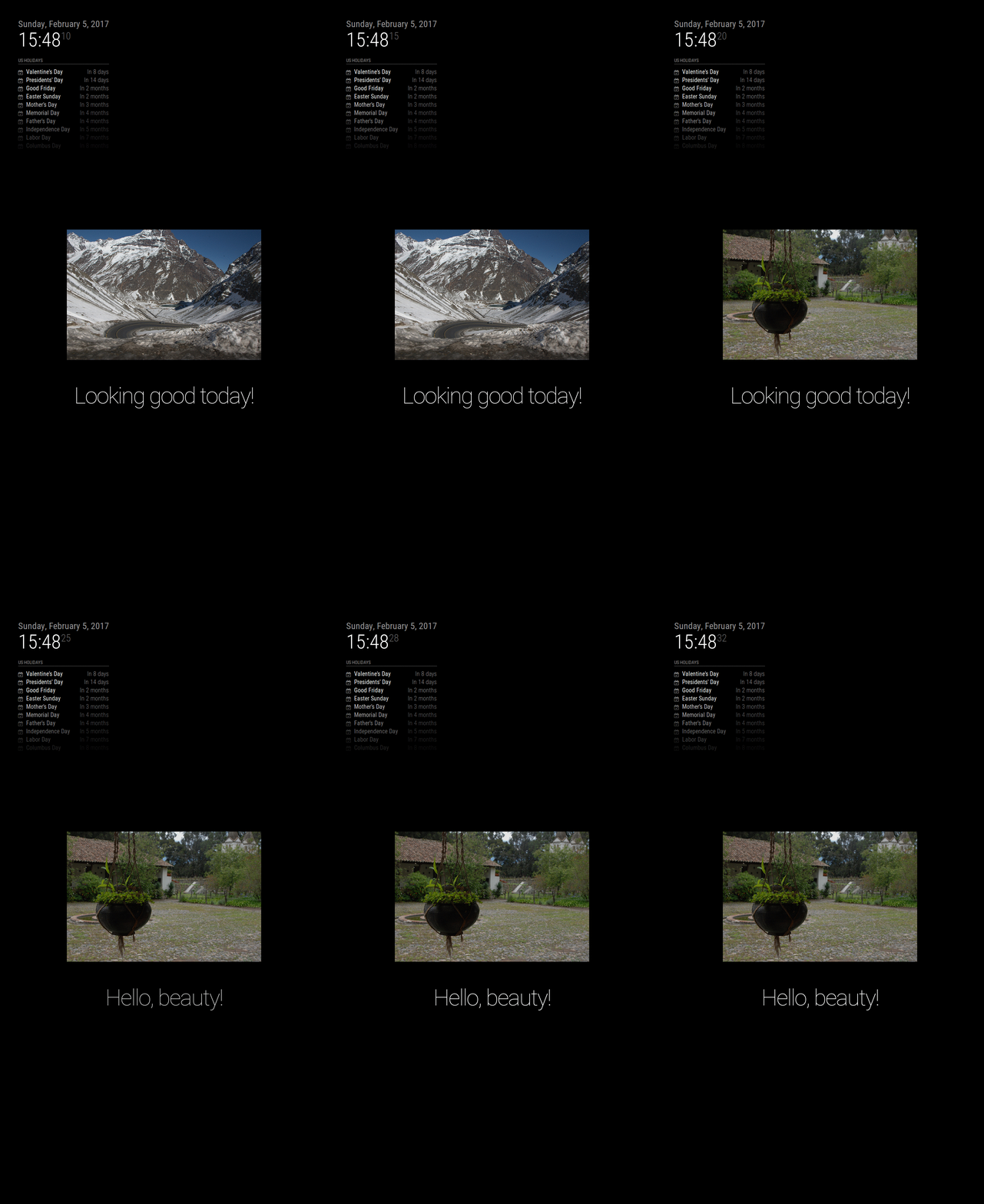
MMM-ImagesPhotos - Show images from a directory
-
Description:
I had the idea to checking process development of a module and I created one to show images from a directory.
This module has a lot development stuff’s in files that I think should have a module. Is missing integration of test suite.
If you have any request to add it please let a message here or add an issue in Github.
Screenshot:
Download:
[card:roramirez/MMM-ImagesPhotos]
Version 0.1.1
- Update and fix README documentation
Version 0.1.0
- Initial release
Easy module development with MagicMirror Module Template
-
Hello,
I search to display my webcam on my mirror.
I think to use a script to upload jpg from webcam (http://192.168.0.160/tmpfs/auto.jpg) on the right directory.
But just the 1st image is displayed, for testing i do :
wget http://192.168.0.160/tmpfs/auto.jpg (see image on mirror)
rm *.jpg
wget http://192.168.0.160/tmpfs/auto.jpg (see the same image on mirror)I playing with updateInterval and getInterval, no success.
Like there are a cache in app.
Thanks in advance, and thanks for your work
Olivier
-
@balthaz Yes is the cache of Electron app, because the name is same for image url.
I create a little hack for this but I think this can be overhead the cache of app. Can you try and tell me?
https://github.com/roramirez/MMM-ImagesPhotos/tree/test-force-cache (branch)
https://github.com/roramirez/MMM-ImagesPhotos/commit/b8ead890b701ed6264a417c9c4f4a92b135f8816 (patch)Other way is create a new name and delete previous file in your script
wget -O $(date +%s).jpg http://192.168.0.160/tmpfs/auto.jpg -
Very nice!!!
-
super cool! :)
-
hello,
I test force cache, it’s no working, my test:
apply new git
wget jpg display jpg
rm jpg
wget jpg display same jpgi test with rotate wget
thanks
-
@roramirez said in MMM-ImagesPhotos - Show images from a directory:
wget -O $(date +%s).jpg http://192.168.0.160/tmpfs/auto.jpg
with wget -O $(date +%s).jpg http://192.168.0.160/tmpfs/auto.jpg i have a random picture
-
@balthaz For your need I think is better using
https://github.com/TheBogueRat/MMM-iFrameReload -
@roramirez Thanks, exactly what a need !
-
From reading the readme, i couldn´t figure out where to place the directory MMM-ImagesPhotos searches for the pictures.
-
@Mire Hello,
I added a little more explain.
The directory where is searching the images is
MagicMirror/modules/MMM-ImagesPhotos/uploadsThe directory called uploads inside the module
-
Hi, Great job with this Module (really easy to understand),
It is a way to display an imagen according some parameter ? like the day of the week ? I will like to use as Alternative Calendar for my 5 Years old son, images like Music Note to don’t forget his Music instruments on Thursdays or Swimming course Tuesdays and Thursdays and so on… Your Modul is perfect for that, unfortunately i don’t know how to program as filters. Can you help me with this idea ?
Thanks in advance -
Sound good. I don’t know resolv out your need.
Some I think could be help is mixed this with https://github.com/ianperrin/MMM-ModuleScheduler
-
@roramirez Excellent, That’s exactly what i need… Thanks
-
This post is deleted! -
@johnnyboy This feature is not available at now.
For your requirement is need it set the path where find the images. Please add a issue in Github to remember and when take free time I could add this. If you want take part of this can developev by yourself and send a Pull Request.
-
i submitted this issue on Github.
in the readme the with and height should be:
maxWidth not width
maxHeight not height -
@jfodor Great! Do you want take this task?
Easy module development with MagicMirror Module Template
-
@roramirez Nice work! Would it be difficult to create a module that loads a photo from a web site instead of from a folder? There are a bunch of photographers that have web pages with incredible photos that would be nice to cycle through.
-
@jproehl Sound good! The directory have indexes?





Hello! It looks like you're interested in this conversation, but you don't have an account yet.
Getting fed up of having to scroll through the same posts each visit? When you register for an account, you'll always come back to exactly where you were before, and choose to be notified of new replies (either via email, or push notification). You'll also be able to save bookmarks and upvote posts to show your appreciation to other community members.
With your input, this post could be even better 💗
Register Login