MagicMirror Forum
    • Recent
    • Tags
    • Unsolved
    • Solved
    • MagicMirror² Repository
    • Documentation
    • 3rd-Party-Modules
    • Donate
    • Discord
    • Register
    • Login
    A New Chapter for MagicMirror: The Community Takes the Lead
    Read the statement by Michael Teeuw here.

    MMM-PenPlotter -Render mesmerizing line animations on your mirror!

    Scheduled Pinned Locked Moved Showcase
    18 Posts 7 Posters 15.6k Views 7 Watching
    Loading More Posts
    • Oldest to Newest
    • Newest to Oldest
    • Most Votes
    Reply
    • Reply as topic
    Log in to reply
    This topic has been deleted. Only users with topic management privileges can see it.
    • RaspiManuR Offline
      RaspiManu @bballboy21
      last edited by

      @bballboy21
      This looks amazing!

      1 Reply Last reply Reply Quote 0
      • BerkSmash1984B Offline
        BerkSmash1984
        last edited by

        Will this work in any valid position and with MMM-Pages, using classes? I attempted to add the module to page 2 of my MM setup, but nothing is displaying, and no errors in dev console. Here is my config:

         {
                            module: 'MMM-PenPlotter',
                            disabled: false,
                            position: 'top_left',
                            classes: 'page_2',
                            config: {
                                    imagePaths: ['modules/MMM-PenPlotter/example_svg']
                            }
         },
        S 1 Reply Last reply Reply Quote 0
        • S Offline
          sdetweil @BerkSmash1984
          last edited by

          @BerkSmash1984 what is the pages config?

          do other modules appear on page_2?

          if u disable pages, does the content appear?

          Sam

          How to add modules

          learning how to use browser developers window for css changes

          BerkSmash1984B 1 Reply Last reply Reply Quote 0
          • BerkSmash1984B Offline
            BerkSmash1984 @sdetweil
            last edited by

            @sdetweil Thanks for the response

            Yes, all other modules appear fine on page 2. Here is my pages config:

              {
                                module: 'MMM-pages',
                                 disabled: false,
                                config: {
                                        modules:
                                                [[ "page_1",], ["page_2"]],
                                        // fixed: [ "clock", "MMM-Wallpaper", "MMM-page-indicator" ],
                                        rotationTime: 30000,
                                }
            },
            

            I did confirm that after disabling MMM-Pages, it does work

            S 1 Reply Last reply Reply Quote 1
            • S Offline
              sdetweil @BerkSmash1984
              last edited by

              @BerkSmash1984 the module delay time is 65 seconds and u have 30 seconds for pages.

              so the module is waiting, and then gets hidden, restarting on show. then hidden…

              Sam

              How to add modules

              learning how to use browser developers window for css changes

              BerkSmash1984B 1 Reply Last reply Reply Quote 1
              • BerkSmash1984B Offline
                BerkSmash1984 @sdetweil
                last edited by

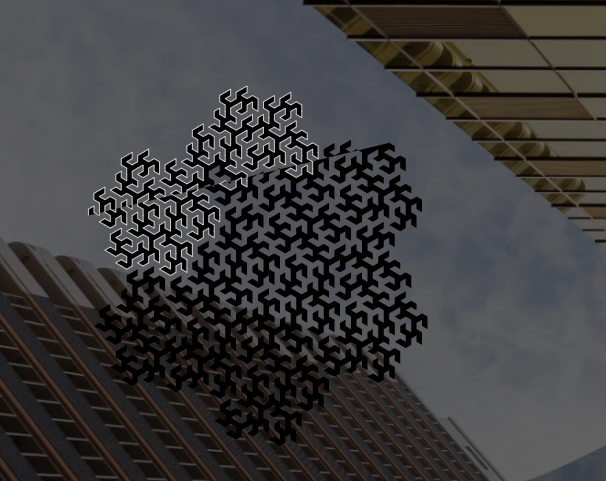
                @sdetweil Thanks! Yup I just realized that too and changed the value for MMM-Pages to 6500 and it works. Only thing now is, if you have a background (I am using MMM-Wallpaper to display random in images from Bing and Chromecast) you will see an outline of the whole image instead of what is being drawn.
                953bea59-8cf8-427a-8bc3-9a0d201bc7fb-image.png

                Wonder if there is a way to address that, besides disabling the background wallpaper…

                S 1 Reply Last reply Reply Quote 1
                • S Offline
                  sdetweil @BerkSmash1984
                  last edited by

                  @BerkSmash1984 welcome to the fun of backgrounds!

                  somehow you would need to make the image background not transparent, but you will get a big black box instead

                  Sam

                  How to add modules

                  learning how to use browser developers window for css changes

                  BerkSmash1984B 1 Reply Last reply Reply Quote 1
                  • BerkSmash1984B Offline
                    BerkSmash1984 @sdetweil
                    last edited by

                    @sdetweil lol Indeed! Still a cool module. I will likely go back and forth between this and MMM-Wallpapers… Thanks for your help Sam

                    T 1 Reply Last reply Reply Quote 0
                    • T Offline
                      tdw @BerkSmash1984
                      last edited by

                      @BerkSmash1984
                      I use both MMM-PenPlotter and MMM-Wallpaper (the jupadin version) and was able to make the images transparent with no black box. You need to edit each of the svg files in the example_svg folder.

                      Most of the files were updated by adding

                      fill="transparent"
                      

                      in the section with:

                      <desc>pwidth:500;pheight:500;</desc>
                          <path
                             stroke="#999999"
                             stroke-width="0.2mm"
                             fill="transparent"


                      There were a couple where background was already defined in the 3rd row of the files so it had to be updated there. Let me know if you need more specifics.

                      1 Reply Last reply Reply Quote 2
                      • BerkSmash1984B Offline
                        BerkSmash1984
                        last edited by

                        Oh awesome! I am just now seeing this. Let me give it a go!

                        BerkSmash1984B 1 Reply Last reply Reply Quote 0
                        • BerkSmash1984B Offline
                          BerkSmash1984 @BerkSmash1984
                          last edited by

                          @tdw
                          That did indeed work. Many thanks!

                          1 Reply Last reply Reply Quote 0
                          • B Offline
                            bballboy21 @MZ-BER
                            last edited by bballboy21

                            @MZ-BER
                            @tdw
                            @sdetweil @BerkSmash1984
                            @RaspiManu
                            Find some guilds on making your own SVG animations for your mirror. https://jbamford.github.io/Animate-SVG-Files-Breakdown/

                            Accepting pull requests with new SVGs to add!

                            BerkSmash1984B 1 Reply Last reply Reply Quote 1
                            • BerkSmash1984B Offline
                              BerkSmash1984 @bballboy21
                              last edited by

                              @bballboy21
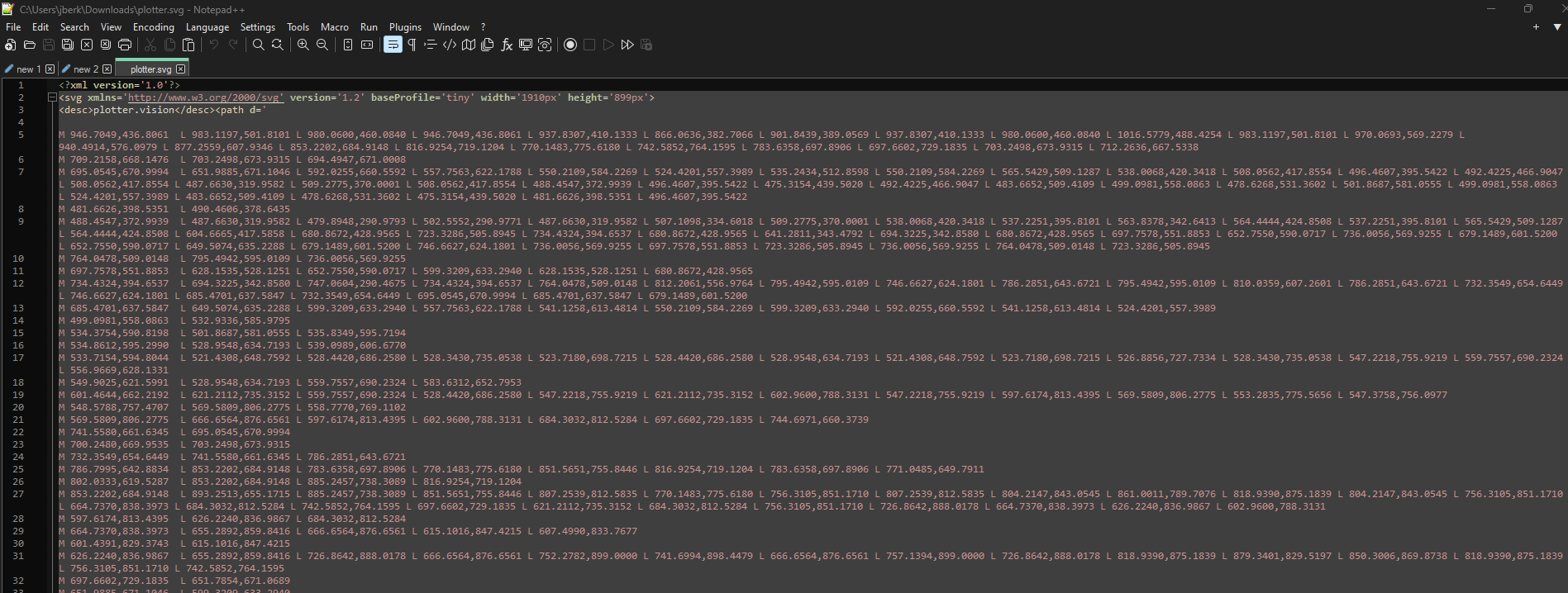
                              I am interested in attempting to create one, but how do you handle the code when path is formatted as shown below, with spaces and new lines and not having separate paths individually spelled out like what is discsussed in: https://youtu.be/Nz0SzKKdd-A
                              a2d4923b-0f68-4737-83cf-cbb21dbd66c0-image.png

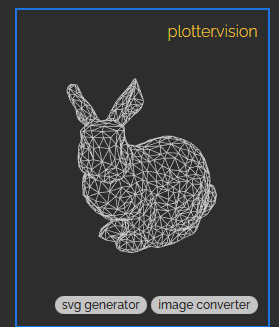
                              The code from this screenshot is the bunny, found at: https://drawingbots.net/knowledge/tools/svg-generator
                              86be0fd6-c2fb-41ee-860b-4d3252263567-image.png

                              BerkSmash1984B 1 Reply Last reply Reply Quote 0
                              • BerkSmash1984B Offline
                                BerkSmash1984 @BerkSmash1984
                                last edited by

                                @bballboy21
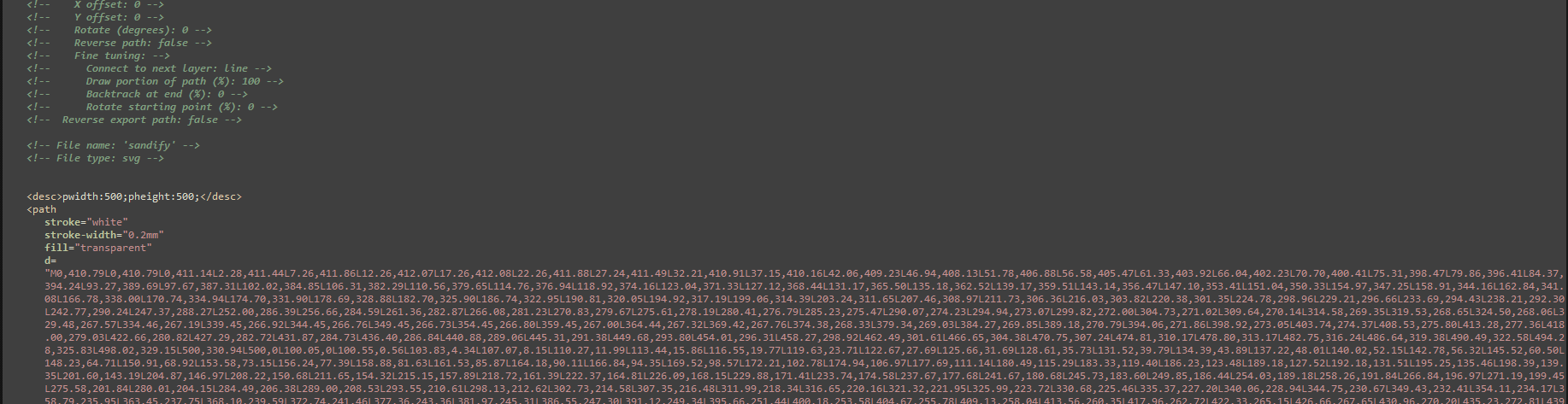
                                Also, if you use https://sandify.org/ to generate a svg file, how do you figure out the number of paths to update the stroke-dasharray and stroke-dashoffset values in the style section, as the svg file will not have individual paths specified?

                                Example:
                                d1e609c3-424b-4175-a449-46a268f5cdec-image.png

                                If I move the svg file to the example_svg folder on my MM, it just shows to completed picture, and does not actually draw it. I am guessing this is bc the value for both are currently set to 1 (but again not sure how to determine what those values would actually be)
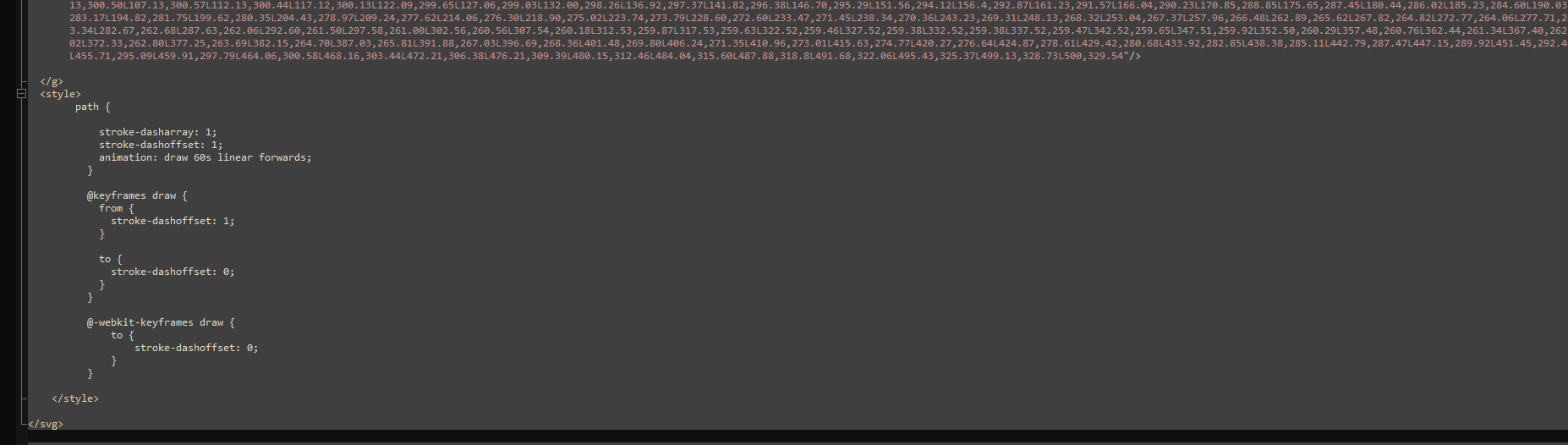
                                66621e7c-6836-42db-adf2-575646dceebe-image.png

                                BerkSmash1984B 1 Reply Last reply Reply Quote 0
                                • BerkSmash1984B Offline
                                  BerkSmash1984 @BerkSmash1984
                                  last edited by

                                  @bballboy21
                                  Disregard, I figured it out. I did not realize that the path is effectively a value of 1 if not otherwise specified, thus following the guide on https://jbamford.github.io/Animate-SVG-Files-Breakdown/ and specifying

                                  pathLength="1"
                                  

                                  and

                                  stroke-dasharray: 1;
                                  stroke-dashoffset: 1;
                                  

                                  in there respective places in the svg files allows the animation to work.
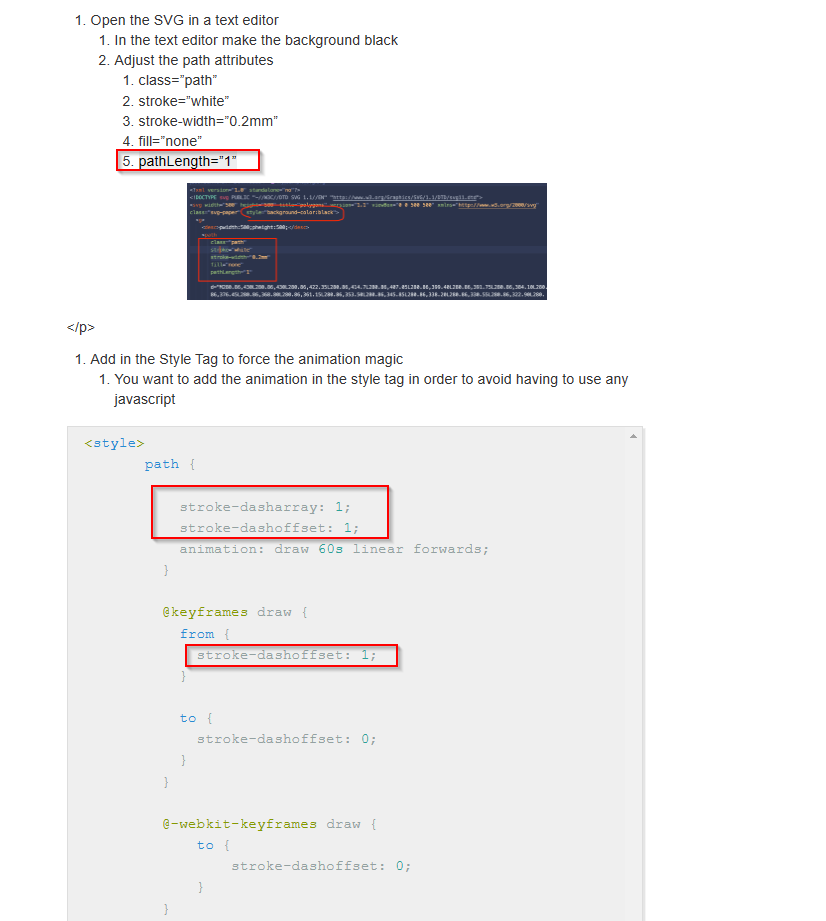
                                  2b726e69-a24f-4d12-98b1-4dbff7b41a52-image.png

                                  I can now create as many animated svg files for this module as I like, using https://sandify.org. Awesome!

                                  1 Reply Last reply Reply Quote 0
                                  • R Offline
                                    ratandalez
                                    last edited by

                                    Thanks for sharing your module!!

                                    1 Reply Last reply Reply Quote 0

                                    Hello! It looks like you're interested in this conversation, but you don't have an account yet.

                                    Getting fed up of having to scroll through the same posts each visit? When you register for an account, you'll always come back to exactly where you were before, and choose to be notified of new replies (either via email, or push notification). You'll also be able to save bookmarks and upvote posts to show your appreciation to other community members.

                                    With your input, this post could be even better 💗

                                    Register Login

                                    • 1 / 1
                                    • First post
                                      Last post
                                    Enjoying MagicMirror? Please consider a donation!
                                    MagicMirror created by Michael Teeuw.
                                    Forum managed by Sam, technical setup by Karsten.
                                    This forum is using NodeBB as its core | Contributors
                                    Contact | Privacy Policy