Read the statement by Michael Teeuw here.
Calendar and Font Awesome - no icons
-
I am struggling to get the Font Awesome icons to show in Calendar and can’t figure out what I’m doing wrong so would appreciate any help, please.
MM version: 2.23.0
The applicable part of config.js looks like this:
    {
          module: 'calendar',
          position: 'bottom_left',
          header: 'Family',
          config: {
            fade: false,
            timeFormat: 'absolute',
            dateFormat: 'DD/MM/YY',
            coloredText: false,
            coloredBorder: true,
            coloredSymbol: true,
            coloredBackground: false,
            calendars: [
              {
                url: 'https://calendar.google.com/calendar/ical/calendar1redacted/basic.ics',
                symbol: 'house',
                color: 'crimson'
              },
              {
                symbol: 'person',
                symbolClassName: "fas fa-fw fa-",
                color: 'blue',
                url: 'https://calendar.google.com/calendar/ical/calendar2redacted/basic.ics'
              },
              {
                symbol: 'calendar',
                symbolClassName: "fas fa-",
                color: 'green',
                url: 'https://www.calendarlabs.com/ical-calendar/ics/75/UK_Holidays.ics'
              },
              {
                symbol: 'person-dress',
                color: 'pink',
                symbolClassName: "fas fa-",
                url: 'https://calendar.google.com/calendar/icalcalendar3redacted/basic.ics'
              }
            ],
            fullDayEventDateFormat: 'DD/MM/YY',
            maximumNumberOfDays: 60,
            hidePrivate: true,
            maxTitleLength: 70,
            maxLocationTitleLength: 70,
            defaultSymbolClassName: "fas fa-",
            wrapEvents: true
          }
        },
I’m probably missing something simple but am not succeeding in getting the icons to show - all I get is coloured square frames.
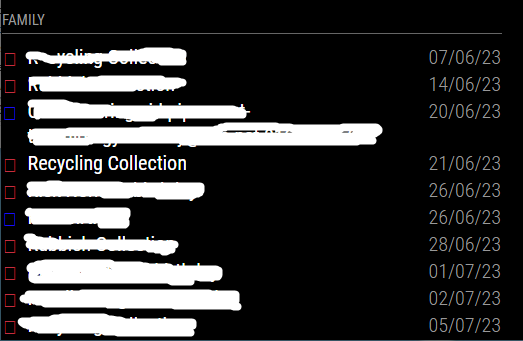
Thanks in advance for any help!
-
@RGN01 try ‘fa-house’ rather than house. Follow through the same for each. Make sure they’re not the pro versions, they won’t work.
https://fontawesome.com/icons/house?f=classic&s=solid is the example - use the HTML version.
-
@BKeyport thank you for your assistance. I’m still battling. I now have this:
          {
            url: 'https://calendar.google.com/calendar/ical/calendar1redacted/basic.ics',
            symbol: 'fa-house',
            symbolClassName: "fas fa-",
            color: 'crimson'
          },
The icons (the placeholders) have now disappeared completely and the text shifted left. I have also tried “fa-solid”, “fas”, and “fa-solid fa-” for symbolClassName.
-
@RGN01
here is my working config. might help you out understanding your issue. (sorry for the swedish)module: "calendar", header: "Familjekalender", position: "top_left", config: { customEvents: [ {keyword: 'Spanien', symbol: 'fas fa-plane', color: 'Gold'}, {keyword: 'Sundsvall', symbol: 'fa-solid fa-briefcase', color: 'white'}, {keyword: 'Norrköping', symbol: 'fa-solid fa-briefcase', color: 'white'}, {keyword: 'färja', symbol: 'fa-solid fa-ship', color: 'white'}, {keyword: 'skolavslutning', symbol: 'fa-solid fa-graduation-cap', color: 'white'}, {keyword: 'läkar', symbol: 'fa-solid fa-user-doctor', color: 'white'}, {keyword: 'båt', symbol: 'fa-solid fa-ship', color: 'white'}, {keyword: 'Flyg', symbol: 'fas fa-plane', color: 'Gold'}, {keyword: 'arlanda', symbol: 'fas fa-plane', color: 'Gold'}, {keyword: 'Resa', symbol: 'fas fa-pla<i class="fa-solid fa-graduation-capne', color: 'Gold'}, {keyword: 'Semester', symbol: 'fas fa-plane', color: 'Gold'}, {keyword: 'Fotboll', symbol: 'fas fa-futbol', color: 'white'}, {keyword: 'Minecraft', symbol: 'fas fa-hammer', color: 'white'}, {keyword: 'Bilresa', symbol: 'fas fa-car', color: 'white'}, {keyword: 'Roadtrip', symbol: 'fas fa-car', color: 'white'}, {keyword: 'Ferrari', symbol: 'fas fa-car', color: 'white'}, {keyword: 'Camping', symbol: 'fas ffas fa-cara-campground', color: 'white'}, {keyword: 'Campa', symbol: 'fas fa-campground', color: 'white'}, {keyword: 'Vaccin', symbol: 'fas fa-vial', color: 'white'}, {keyword: 'spruta', symbol: 'fa-solid fa-syringe', color: 'white'}, {keyword: 'dos 4', symbol: 'fa-regular fa-syringe', color: 'white'}, {keyword: 'Picknic', symbol: 'fas fa-hotdog', color: 'white'}, {keyword: 'Middag', symbol: 'fas fa-utensils', color: 'white'}, {keyword: 'Pinchos', symbol: 'fas fa-utensils', color: 'white'}, {keyword: 'Ramblas', symbol: 'fas fa-utensils', color: 'white'}, {keyword: 'restaurang', symbol: 'fas fa-utensils', color: 'white'}, {keyword: 'delsedag', symbol: 'fas fa-birthday-cake', color: 'white'}, {keyword: 'fyller', symbol: 'fas fa-birthday-cake', color: 'white'}, {keyword: 'kalas', symbol: 'fas fa-birthday-cake', color: 'Gold'}, {keyword: 'Game Jam', symbol: 'fas fa-cogs', color: 'white'}, {keyword: 'Spelprogrammering', symbol: 'fas fa-cogs', color: 'white'}, {keyword: 'Game', symbol: 'fa-solid fa-hat-wizard', color: 'white'}, {keyword: 'Bil', symbol: 'fas fa-car', color: 'white'}, {keyword: 'Tesla', symbol: 'fas fa-car', color: 'white'}, {keyword: 'npf74a', symbol: 'fas fa-car', color: 'white'}, {keyword: 'Dop', symbol: 'fa-solid fa-church', color: 'Gold'}, {keyword: 'Lek', symbol: 'fa-solid fa-hat-wizard', color: 'white'}, {keyword: 'Bröllop', symbol: 'fa-solid fa-church', color: 'Gold'}, {keyword: 'vigsel', symbol: 'fa-solid fa-church', color: 'Gold'}, {keyword: 'verktad', symbol: 'fa-solid fa-screwdriver-wrench', color: 'white'}, {keyword: 'service', symbol: 'fa-solid fa-screwdriver-wrench', color: 'white'}, {keyword: 'kolmården', symbol: 'fas fa-horse', color: 'Green'}, {keyword: 'klippning', symbol: 'fa-solid fa-scissors', color: 'White'}, {keyword: 'cyckel', symbol: 'fas fa-biking', color: 'White'}, {keyword: 'cykla', symbol: 'fas fa-biking', color: 'White'}, {keyword: 'aw', symbol: 'fas fa-beer', color: 'White'}, {keyword: 'afterwork', symbol: 'fas fa-beer', color: 'White'}, {keyword: 'klippa', symbol: 'fa-solid fa-scissors', color: 'White'}, {keyword: 'grill', symbol: 'fa-solid fa-hotdog', color: 'White'}, {keyword: 'korv', symbol: 'fa-solid fa-hotdog', color: 'White'}, {keyword: 'Doktor', symbol: 'fa-solid fa-stethoscope', color: 'White'}, {keyword: 'kirurg', symbol: 'fa-solid fa-stethoscope', color: 'White'}, {keyword: 'spraytan', symbol: 'fa-solid fa-person-shelter', color: 'White'}, {keyword: 'soldush', symbol: 'fa-solid fa-person-shelter', color: 'White'}, {keyword: 'Tandläkare', symbol: 'fa-solid fa-tooth', color: 'White'}, {keyword: 'Läkare', symbol: 'fa-solid fa-stethoscope', color: 'White'}, {keyword: 'simma', symbol: 'fa-solid fa-person-swimming', color: 'White'}, {keyword: 'simskola', symbol: 'fa-solid fa-person-swimming', color: 'White'}, {keyword: 'bio', symbol: 'fa-solid fa-film', color: 'White'}, {keyword: 'studera', symbol: 'fa-solid fa-book', color: 'White'}, {keyword: 'plugga', symbol: 'fa-solid fa-book', color: 'White'}, {keyword: 'läsa', symbol: 'fa-solid fa-book', color: 'White'}, {keyword: 'God of War', symbol: 'fa-solid fa-axe', color: 'White'}, {keyword: 'läsning', symbol: 'fa-solid fa-book', color: 'White'}, {keyword: 'handboll', symbol: 'fa-solid fa-baseball', color: 'White'}, {keyword: 'frisör', symbol: 'fa-solid fa-scissors', color: 'White'} ], maximumEntries: 20, getRelative:0, showLocation:false, displayRepeatingCountTitle:true, maxTitleLength:30, -
@PierreGode I edited to add the code block markers
to do yourself
paste your text
select your text
hit the button above the editor that looks like
</> -
@PierreGode Thank you for your help and no need to apologise for the Swedish!
I have tried using your approach (and your icons and colours) with new keywords to match - and the colouring works but I still don’t get the icons (I get empty frames).
It is making me wonder if there is an underlying dependency that I’m missing. I have checked that Calendar is up to date and it is, as is my MM installation.
I will keep on battling away to identify the issue!
Richard
-
Course we could get around this hassle if Electron would just support full emojis. 🤣🤣🤣🤣
-
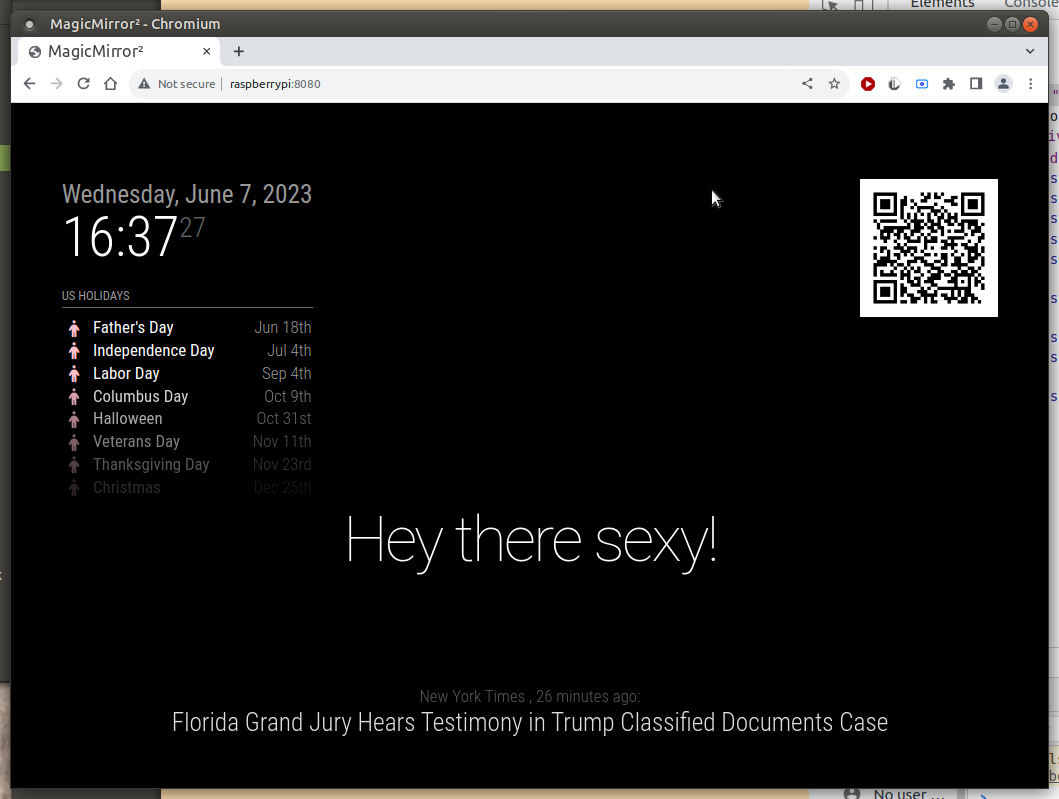
@RGN01 i just installed a new instance of MM, and used your settings for symbol, color and symbolClassName. and they all worked.
I only used this classname
symbolClassName: “fas fa-”, the other works too “fas fa-fw fa-”
-
@BKeyport Thank you - perhaps that is my path of least resistance - reinstall MM.
I’ll give that a go on the weekend, if I don’t figure this out before.
-
@RGN01 what version are you running?
see the startup messages or the top of package.json -
@sdetweil thanks for your reply.
"name": "magicmirror", "version": "2.23.0", -
@RGN01 so reinstalling won’t help … as u have the latest
how did u install?? manual??
do this , reinstall the fonts
cd ~/MagicMirror/fonts
rm -rf node_modules
rm package-lock.json
npm install
then try MM again
-
@sdetweil Thank you. I have done the font reinstall and rebooted. Still the same, unfortunately.
When you said “then try MM again” did you mean reinstall or just see if it works?
-
@RGN01 just see if it works
-
@sdetweil Thanks for clarifying. Unfortunately, no, it did not.
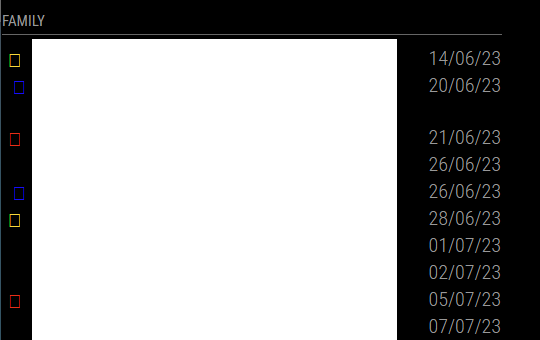
-
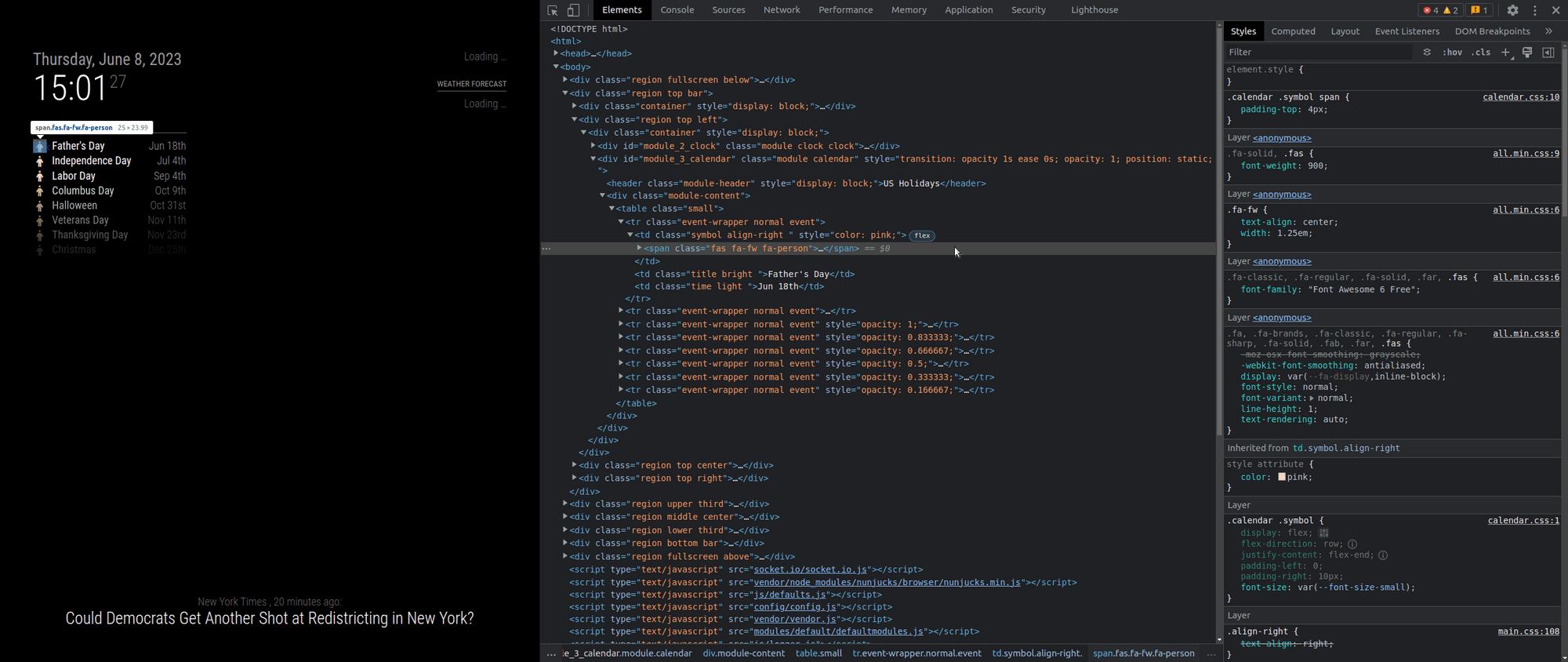
@RGN01 ok, lets open the developers window (ctrl-shift-i on the MM keyboard) , select the elements tab , select the pointer top left and use the mouse to position over the icon in the 1st element
see where its looking
-
@sdetweil Thank you so much for your assistance - I really do appreciate it!
        {keyword: 'Recycling', symbol: 'fas fa-house', color: 'Red'},
        {keyword: 'Rubbish', symbol: 'fas fa-person', color: 'Gold'}
		],
        calendars: [
          {
            url: 'https://calendar.google.com//Calendar1Redacted/basic.ics',
            symbol: 'fa-house',
          },
It is matching to the ‘Rubbish’ keyword.
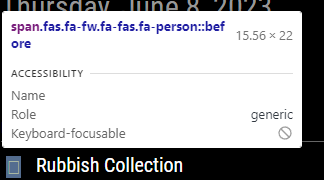

-
@RGN01 said in Calendar and Font Awesome - no icons:
 {keyword: 'Recycling', symbol: 'fas fa-house', color: 'Red'},
    {keyword: 'Rubbish', symbol: 'fas fa-person', color: 'Gold'}
there is the problem…
u need to split the class and the symbol
                symbol: 'person',
                symbolClassName: "fas fa-fw fa-",
the system appends the symbol name TO the classname
here is the default value
defaultSymbolClassName: “fas fa-fw fa-”,so, if it doesn’t need to be different (paid for icons use a different prefix)
then don’t set it…and U can set the prefix (classname) once per calendar in the list of calendars
symbolClassName: “fas fa-fw fa-”,NOT on every symbol entry
-
@sdetweil Thank you. You have helped a lot but I’m still battling. I’ve had a long day and am struggling to concentrate so will resume this tomorrow.
-


Hello! It looks like you're interested in this conversation, but you don't have an account yet.
Getting fed up of having to scroll through the same posts each visit? When you register for an account, you'll always come back to exactly where you were before, and choose to be notified of new replies (either via email, or push notification). You'll also be able to save bookmarks and upvote posts to show your appreciation to other community members.
With your input, this post could be even better 💗
Register Login