Read the statement by Michael Teeuw here.
Touchscreen Family Dashboard
-
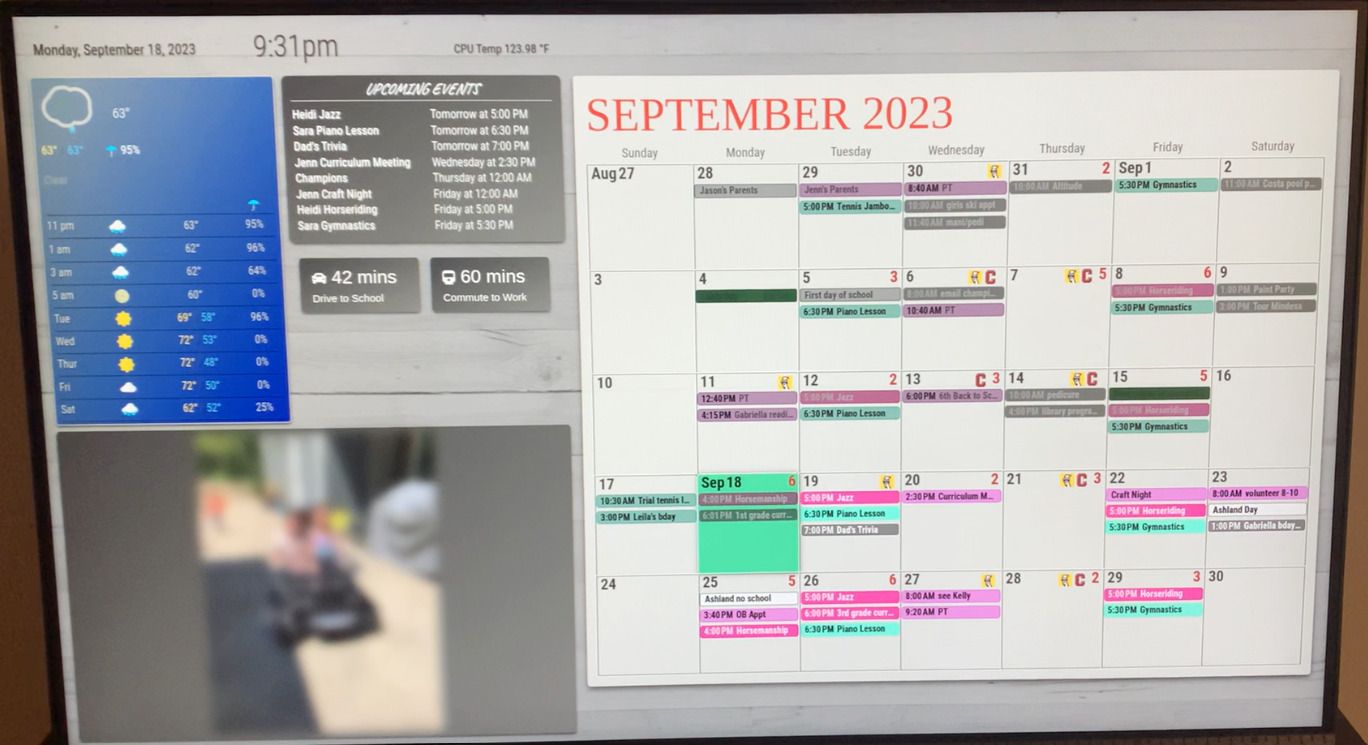
I recently completed the software portion of my “Magic Mirror” that is really a touchscreen dashboard for the family to use, running on a Raspberry Pi4. I wanted to allow for family members to add/edit/delete events from the screen so we could replace our messy paper calendar. As shown, the dashboard also provides local weather, family photos, and commute times for both adults in the household. The next step is to build the physical housing around the screen, likely in the form of extending the bookcase it’s currently resting on. The finished product will be a built in.
I’m not a programmer, but with the help of ChatGPT was able to develop a few custom modules to interact with others from the community. The most complex one I needed to develop was the integration with the Google Calendar API which was built entirely from scratch.
Modules used:
- MMM-DarkSkyForecast: Updated with PirateWeather
- MMM-GoogleCalendar: Readonly Access to my Google Calendar via API
- MMM-GooglePhotos
- MMM-systemtemperature
- MMM-Remote-Control
- MMM-CalendarExt3: Heavy CSS adjustments along with a small update to add a transparent button in each date cell that brings open the add event dialog box.
Custom Modules
- MMM-Keypress: Simple swipe module allowing me to advance the calendar 1-10 months in either direction
- MMM-TravelTimes: Pulls Google Traffic times for a drive to one location and a combination drive to train station/train ride to another
- MMM-SimpleKeyboard: Integrates the public-use SimpleKeyboard into the MagicMirror
- MMM-GoogleCalendarEventAdder: Provides Add/Edit/Delete functionality to our Google Calendar via API
-
Hello tjat, that’s really cool.
Have you used ChatGPT to program the complete modules for you? Or did you just use it for help with Javascript?
I had provided a module called MMM-Keyboard a few years ago, which includes simplekeyboard and can interact with other modules. Just so you know if you need something else, I’m happy to work with you on including it in my module. -
Thanks. I had zero background in javascript or CSS so started off with prompts like “Provide the full code for a magic mirror module in javascript that can add, edit, and delete events from my Google Calendar”. I did pay for the premium subscription, which gives you access to the more advanced models, which certainly helped. It returns both an initial module file and node_helper if needed. It was a very iterative process early on - the initial code would certainly have some errors in it, but I was able to get through it by pasting errors from the developer console back into Chat GPT and/or adding detailed logging statements to the code itself to see exactly what it was doing.
The most challenging part was getting the Google API set up correctly. I suspect Google changed some aspects after ChatGPTs cutoff date. In some cases, I was able to have it scan the developer docs to give me updated instructions.
Realized as well that I forgot an actual screenshot in my OP.
-
Anyway you can share the code from your custom modules?
I’m curious to see it and see it.
And just curious what type of screen are you using?
-
@rpp
Yeah, here’s a link to my git. I’m not a coder so I’m assuming I’m missing some best practices but each module should be accessible. They’re certainly highly customized for my specific classes, icons, etc.
https://github.com/tjat84My screen is an ASUS BE24ECSBT.
-
S sdetweil referenced this topic on
-
@tjat very impressive. Especially about the ChatGPT aspect.
-
@tjat this is exactly what I’ve been looking to build. Can’t wait to dive into what you’ve created.
-
Some fun updates made over the past 2 weeks, all in my git for anyone interested. Code might be specific to my use, but could be adaptable: https://github.com/tjat84
MMM-ScreenSaver: After a period of inactivity, this module pulls the photo that would otherwise appear in the MMM-GooglePhotos module and bounces it around the darkened screen. Will turn off when the touchscreen is pressed.
MMM-SystemOptions: Displays a drop-down option menu that allows the user to send MMM-RemoteControl notifications straight from the dashboard (e.g refresh screen, minimize window, reboot, shut down, and activate screensaver if available)
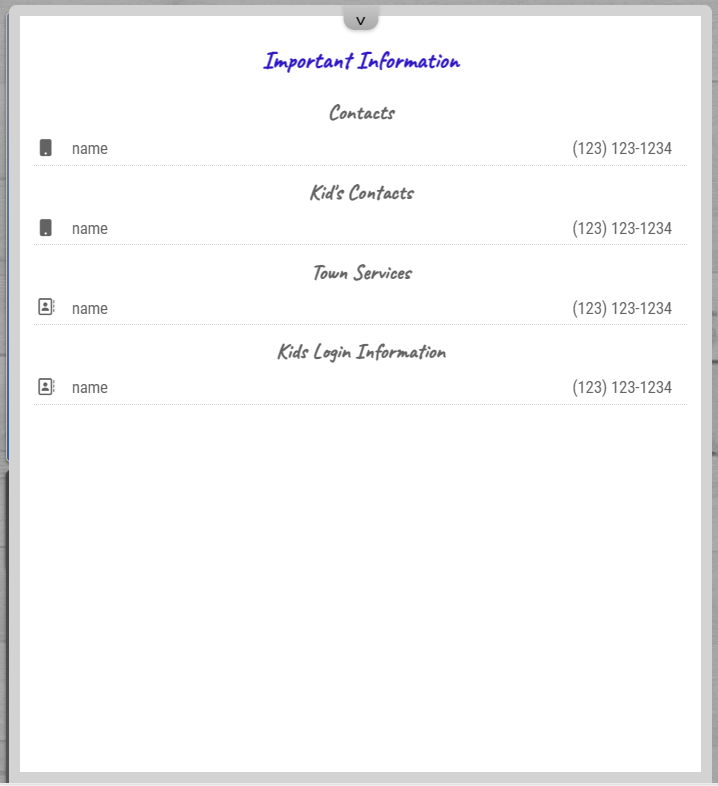
MMM-InfoPage: Loads as a collapsed module in the bottom left of the screen. The user then swipes up to expand and displays information my category. I’m using it to display phone numbers of key contacts, town services, and my kid’s login information for school apps. A few pictures below

-
@tjat This is awesome. Following closely and going to start trying to adapt some of this to my project.
I was getting hung up on modifying the existing Google Maps Traffic app with, like you, no java or CSS background :)
-
How did you get it to pull ten months? I tried using your modules, but I lost the ability to pull the pop up. I figured out how to modify the original module you forked from (if that’s the right terminology) to be able to register the key presses, but when I do, it does not progress to the next week.
Any help is appreciated!
-
Hello @tjat - thanks for sharing and great work! Can you please tell which touchscreen you have? Thanks in advanve.
-
-
Is there any chance you could send an anonymized version of your config?? :folded_hands:
-
@normalnorman @tjat
I would also love this, I’m struggling to get this to work. -
Hi guys. I was looking into this too as I wanted the functionality of being able to add/edit/remove a google calendar event within the MM environment. I used what tjat has in his repository as a base and modified it to create a version that is working for me, let me know if you’re still looking to do something with this. The key part was that I had to edit some files to get and propagate the event ID for the default calendar module, as CX3 pulls its data from that.
-
@tjat said in Touchscreen Family Dashboard:
@rpp
Yeah, here’s a link to my git. I’m not a coder so I’m assuming I’m missing some best practices but each module should be accessible. They’re certainly highly customized for my specific classes, icons, etc.
https://github.com/tjat84My screen is an ASUS BE24ECSBT.
Thanks for sharing your GitHub. I saw you had a module for the GuestWifiQR - I tried to replicate but for some reason the magicmirror wouldnt show it but the mirror still loaded. Would be interested if you got it working and how you put it in the config.js file?
-
@msdt_steak and MMM-WifiPassword shows whatever its configured for
-
@sdetweil said in Touchscreen Family Dashboard:
@msdt_steak and MMM-WifiPassword shows whatever its configured for
@sdetweil thanks. So you think the MMM-WifiPassword i the better way to go rather than create your own QR image and try to have the QR image created myself show?
-
@msdt_steak i’m not going to create my own!
-
@tjat How did you manage to increase the font-size of the calendar month heading (SEPTEMBER 2023)?



Hello! It looks like you're interested in this conversation, but you don't have an account yet.
Getting fed up of having to scroll through the same posts each visit? When you register for an account, you'll always come back to exactly where you were before, and choose to be notified of new replies (either via email, or push notification). You'll also be able to save bookmarks and upvote posts to show your appreciation to other community members.
With your input, this post could be even better 💗
Register Login