Read the statement by Michael Teeuw here.
MM starts but doesn't show up
-
I recently updatet my MM and the MMM-GooglePhotos module. Since then, it won’t show up after starting it. Even manually.
Also tried some scripts from “sdetweil”, but it’s not working. (but if I now starting it using pm2 start mm, I have two sessions)- I also already tried to git pull && npm install for every module
- Debugged the config (no issues)
- Restarted everything
-
@Benalze please show the messages from npm start
if you use pm2, then
pm2 stop allthen
cd ~/MagicMirror npm start -
> magicmirror@2.26.0 start > DISPLAY="${DISPLAY:=:0}" ./node_modules/.bin/electron js/electron.js App threw an error during load Error: Cannot find module 'logger' Require stack: - /home/pi/MagicMirror/js/app.js - /home/pi/MagicMirror/js/electron.js - /home/pi/MagicMirror/node_modules/electron/dist/resources/default_app.asar/main.js - at Module._resolveFilename (node:internal/modules/cjs/loader:1082:15) at n._resolveFilename (node:electron/js2c/browser_init:2:117457) at Module._resolveFilename (/home/pi/MagicMirror/node_modules/module-alias/index.js:49:29) at Module._load (node:internal/modules/cjs/loader:927:27) at f._load (node:electron/js2c/asar_bundle:2:13330) at Module.require (node:internal/modules/cjs/loader:1148:19) at require (node:internal/modules/cjs/helpers:110:18) at Object.<anonymous> (/home/pi/MagicMirror/js/app.js:14:13) at Module._compile (node:internal/modules/cjs/loader:1269:14) at Module._extensions..js (node:internal/modules/cjs/loader:1324:10) at Module.load (node:internal/modules/cjs/loader:1124:32) at Module._load (node:internal/modules/cjs/loader:965:12) at f._load (node:electron/js2c/asar_bundle:2:13330) at Module.require (node:internal/modules/cjs/loader:1148:19) at require (node:internal/modules/cjs/helpers:110:18) at Object.<anonymous> (/home/pi/MagicMirror/js/electron.js:4:14) A JavaScript error occurred in the main process Uncaught Exception: Error: Cannot find module 'logger' Require stack: - /home/pi/MagicMirror/js/app.js - /home/pi/MagicMirror/js/electron.js - /home/pi/MagicMirror/node_modules/electron/dist/resources/default_app.asar/main.js - at Module._resolveFilename (node:internal/modules/cjs/loader:1082:15) at n._resolveFilename (node:electron/js2c/browser_init:2:117457) at Module._resolveFilename (/home/pi/MagicMirror/node_modules/module-alias/index.js:49:29) at Module._load (node:internal/modules/cjs/loader:927:27) at f._load (node:electron/js2c/asar_bundle:2:13330) at Module.require (node:internal/modules/cjs/loader:1148:19) at require (node:internal/modules/cjs/helpers:110:18) at Object.<anonymous> (/home/pi/MagicMirror/js/app.js:14:13) at Module._compile (node:internal/modules/cjs/loader:1269:14) at Module._extensions..js (node:internal/modules/cjs/loader:1324:10) at Module.load (node:internal/modules/cjs/loader:1124:32) at Module._load (node:internal/modules/cjs/loader:965:12) at f._load (node:electron/js2c/asar_bundle:2:13330) at Module.require (node:internal/modules/cjs/loader:1148:19) at require (node:internal/modules/cjs/helpers:110:18) at Object.<anonymous> (/home/pi/MagicMirror/js/electron.js:4:14) [3001:0107/202334.853859:ERROR:viz_main_impl.cc(186)] Exiting GPU process due to errors during initialization -
@Benalze you should use my upgrade script…
note its a two part process
test run NO CHANGES… don’t break anything
if you THINK its ok, then the apply run
actually DO the upgradeIF you tried manually, then apply will abort, cause u are already on the current release
(don’t break anything!!!)so you can change the word ‘apply’ to ‘force’ (no quotes)
to upgade over the currect release again… -
-
> magicmirror@2.26.0 install-mm > npm install --no-audit --no-fund --no-update-notifier --only=prod --omit=dev npm WARN config only Use `--omit=dev` to omit dev dependencies from the install. npm ERR! code ENOTEMPTY npm ERR! syscall rename npm ERR! path /home/pi/MagicMirror/node_modules/playwright-core npm ERR! dest /home/pi/MagicMirror/node_modules/.playwright-core-vy8UGbYV npm ERR! errno -39 npm ERR! ENOTEMPTY: directory not empty, rename '/home/pi/MagicMirror/node_modules/playwright-core' -> '/home/pi/MagicMirror/node_modules/.playwright-core-vy8UGbYV' npm ERR! A complete log of this run can be found in: /home/pi/.npm/_logs/2024-01-07T19_26_34_072Z-debug-0.log -
cd ~/MagicMirror sudo rm -rf node_modules npm run install-mm -
> magicmirror@2.26.0 install-mm > npm install --no-audit --no-fund --no-update-notifier --only=prod --omit=dev npm WARN config only Use `--omit=dev` to omit dev dependencies from the install. npm ERR! code ENOTEMPTY npm ERR! syscall rename npm ERR! path /home/pi/MagicMirror/node_modules/playwright-core npm ERR! dest /home/pi/MagicMirror/node_modules/.playwright-core-vy8UGbYV npm ERR! errno -39 npm ERR! ENOTEMPTY: directory not empty, rename '/home/pi/MagicMirror/node_modules/playwright-core' -> '/home/pi/MagicMirror/node_modules/.playwright-core-vy8UGbYV' npm ERR! A complete log of this run can be found in: /home/pi/.npm/_logs/2024-01-07T19_26_34_072Z-debug-0.log pi@raspberrypi:~/MagicMirror $ sudo rm -rf node_modules pi@raspberrypi:~/MagicMirror $ npm run install-mm > magicmirror@2.26.0 install-mm > npm install --no-audit --no-fund --no-update-notifier --only=prod --omit=dev npm WARN config only Use `--omit=dev` to omit dev dependencies from the install. (node:3286) MaxListenersExceededWarning: Possible EventEmitter memory leak detected. 11 close listeners added to [TLSSocket]. Use emitter.setMaxListeners() to increase limit (Use `node --trace-warnings ...` to show where the warning was created) (node:3286) MaxListenersExceededWarning: Possible EventEmitter memory leak detected. 11 close listeners added to [TLSSocket]. Use emitter.setMaxListeners() to increase limit (node:3286) MaxListenersExceededWarning: Possible EventEmitter memory leak detected. 11 close listeners added to [TLSSocket]. Use emitter.setMaxListeners() to increase limit (node:3286) MaxListenersExceededWarning: Possible EventEmitter memory leak detected. 11 close listeners added to [TLSSocket]. Use emitter.setMaxListeners() to increase limit (node:3286) MaxListenersExceededWarning: Possible EventEmitter memory leak detected. 11 close listeners added to [TLSSocket]. Use emitter.setMaxListeners() to increase limit (node:3286) MaxListenersExceededWarning: Possible EventEmitter memory leak detected. 11 close listeners added to [TLSSocket]. Use emitter.setMaxListeners() to increase limit (node:3286) MaxListenersExceededWarning: Possible EventEmitter memory leak detected. 11 close listeners added to [TLSSocket]. Use emitter.setMaxListeners() to increase limit > magicmirror@2.26.0 postinstall > npm run install-vendor && npm run install-fonts && echo "MagicMirror² installation finished successfully! > " > magicmirror@2.26.0 install-vendor > echo "Installing vendor files ... > " && cd vendor && npm install --loglevel=error --no-audit --no-fund --no-update-notifier Installing vendor files ... added 1 package, and changed 2 packages in 12s > magicmirror@2.26.0 install-fonts > echo "Installing fonts ... > " && cd fonts && npm install --loglevel=error --no-audit --no-fund --no-update-notifier Installing fonts ... changed 2 packages in 6s MagicMirror² installation finished successfully! > magicmirror@2.26.0 prepare > [ -f node_modules/.bin/husky ] && husky install || echo no husky installed. no husky installed. added 343 packages in 2m -
@Benalze cool… npm start
-
@sdetweil
Looks like something is still missing…pi@raspberrypi:~/MagicMirror $ npm start > magicmirror@2.26.0 start > DISPLAY="${DISPLAY:=:0}" ./node_modules/.bin/electron js/electron.js App threw an error during load Error: Cannot find module 'logger' Require stack: - /home/pi/MagicMirror/js/app.js - /home/pi/MagicMirror/js/electron.js - /home/pi/MagicMirror/node_modules/electron/dist/resources/default_app.asar/main.js - at node:internal/modules/cjs/loader:1084:15 at Function.<anonymous> (node:electron/js2c/browser_init:2:116646) at Module._resolveFilename (/home/pi/MagicMirror/node_modules/module-alias/index.js:49:29) at node:internal/modules/cjs/loader:929:27 at Function._load (node:electron/js2c/asar_bundle:2:13327) at Module.require (node:internal/modules/cjs/loader:1150:19) at require (node:internal/modules/cjs/helpers:121:18) at Object.<anonymous> (/home/pi/MagicMirror/js/app.js:14:13) at Module._compile (node:internal/modules/cjs/loader:1271:14) at Object..js (node:internal/modules/cjs/loader:1326:10) at Module.load (node:internal/modules/cjs/loader:1126:32) at node:internal/modules/cjs/loader:967:12 at Function._load (node:electron/js2c/asar_bundle:2:13327) at Module.require (node:internal/modules/cjs/loader:1150:19) at require (node:internal/modules/cjs/helpers:121:18) at Object.<anonymous> (/home/pi/MagicMirror/js/electron.js:4:14) A JavaScript error occurred in the main process Uncaught Exception: Error: Cannot find module 'logger' Require stack: - /home/pi/MagicMirror/js/app.js - /home/pi/MagicMirror/js/electron.js - /home/pi/MagicMirror/node_modules/electron/dist/resources/default_app.asar/main.js - at node:internal/modules/cjs/loader:1084:15 at Function.<anonymous> (node:electron/js2c/browser_init:2:116646) at Module._resolveFilename (/home/pi/MagicMirror/node_modules/module-alias/index.js:49:29) at node:internal/modules/cjs/loader:929:27 at Function._load (node:electron/js2c/asar_bundle:2:13327) at Module.require (node:internal/modules/cjs/loader:1150:19) at require (node:internal/modules/cjs/helpers:121:18) at Object.<anonymous> (/home/pi/MagicMirror/js/app.js:14:13) at Module._compile (node:internal/modules/cjs/loader:1271:14) at Object..js (node:internal/modules/cjs/loader:1326:10) at Module.load (node:internal/modules/cjs/loader:1126:32) at node:internal/modules/cjs/loader:967:12 at Function._load (node:electron/js2c/asar_bundle:2:13327) at Module.require (node:internal/modules/cjs/loader:1150:19) at require (node:internal/modules/cjs/helpers:121:18) at Object.<anonymous> (/home/pi/MagicMirror/js/electron.js:4:14) [4099:0107/205905.993672:ERROR:viz_main_impl.cc(196)] Exiting GPU process due to errors during initialization Warning: vkCreateInstance: Found no drivers! Warning: vkCreateInstance failed with VK_ERROR_INCOMPATIBLE_DRIVER at CheckVkSuccessImpl (../../third_party/dawn/src/dawn/native/vulkan/VulkanError.cpp:88) at CreateVkInstance (../../third_party/dawn/src/dawn/native/vulkan/BackendVk.cpp:458) at Initialize (../../third_party/dawn/src/dawn/native/vulkan/BackendVk.cpp:344) at Create (../../third_party/dawn/src/dawn/native/vulkan/BackendVk.cpp:266) at operator() (../../third_party/dawn/src/dawn/native/vulkan/BackendVk.cpp:521) -
-
i@raspberrypi:~/MagicMirror $ node -v v20.8.0 pi@raspberrypi:~/MagicMirror $ npm -v 10.1.0 -
@Benalze also look at end of package.json
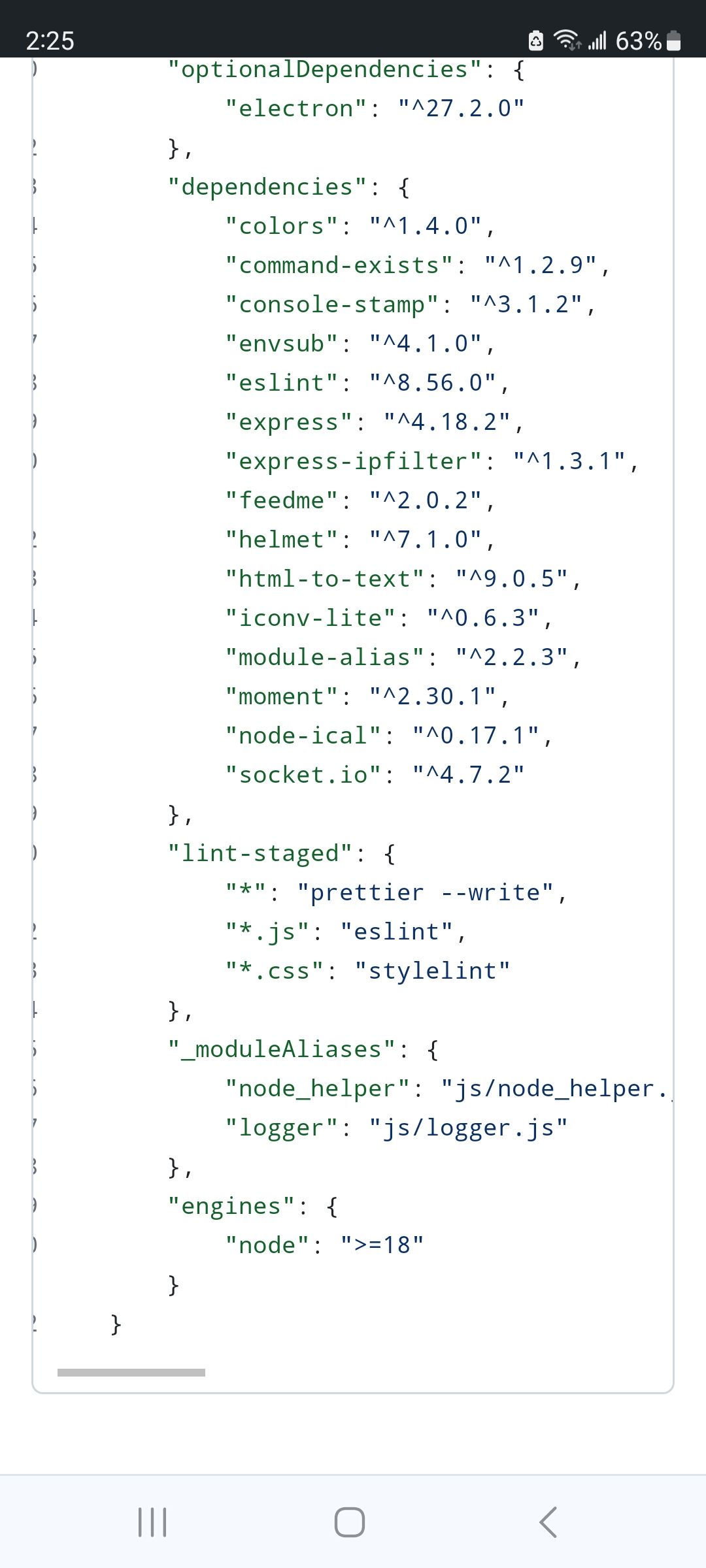
-
@Benalze and is logger.js in the ~/MagicMirror/js folder?
-
Yes, the logger.js is there.
Here is what package.json sais:
}, "optionalDependencies": { "electron": "^27.2.0" }, "dependencies": { "colors": "^1.4.0", "command-exists": "^1.2.9", "console-stamp": "^3.1.2", "envsub": "^4.1.0", "eslint": "^8.56.0", "express": "^4.18.2", "express-ipfilter": "^1.3.1", "feedme": "^2.0.2", "helmet": "^7.1.0", "html-to-text": "^9.0.5", "iconv-lite": "^0.6.3", "module-alias": "^2.2.3", "moment": "^2.30.1", "node-ical": "^0.17.1", "socket.io": "^4.7.2" }, "lint-staged": { "*": "prettier --write", "*.js": "eslint", "*.css": "stylelint" }, "engines": { "node": ">=18" }, "directories": { "test": "tests" } } -
@Benalze cool do
git status
then git checkout package.json
check it again
then ls node_modules/.bin/electron
note the dot in front of bin
-
@sdetweil
OK.
git status: (translated from GER to ENG)pi@raspberrypi:~/MagicMirror $ git status On branch master Your branch is in the same state as 'origin/master'. Changes that are not marked for commit: (use "git add <file>..." to mark the changes for commit) (use "git restore <file>..." to discard the changes in the working directory) changed: package-lock.json Unversioned files: (use "git add <file>..." to pre-commit the changes) config.js core installers/pm2_MagicMirror.json no changes marked for commit (use "git add" and/or "git commit -a")git checkout package.json (translated from GER to ENG)
pi@raspberrypi:~/MagicMirror $ git checkout package.json 1 Path updated from indexcheck it again
pi@raspberrypi:~/MagicMirror $ git status On branch master Your branch is in the same state as 'origin/master'. Changes that are not marked for commit: (use "git add <file>..." to mark the changes for commit) (use "git restore <file>..." to discard the changes in the working directory) changed: package-lock.json Unversioned files: (use "git add <file>..." to pre-commit the changes) config.js core installers/pm2_MagicMirror.json no changes marked for commit (use "git add" and/or "git commit -a")and last but not least: ls node_modules/.bin/electron
pi@raspberrypi:~/MagicMirror $ ls node_modules/.bin/electron ls: Unable to access 'node_modules/.bin/electron': File or directory not found -
@Benalze fun fun fun
npm install electron@27.2.1
-
@Benalze I meant check the package.json sorry
-
pi@raspberrypi:~/MagicMirror $ git checkout package.json
0 Paths updated from index
Hello! It looks like you're interested in this conversation, but you don't have an account yet.
Getting fed up of having to scroll through the same posts each visit? When you register for an account, you'll always come back to exactly where you were before, and choose to be notified of new replies (either via email, or push notification). You'll also be able to save bookmarks and upvote posts to show your appreciation to other community members.
With your input, this post could be even better 💗
Register Login