Read the statement by Michael Teeuw here.
New module installer
-
There has been a lot of discussion for a while about the complexities of getting MM up and running…
I think we need an end to end solution for modules… so… well… here it is
see the post below as the implementation has changed
https://forum.magicmirror.builders/post/123176happy installing!!!
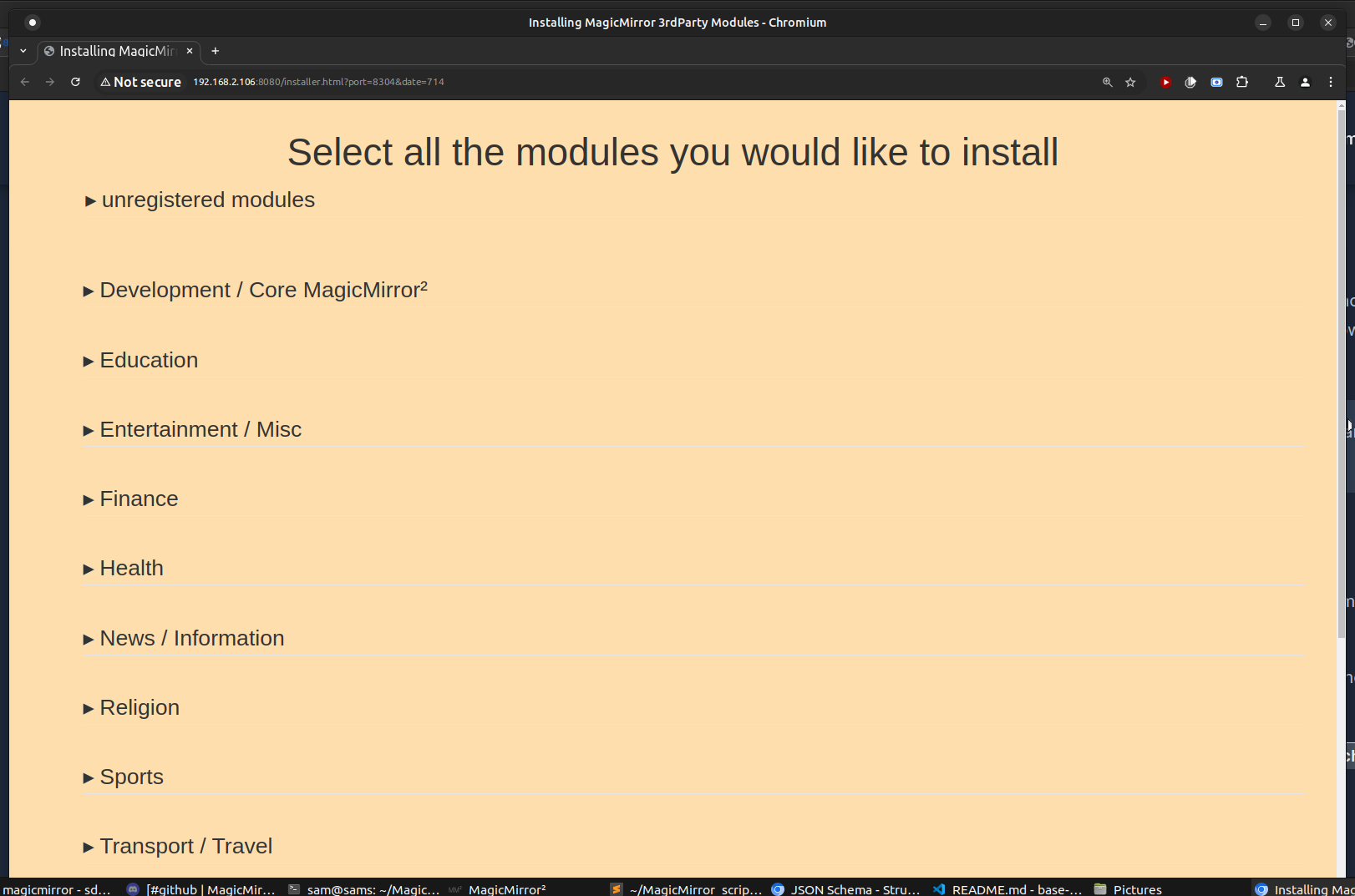
pics
main page
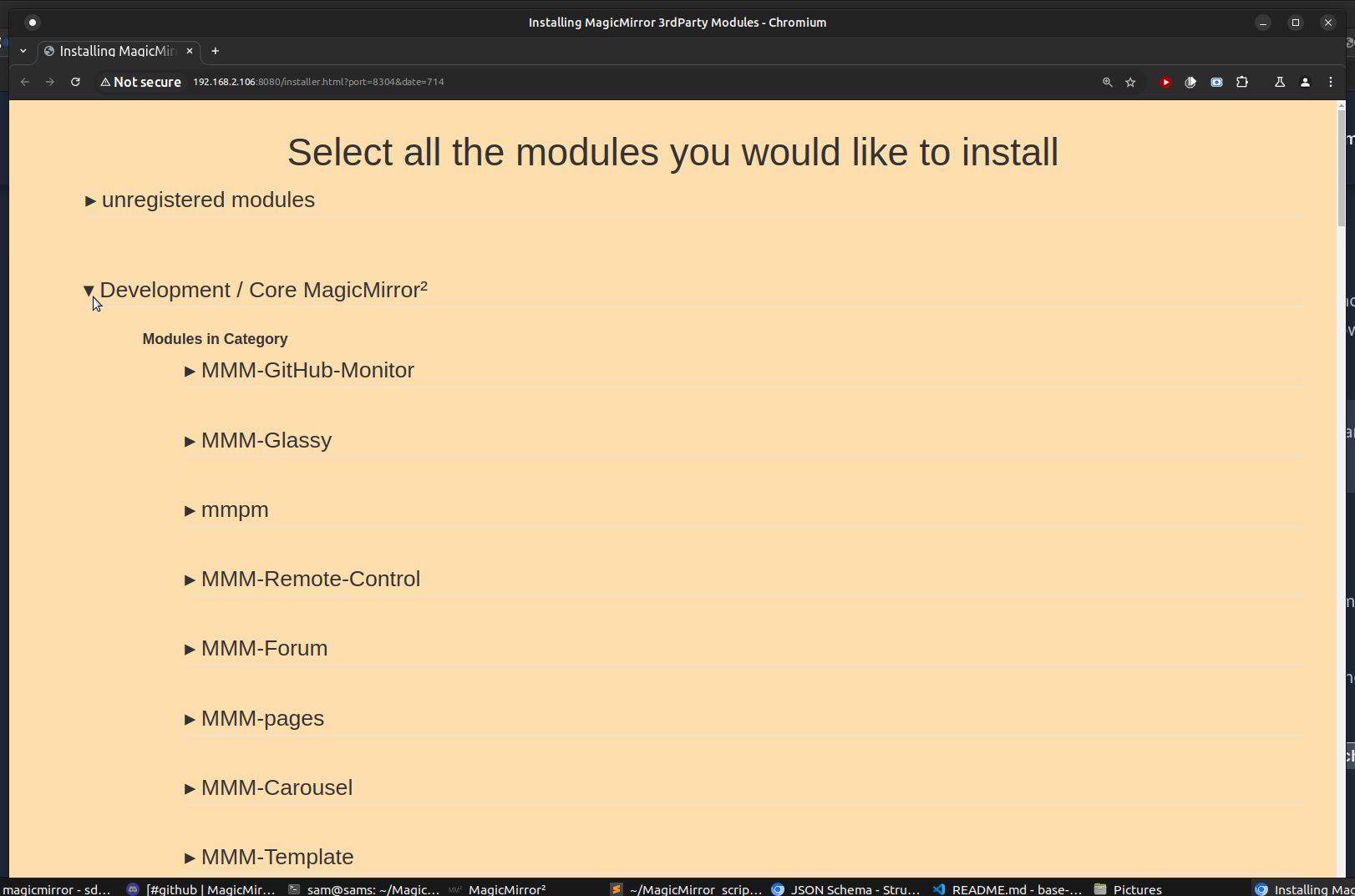
expanded category
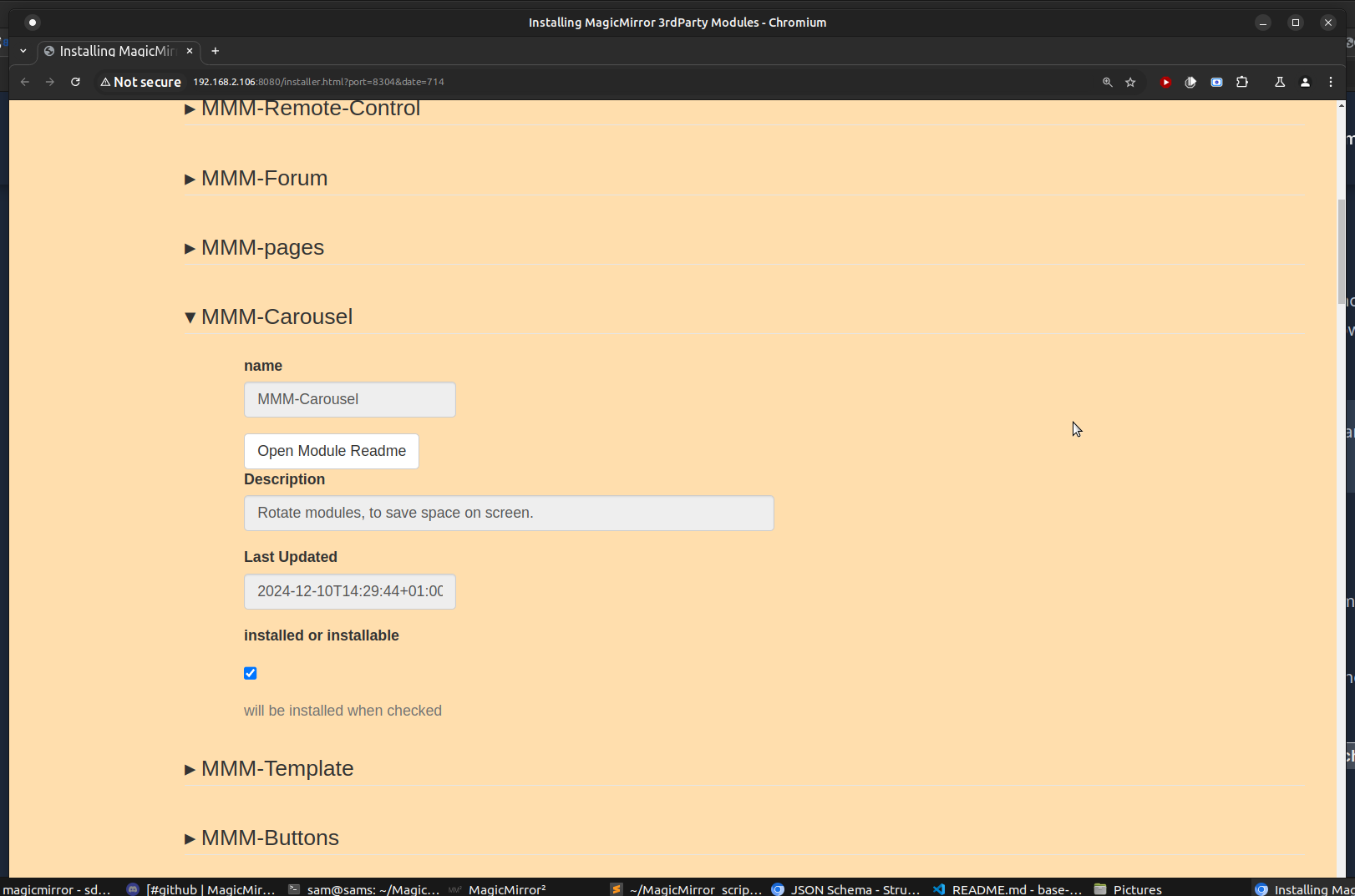
expanded module
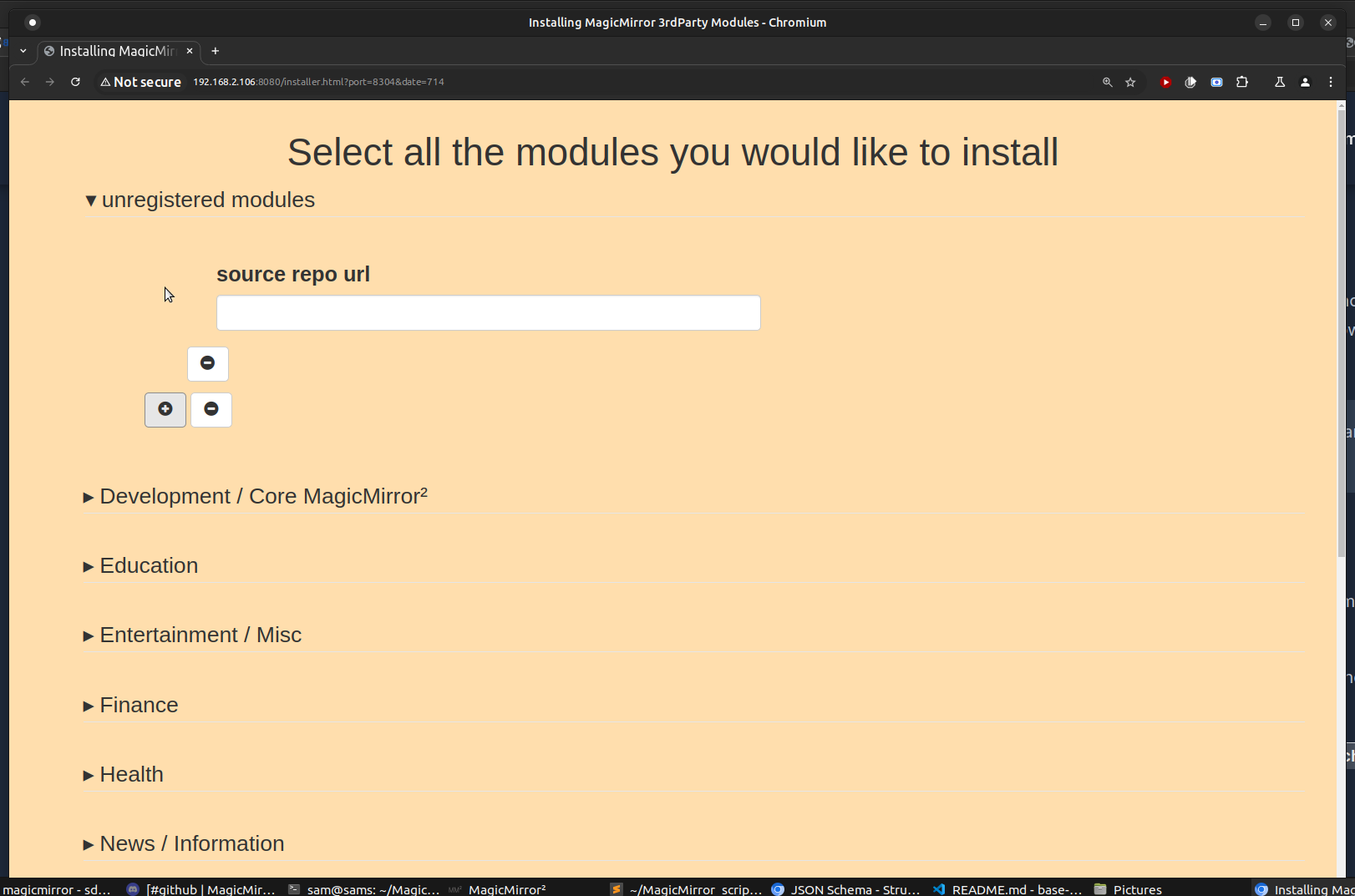
expanded unregistered section
-
@sdetweil it is running on my pi but until now i didn‘t need it. I have no space for a new module left ;)
But i‘ll try tomorrow and give you a feedback. -
@chrisfr1976 it takes space too
-
@sdetweil i hope that your installer can also uninstall a module … g
-
@chrisfr1976 no, cannot uninstall. just remove the module folder
from above and readme
this will NOT uninstall modules -
@chrisfr1976 but if that is a requirement… it IS possible of course
-
I think this doesn’t work as an outside command… I mean TECHNICALLY it does,
but it depends on too much work for the user…
see the corrected implementation
https://forum.magicmirror.builders/post/123176 -
@sdetweil
Hi,
yesterday I was off. Now I tried to install it but I got this error:chris@MagicPi:~ $ bash -c "$(curl -sL https://raw.githubusercontent.com/sdetweil/installer/refs/heads/main/installit)" Klone nach 'installer' ... remote: Enumerating objects: 257, done. remote: Counting objects: 100% (24/24), done. remote: Compressing objects: 100% (18/18), done. remote: Total 257 (delta 10), reused 17 (delta 6), pack-reused 233 (from 1) Empfange Objekte: 100% (257/257), 1005.39 KiB | 4.31 MiB/s, fertig. L?se Unterschiede auf: 100% (151/151), fertig. Hinweis: Es wird davon abgeraten zu Pullen, ohne anzugeben, wie mit abweichenden Hinweis: Branches umgegangen werden soll. Sie k?nnen diese Nachricht unterdr?cken, Hinweis: indem Sie einen der folgenden Befehle ausf?hren, bevor der n?chste Pull Hinweis: ausgef?hrt wird: Hinweis: Hinweis: git config pull.rebase false # Merge (Standard-Strategie) Hinweis: git config pull.rebase true # Rebase Hinweis: git config pull.ff only # ausschlie?lich Vorspulen Hinweis: Hinweis: Sie k?nnen statt "git config" auch "git config --global" nutzen, um Hinweis: einen Standard f?r alle Repositories festzulegen. Sie k?nnen auch die Hinweis: Option --rebase, --no-rebase oder --ff-only auf der Kommandozeile nutzen, Hinweis: um das konfigurierte Standardverhalten pro Aufruf zu ?berschreiben. Do you want execute the module installer now? (y/N)?y ./installer.sh: Zeile 32: cd: ../../modules/MMM-Config: Datei oder Verzeichnis nicht gefunden cp: der Aufruf von stat f?r 'module_schema_template.json' ist nicht m?glich: Datei oder Verzeichnis nicht gefunden node:internal/modules/cjs/loader:1251 throw err; ^ Error: Cannot find module '/home/chris/MagicMirror/installers/formatModuleInfo.js' at Module._resolveFilename (node:internal/modules/cjs/loader:1248:15) at Module._load (node:internal/modules/cjs/loader:1074:27) at TracingChannel.traceSync (node:diagnostics_channel:315:14) at wrapModuleLoad (node:internal/modules/cjs/loader:217:24) at Function.executeUserEntryPoint [as runMain] (node:internal/modules/run_main:166:5) at node:internal/main/run_main_module:30:49 { code: 'MODULE_NOT_FOUND', requireStack: [] } Node.js v22.9.0 ./installer.sh: Zeile 68: ./install_module.sh: Datei oder Verzeichnis nicht gefunden node:internal/modules/cjs/loader:1251 throw err; ^ Error: Cannot find module '/home/chris/MagicMirror/installers/runserver.js' at Module._resolveFilename (node:internal/modules/cjs/loader:1248:15) at Module._load (node:internal/modules/cjs/loader:1074:27) at TracingChannel.traceSync (node:diagnostics_channel:315:14) at wrapModuleLoad (node:internal/modules/cjs/loader:217:24) at Function.executeUserEntryPoint [as runMain] (node:internal/modules/run_main:166:5) at node:internal/main/run_main_module:30:49 { code: 'MODULE_NOT_FOUND', requireStack: [] } Node.js v22.9.0 -
thanks for your patience… I think this will be better
I have merged the installer function into the MMM-Config module
currently the installer function is in a separate branch (with_installer) while we test it out
note: if you are using docker, then these steps need to be done INSIDE the running container, using
docker exec -it mm bash
to get to a commandline inside the container
AFTER using ssh to get to the docker host commandlineif you don’t have MMM-Config
cd ~/MagicMirror/modules
git clone https://github.com/sdetweil/MMM-Config
cd MMM-Config
git checkout with_installer
npm install
see the readme above on how to add this module to your config.js
if you already have MMM-Config
cd ~/MagicMirror/modules/MMM-Config
git pull
git checkout with_installer
npm install
no configuration changes are required
restart your MagicMirror instance
for docker based MM instances, the steps are the same
I notice that some of the files in the git pull will be marked as changed,
altho its only the permissions
so erase those files and then git pull
and then checkout the with_installer branch
etcUsing the installer
use this url
http://mm_server:MM_port/installerand you will get the installer module selection page
see the readme for usage
after pushing the install selected modules button and the individual module installs complete,
the MMM-Config configuration page will replace the installer page you had openwhen you are done configuring the modules, press Save, Create config
and the current MMM-Config page will be closed, and your MM instance will be restarted
(in most cases)from the readme
MMM-Config will try to restart your MagicMirror system after configuration is complete if the MagicMirror instance is configured to auto restart due to config.js, that will happen naturally if the MagicMirror instance is NOT configured to auto restart due to config.js, then the MMM-Config **restart option** will be used to restart if the MagicMirror instance is in a docker container, like khassel's then the MagicMirror process will be killed, causing the container to restart if none of those options work, then you will have to restart the MagicMirror instance manually (same as if you modified config.js on your own) -
@sdetweil
All I am getting is this:“Select all the modules you would like to install”
Nothing else it is just white below that …
-
@plainbroke go to the module folder and do git pull
then reload the installer page
-
@sdetweil
Ok did the git pull now I get the same thing but in a tan background color.should i do the
git pull
git checkout with_installer
npm installdid that and it says everything is up to date.
I really hoped that would get it running.
Sounds like a very useful module. -
@sdetweil
http://192.168.1.200:8280/modules/MMM-Config/module_installer/module_installer.html
Is that the installer page you are talking about?
Or is there something else I should try??? -
@plainbroke hm…
can you open the module folder and see if
module_form_schema.json
is present
also can you open the config page
http://server:port/modules/MMM-Config/review
-
@plainbroke if you go to /installer it redirects to the correct url
-
pi@CameraS:~/MagicMirror/modules/MMM-Config $ dir
config.html                       form-client.js                     node_helper.js     schema3_19492568968280.json  translations
config_lastchange_19492568968280  MMM-Config.css                     node_modules       schemas                      webform.css
create_form_for_module.cmd        MMM-Config.js                      package.json       scripts                      webform.js
create_form_for_module.sh         MMM-Config.schema.json             package-lock.json  templates                    workdir
defaults_19492568968280.js        module_installer                   postinstall        test_convert.cmd
doc_images                        modules_lastchange_19492568968280  postinstall.cmd    test_convert.sh
exec_script.js                    modules_list.txt                   README.md          touch.cmd
When I ran it with review it came back.
Cannot GET /modules/MMM-Config/installer -
@plainbroke sorry cd module_installer
-
@sdetweil
Yes it is in there.I am going to turn in been sick for the last 2 days. worn out…
Take your time with it. I am in no hurry. -
@plainbroke I just did a fresh install on a new MM… on a different machine
when I bring up the MM page it works
when I bring up the installer page it works… takes a few seconds
when I open the MMM-Config/review page the configuration page comes upopen the installer page http://server:port/installer open the developers window, ctrl-shift-i go to the console tab , see if there are any errors open the sources tab left nav selec modules, mmm-config module_installer select the form-client.js scroll the source to line 120, click on the line number should turn bluelike this
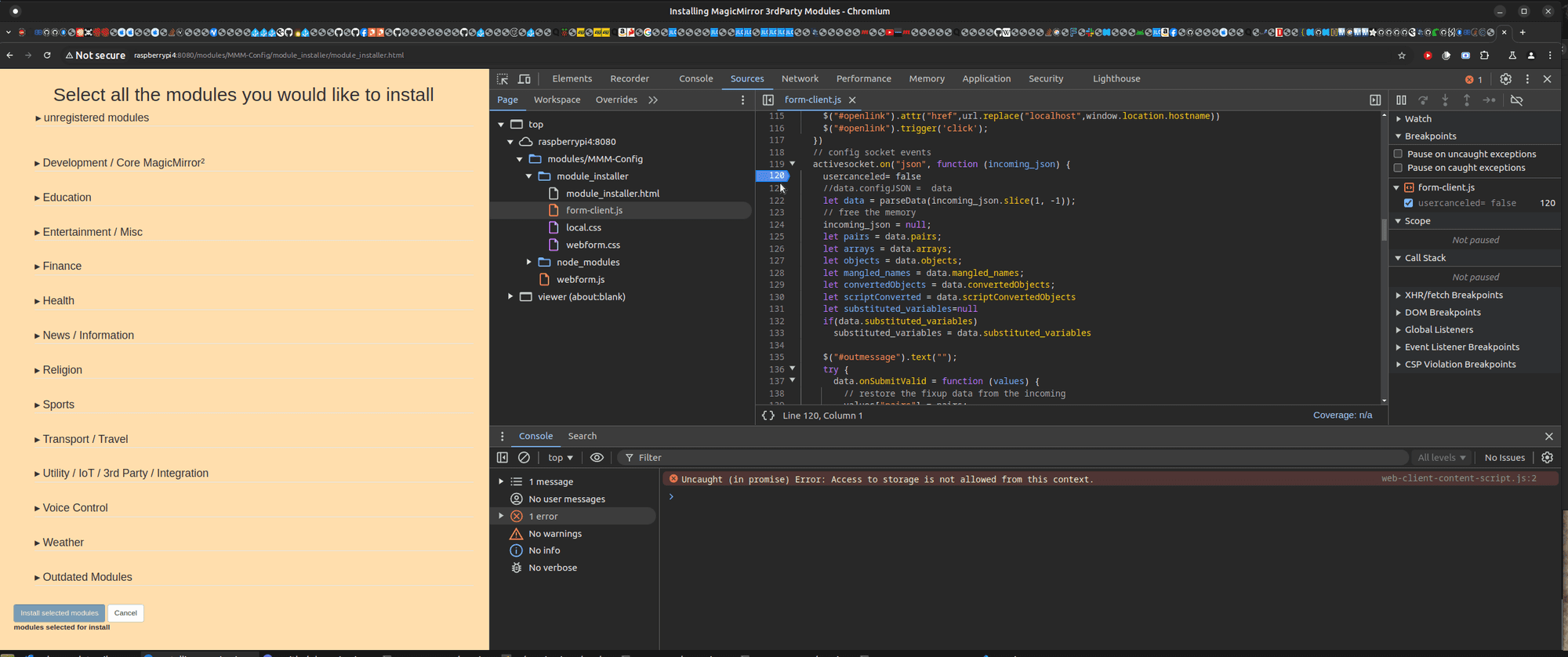
hit f5 refresh the page
it should look like this
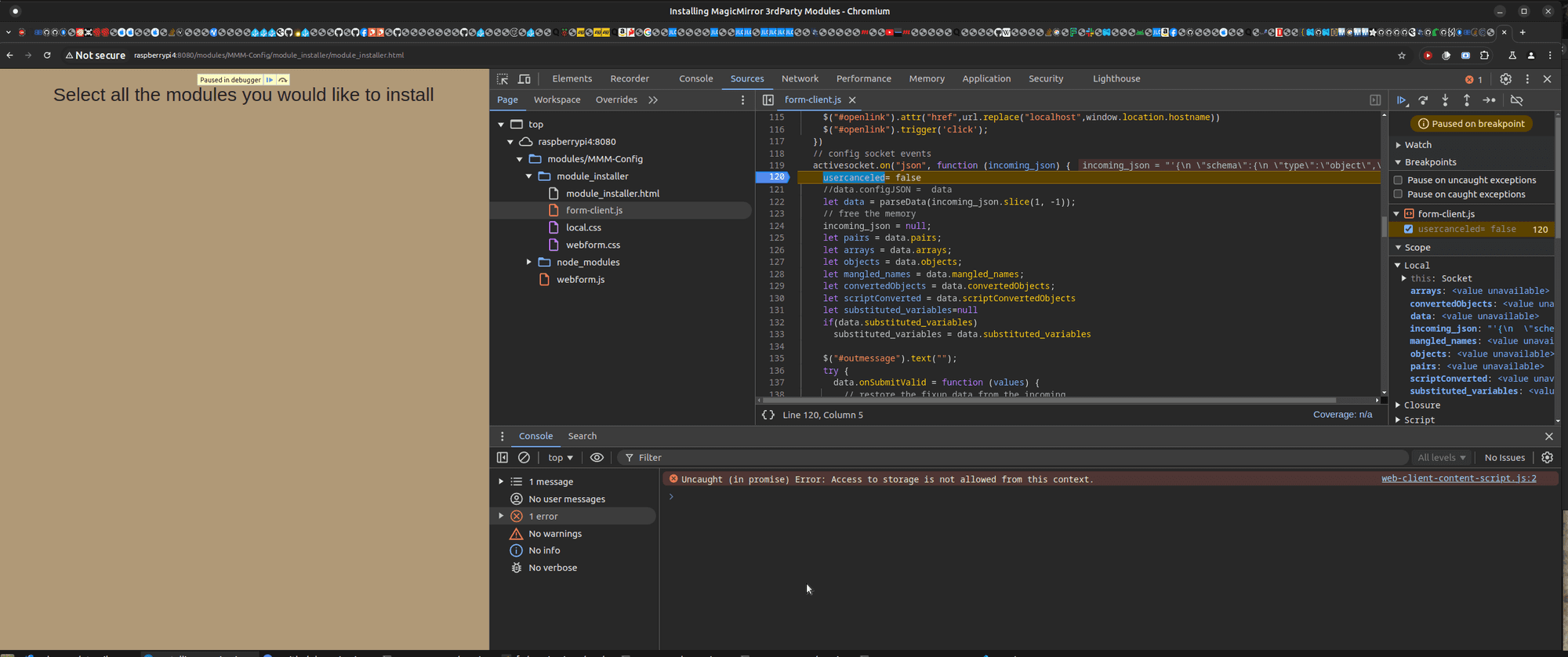
you should be able to scroll the mouse over the words incoming_json
and it should pop up a big window of the jsonlike this
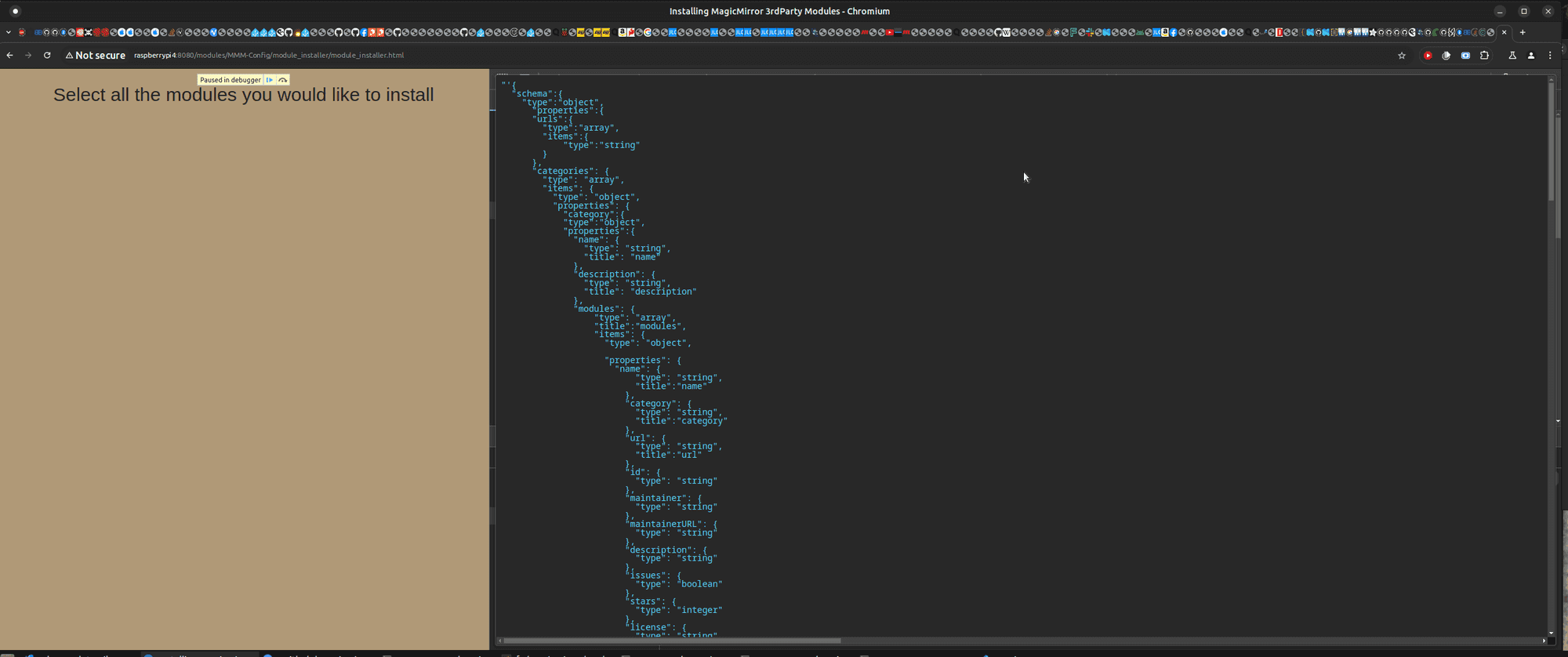
-
@plainbroke feel better… this is not that important

Hello! It looks like you're interested in this conversation, but you don't have an account yet.
Getting fed up of having to scroll through the same posts each visit? When you register for an account, you'll always come back to exactly where you were before, and choose to be notified of new replies (either via email, or push notification). You'll also be able to save bookmarks and upvote posts to show your appreciation to other community members.
With your input, this post could be even better 💗
Register Login