Read the statement by Michael Teeuw here.
Need help with MMM-MQTTbridge not "communicating" with MMM-RTSPStream
-
@Cr4z33 looking further at mqttbridge it also logs receipt of the notification from the subscription
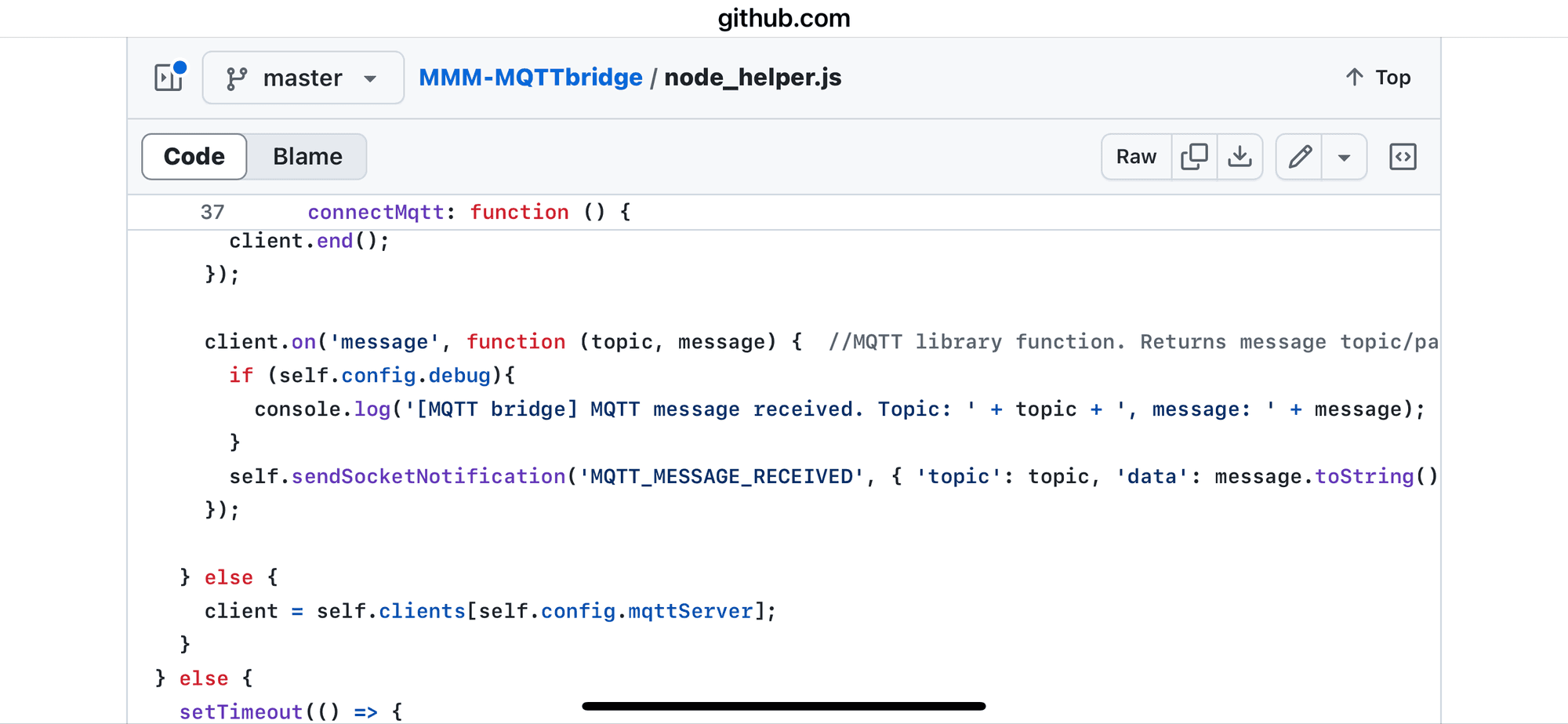
so that tells me it did not receive info from mqtt
-
@sdetweil I am not quite sure that I understood.
Are you saying it’s a module’s bug or is it needed further coding I should add (somewhere)?
-
@Cr4z33 im saying the module will report when it receives the mqtt info. it did not report. sooooo it did not receive the info
why i do not know
-
@sdetweil hmmm I see.
I wonder if there’s actually another way to see the doorbell stream when the button is pressed?
There’s a button sensor entity for it in Home Assistant.
-
@Cr4z33 i dont know, but MQTTBridge was not informed of the button press as you expected
is your other bridge code running? you mentioned you had some app talking to the doorbell and publishing the mqtt message
is the doorbell an mqtt device , fed thru zigbee2mqtt for homeassistant?
or is there a native integration?
i would expect the doorbell to NOT publish to mqtt directly
it would be a tiny market to add and support that code IN the doorbell firmware -
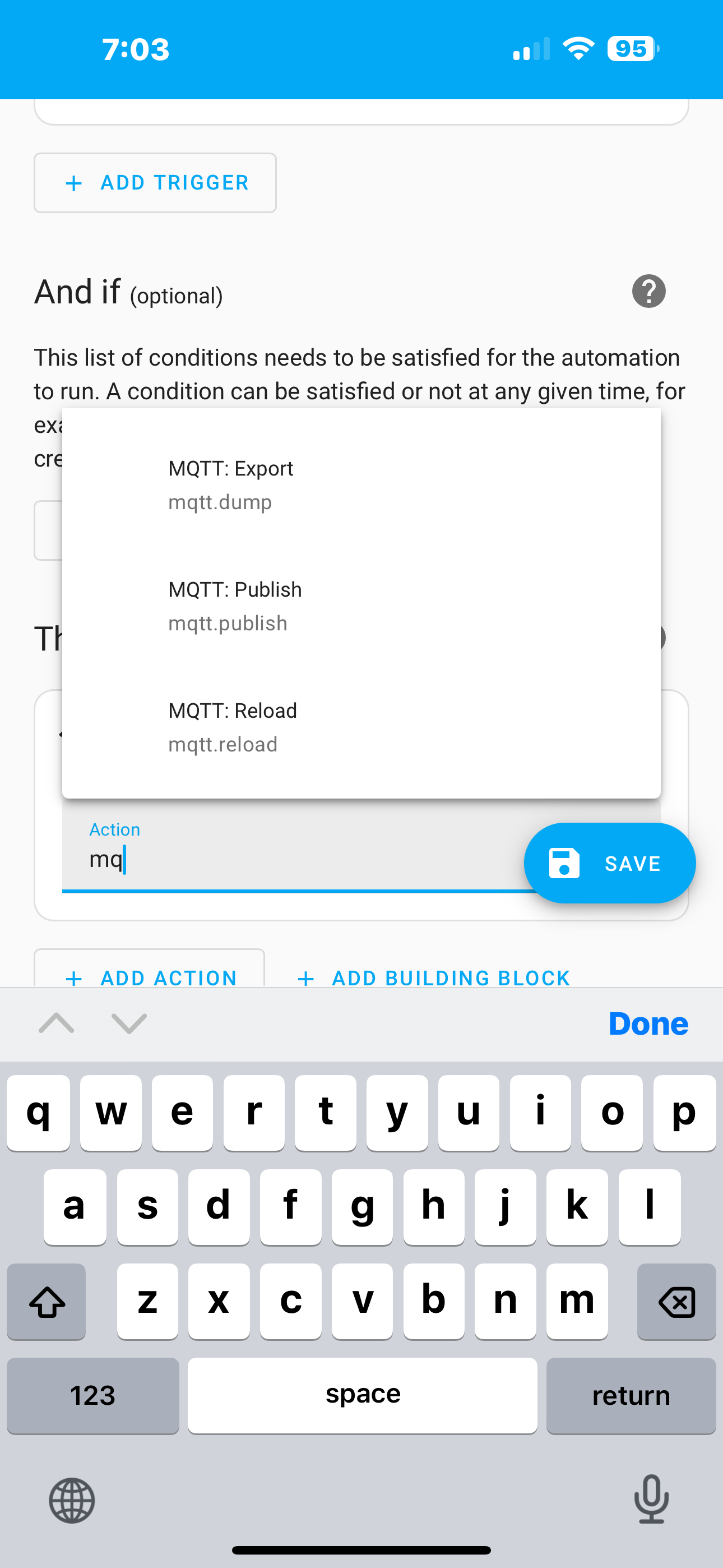
@Cr4z33 you could build an HA automation to send the MQTT message on button push
-
@sdetweil said in Need help with MMM-MQTTbridge not "communicating" with MMM-RTSPStream:
@Cr4z33 you could build an HA automation to send the MQTT message on button push
But then again nothing would happen.
I mean I’ve already DahuaVTO2MQTT in the middle and I used the right line taken from its console, but here we are. 😅
-
@Cr4z33 something is not sending the mqtt message
bell -> ha automation -> mqtt -> mqttbridge -> rtsp…
should workfor me, this works
alexa-> nodered -> mqtt > ha automation -> mqtt -> mirror_app -> screen off
-
@sdetweil said in Need help with MMM-MQTTbridge not "communicating" with MMM-RTSPStream:
@Cr4z33 something is not sending the mqtt message
bell -> ha automation -> mqtt -> mqttbridge -> rtsp…
should workfor me, this works
alexa-> nodered -> mqtt > ha automation -> mqtt -> mirror_app -> screen off
And you are using this MQTT module on the smart mirror or?
-
@Cr4z33 no, i wrote my own code for the mqtt integration
but its fundamentally doing the same thing, receiving an mqtt message and sending a notification to other code to act
-
@sdetweil I see I wish I had the same skills to do ALL by myself lol!
However I wonder if I am the only person in the world having a smart video doorbell and MagicMirror?
I mean I haven’t found any universal solution to this in this forum, but just some modules for certain doorbell hardware like Ring, etc.
-
@Cr4z33 and the ring module talks directly to the ring doorbell
you should be able to use HA automation to get to mqttBridge, no fancy coding
automation trigger
device bell button push
action, more, command, mqtt publishi have ring doorbell, and the module doesnt work for me
doesnt matter, as im hardly ever in front of the smartmirror when the doorbell rings
there is a ring2mqtt docker container, but again it really doesnt add anything useful -
@sdetweil and how would I get the broadcasting of the doorbell video feed?
Custom coding?
-
@Cr4z33 same rtspstream, that part of your solution didn’t change
button -> ha automation -> mqtt publish -> mqttbridge -> notification to rtspstream to open and connect video feed
altho you may have to use
https://github.com/evroom/MMM-MPlayer
instead of rtspstream moduleand install MMM-ViewNotifications to see the events sent inside MagicMirror
-
@sdetweil hmm I want to give it a try tomorrow morning (GMT+2).
Would you mind if I might contact you by PM just in case? 🥺
-
@Cr4z33 no problem. i am US Central UTC-5
-
@Cr4z33
Hi and sorry fir the late reply…
Your config of the MQTT module is still missing a “debug: true”. The messages only get logged if debugging is enabled.{ module: 'MMM-MQTTbridge', disabled: false, config: { debug: true, mqttServer: "mqtt://:@ipaddress:port", mqttConfig: { listenMqtt: true, interval: 500, }, notiConfig: { listenNoti: true, ignoreNotiId: ["CLOCK_MINUTE", "NEWS_FEED"], ignoreNotiSender: ["system", "NEWS_FEED"], }, // set "NOTIFICATIONS -> MQTT" dictionary at /dict/notiDictionary.js // set "MQTT -> NOTIFICATIONS" dictionary at /dict/mqttDictionary.js }, } -
@wishmaster270 yes, we covered that before
https://forum.magicmirror.builders/post/126008 -
@wishmaster270 i’ve come to the conclusion
the doorbell itself does not publish to mqtt
MqttBridge did not get any message from its subscribehe is going to try to build a HomeAssistant automation, as it CAN see the doorbell button thru its integration
-
@wishmaster270 thanks for spending some time on my issue although you’re busy.
As sdetweil said he’s already helping me into this. 🙂@sdetweil my bad, my bad and again my bad! 😓
I was going to tryout your method when I realized I actually never checked deeply what was outputting
npm start… There’s A LOT of doorbell data being captured by MMM-MQTTbridge indeed! 🤦🏼You can see here the output.
Can you see at this point (maybe) some additional data that needs to be added to mqttDictionary.js or do you still believe I should go your way (HA, automation, etc.)?
While waiting for your kind reply I will play at trying your method. 😁


Hello! It looks like you're interested in this conversation, but you don't have an account yet.
Getting fed up of having to scroll through the same posts each visit? When you register for an account, you'll always come back to exactly where you were before, and choose to be notified of new replies (either via email, or push notification). You'll also be able to save bookmarks and upvote posts to show your appreciation to other community members.
With your input, this post could be even better 💗
Register Login