Read the statement by Michael Teeuw here.
Version upgrade from 2.34.0 to 2.36.0 Calendar Probs
-
Hello everyone,
Since upgrading to MM version 2.36.x, I’ve been having a problem with the display of my images, which are controlled via the calendar.
I use an ICS file to display the collection times for my various bins on MM.
Up to version 2.34.x, this worked quite smoothly with a little trick.
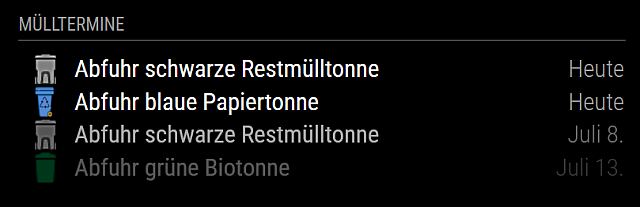
This is what the display looked like in version 2.34.x (grey, blue, green images):
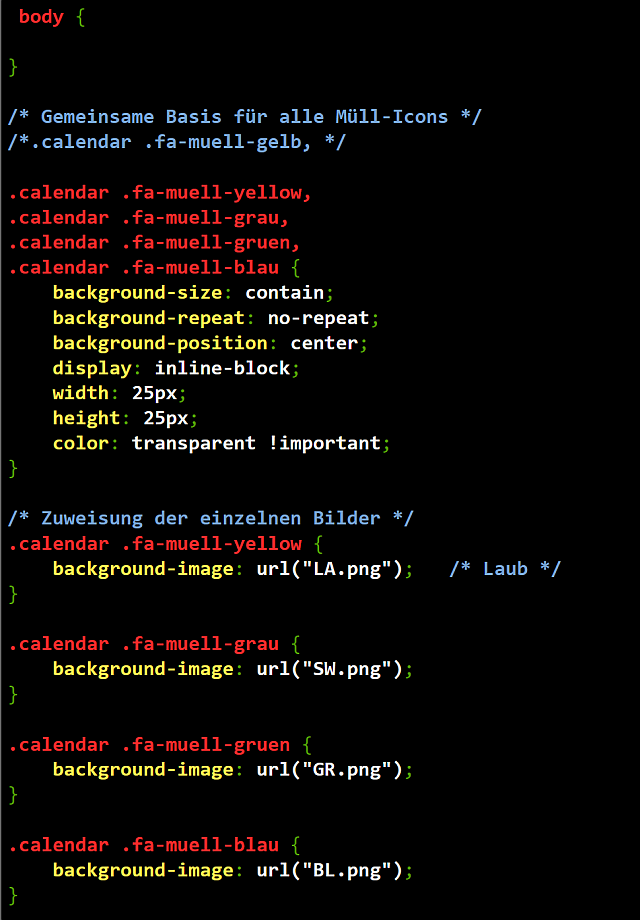
Here is the custom.css file for the calendar:
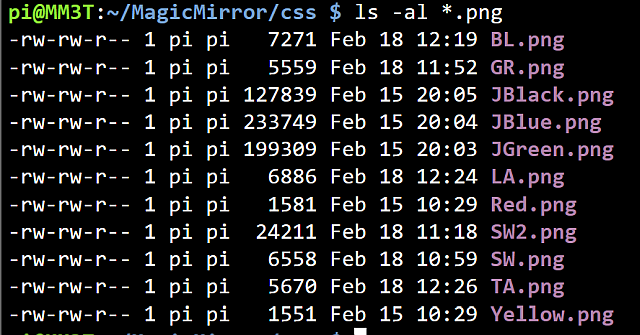
The names and locations of the pictures:
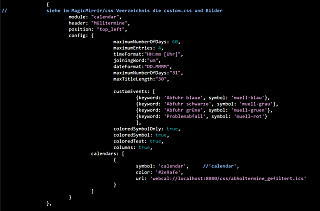
The excerpt from the config.js file for the calendar module:
And finally, here’s a short extract from my ics file:
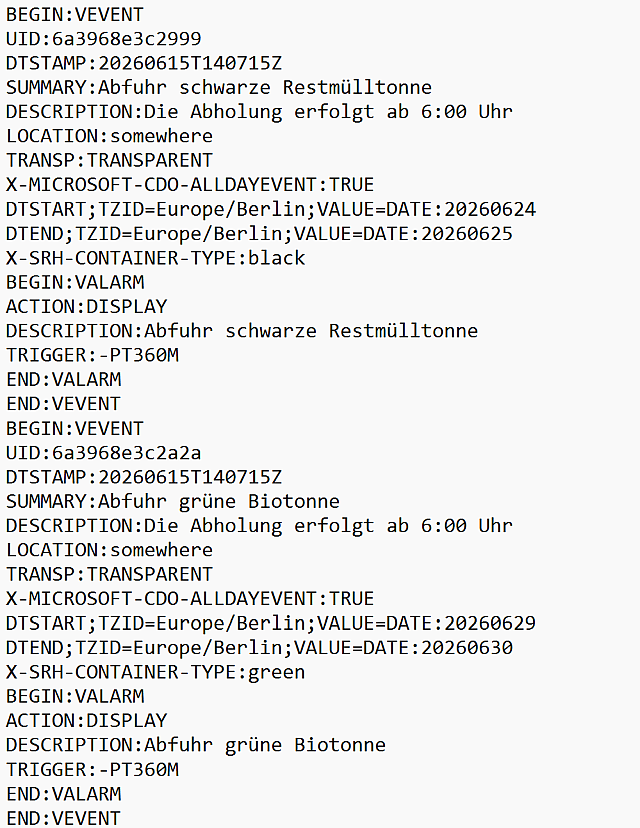
I used Sam’s Backup&Restore script to back up my modules. I then installed the new version 2.36.x on a new SD card and restored the modules using Sam’s script.
Basically, everything is working again – apart from the display of the coloured bins.
A test via a browser on my PC within my network showed me that I can’t display the images in the CSS folder.
Attempts using the “default” or “vendor” directories also failed to produce the desired result.
Does anyone have any idea how I can get the icons to display again?
Many thanks -
@sdetweil
Hi Sam, at the end i’ve to change a little bit more:
I’ve created following folders under modules:pi@MM30626:~/MagicMirror/modules $ ls -al calendar/ total 28 drwxrwxr-x 3 pi pi 4096 Aug 12 19:34 . drwxrwxr-x 31 pi pi 4096 Aug 12 15:31 .. -rw-rw-r-- 1 pi pi 15565 Jul 26 15:23 abholtermine_gefiltert.ics drwxrwxr-x 2 pi pi 4096 Aug 12 19:34 public pi@MM30626:~/MagicMirror/modules $ ls -al calendar/public/ total 48 drwxrwxr-x 2 pi pi 4096 Aug 12 19:34 . drwxrwxr-x 3 pi pi 4096 Aug 12 19:34 .. -rw-rw-r-- 1 pi pi 7271 Feb 18 2026 BL.png -rw-rw-r-- 1 pi pi 5559 Feb 18 2026 GR.png -rw-rw-r-- 1 pi pi 6886 Feb 18 2026 LA.png -rw-rw-r-- 1 pi pi 6558 Feb 18 2026 SW.png -rw-rw-r-- 1 pi pi 5670 Feb 18 2026 TA.pngAs you can see, there is my ics file and a public folder witth my pictures.
E.g. “BL.png” means blue garbage can for paper, “GR.png” for green waste bin etc.The “abholtermine_gefiltert.ics” is a python output 'cause i have to take out some lines.
This is how my config folder looks like:
pi@MM30626:~/MagicMirror/config $ ls -al
total 40
drwxrwxr-x  2 pi   pi    4096 Aug 27 15:33 .
drwxrwxr-x 17 pi   pi    4096 Aug 23 10:32 ..
-rw-rw-r--  1 pi   pi      30 Aug 27 15:24 basepath.js
-rw-rw-r--  1 pi   pi   18339 Aug 27 15:24 config.js
-rw-rw-r--  1 pi   pi    2220 Aug 18 15:37 custom.css
The description for the calendar in the config.js:
		{
//		siehe im MagicMirrir/css Veerzeichnis die custom.css und Bilder
			module: "calendar",
			header: "Mülltermine",
			position: "top_left",
			config: {
					maximumNumberOfDays: 60,
					maximumEntries: 4,
					timeFormat:"HH:mm [Uhr]",
					joiningWord:"um",
					dateFormat:"DD.MMMM",
					maximumNumberOfDays:"31",
					maxTitleLength:"30",
					customEvents: [
    						{
							keyword: 'Abfuhr blaue',
							symbol: '',
							eventClass: 'muell-blau'
						},
						{
							keyword: 'Abfuhr schwarze',
							symbol: '',
							eventClass: 'muell-schwarz'
						},
						{
							keyword: 'Abfuhr grüne',
							symbol: '',
							eventClass: 'muell-gruen'
						},
						{
							keyword: 'Problemabfall',
							symbol: '',
							eventClass: 'muell-rot'
						}
						],
					coloredSymbolOnly: true,
					coloredSymbol: true,
					coloredText: true,
					columns: true,
				calendars: [
					{
						symbol: 'calendar',	//'calendar',
						color: '#2e9afe',
						url: 'webcal://localhost:8080/modules/calendar/abholtermine_gefiltert.ics'
					}
				]
			}
		},
and my custom.css looks like this:
/*****************************************************
 * Magic Mirror                                      *
 * Custom CSS                                        *
 *                                                   *
 * By Michael Teeuw http://michaelteeuw.nl           *
 * MIT Licensed.                                     *
 *                                                   *
 * Add any custom CSS below.                         *
 * Changes to this files will be ignored by GIT. *
 *****************************************************/

 body {


}

/* Gemeinsame Basis für alle Müll-Icons */
/* =========================================================
   Mülltonnen-Symbole für das Standard Calendar-Modul
   ========================================================= */

/* Standard-Font-Awesome-Symbol ausblenden */
.calendar .event-wrapper.muell-blau .symbol span,
.calendar .event-wrapper.muell-schwarz .symbol span,
.calendar .event-wrapper.muell-gruen .symbol span,
.calendar .event-wrapper.muell-laub .symbol span {
    display: none;
}


/* Symbol-Zelle der blauen Tonne */
.calendar .event-wrapper.muell-blau .symbol {
    background-image: url("/modules/calendar/public/BL.png");
    background-repeat: no-repeat;
    background-position: center center;
    background-size: contain;
    width: 40px;
    height: 40px;
}


/* Symbol-Zelle der schwarzen/grauen Tonne */
.calendar .event-wrapper.muell-schwarz .symbol {
    background-image: url("/modules/calendar/public/SW.png");
    background-repeat: no-repeat;
    background-position: center center;
    background-size: contain;
    width: 40px;
    height: 40px;
}


/* Symbol-Zelle der grünen Tonne */
.calendar .event-wrapper.muell-gruen .symbol {
    background-image: url("/modules/calendar/public/GR.png");
    background-repeat: no-repeat;
    background-position: center center;
    background-size: contain;
    width: 40px;
    height: 40px;
}


/* Symbol-Zelle der Laubtonne */
.calendar .event-wrapper.muell-laub .symbol {
    background-image: url("/modules/calendar/public/LA.png");
    background-repeat: no-repeat;
    background-position: center center;
    background-size: contain;
    width: 40px;
    height: 40px;
}
At the end i have my bins on the screen:
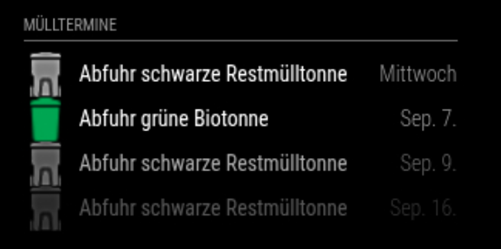
I’m sure there must be a much simpler way, but it took me quite a while to get the result, and that’s what counts in the end. ;-)
BR
Jens -
@MyMirror We have calendar issues in v2.36.0. These have been fixed in the development branch. The new release, v2.37.0, will be released today. I would recommend waiting for it and then trying it out :)
-
@KristjanESPERANTO
Thanks for this answer !
I’ll wait. -
@MyMirror also, the css folder is for OUR stuff in 2.35+, all user stuff is moved to the config folder
so, move the images there and see if it works
also, picky support person here, please use text for config content…
pics are very hard to read…
also, config or log info should go in a code block…paste text in this message editor, blank line above and below
select the text just pasted
hit the code button </> above on the editor toolbarthanks
-
@mymirror did the 2.37 release resolve this problem?
-
@sdetweil
Hi Sam, at the end i’ve to change a little bit more:
I’ve created following folders under modules:pi@MM30626:~/MagicMirror/modules $ ls -al calendar/ total 28 drwxrwxr-x 3 pi pi 4096 Aug 12 19:34 . drwxrwxr-x 31 pi pi 4096 Aug 12 15:31 .. -rw-rw-r-- 1 pi pi 15565 Jul 26 15:23 abholtermine_gefiltert.ics drwxrwxr-x 2 pi pi 4096 Aug 12 19:34 public pi@MM30626:~/MagicMirror/modules $ ls -al calendar/public/ total 48 drwxrwxr-x 2 pi pi 4096 Aug 12 19:34 . drwxrwxr-x 3 pi pi 4096 Aug 12 19:34 .. -rw-rw-r-- 1 pi pi 7271 Feb 18 2026 BL.png -rw-rw-r-- 1 pi pi 5559 Feb 18 2026 GR.png -rw-rw-r-- 1 pi pi 6886 Feb 18 2026 LA.png -rw-rw-r-- 1 pi pi 6558 Feb 18 2026 SW.png -rw-rw-r-- 1 pi pi 5670 Feb 18 2026 TA.pngAs you can see, there is my ics file and a public folder witth my pictures.
E.g. “BL.png” means blue garbage can for paper, “GR.png” for green waste bin etc.The “abholtermine_gefiltert.ics” is a python output 'cause i have to take out some lines.
This is how my config folder looks like:
pi@MM30626:~/MagicMirror/config $ ls -al
total 40
drwxrwxr-x  2 pi   pi    4096 Aug 27 15:33 .
drwxrwxr-x 17 pi   pi    4096 Aug 23 10:32 ..
-rw-rw-r--  1 pi   pi      30 Aug 27 15:24 basepath.js
-rw-rw-r--  1 pi   pi   18339 Aug 27 15:24 config.js
-rw-rw-r--  1 pi   pi    2220 Aug 18 15:37 custom.css
The description for the calendar in the config.js:
		{
//		siehe im MagicMirrir/css Veerzeichnis die custom.css und Bilder
			module: "calendar",
			header: "Mülltermine",
			position: "top_left",
			config: {
					maximumNumberOfDays: 60,
					maximumEntries: 4,
					timeFormat:"HH:mm [Uhr]",
					joiningWord:"um",
					dateFormat:"DD.MMMM",
					maximumNumberOfDays:"31",
					maxTitleLength:"30",
					customEvents: [
    						{
							keyword: 'Abfuhr blaue',
							symbol: '',
							eventClass: 'muell-blau'
						},
						{
							keyword: 'Abfuhr schwarze',
							symbol: '',
							eventClass: 'muell-schwarz'
						},
						{
							keyword: 'Abfuhr grüne',
							symbol: '',
							eventClass: 'muell-gruen'
						},
						{
							keyword: 'Problemabfall',
							symbol: '',
							eventClass: 'muell-rot'
						}
						],
					coloredSymbolOnly: true,
					coloredSymbol: true,
					coloredText: true,
					columns: true,
				calendars: [
					{
						symbol: 'calendar',	//'calendar',
						color: '#2e9afe',
						url: 'webcal://localhost:8080/modules/calendar/abholtermine_gefiltert.ics'
					}
				]
			}
		},
and my custom.css looks like this:
/*****************************************************
 * Magic Mirror                                      *
 * Custom CSS                                        *
 *                                                   *
 * By Michael Teeuw http://michaelteeuw.nl           *
 * MIT Licensed.                                     *
 *                                                   *
 * Add any custom CSS below.                         *
 * Changes to this files will be ignored by GIT. *
 *****************************************************/

 body {


}

/* Gemeinsame Basis für alle Müll-Icons */
/* =========================================================
   Mülltonnen-Symbole für das Standard Calendar-Modul
   ========================================================= */

/* Standard-Font-Awesome-Symbol ausblenden */
.calendar .event-wrapper.muell-blau .symbol span,
.calendar .event-wrapper.muell-schwarz .symbol span,
.calendar .event-wrapper.muell-gruen .symbol span,
.calendar .event-wrapper.muell-laub .symbol span {
    display: none;
}


/* Symbol-Zelle der blauen Tonne */
.calendar .event-wrapper.muell-blau .symbol {
    background-image: url("/modules/calendar/public/BL.png");
    background-repeat: no-repeat;
    background-position: center center;
    background-size: contain;
    width: 40px;
    height: 40px;
}


/* Symbol-Zelle der schwarzen/grauen Tonne */
.calendar .event-wrapper.muell-schwarz .symbol {
    background-image: url("/modules/calendar/public/SW.png");
    background-repeat: no-repeat;
    background-position: center center;
    background-size: contain;
    width: 40px;
    height: 40px;
}


/* Symbol-Zelle der grünen Tonne */
.calendar .event-wrapper.muell-gruen .symbol {
    background-image: url("/modules/calendar/public/GR.png");
    background-repeat: no-repeat;
    background-position: center center;
    background-size: contain;
    width: 40px;
    height: 40px;
}


/* Symbol-Zelle der Laubtonne */
.calendar .event-wrapper.muell-laub .symbol {
    background-image: url("/modules/calendar/public/LA.png");
    background-repeat: no-repeat;
    background-position: center center;
    background-size: contain;
    width: 40px;
    height: 40px;
}
At the end i have my bins on the screen:
I’m sure there must be a much simpler way, but it took me quite a while to get the result, and that’s what counts in the end. ;-)
BR
Jens -
@MyMirror cool. You could have done the files and folders in the config folder
path="config/xxx.ics" or png Or url("/config/public/xxx.png") -
@sdetweil
Thank you very much for the tip.
But I’ll leave it as it is for now. -
@MyMirror I wasn’t suggesting you change anything… just for others watching, there are other options…
my backup/restore won’t save/restore files from inside the default_modules… cause they are not supposed to change -
@sdetweil
Everything’s fine – that’s what I thought.
That’s why I’ve set out my changes as clearly as possible.
Thank you very much! -
S sdetweil has marked this topic as solved on

Hello! It looks like you're interested in this conversation, but you don't have an account yet.
Getting fed up of having to scroll through the same posts each visit? When you register for an account, you'll always come back to exactly where you were before, and choose to be notified of new replies (either via email, or push notification). You'll also be able to save bookmarks and upvote posts to show your appreciation to other community members.
With your input, this post could be even better 💗
Register Login