Read the statement by Michael Teeuw here.
MMM-cryptocurrency - v1.4
-
@fox please get the latest release of this Module from Github and replace the folder on your Mirror with the new one. Because you have to Update it manually if you want the graph or newer features.
If you use git, you can just do “git pull origin master” in the console.@olexs thank you for your awesome work!
I tried for some time to implement the graph but i couldn’t find a solution…
@matteodanelli
I added some features and submitted an pull request.- Colored logos (optional)
- additional logo support for Nem and Stratis
- Graph Support for Stratis
- now gets the top25 results of coinmareket
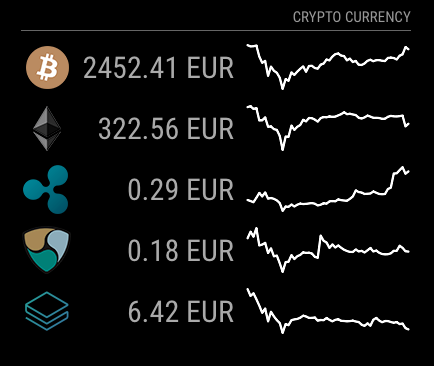
It would be nice if the currencies are sorted by total market volume (like on coin market). At the moment its ordered by the definitions in the config section.
Maybe someone has more time as i in the next days? ☺️And what do you guys think if we start to add release notes / change log to the readme?
-
Hello
thank you for this addon :) it works fine and looks nice.
Is it possible to add an option to set a certain amount for each coin ? Some coin are really low in value like Dogecoin and the price for ONE single coin is always on 0. (ex 1000 dogecoin so at least its worth something :)
Also is it possible to use BTC as main currency, so everything is converted in BTC insted of USD or EUR ?
thanks a lot
++edit : now that i think about it, ideally there should be the price BTC > USD (or EURO etc) and then all the other crypto u want converted in BTC. that would make more sens as BTC is the only way to trade these alts coin. two different coin convertion then :)
-
@s199 At the moment, service which provides data is not able to convert in BTC, but only to a specified set of currencies, none virtual.
For the Dogecoin request. It could make sense but it requires a bit of configuration and so I need some time to develop it. But I’ll do.For what I know, you can trade every crypto currency in EUR or USD or any other, not only BTC.
-
For anyone who’s having issues getting a graph to work for lesser-known/non-included, it relies on a proprietary ID value for a currency within coinmarketcap.com. In order to this to work you’ll need to find that value and define it within the MMM-cryptocurrency.js file.
Maybe there’s an easier way, but I got it working by going to coinmarketcap.com, finding the currency I wanted, then right clicking on the small inline graph and clicking ‘open IMAGE in a new tab’. That’ll come up with an url like this one for Dash: https://files.coinmarketcap.com/generated/sparklines/131.png.
Now, within the MMM-cryptocurrency.js file you’ll need to create a reference to this ID:
sparklineIds: {
                        bitcoin: 1,
...
                        dash: 131,
...
                        }
Reboot your mirror and all should work
-
Hi
First of all, thank you for making this module possible, it looks really neat!
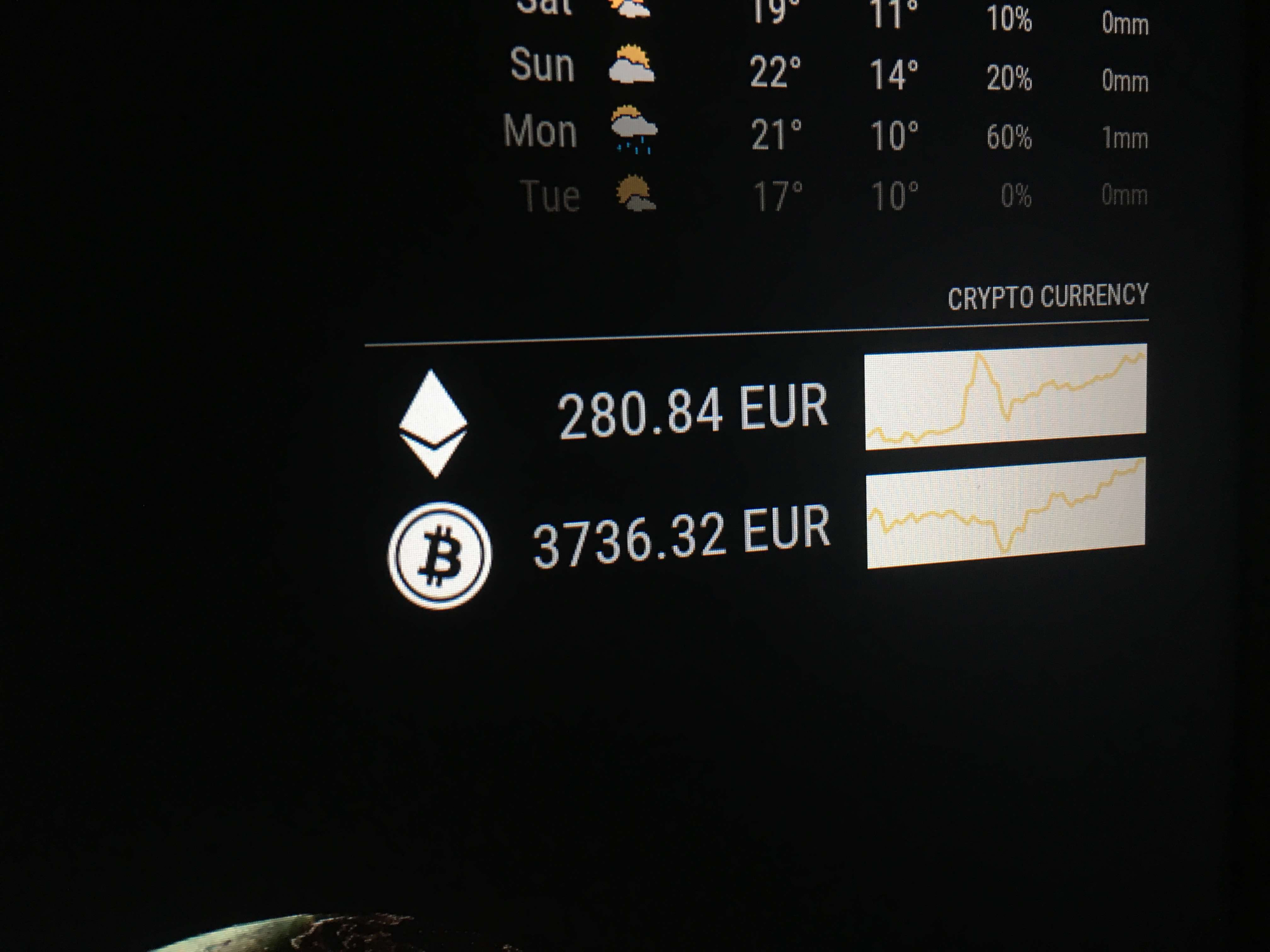
The only issue I have encounter for now is the Background colour of the graphs. I would like to know if there is any way to put it black instead of white as the Screenshots that are on the module Github page?
I would love to keep the graphs, but for now they don’t fit with the overall style of the rest of the modules.
Thanks in Advance!
-
I had the same issue on my mirror at first, too. The reason was me using an older version of Chromium. Older Electron versions could have the same issue - the color is transformed using CSS filtering, that has only become usable not very long ago. Try updating whichever display engine/browser you use, it should work then.
-
Thanks for the info @olexs. I finally gave up about showing the graphs with black BG and I decided to just leave in “detail” mode, but I encounter another issue while doing that. half of my modules don’t appear and my logs show this:

Even deleting the header “change1h” from the config file doesn’t work. Is only working properly in “logo” mode.
-
@ArkantosArk Hello,
I’m sorry for your problem. Let’s try to understand and fix them.
Can you please post your module configuration (the one in config.js)?
Also, have you changed module files? -
Hi @matteodanelli See my module config below. I haven’t changed any module files at all. I’m running it in a Raspberry pi 1, but I don’t think the issue is related with that.
{ module: "MMM-cryptocurrency", position: "bottom_bar", config: { currency: ['ethereum', 'bitcoin'], conversion: 'EUR', displayType: 'detail', headers: ['change24h'] } }, -
@ArkantosArk Very strange.
Same module configuration is working here, even if I set 1h.{ module: "MMM-cryptocurrency", position: "bottom_bar", config: { currency: ['ethereum', 'bitcoin'], conversion: 'EUR', displayType: 'detail', headers: ['change24h', 'change1h'] } }Is it possible that aren’t conflict with other modules?
In any case, if you cannot fix, try to re-download module from repository and then re-add in your configuration.
Let me know if something changes. -
Re: MMM-cryptocurrency - v1.1
@matteodanelli great module. I works pretty fine. Thank you for this.At the moment we have 3 options to view the change of the currency in 1h, 24h and 7d.
Can you add an option to view the change since the purchase value?Or how I can do this by myself?
BR
-
@jimador Hi!
Unfortunately, it’s not easy to select a custom starting date, because I use an external service which provides me only that history.
Tracking myself the currency change is expensive and I’ll not do in the next future.
But, if you know some web services able to do that I’m really happy to implement this feature :) -
@matteodanelli Hi have reinstalled the module and keeps showing the same error on the logs:
modules/MMM-cryptocurrency//MMM-cryptocurrency.js @68: TypeError: undefined is not a function (evaluating ‘this.config.headers.includes(‘change1h’)’)
It seems that it can be an issue on line 68 on that file. If I copy and paste the content of the file on JSHint.com, it shows me that there is an error on some lines:
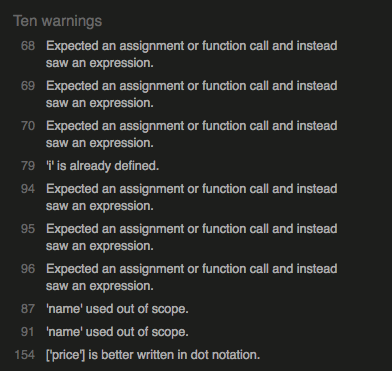
I would love it to have this module on detail mode, but it seems that is only working properly in logo mode for now.
-
@ArkantosArk Hey,
I make a bug fix where you outlined some problems. You can checkout updated code from repository.Now you should have the module working in both configuration.
Let me know.Thank you!
-
@matteodanelli Hi!
I can see your update and now JShint doesn’t find any issues. However I still have the same exact issue as my previous post. Can this be a browser related issue? I am using Midori instead of Chrome (cause I’m implementing everything on a Raspberry pi 1).
Anyway thanks a lot for correcting those bugs, I’m sure that would help somebody with the same issue!
-
@ArkantosArk Yes, midori doesn’t support ES6 and the module makes use of it. Try to run it and access it via a browser on another machine for testing purposes it should probably work.
-
@ArkantosArk As @strawberry-3-141 mentioned, I use ES6 in the module and so some old browsers aren’t working. Midori uses an old version of the web engine, but I know that it’s the best browser on the RPi1.
However, I tried to replace in my module a function which creates a problem. I am not sure to have solved totally the problem because I cannot test on Midori.
I’ve updated the module so you can test it now, hoping that it’s working, or at least it shows less problems :)Let me know!
-
@matteodanelli Now it’s working! thanks a lot for this I feel really privileged!. Thanks for taking the effort to update the module just for this.
-
Thank you for this module.
In order to add a new coin, I’ve added into sparklineIds the id, eg. chainlink: 1975,
ran an nmp install into the MMM-cryptocurrency module, but still no luck,
sparklineId is correct, am I missing something?
Thanks in advance. -
@canadrian said in MMM-cryptocurrency - v1.1:
chainlink: 1975
Hi,
I had configured module to get only top 25 currencies, in order to be more efficient.
Now I’ve updated module in order to get all 100. If you want to check it out last version you should be able to get it.


Hello! It looks like you're interested in this conversation, but you don't have an account yet.
Getting fed up of having to scroll through the same posts each visit? When you register for an account, you'll always come back to exactly where you were before, and choose to be notified of new replies (either via email, or push notification). You'll also be able to save bookmarks and upvote posts to show your appreciation to other community members.
With your input, this post could be even better 💗
Register Login