Read the statement by Michael Teeuw here.
MMM-MyCalendar
-
@j-e-f-f said in MMM-MyCalendar:
@Fonfon No, but you can add a background colour to the module to make the text stand out better. try something like this in your
custom.cssfile:.MMM-MyCalendar .module-content { background-color: rgba(0,0,0,0.5); }The first three parameters
0,0,0mean black, and the fourth parameter0.5is the level of transparency. Specify a decimal between 0 and 1, where 0 is fully transparent, and 1 is fully opaque.Thanks j.e.f.f for your help !
-
@zzaidi148 @j-e-f-f
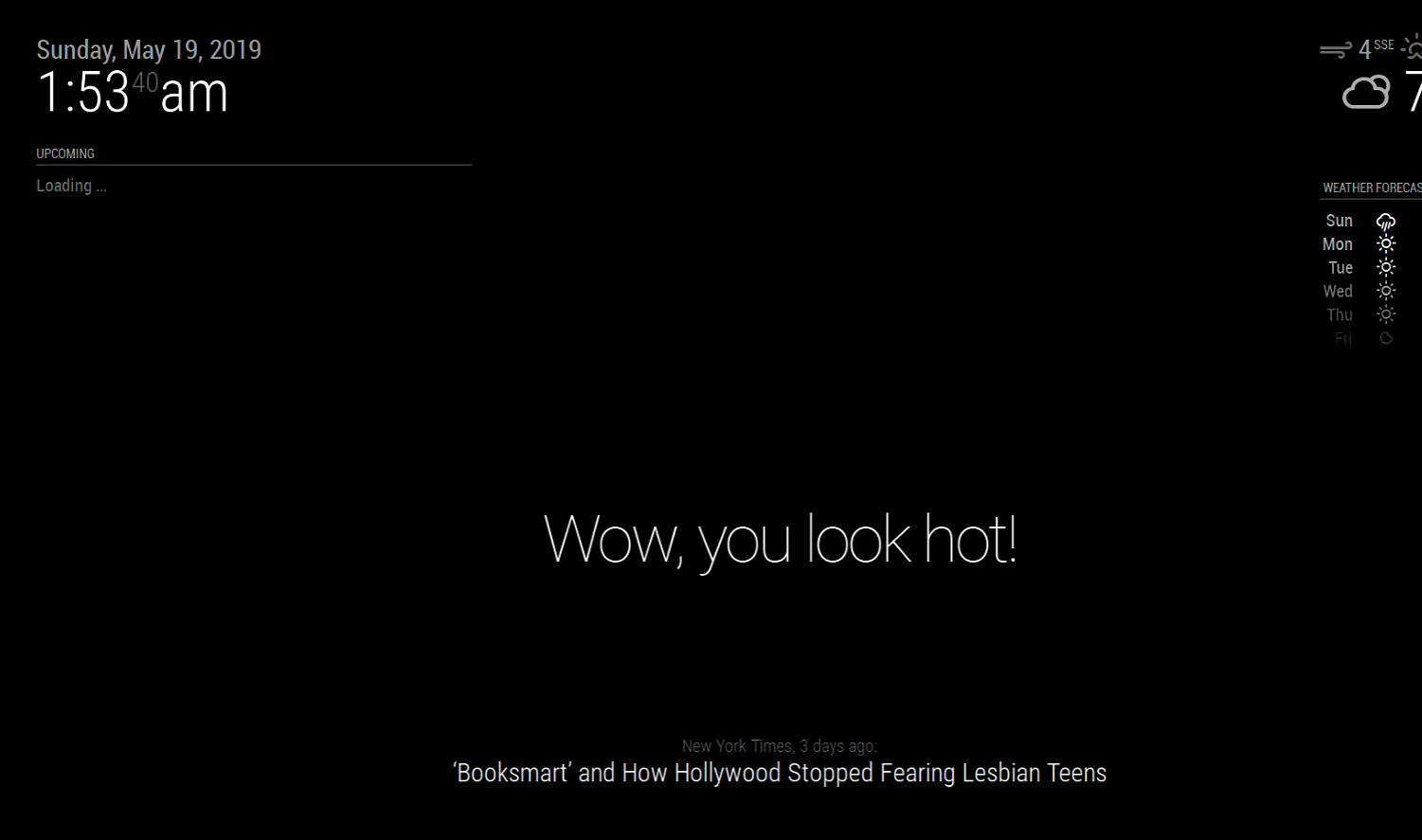
I have this same issue and haven’t had any luck in resolving the issue. I even copied the recommended config from earlier in this forum. Is there something that I am missing?
It will just say, “Loading…”
{ module: "MMM-MyCalendar", position: "top_left", classes: "default everyone", header: "Upcoming", disabled: false, config: { colored: true, maximumNumberOfDays: 30, maximumEntries: 5, fade: false, maxTitleLength: 500, useRelativeDates: false, dayOfWeekFormat: "dddd", timeFormat: "h:mm A", dateFormat: "MMMM D", joiningWord: "at", urgency: 1, calendars: [ { url: "https://calendar.google.com/calendar/ical path", color: "#ffb350" }, { url: "https://calendar.google.com/calendar/ical path", color: "#ff77d4" } ] } } -
@charp07 figured it out! Sorry!
-
@j-e-f-f This feature (grouping by day) would be awesome! Have you had a chance to make any progress on this?
-
Did anybody’s MMM-MyCalendar module break after daylight savings (Sunday November 3rd)? Both my “MMM-MyCalendar” AND “MMM-CalendarExt2” modules are showing events on the wrong days now. The problem seems to only occur with reoccurring events; they usually show up one day earlier. Rebooting does not correct the issue. I hope someone can figure this out soon 😞
-
@j-e-f-f
Hey. I found your Module last days and i love it. Thanks for that.
One question.
I have one added calendar (holidays) that have a “description” in his calendar entry.
So the Modul Shows three lines.
First with the Titel (christmas),
Second with date (24 Dezember)
third with description (calovo.de).Is it possible to hide the description?
-
Salve ho installato oggi il modulo MMM-MyCalendar ma per cambiare le icone o i simboli ed assegnarle una diversa come si fa ?Potreste mettermi un esempio?Grazie.Inoltre è possibile cambiare colore esempio Martedi 5 Febbario rosso e Mercoledi 6 Febbraio in verde?Grazie.
-
Hi @j-e-f-f,
Thank you for the great module! :)
I have added an option to have a calendar label displayed before the event text as it looks more intuitive and does not require to remember colors :). If you are ok to have this added to your code I can either send the updates to you or create a pull request in github.Here is the screenshot (I use MM as a picture frame, not a mirror, with bright colored image, that’s why it is black on white in my case):

-
@charp07 What was the fix to your Loading issue?

Hello! It looks like you're interested in this conversation, but you don't have an account yet.
Getting fed up of having to scroll through the same posts each visit? When you register for an account, you'll always come back to exactly where you were before, and choose to be notified of new replies (either via email, or push notification). You'll also be able to save bookmarks and upvote posts to show your appreciation to other community members.
With your input, this post could be even better 💗
Register Login