MagicMirror Forum
    • Recent
    • Tags
    • Unsolved
    • Solved
    • MagicMirror² Repository
    • Documentation
    • 3rd-Party-Modules
    • Donate
    • Discord
    • Register
    • Login
    A New Chapter for MagicMirror: The Community Takes the Lead
    Read the statement by Michael Teeuw here.

    MMM-MyWastePickup (Toronto waste collection schedule)

    Scheduled Pinned Locked Moved Productivity
    69 Posts 16 Posters 57.7k Views 17 Watching
    Loading More Posts
    • Oldest to Newest
    • Newest to Oldest
    • Most Votes
    Reply
    • Reply as topic
    Log in to reply
    This topic has been deleted. Only users with topic management privileges can see it.
    • O Offline
      onetwankyfive
      last edited by

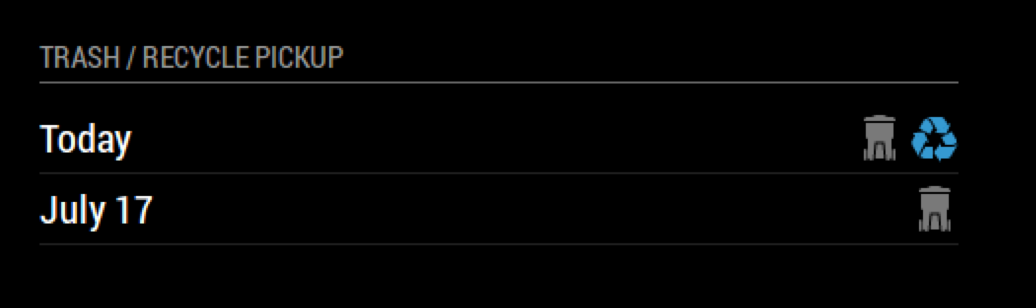
      Great Success! 0_1499691451300_Screen Shot 2017-07-10 at 8.56.56 AM.png

      Its Awesome that its just a csv file that I can edit to match my recycle / trash in my city…
      I have wanted this for a while now!

      J 1 Reply Last reply Reply Quote 1
      • J Offline
        j.e.f.f Project Sponsor Module Developer @onetwankyfive
        last edited by

        @onetwankyfive glad to hear you got it working!

        You know, you make an interesting point about it just being a CSV… how difficult did you find it to modify for your schedule? Maybe I’ll write a tutorial in the Readme for anyone who wants to do this.

        1 Reply Last reply Reply Quote 3
        • O Offline
          onetwankyfive
          last edited by

          It was pretty easy… Just imported into google sheets and Download as a CSV in google sheets… It automatically put everything in the correct fields. You could prob make a template in google sheets that people could make copy of and then edit and export. Thanks again!
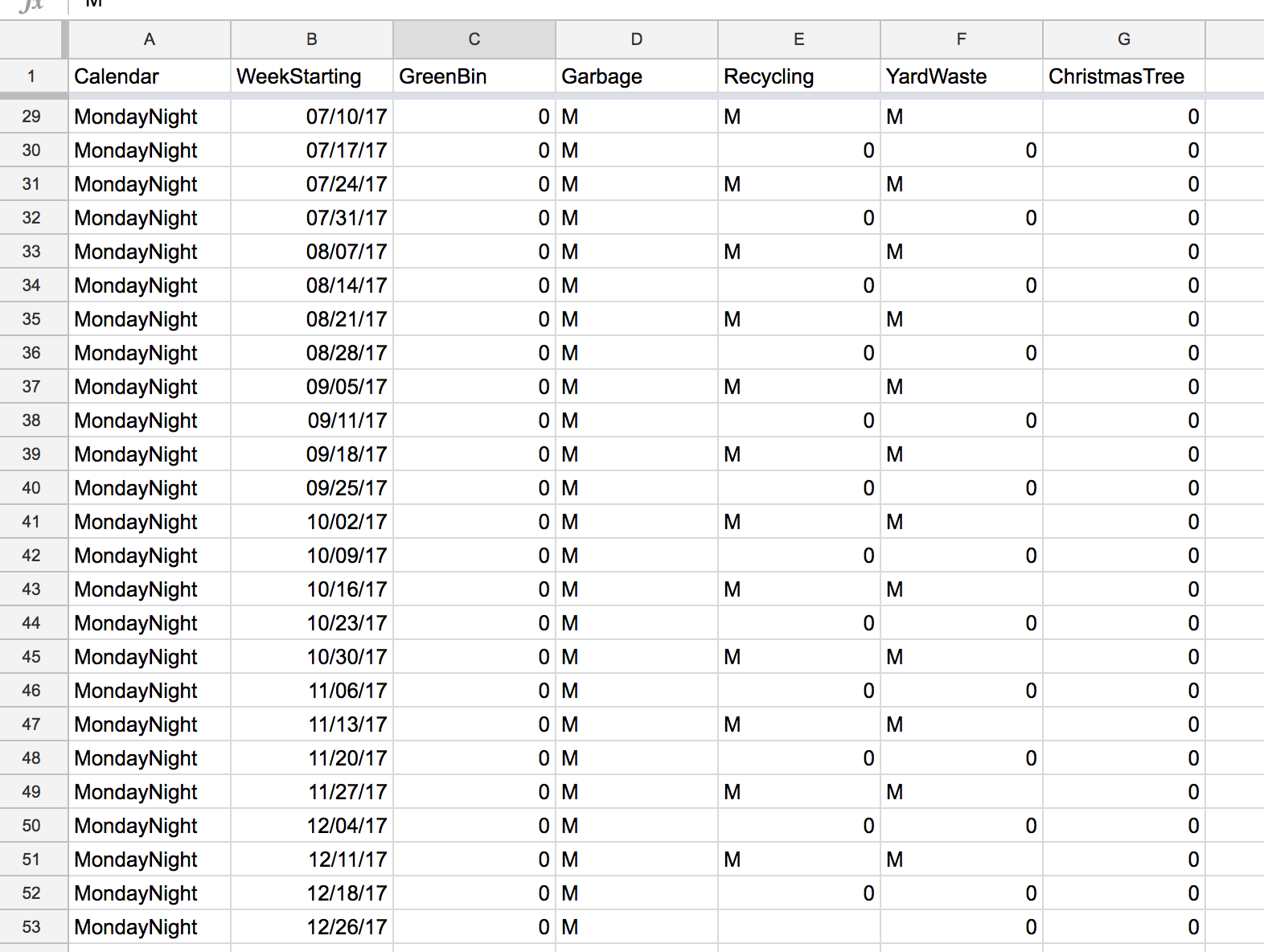
          0_1499698334154_Screen Shot 2017-07-10 at 10.50.45 AM.png

          1 Reply Last reply Reply Quote 0
          • SexyTroggS Offline
            SexyTrogg
            last edited by

            I just moved to Toronto so I am trying out this module and so far it works great except one kink. The icons are never on the right hand side of the module so they always overlap the text on the left hand side. I’ve checked everything I can think of (made sure the module has plenty of space, checked the code, reinstalled, etc) but I still cant get it to properly fill its container. Has anyone run into this before?

            J 2 Replies Last reply Reply Quote 1
            • J Offline
              j.e.f.f Project Sponsor Module Developer @SexyTrogg
              last edited by

              @SexyTrogg hey can you post your config? I’ll try it out. I suspect I might know what’s going on.

              1 Reply Last reply Reply Quote 0
              • J Offline
                j.e.f.f Project Sponsor Module Developer @SexyTrogg
                last edited by j.e.f.f

                @SexyTrogg Try doing a git pull in the MMM-MyWastePickup directory. I think I fixed your problem. Let me know if it works.

                SexyTroggS 1 Reply Last reply Reply Quote 0
                • SexyTroggS Offline
                  SexyTrogg @j.e.f.f
                  last edited by SexyTrogg

                  @j.e.f.f Sorry for the delay. My config is just the simple:

                  {
                    module: 'MMM-MyWastePickup',
                    position: 'top_left',
                    header: 'My Waste Collection',
                    config: {
                      collectionCalendar: 'Tuesday2'
                    }
                  },
                  

                  I’ll do a pull once I get back home and let you know if it works. Thanks for looking at this!

                  1 Reply Last reply Reply Quote 0
                  • MedoM Offline
                    Medo
                    last edited by Medo

                    @J.e.f.f: Can you explain, how to add more than one day the calender is then displaying? If i understand your module correctly, when adding a collectionCalender (lets say “Tuesday2”) - only the dates from Tuesday2 (from the CSV file) are displayed. Right?
                    My waste is collected on three different days a week. Is this possible to configure with your addon?

                    J 1 Reply Last reply Reply Quote 0
                    • J Offline
                      j.e.f.f Project Sponsor Module Developer @Medo
                      last edited by

                      @Medo The module doesn’t support multiple days in the config. However you can get what you want by configuring multiple instances of the module, one for each collection day that you need.

                      MedoM 1 Reply Last reply Reply Quote 0
                      • MedoM Offline
                        Medo @j.e.f.f
                        last edited by

                        @j.e.f.f
                        Thanks for your answer. Yes, i already tried two instances but i wasnt satisfied with the overall look of it at the end.
                        Still a great module - but just not for my needs.

                        1 Reply Last reply Reply Quote 0
                        • P Offline
                          Peter
                          last edited by

                          Is it possible to use these nice symbols in my own ics calendar?
                          If so, where can I find the symbols?
                          Peter

                          J 1 Reply Last reply Reply Quote 0
                          • J Offline
                            j.e.f.f Project Sponsor Module Developer @Peter
                            last edited by

                            @Peter the symbols are contained in an icon sprite. Look for a file named icon_sprite.svg in the module folder.

                            1 Reply Last reply Reply Quote 0
                            • O Offline
                              onetwankyfive
                              last edited by

                              Is there a reason why it used to display the next 2 dates and now it only displays 1?

                              J 2 Replies Last reply Reply Quote 0
                              • J Offline
                                j.e.f.f Project Sponsor Module Developer @onetwankyfive
                                last edited by

                                @onetwankyfive it looks like the 2017 calendar has run out. I need to update the module with the 2018 calendar.

                                1 Reply Last reply Reply Quote 0
                                • kruemelK Offline
                                  kruemel
                                  last edited by kruemel

                                  Hey jeff

                                  I tried out your Module but it doesn’t work correctly for me.
                                  Just showing up “loading…”

                                  0_1520180532441_1ce2ec62-3de5-4af9-b318-28eaff593e93-image.png

                                  I changed your schedule.csv to match my collection schedule.

                                  Calendar,WeekStarting,GreenBin,Garbage,Recycling,YardWaste, ChristmasTree
                                  Thursday1,01/04/18,0,R,0,0,0
                                  Thursday1,01/13/18,0,0,R,0,0
                                  Thursday1,02/01/18,0,R,0,0,0
                                  Thursday1,03/01/18,0,R,0,0,0
                                  Thursday1,03/08/18,0,R,0,0,0
                                  Thursday1,03/15/18,0,R,0,0,0
                                  Thursday1,03/22/18,0,R,0,0,0
                                  Thursday1,03/28/18,0,R,0,0,0
                                  Thursday1,04/05/18,0,R,0,0,0
                                  Thursday1,04/12/18,0,R,0,0,0
                                  Thursday1,04/19/18,0,R,0,0,0
                                  Thursday1,04/26/18,0,R,0,0,0
                                  Thursday1,05/03/18,0,R,0,0,0
                                  Thursday1,05/05/18,0,0,R,0,0
                                  Thursday1,05/09/18,0,R,0,0,0
                                  Thursday1,05/17/18,0,R,0,0,0
                                  Thursday1,05/24/18,0,R,0,0,0
                                  Thursday1,05/30/18,0,R,0,0,0
                                  Thursday1,06/07/18,0,R,0,0,0
                                  Thursday1,06/14/18,0,R,0,0,0
                                  Thursday1,06/21/18,0,R,0,0,0
                                  Thursday1,06/28/18,0,R,0,0,0
                                  Thursday1,07/05/18,0,R,0,0,0
                                  Thursday1,07/12/18,0,R,0,0,0
                                  Thursday1,07/19/18,0,R,0,0,0
                                  Thursday1,07/26/18,0,R,0,0,0
                                  Thursday1,08/02/18,0,R,0,0,0
                                  Thursday1,08/09/18,0,R,0,0,0
                                  Thursday1,08/16/18,0,R,0,0,0
                                  Thursday1,08/23/18,0,R,0,0,0
                                  Thursday1,08/30/18,0,R,0,0,0
                                  Thursday1,09/06/18,0,R,0,0,0
                                  Thursday1,09/13/18,0,R,0,0,0
                                  Thursday1,09/20/18,0,R,0,0,0
                                  Thursday1,09/22/18,0,0,R,0,0
                                  Thursday1,09/27/18,0,R,0,0,0
                                  Thursday1,10/04/18,0,R,0,0,0
                                  Thursday1,10/11/18,0,R,0,0,0
                                  Thursday1,10/18/18,0,R,0,0,0
                                  Thursday1,10/25/18,0,R,0,0,0
                                  Thursday1,10/31/18,0,R,0,0,0
                                  Thursday1,11/08/18,0,R,0,0,0
                                  Thursday1,11/15/18,0,R,0,0,0
                                  Thursday1,11/22/18,0,R,0,0,0
                                  Thursday1,11/29/18,0,R,0,0,0
                                  Thursday1,12/06/18,0,R,0,0,0
                                  Thursday1,12/13/18,0,R,0,0,0
                                  Thursday1,12/20/18,0,R,0,0,0
                                  Thursday1,12/27/18,0,R,0,0,0
                                  

                                  With this config:

                                  {
                                  		module: 'MMM-MyWastePickup',
                                  		position: 'top_right',
                                  		header: 'Entsorgungsplan',
                                  			config: {
                                  				collectionCalendar: 'Thursday1'
                                  			}
                                  		},
                                  

                                  Is my language (german) the problem or should this work?
                                  Regards

                                  J 2 Replies Last reply Reply Quote 0
                                  • J Offline
                                    j.e.f.f Project Sponsor Module Developer @onetwankyfive
                                    last edited by

                                    @onetwankyfive I’ve updated the module with 2018’s schedule. You should be good to go now.

                                    1 Reply Last reply Reply Quote 0
                                    • J Offline
                                      j.e.f.f Project Sponsor Module Developer @kruemel
                                      last edited by

                                      @kruemel said in MMM-MyWastePickup (Toronto waste collection schedule):

                                      I changed your schedule.csv to match my collection schedule.

                                      I’m trying to do the same thing myself for a spin off of this for my collection schedule here in the UK. I’m having the same issue as you at the moment. When I figure it out, I’ll post back here.

                                      1 Reply Last reply Reply Quote 0
                                      • J Offline
                                        j.e.f.f Project Sponsor Module Developer @kruemel
                                        last edited by

                                        @kruemel I honestly have no idea why yours isn’t working. I thought it might be because you used a collection day name that’s not valid, but Thursday1 is in the list. I also thought maybe your date format didn’t match, but that seems to be fine too.

                                        Just to be sure, are you fully restarting Magic Mirror after these changes? The module only loads the schedule once at startup. Refreshing the browser won’t reload the schedule.

                                        1 Reply Last reply Reply Quote 0
                                        • kruemelK Offline
                                          kruemel
                                          last edited by

                                          Yes i did.

                                          Now i git pulled your latest relase.
                                          Also tried npm install and got this:

                                          pi@mm:~/MagicMirror/modules/MMM-MyWastePickup $ npm install
                                          npm WARN mmmmywastepickup@1.0.0 No repository field.
                                          

                                          But, with your 2018, its working.
                                          I will try again after this update and will report to you :-)

                                          J 1 Reply Last reply Reply Quote 0
                                          • J Offline
                                            j.e.f.f Project Sponsor Module Developer @kruemel
                                            last edited by

                                            @kruemel You can ignore that error message. It just means I’ve omitted some information from the package.json file, but none of what I’ve left out is critical to the operation of this module.


                                            1 Reply Last reply Reply Quote 0

                                            Hello! It looks like you're interested in this conversation, but you don't have an account yet.

                                            Getting fed up of having to scroll through the same posts each visit? When you register for an account, you'll always come back to exactly where you were before, and choose to be notified of new replies (either via email, or push notification). You'll also be able to save bookmarks and upvote posts to show your appreciation to other community members.

                                            With your input, this post could be even better 💗

                                            Register Login

                                            • 1
                                            • 2
                                            • 3
                                            • 4
                                            • 1 / 4
                                            • First post
                                              Last post
                                            Enjoying MagicMirror? Please consider a donation!
                                            MagicMirror created by Michael Teeuw.
                                            Forum managed by Sam, technical setup by Karsten.
                                            This forum is using NodeBB as its core | Contributors
                                            Contact | Privacy Policy