Read the statement by Michael Teeuw here.
MMM-MyWastePickup (Toronto waste collection schedule)
-
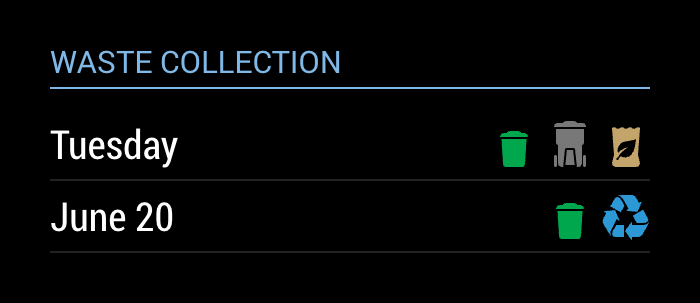
This is a module to show your schedule for Toronto curbside waste collection.
[card:jclarke0000/MMM-MyWastePickup]
-
For some reason I am getting an error when I do the npm-install
~/MagicMirror/modules/MMM-MyWasteCollection $ npm install
npm WARN mmmmywastepickup@1.0.0 No repository field.I put the example config in and nothing shows up.
Also are the quotes right in the example config for collectionCalendar?
{ module: 'MMM-MyWastePickup', position: 'top_left', header: 'My Waste Collection', config: { collectionCalendar: `Tuesday1` } }, -
@onetwankyfive you can safely ignore the error you’re getting from
npm install.The back tick quotes in your config are incorrect. You need to use
'or"quotes. -
It looks like my Readme is formatted incorrectly. I’ll fix it.
edit fixed now.
-
I was able to change the quotes, but it still doesn’t want to load for me. I even started with the default config so no other modules were being called, and still no luck. I am running the latest update of Magic Mirror.
-
@onetwankyfive Ugh… this is what happens when I don’t test my own install instructions…
the instructions said to clone a repository named
MMM-MyWasteCollection, which is is what I originally named this module. Then I went and changed it toMMM-MyWastePickupbut I didn’t update the README to match.Blow away your
MMM-MyWasteCollectiondirectory and try the install again. The README now has the right repository to clone, and it should work for you. -
Great Success!
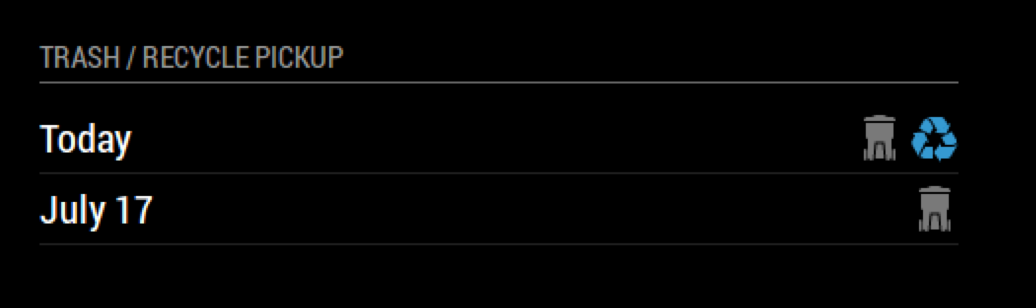
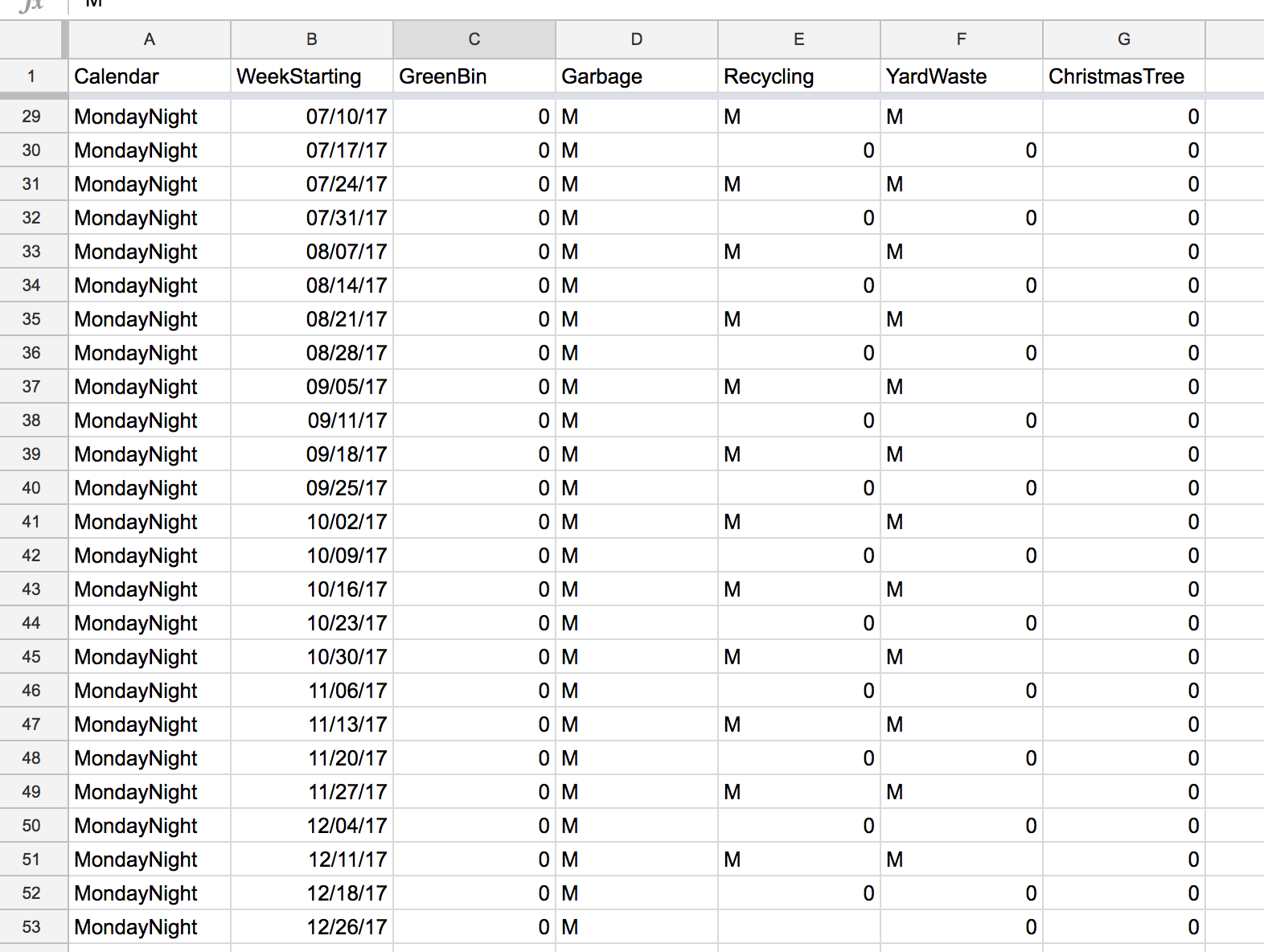
Its Awesome that its just a csv file that I can edit to match my recycle / trash in my city…
I have wanted this for a while now! -
@onetwankyfive glad to hear you got it working!
You know, you make an interesting point about it just being a CSV… how difficult did you find it to modify for your schedule? Maybe I’ll write a tutorial in the Readme for anyone who wants to do this.
-
It was pretty easy… Just imported into google sheets and Download as a CSV in google sheets… It automatically put everything in the correct fields. You could prob make a template in google sheets that people could make copy of and then edit and export. Thanks again!
-
I just moved to Toronto so I am trying out this module and so far it works great except one kink. The icons are never on the right hand side of the module so they always overlap the text on the left hand side. I’ve checked everything I can think of (made sure the module has plenty of space, checked the code, reinstalled, etc) but I still cant get it to properly fill its container. Has anyone run into this before?
-
@SexyTrogg hey can you post your config? I’ll try it out. I suspect I might know what’s going on.
-
@SexyTrogg Try doing a
git pullin the MMM-MyWastePickup directory. I think I fixed your problem. Let me know if it works. -
@j.e.f.f Sorry for the delay. My config is just the simple:
{
  module: 'MMM-MyWastePickup',
  position: 'top_left',
  header: 'My Waste Collection',
  config: {
    collectionCalendar: 'Tuesday2'
  }
},
I’ll do a pull once I get back home and let you know if it works. Thanks for looking at this!
-
@J.e.f.f: Can you explain, how to add more than one day the calender is then displaying? If i understand your module correctly, when adding a collectionCalender (lets say “Tuesday2”) - only the dates from Tuesday2 (from the CSV file) are displayed. Right?
My waste is collected on three different days a week. Is this possible to configure with your addon? -
@Medo The module doesn’t support multiple days in the config. However you can get what you want by configuring multiple instances of the module, one for each collection day that you need.
-
@j.e.f.f
Thanks for your answer. Yes, i already tried two instances but i wasnt satisfied with the overall look of it at the end.
Still a great module - but just not for my needs. -
Is it possible to use these nice symbols in my own ics calendar?
If so, where can I find the symbols?
Peter -
@Peter the symbols are contained in an icon sprite. Look for a file named
icon_sprite.svgin the module folder. -
Is there a reason why it used to display the next 2 dates and now it only displays 1?
-
@onetwankyfive it looks like the 2017 calendar has run out. I need to update the module with the 2018 calendar.

Hello! It looks like you're interested in this conversation, but you don't have an account yet.
Getting fed up of having to scroll through the same posts each visit? When you register for an account, you'll always come back to exactly where you were before, and choose to be notified of new replies (either via email, or push notification). You'll also be able to save bookmarks and upvote posts to show your appreciation to other community members.
With your input, this post could be even better 💗
Register Login