MagicMirror Forum
    • Recent
    • Tags
    • Unsolved
    • Solved
    • MagicMirror² Repository
    • Documentation
    • 3rd-Party-Modules
    • Donate
    • Discord
    • Register
    • Login
    A New Chapter for MagicMirror: The Community Takes the Lead
    Read the statement by Michael Teeuw here.

    MMM-forecast-io -- Localized up to the minute weather

    Scheduled Pinned Locked Moved Utilities
    127 Posts 36 Posters 221.6k Views 38 Watching
    Loading More Posts
    • Oldest to Newest
    • Newest to Oldest
    • Most Votes
    Reply
    • Reply as topic
    Log in to reply
    This topic has been deleted. Only users with topic management privileges can see it.
    • morozgrafixM Offline
      morozgrafix Moderator @lavolp3
      last edited by morozgrafix

      @lavolp3 I haven’t pulled from master repo in a while and not sure if my changes are compatible at this point. I’m happy to clean it up, test it and submit a PR. Just let me know.

      lavolp3L 1 Reply Last reply Reply Quote 0
      • lavolp3L Offline
        lavolp3 Module Developer @morozgrafix
        last edited by

        @morozgrafix Guess I’ll use the weekend to steal from all of you and build my perfect module. And learn stuff!
        Might also send a few PRs then because I’m new to git and it really satisfies me :-D

        How to troubleshoot modules
        MMM-soccer v2, MMM-AVStock

        morozgrafixM 1 Reply Last reply Reply Quote 0
        • morozgrafixM Offline
          morozgrafix Moderator @lavolp3
          last edited by

          @lavolp3 One thing that I would suggest is to group your changes into relevant and smaller size chunks and submit separate PRs for those, instead of one massive PR. It’s easier for reviewers and for you in case you need to make changes based on comments. Cheers.

          1 Reply Last reply Reply Quote 0
          • morozgrafixM Offline
            morozgrafix Moderator @lavolp3
            last edited by morozgrafix

            @lavolp3 said in MMM-forecast-io -- Localized up to the minute weather:

            Guys, going through the thread, I see that a lot of good ideas were implemented in forks but not sent as PRs. I think it would be a good idea to have some of these included into the original. dmcinnes/MMM-forecast-io, since this is the one referenced in the original MagicMirror.

            @dmcinnes what do you think?
            Do you want this rep to be bloated up or do you want it to be kept mostly as it is and leave major changes to forks?

            I would expect at least to have some of @morozgrafix very good ideas implemented as optional (sunset, precipitation probability).
            Also @rak 's ideas look very very promising but I admit might be a bit much as changes for the master.

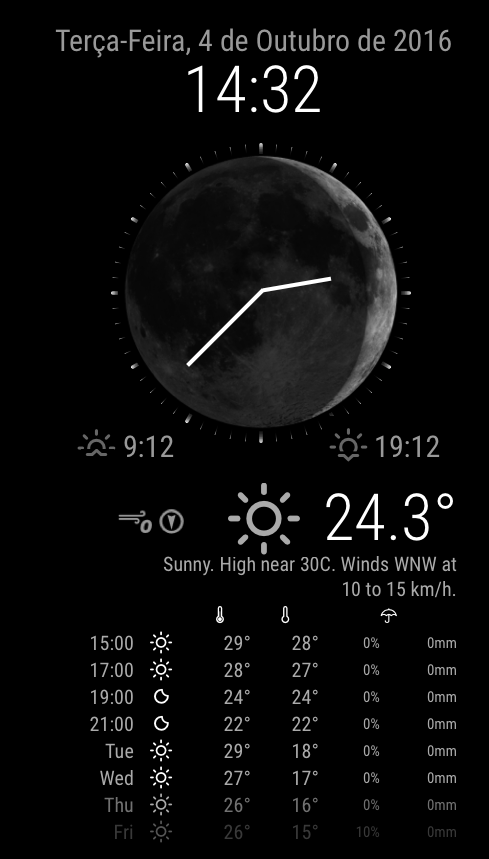
            I just submitted a PR for displaying Sunrise and Sunset times. https://github.com/dmcinnes/MMM-forecast-io/pull/22

            I will try to find some time to improve wind forecast and get another PR submitted sometime this weekend.

            I also just submitted a PR for wind speed and direction https://github.com/dmcinnes/MMM-forecast-io/pull/23

            Precipitation probability forecast is also submitted as a PR: https://github.com/dmcinnes/MMM-forecast-io/pull/24

            I also sneaked another PR that allows easy adjustments to forecast table look and feel: https://github.com/dmcinnes/MMM-forecast-io/pull/25

            1 Reply Last reply Reply Quote 1
            • 1 Offline
              12wsx
              last edited by 12wsx

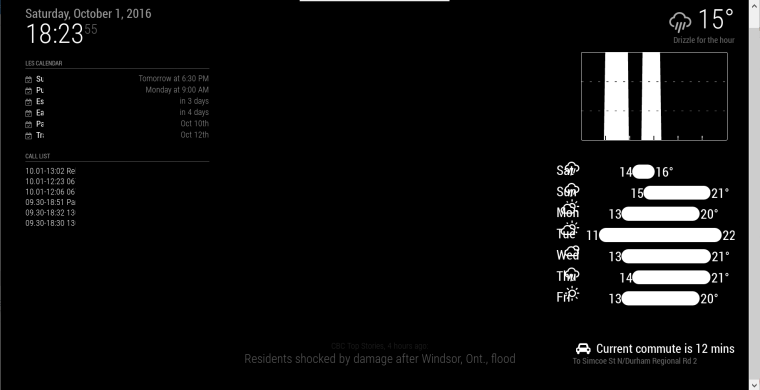
              what is the problem with my module? the problem is on monitor connected to raspberry pi Zero (using midori browser) where MagicMirror is installed.
              My config:

              /* Magic Mirror Config Sample
               *
               * By Michael Teeuw http://michaelteeuw.nl
               * MIT Licensed.
               *
               * For more information how you can configurate this file
               * See https://github.com/MichMich/MagicMirror#configuration
               *
               */
              
              var config = {
              	address: "::", // Address to listen on, can be:
              	                      // - "localhost", "127.0.0.1", "::1" to listen on loopback interface
              	                      // - another specific IPv4/6 to listen on a specific interface
              	                      // - "", "0.0.0.0", "::" to listen on any interface
              	                      // Default, when address config is left out, is "localhost"
              	port: 8080,
              	ipWhitelist: [], // Set [] to allow all IP addresses
              	                                                       // or add a specific IPv4 of 192.168.1.5 :
              	                                                       // ["127.0.0.1", "::ffff:127.0.0.1", "::1", "::ffff:192.168.1.5"],
              	                                                       // or IPv4 range of 192.168.3.0 --> 192.168.3.15 use CIDR format :
              	                                                       // ["127.0.0.1", "::ffff:127.0.0.1", "::1", "::ffff:192.168.3.0/28"],
              
              	language: "pl",
              	timeFormat: 24,
              	units: "metric",
              
              	modules: [
              		{
              			module: "alert",
              		},
              		{
              			module: "clock",
              			position: "top_left"
              		},
              		{
              			module: "calendar",
              			position: "top_left",
              			config: {
              				calendars: [
              					{
              						symbol: "calendar-check-o ",
              						url: "https://calendar.google.com/xxxxxxxx"
              					}
              				]
              			}
              		},
              		{
              			module: "MMM-Solartemp",
              			position: "bottom_left",
              			header: "Solartemp",
              			config: {
              				baseURL: "http://xxxxxxxxxx",
              				key: "xxxxxxxxx",
              				group: "xxxxxx",
              				}
              		},
              		{
                  			module: 'MMM-Remote-Control'
                  			// uncomment the following line to show the URL of the remote control on the mirror
                  			// , position: 'bottom_left'
                  			// you can hide this module afterwards from the remote control itself
              		},
              		{
              				module: 'MMM-forecast-io',
                  				position: 'top_right',  // This can be any of the regions.
                  				config: {
                    				// See 'Configuration options' for more information.
                    				apiKey: 'xxxxxxx', // Dark Sky API key.
                    				maxDaysForecast: 5,
              				forecastTableFontSize: 'small',
              				// Only required if geolocation doesn't work:
                    				latitude:  xx.xxxx,
                    				longitude: xx.xxxx
              				
              				}
              		},
              
              		]
              
              };
              
              /*************** DO NOT EDIT THE LINE BELOW ***************/
              if (typeof module !== "undefined") {module.exports = config;}


              alt text

              idoodlerI 1 Reply Last reply Reply Quote 0
              • idoodlerI Offline
                idoodler Module Developer @12wsx
                last edited by

                @12wsx Are you using some custom CSS?

                1 Reply Last reply Reply Quote 0
                • 1 Offline
                  12wsx
                  last edited by

                  no i don’t use custom css. But one thing- when I connect to magic mirror from my
                  computer (win7 /firefox) everything is ok.

                  idoodlerI 1 Reply Last reply Reply Quote 0
                  • idoodlerI Offline
                    idoodler Module Developer @12wsx
                    last edited by

                    @12wsx Did you try using Chromium as a browser? Midori may have a hard time rendering the page.

                    1 Reply Last reply Reply Quote 0
                    • H Offline
                      henryluyu
                      last edited by henryluyu

                      Hi this is this module in my config.js.
                      I simply put the “MMM-forecast-io-master” folder in /modules/default, I have also put my actual api key, latitude and longtitude values also in MMM-forecast-io.js. But no weather is showing, other modules working fine. Can anyone help please?

                      	{
                                          module: 'MMM-forecast-io',
                                          position: 'top_right',  
                                          config: {
                                                 apiKey: 'MYAPIKEY',
                                                 latitude:   53.4839,
                                                 longitude:  -2.2446
                                          }
                                  },
                      
                      Mykle1M 1 Reply Last reply Reply Quote 0
                      • Mykle1M Offline
                        Mykle1 Project Sponsor Module Developer @henryluyu
                        last edited by

                        @henryluyu said in MMM-forecast-io -- Localized up to the minute weather:

                        I simply put the “MMM-forecast-io-master” folder in /modules/default

                        1. Folder name should just be MMM-forecast-io
                        2. Goes in modules folder, not the default folder

                        I have also put my actual api key, latitude and longtitude values also in MMM-forecast-io.js.

                        That is not recommended. Putting those in your config.js will suffice.

                        Create a working config
                        How to add modules

                        1 Reply Last reply Reply Quote 0
                        • F Offline
                          Fifin404
                          last edited by

                          Hi, is possible add “C” in all temperatures? Like 21 °C
                          and for wind add “km/h” like 8 km/h

                          C 1 Reply Last reply Reply Quote 0
                          • C Offline
                            code999
                            last edited by

                            Hey all, anyone know how to get rid of the round bar in between the temps? 0_1574871951039_511494cd-8516-4507-93f2-b773a560930b-image.png

                            Thanks in advance.

                            morozgrafixM 1 Reply Last reply Reply Quote 0
                            • morozgrafixM Offline
                              morozgrafix Moderator @code999
                              last edited by

                              @code999 you can comment out this line forecastBar.appendChild(bar); but it will look kind of bad. Those bars are sort of a default look that you get from darksky/forecast UI.

                              C 1 Reply Last reply Reply Quote 0
                              • C Offline
                                code999 @morozgrafix
                                last edited by

                                @morozgrafix what file do I edit? I can not find that line to comment it out. Thanks.

                                morozgrafixM lavolp3L 2 Replies Last reply Reply Quote 0
                                • morozgrafixM Offline
                                  morozgrafix Moderator @code999
                                  last edited by

                                  @code999 it’s line 397 in MMM-fotecast-io.js https://github.com/dmcinnes/MMM-forecast-io/blob/77075e1c9011336f044d35f1c964fc93789a4201/MMM-forecast-io.js#L397

                                  1 Reply Last reply Reply Quote 1
                                  • lavolp3L Offline
                                    lavolp3 Module Developer @code999
                                    last edited by

                                    @code999 it’s in the MMM-forecast-io.js file.

                                    You can either try to comment out (//) or delete line 397

                                    forecastBar.appendChild(bar);
                                    

                                    (only the bar)
                                    or line 402

                                    forecastBarWrapper.appendChild(forecastBar);
                                    

                                    (with temps)

                                    But why are you trying to delete it? It really doesn’t make sense to me and will look kind of ugly I guess.

                                    How to troubleshoot modules
                                    MMM-soccer v2, MMM-AVStock

                                    C 1 Reply Last reply Reply Quote 1
                                    • C Offline
                                      code999 @lavolp3
                                      last edited by

                                      @lavolp3 @morozgrafix Thank you both. I like an even look and the bar IMO is unless. when there is a large difference in temp it looks ridiculous. I might add something between numbers to give it some space and cleaner look. I did it mainly for space. I have it on the right side with my calendar taking up most of the screen. Anyway thanks again.
                                      0_1575301420462_79b125bf-5adb-4b86-85f4-71246bef148e-image.png

                                      1 Reply Last reply Reply Quote 0
                                      • C Offline
                                        code999 @Fifin404
                                        last edited by

                                        @Fifin404 I would like this also. Did you get it to show?

                                        F lavolp3L 2 Replies Last reply Reply Quote 0
                                        • F Offline
                                          Fifin404 @code999
                                          last edited by

                                          @code999 NO, I use another module

                                          1 Reply Last reply Reply Quote 0
                                          • lavolp3L Offline
                                            lavolp3 Module Developer @code999
                                            last edited by lavolp3

                                            @code999 @Fifin404

                                            You can add the “C” by putting this into your custom.css

                                            .MMM-forecast-io .bright:after {
                                              content: "C";
                                            }
                                            

                                            That adds a “C” after the content of every element with the class “bright”. Luckily the temperature seems to be the only one.

                                            For the km/h, you would need to change the code of the main .js file, because wind is apparently calculated in m/s and you have to add the conversion factor 3.6 to convert to km/h.
                                            It’s possible of course but you should then consider forking the whole module and/or create a PR for that.

                                            How to troubleshoot modules
                                            MMM-soccer v2, MMM-AVStock

                                            1 Reply Last reply Reply Quote 0

                                            Hello! It looks like you're interested in this conversation, but you don't have an account yet.

                                            Getting fed up of having to scroll through the same posts each visit? When you register for an account, you'll always come back to exactly where you were before, and choose to be notified of new replies (either via email, or push notification). You'll also be able to save bookmarks and upvote posts to show your appreciation to other community members.

                                            With your input, this post could be even better 💗

                                            Register Login

                                            • 1
                                            • 2
                                            • 3
                                            • 4
                                            • 5
                                            • 6
                                            • 7
                                            • 6 / 7
                                            • First post
                                              Last post
                                            Enjoying MagicMirror? Please consider a donation!
                                            MagicMirror created by Michael Teeuw.
                                            Forum managed by Sam, technical setup by Karsten.
                                            This forum is using NodeBB as its core | Contributors
                                            Contact | Privacy Policy