Read the statement by Michael Teeuw here.
MMM-SpotifyConnectUI
-
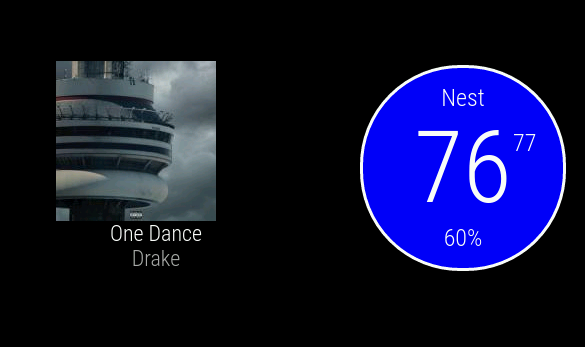
The MMM-SpotifyConnectUI module is for displaying cover, artist and track-information - using Fornoth’s spotify-connect-web project (also available on GitHub).

You find it here:
[card:CatoAntonsen/MMM-SpotifyConnectUI]
-
Please let me know what you think! Do you have suggestions?
-
awesome module! exactly what I needed…
running this with “screen -dmS spotify sudo ./spotify-connect-web -n Mirror -o plughw:CARD=ALSA,DEV=0” (just using the mini jack on the raspberry pi at the moment) -
@andr1 Glad you liked it! Are you running on a real mirror? Just wondering how the cover image looks through a mirror. I’m still waiting for my mirror…
Nice tips about “screen”! I’ll consider add that to the documentation when I’ve tested it a little more.
-
yeah i’m using it on a real mirror… looks great :)
-
@Cato How hard it would be to add the code to actually play the music on the RaspPi?
-
@alexyak Not hard at all!
Spotify-Connect-Web do this already… ;-)
-
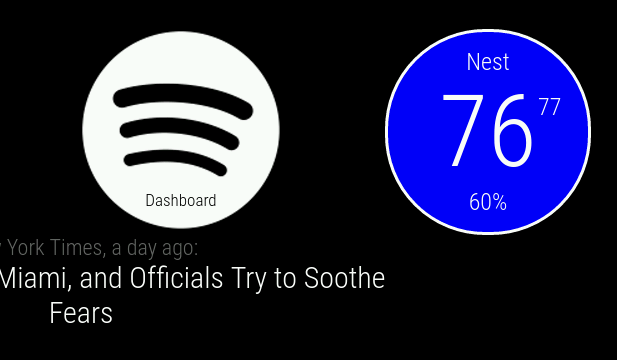
I made the logo bigger and did a little CSS work so the logo was the closer to the same size as the album and text below it… (I also did some css work with the nest module)
Love the module… Still trying to figure out the best way to get the spotify-connect-web to load on reboot/startup… Now I run a shell script with an & after it and then start the mirror…
-
@onetwankyfive Glad you liked the module. I’ve added instructions for running spotify-web-connect as a service in README .md on GitHub. Notice, it’s only in the Dev-branch at the moment…
Feel free to submit PR on GitHub if your CSS is better - I’ll gladely add it if I like it too! ;-)
-
Updated module to version 1.0.2.
MMM-SpotifyConnectUI Change Log
[1.0.2] - 2016-08-11
Documentation
- Added instructions on how to run spotify-web-connect as a service
Fixed
- Fixed styling issues
[1.0.1] - 2016-08-07
Documentation
- Changed correct position-value in the config
- Added Spotify dev/key-links
- Used same cursor-syntax on all code samples
- Some typos…
-
Hello!
Thanks for this module. I’m wondering about a usecase.
If I install this module, and I’m playing music from another device using my Spotify account, and not playing from the Rpi, will it display the right cover on the mirror?
Thanks!
LJ
-
@luvien No, unfortunately not.
Edit: It uses the API provided by spotify-connect-web. You can install spotify-connect-web on another device, though…
Edit 2: spotify-connect-web is a third party client/API
-
Thank you for your answer!
I guess this module is better suited for my needs : [Last.FM] Music Scrobbler
LJ
-
This post is deleted! -
Great module!
I have a question, can I listening music with him?
Sorry for reliving old post. -
@nex0 Not sure if I understand the question.
This module is only a front end for Spotify Connect Web and does not play music.
But IF your Raspberry Pi where you have installed
Spotify Connect Web (not the module) have speakers connected and IF you get your hands on a API key from Spotify then you can play music and see what song in my module. -
@Cato Ok, I understand, thanks!
Another question… In spotify I get:
The libspotify key generation and retrieval service has been deprecated, along with libspotify.
You may apply to get a key using our App-key Request Form for private, individual usage. Bear in mind that you should do no new development using libspotify.
But when I request the key, they do not send it to me, does anyone have any news of this? Or another solution!
Thanks!
-
@nex0
I had to submit the form twice. I waited several weeks after first key request, then just sent the same request again and received the key one or two days later -
Hello. Is there a workaround to use Spotify on the RPi? Like using the webplayer somehow, vlc, anything. I can’t find anything that works, so I figured I’d ask here.
-
you can use mopidy as a alternative.
pro: you can use also soundcloud, youtube, webradio etc
cons: no spotify conect, you have to use a mpd app or the webpage
Hello! It looks like you're interested in this conversation, but you don't have an account yet.
Getting fed up of having to scroll through the same posts each visit? When you register for an account, you'll always come back to exactly where you were before, and choose to be notified of new replies (either via email, or push notification). You'll also be able to save bookmarks and upvote posts to show your appreciation to other community members.
With your input, this post could be even better 💗
Register Login