Read the statement by Michael Teeuw here.
MMM-Domiticz
-
@Charley said in MMM-Domiticz:
Yes they are all the same sensor. I will try in the coming days if I am able to get those properly.
Just made it. if you pull the upgrade it is there
Very nice… it works as expected :)
Next request… is there a way to sort them some how?
Sorry, I know I’m a PITA.
-
Ah, no… ignore my last comment. I can sort them via my Domoticz Dashboard.
Once again, MANY THANKS… I really appreciate the work you’ve done.
Very Cool Stuff.
-
I already tried before to reorder the data. In the description of API/JSON for Domoticz it says you can order by Name. (Line 37 in my code)
That is the documentation, but in reality you can’t order anything. If I look in the json coming from the request file there are no objects that would follow the order in your webapplication.
It could be done my making an array where all sensors are switches are in, but it would be a hassle if you add a new device you would also need to add to your modules config.
Lets wait what the next version of Domoticz brings and if I am able to implement it.
-
@Charley said in MMM-Domiticz:
I already tried before to reorder the data. In the description of API/JSON for Domoticz it says you can order by Name. (Line 37 in my code)
That is the documentation, but in reality you can’t order anything. If I look in the json coming from the request file there are no objects that would follow the order in your webapplication.
It could be done my making an array where all sensors are switches are in, but it would be a hassle if you add a new device you would also need to add to your modules config.
Lets wait what the next version of Domoticz brings and if I am able to implement it.
Not sure if you saw my previous comment and I’m not sure if it’s a fluke but I re-ordered my sensors within my Domoticz dashboard and they automatically re-ordered themselves within your module on the MM to match… probably a coincidence but mines looking exactly how I want them :)
-
@jaminben Thanks I will arrange them in my Dashboard as well.
-
Today added total actual usage of Watts.
Please add ‘usage’ to your showItems in your config.js -
Hi Charley,
Is it possible to get the colour of the values and icons to be white rather than grey?
Thanks
Ben
-
Today I have added to set the text colour to White.
Just add in your config.js the optiontextWhite:true -
I updated and adding the config option ‘textWhite: true,’ but it doesn’t appear to work… any ideas?
-
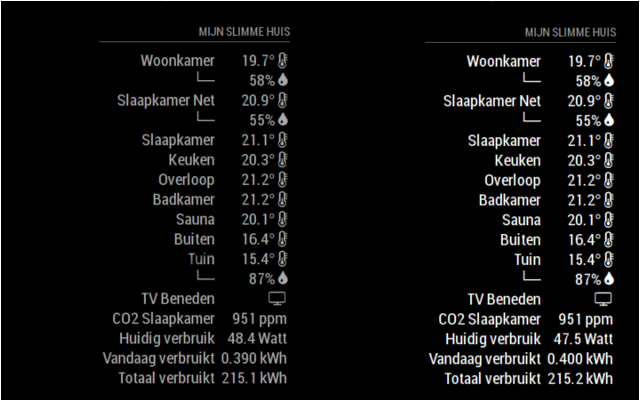
Made a small change it should work now
-
This post is deleted! -
@Charley said in MMM-Domiticz:
textWhite:true
All working great now… many thanks for taking the time to look at this for me :)
-
Maybe a stupid question; do I have to make the changes in MM config.js file or in Domoticz.js file?
Peter -
@Peter there are no stupid questions
You should make the changes in the MagicMirror config.js file, if you make them in the MMM-Domoticz.js they will be gone in the next updates.
In the MMM-Domoticz.js that are the default values if you don’t put it in the MM config.js file the value from the module will be used.
Good luck
-
Sorry, Charley, I deleted Domoticz folder, installed again and now I have a problem:
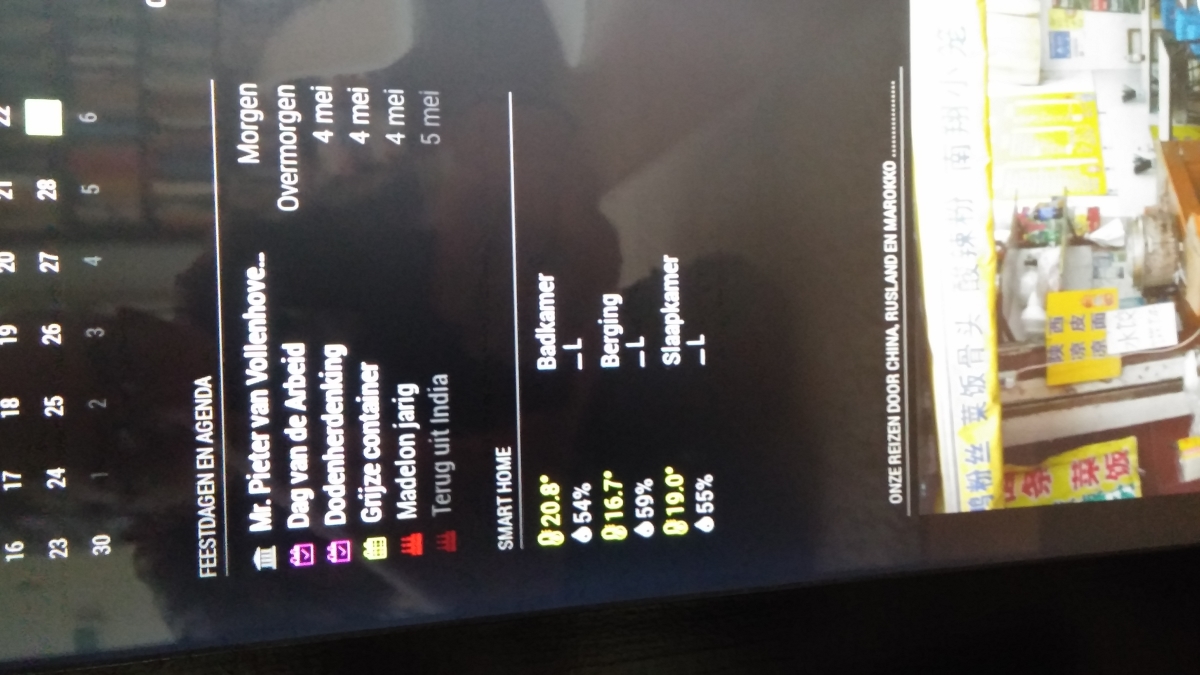
How can I solve this?
Peter -
@peter
I am sorry this happend. i flip the screen if you have the app on the left side. the L should point the otherway as well. I try to fix it on monday or tuesday. However is quick fix is putting the module op the right side in the config -
@Charley thanks.
I will wait for the fix!
No hurry.
Peter -
@Peter made an update this morning.
The grouping must be set now and is not a default.
If you like the same sensor with different values grouped addgroupSensors: trueTo config.js for the module and the sensors will be grouped. However if the module is placed on a left position the hook └─ (right) ─┘(left) sometimes shows unexpected behavior.
-
To make the Domoticz System better I have made a WiFi Thermometer that is extremely precise. It is based on an infrared Non-touch sensor module. If you want to control devices this may be a good solution.
Available on gitHub WiFi highly precise thermometer -
I cant see anything but temperature? No status on switches ON or OFF.
Also is it possible to not show all my temperature-sensors?Thanks
Hello! It looks like you're interested in this conversation, but you don't have an account yet.
Getting fed up of having to scroll through the same posts each visit? When you register for an account, you'll always come back to exactly where you were before, and choose to be notified of new replies (either via email, or push notification). You'll also be able to save bookmarks and upvote posts to show your appreciation to other community members.
With your input, this post could be even better 💗
Register Login