Read the statement by Michael Teeuw here.
MMM-Nest-Status - New module for your Nest thermostats and protect smoke detectors!
-
@phideltdexter My bad - there’s a typo in the Read Me, the
tokenshould be astring, not anint(I have updated the module now to reflect this).Try this in your config:
{
    module: "mmm-nest-status",
    position: "lower_third",
    config: {
        token: "c.XXXXXXXXXX",
    }
},
where, of course, you replace
c.XXXXwith your actual token. -
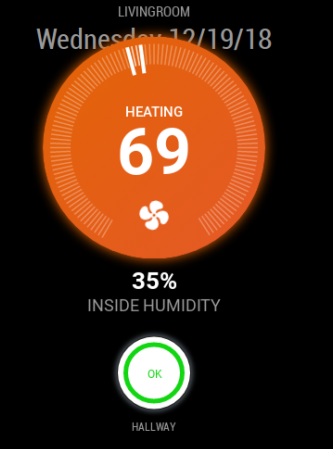
Just wanted to update you. I needed to update both the mmm-nest-status and MM overall and now it appears to be working fine. Thank you for your clarification!
-
@phideltdexter Great to hear - thanks for the update!
-
Would you have any way to add the outdoor temperature reading that the Thermostat has?
-
@phideltdexter said in MMM-Nest-Status - New module for your Nest thermostats and protect smoke detectors!:
Would you have any way to add the outdoor temperature reading that the Thermostat has?
Unfortunately, no - the outdoor temperature reading on a Nest thermostat isn’t actually coming from Nest; they send your location data to the Weather Channel (yes, really!) and then show the returned value on the thermostat itself.
As such, they don’t include the outdoor temperature as part of their API data.
-
Just wanted to announce that there’s a new version out of both my Nest modules!
I added functionality to support Paviro’s MMM-PIR-Sensor module meaning that the modules can now be suspended & resumed based on movement detected through a PIR sensor (or whatever else you’re using for motion detection).
Check out the release notes here:
https://github.com/michael5r/mmm-nest-status/releases/tag/1.4.0And for
mmm-nest-cameras:
https://github.com/michael5r/mmm-nest-cameras/releases/tag/1.1.0 -
This is my first module I am attempting to install, and keep getting a Nest API Error:null. Total noob here, but I have registered as a developer, obtained Nest token/pincode, and believe I input code correctly into config.js file per below.
module: "mmm-nest-status",
position: "top_right",
config: {
    token: "my8characterpinfromnest",
    displayType: "grid",
    displayMode: "all",
    thermostatsToShow: "all",
Any ideas how to resolve the API issue?
-
@eawalker1 If your token is 8 characters long, it’s not the correct Nest token. It should be a long-ass string that usually begins with
c.I think you’re confusing the token with the PIN you get from Nest.Did you run the
getToken.shbash script in the module? It has multiple steps - you start by entering theclient idandclient secretwhich then generates a URL you need to open in a browser to get a PIN.You then enter the PIN in the bash script and on the next screen, it should display your actual token.
-
@michael5r Nope, that did the trick. Thanks.
-
@eawalker1 said in MMM-Nest-Status - New module for your Nest thermostats and protect smoke detectors!:
@michael5r Nope, that did the trick. Thanks.
Great :thumbs_up:
-
thnx for your hard work ,i really like this module,but its not updating right.When i restart MM works fine for few hours and then stops updating.My token is working fine ,i use it also to my Openhab setup .Also my other modules are all updating fine.My config is :
{ module: "mmm-nest-status", position: "top_center", // pick whichever position you want config: { token: "c.xxxxxxxxxxxxxxxxxxxxxxxxxxxxxxxxxxxxxxxxxxxxxxxxxxxxxxxxxxxxxxxxxxxxxxxxxxxxxxxxxxxxxxxxxxxxxxxxxxxxxxxxxxxxxxxxxxxxxxxxxxxxxxxxxxxxxxxxxxxxxxxxxxxxxxxxx", displayType: "grid", displayMode: "all", thermostatsToShow: "all", updateInterval: "60000", showNames: true, thermostatSize: "medium", // ... and whatever else configuration options you want to use } -
@costascontis You configuration looks fine - the
updateIntervalis set to 60000, so it’s only pulling data every 10 minutes.What exactly do you mean that it “stops updating”?
-
isnt updateinterval in ms?cause if it is then 60000 ms = 1min…
-
@costascontis said in MMM-Nest-Status - New module for your Nest thermostats and protect smoke detectors!:
isnt updateinterval in ms?cause if it is then 60000 ms = 1min…
My bad - you’re right, it’s 1 minute :)
-
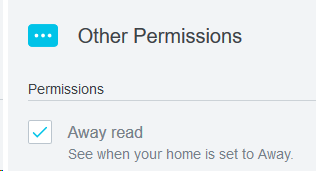
@costascontis Make sure the away read permission is active on your nest development OAuth client
-
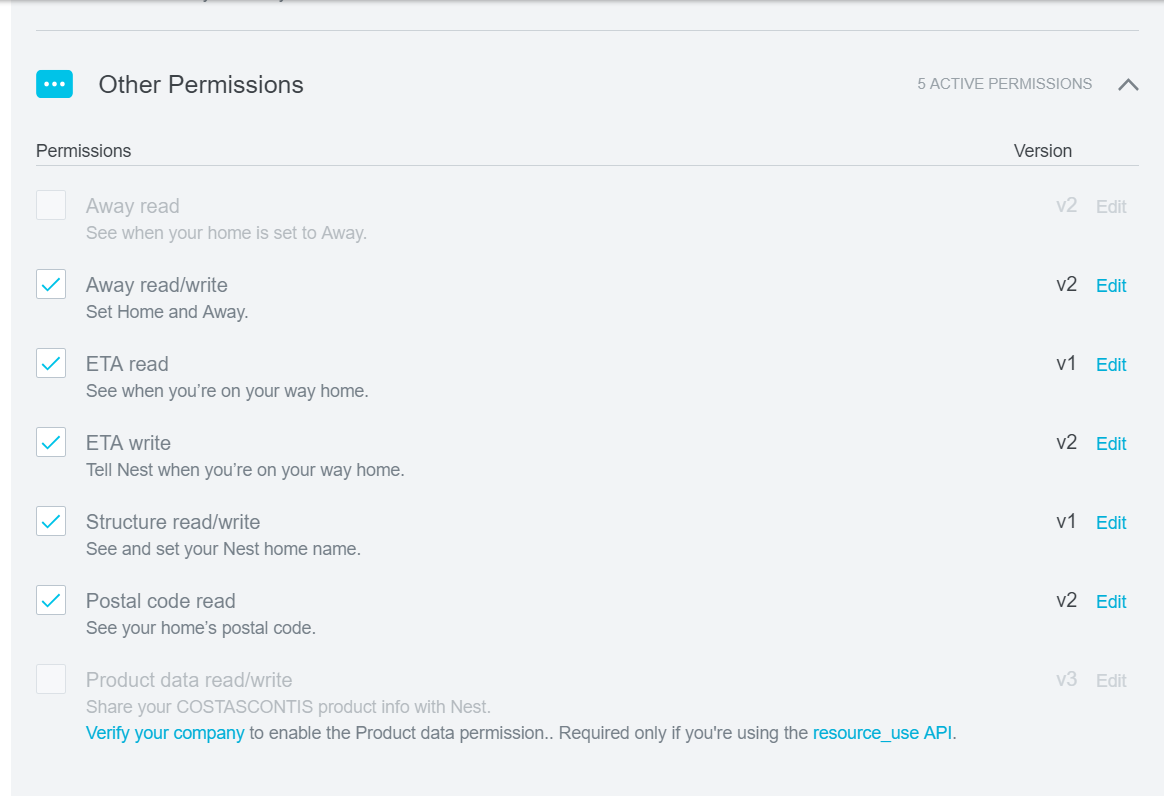
@nhl in my Other Permissions Away read is greyed out.
-
@costascontis It shouldn’t matter - I don’t use the
Away readsetting in this module. The settings that matter are the ones directly tied to the thermostat and smoke detectors. -
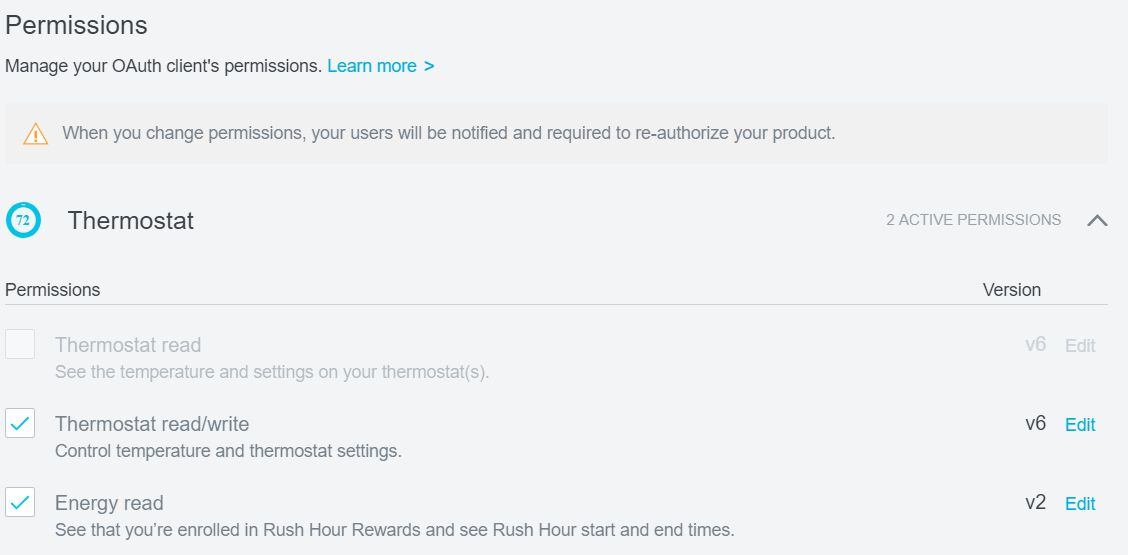
@michael5r my Thermostat read is greyed out too …is that matter?
-
@costascontis No, that’s fine - directly below you’ve enabled
read/write, so that supersedes the standalonereadsetting. -
found some time to debug why module stops updating.I think it has something to do with my on/off monitor function.I use Motion to turn on my mm tv when movement detected by sending a “/opt/vc/bin/tvservice -p ; sudo chvt 6 ; sudo chvt 7” command.After 5 min with no motion detected it power off my tv sending a “on_event_end /opt/vc/bin/tvservice -p”.I think that after some time of power off monitor the module’s update function breaks.All other modules i use they work and updating fine all the time.
EDIT: ignore all of the above,even when my screen is on the module stops updating after a few hours…I dont know what else to try…maybe some other module causing this?Is it possible?
EDIT 2: I opened the console at the developers tools inside mm and i notished that from the moment MMM-NEST-STATUS module starts spams with notifications clock and calendar modules like that
clock received a module notification: MMM_NEST_STATUS_UPDATE from sender: mmm-nest-status
calendar received a module notification: MMM_NEST_STATUS_UPDATE from sender: mmm-nest-status
until it stops and stop updating the nest status also.Is that normal?

Hello! It looks like you're interested in this conversation, but you don't have an account yet.
Getting fed up of having to scroll through the same posts each visit? When you register for an account, you'll always come back to exactly where you were before, and choose to be notified of new replies (either via email, or push notification). You'll also be able to save bookmarks and upvote posts to show your appreciation to other community members.
With your input, this post could be even better 💗
Register Login