Read the statement by Michael Teeuw here.
MMM-CalendarExt2
-
@rmcelwee That worked & it moved my calendar down, where I wanted it to be. Thanks so much for the pro tip man!
-
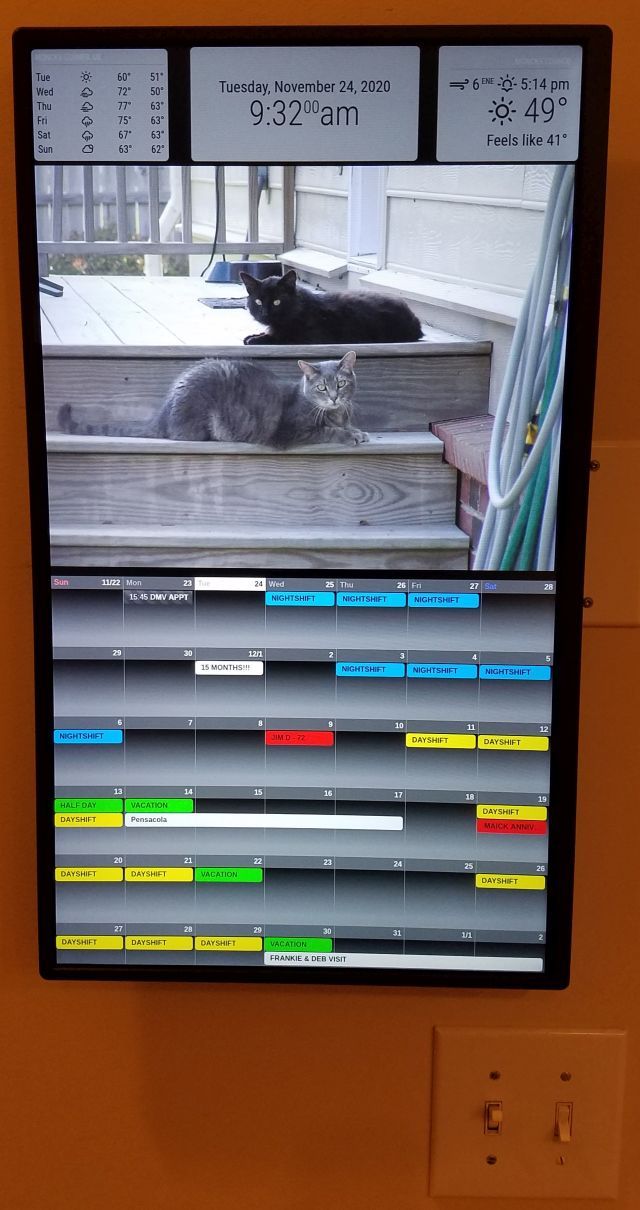
@DJ6sTep It took me DAYS of trial and error to get everything where I wanted it. I still have a weird problem where my weather forecast window changes size from time to time. Not sure why. I don’t have a picture of it but my upper left window will shrink and leave a thick black line between the picture and the weather.
-
@rmcelwee I had that problem when I used MMM-JAST module (stock ticker) & it made my current weather module disappear. I ended up contacting the developer of that module & he made updates to it to resolve my issue. It could be the wallpaper module you’re using. Which wallpaper module are you using? I’m using MMM-Wallpaper & I’m having issues of it displaying my pictures in the correct orientation. I’ve contacted the developer on that one as well. So I might try the same wallpaper module you’re using.
BTW- Your MM looks dope man!
-
@rmcelwee I can’t change the background of my events. Say I want to have all my “bday events” a certain color. I tried to add that to my custom.css, I’ve tried the following:
.CX2 .bday, .bday.event.fullday {
background-color: #00FFFF;
}.CX2 .bday {
background-color: #00FFFF;
}Nothing works :( What am I missing?
-
@DJ6sTep said in MMM-CalendarExt2:
Which wallpaper module are you using?
BTW- Your MM looks dope man!
No wallpaper, only google photos. Thanks!
-
@DJ6sTep said in MMM-CalendarExt2:
@rmcelwee I can’t change the background of my events.
Nothing works :( What am I missing?
.CX2 .vacation.fullday {
background-color:#00FF00;
color:#000;
}
.CX2 .nights.fullday {
background-color:#009DFF;
color:#000;
}
.CX2 .days.fullday {
background-color:#FFFF00;
color:#000;
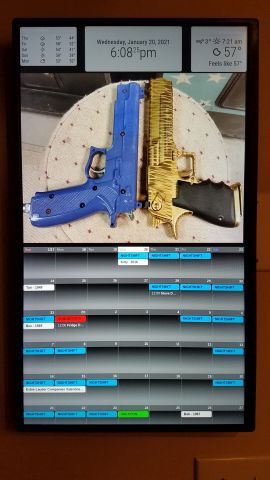
}BTW, here is what the weather forecast does (note that it is smaller on the bottom than in my other picture). I have changed nothing…
-
@rmcelwee So would I just change,
.CX2 .vacation.fullday -> .CX2 .bday.fullday in my case?What was the module you added after your weather forecast size changed? I had a similar issue just after I added my stock ticker module & contacted the developer. So that might be an option too.
Do you have a module that prevents burn ins on your screen? I run MMM-MagicMover on mine, to prevent screen burn in. With MMM-MagicMover it does move my modules around ever so slightly, where my modules won’t be spaced out perfectly. But it’s not very noticeable.
-
This post is deleted! -
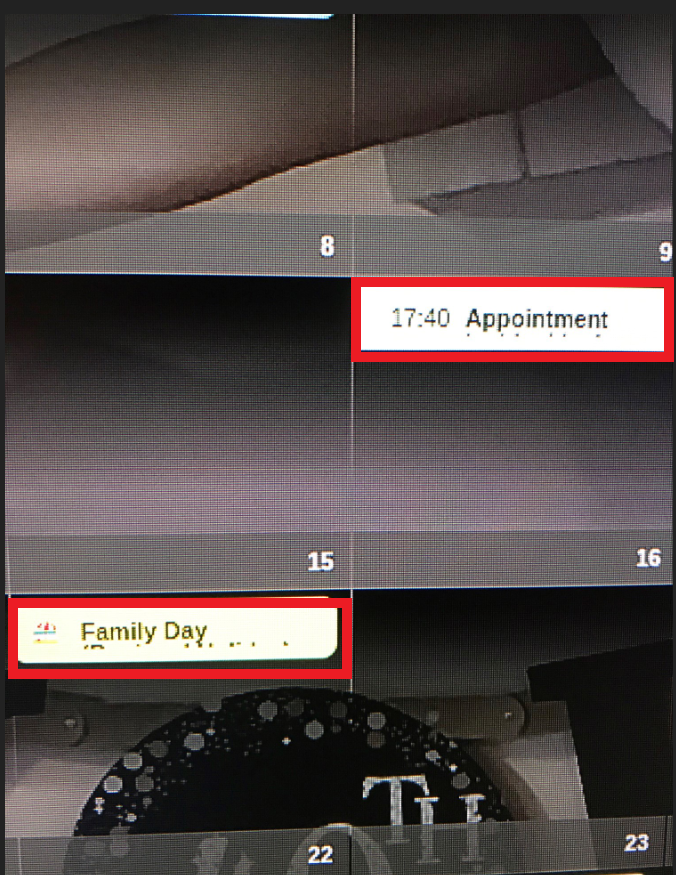
Does anyone know how to increase the event cells? So it will display on the line below? I’ve included a screenshot, you can see that my event doesn’t fit on one line & I’ve been able to wrap the text & it shows the overflow text below, but the cell is too small. I’ve looked online into wrap & flex styles for the custom.css file.
Let me know if anyone has ran into this issue & what the fix is.
Cheers,
-
@jerrylein @Sean how did you get your event cells larger to display an event that has a long description to the line below as well? I’ve tried using wrap & flex in my custom.css file & no dice.
Any help would be appreciated.
I couldn’t post a screenshot of what I’m talking about, but I was able to post it in the link below:
https://forum.magicmirror.builders/topic/9279/mmm-calendarext2/375?page=38
-
@dj6step Sean has left the forums due to family issues. no one has taken over this module.
-
@sdetweil I’m sorry to hear that about Sean. I guess I’ll keep my fingers crossed to see if @Jerrylein or anyone can point me in the right direction. This is the last piece I need to complete my MM.
Appreciate the quick response on this. This calendar module is the best out there.
-
To have different calendars on different pages MMM-Pages uses:
    notifications: {
      "PAGE_INCREMENT" : {
            exec: "sceneNext",
      },
      "PAGE_DECREMENT" : {
             exec: "scenePrevious",
       },
    } }
What would the equivalent be for MMM-Carousel, where the notification is constant and the payload changes?
notification: "REMOTE_ACTION", payload: { action: "CAROUSEL_NEXT" } notification: "REMOTE_ACTION", payload: { action: "CAROUSEL_PREVIOUS" } -
This sort of works:
notifications: {
    "REMOTE_ACTION" : {
         payload: "CAROUSEL_NEXT",
         exec: "sceneNext",
    }
 },
Except in the view config, for page 2 only one scene is listed instead of both as it is with MMM-Pages (otherwise both are shown). However, when I switch to page 2: the calendar from page 1 is drawn for a few milliseconds, then the correct calendar is drawn, but then is immediately redrawn.
-
Hi all! Newbie here to all this… I’m building out my first smart display and the wife is hoping to have a 2 month calendar view - current and next month. Having a hard time figuring out on my own if that’s possible.
Got CalendarExt2 up and running without a hitch. Hoping there’s a way to show a second month right next to it. Any ideas?
-
@mrjdar No, it would be one on top of the other and probably too crammed to do much with. To paraphrase the dev from awhile back…the intent of MM is to have a snapshot of your life, smartphones/tablets are better suited to go beyond that.
For me, I put one month on a page, then the next month on another page. Here’s a guide on how to do that…but for it to work on mine, I only put 1 view per scene. In other words, don’t stack them views:[“VIEW1”, “VIEW2”], just views:[“VIEW2”] and the same for other pages. Then I use MMM-Pages and MMM-KeyBindings to move from page to page.
-
@nitewing76 Perfect thanks for the info! Sounds like that should make her happy and let me keep this up in the house :grinning_face_with_sweat:
-
@mrjdar said in MMM-CalendarExt2:
Got CalendarExt2 up and running without a hitch. Hoping there’s a way to show a second month right next to it. Any ideas?
I set mine up to display weekly format, 6 weeks, starting with the current week. So, 50% of the time it will actually display more “future” days than what you are wanting to do. Would that help?
-
@rmcelwee Yep that’s what I ended up going with after messing around with it some
-
Hi again all. I was messing around with this and reading more of the documentation and came across a nice solution for my previous post (kind of on accident). I have this:
views: [
 {
   position: "bottom_left",
   mode: "month",
 },
 {
   position: "bottom_right",
   mode: "month",
   fromNow: "1",
 },
],
In short it shows you the current month on the left, and the next month on the right. Works perfect for our needs!



Hello! It looks like you're interested in this conversation, but you don't have an account yet.
Getting fed up of having to scroll through the same posts each visit? When you register for an account, you'll always come back to exactly where you were before, and choose to be notified of new replies (either via email, or push notification). You'll also be able to save bookmarks and upvote posts to show your appreciation to other community members.
With your input, this post could be even better 💗
Register Login