@RedNax
Ahh - I guess that makes sense (kind of). Have to admit that I thought I remembered it did hourly for today; then daily for the next few days. I’ll look through the config to “remove” the daily forecast for today & post what I found.
Read the statement by Michael Teeuw here.
Posts
-
RE: MMM-Wunderground - dates are off??
-
MMM-Wunderground - dates are off??
@RedNax (thanks for the module!)
I found this about a week ago: the dates that MMM-Wunderground displays info for are a day behind:
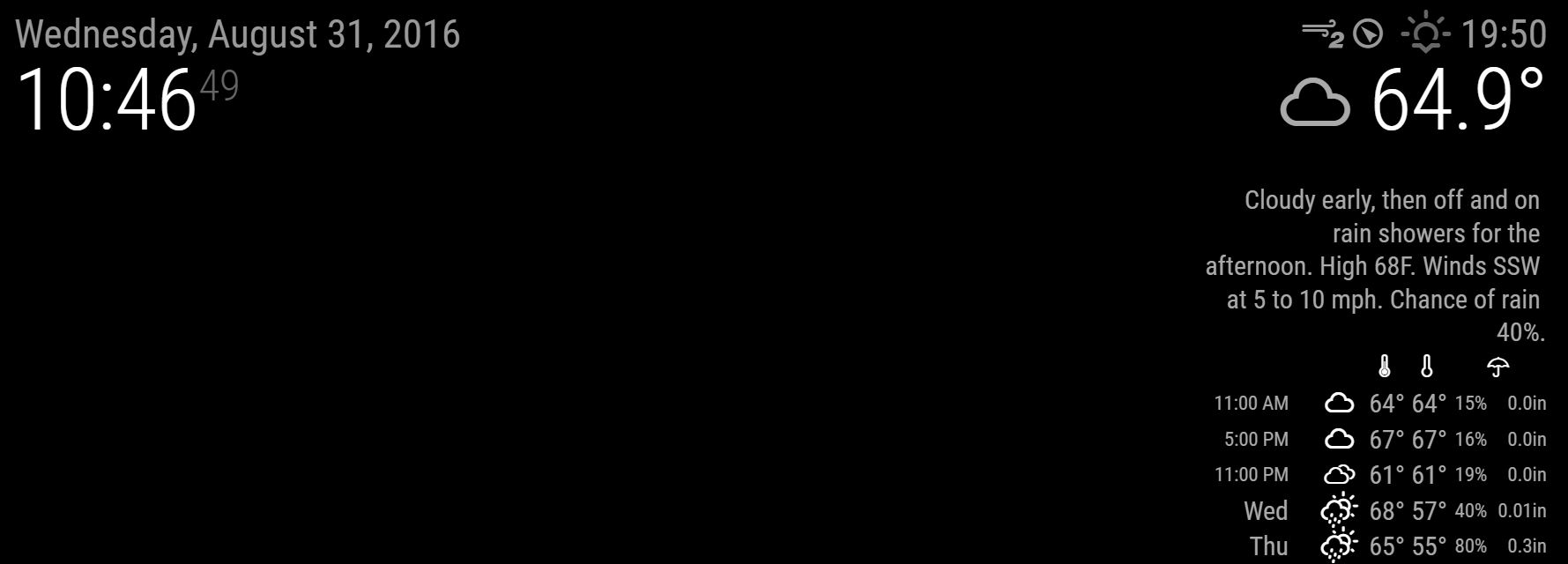
Notice how I took the screenshot on Wednesday (31 Aug), but the Wunderground forecast is for 11am, 5pm, 11pm, and then for Wednesday (ie Wunderground seems to think today is 30. Aug)??Wierd.
Anyway, here is my minimal config.js to reproduce:
var config = { port: 8080, language: 'en', timeFormat: 24, units: 'imperial', modules: [ { module: 'clock', position: 'top_left' }, // closes module alert { module: 'MMM-WunderGround', position: 'top_right', config: { apikey: 'xxxxxxxxxxx', pws: 'WA/Kirkland', lang: 'EN', fctext: '1', fcdaycount: "6", fcdaystart: "0", hourly: '1', hourlyinterval: "6", hourlycount: "1", alerttime: 10000, alerttruncatestring: "english:", fade: true } // closes config }, // closes module MMM-WunderGround ] // closes MODULES }; /*************** DO NOT EDIT THE LINE BELOW ***************/ if (typeof module !== 'undefined') {module.exports = config;}I’m slightly baffled. Thanks for any help
-
RE: MMM-WeatherChart
I like it!
Request: can you add a SCALE factor? Right now the image is considerably larger than I can accommodate… (yes, minor problem, I know). Maybe I have to mess with the custom.css?Anyway, apart from that small inconvenience, I like it.
-
RE: Display modules in a carousel
Nice module. Two requests:
a) Please post a “typical” config.js file (not just the minimal instructions - might make it easier for noobs)b) [BIGGER] Can you “flip” the config to “positive inclusion” instead of “negative exclusion” (ie alert) ? Right now all my modules display one at a time - useful on TINY screens, but what I want is this:
Mod A = Top Right
Mod B= Top Right
Mod C = Bottom Left
Mod D = Bottom Left
Mod E = Bottom Rightconfig:
swap={‘Mod A’, Mod B’}, {‘Mod C’, ‘Mod D’}
swaptime = 10000So that I see (alternating):
Mods A, C, E
Mods B, D, E(This was kind of hacked a while ago - please have a look at
https://forum.magicmirror.builders/topic/373/alternating-modules-to-save-on-real-estate)I think it would be a GREAT module, but have lacked the time to do it.
Thanks for at least reading. Nice work,
-
RE: ServerStatus from IP list: up or down?
@strawberry-3.141
Duh.Sorry. Works! Thanks
ps - want to reduce the font size, but can;t figure out which element you are using. Any hints?
(and the Readme was bad…) -
RE: ServerStatus from IP list: up or down?
@strawberry-3.141
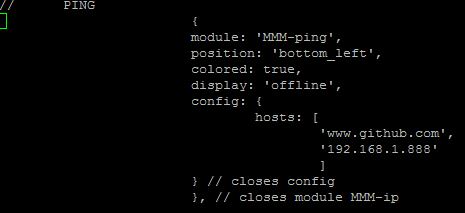
Pls update your Readme to REPLACE module: 'MMM-ip" with ‘MMM-ping’ :)
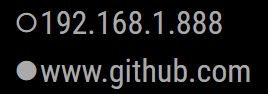
Could not get the optionscolored: true, display: 'offline',
to work - display is still both and white only:

(how is the display order sorted?)I also want to change the font size down - custom.css for me…
Thanks, though! -
RE: ServerStatus from IP list: up or down?
@strawberry-3.141
Let me have a look. On first inspection, it looks perfect. I’ll let you know -
RE: ServerStatus from IP list: up or down?
@KirAsh4
Looks interesting. I guess I’ll have to ask someone how to use THAT for MM2. Let me look if I can use it at my work for other stuff: I spend my days monitoring & then having others fix things :) -
RE: Blank black screen | Noob
@Arod192
THIS is the setup that worked GREAT for me:
https://forum.magicmirror.builders/topic/236/complete-setup-tutorial(Surprised KirAsh4 did not mention it. Follow it step by step; first time around will take you 30 min, but after that you will fly through it). Work. It really does.
-
RE: ServerStatus from IP list: up or down?
@KirAsh4
Having the PI only display, but not query, makes architectural sense. And you are correct, there are other options for running programs that can dump results to be displayed. [I can actually think of a boatload of watchdog programs that I’d love to display in a command-like center off a little Pi sitting on my desk!]Do you have something for MM2 to display such results (either txt or xml files) that you particularly like? I looked at
https://forum.magicmirror.builders/topic/268/mmm-httprequestdisplay
but I am running into problems, and the Dev seems to be out of country.I don’t know JS & simply don’t have the time to learn it - but I can recognize that the PI MM2 is great for a command center. I could dump the result files onto a local dir from anywhere, and the PI would not have to struggle with domain authentication (I understand that is a problem).
Thanks for yanking the discussion back to where it should be.
-
ServerStatus from IP list: up or down?
I’d love a module where I submit a list of IP addresses
(internal & external; let’s say 10 or so) and I get a reply “up” or “down”ServerStatus:
192.168.1.255 - up
192.168.1.205 - down
2.3.4.5 - up
4.5.6.7 - downOR, better still, something like
-All servers on list up - have a nice day-
vs
-192.168.1.205 & 4.5.6.7 are down - GET TO WORK
(don’t really need to know who is up…)Ideally the display would be pretty small, but RED for problems.
Thanks
-
RE: Local IP address
@strawberry-3.141
Would you mind making that a module for everyone to use? (and I like the idea of “discreet” -
RE: Email
Just did a clean install on a brand new pi in about 5 minutes flat. COOL MODULE.
(still need to work on 2-auth, please. Plus I’ll want to change your config to make the display single line etc. I’ll look at the js file) -
RE: Email
@ronny3050
Sorry - pasted only partial copy; I had the trailing }.
My Config.js was correct…Just to be on the safe side, I tested it as if config.js had been what I posted - and that failed with a “please create a config file”. As it should have.
So - I think the problem is elsewhere. Sorry
-
RE: Email
@ronny3050
Thx for updating the README.
Followed instructions (requested app-pwd since I have 2-factor authentication).
My config.js:{ module: 'email', position: 'bottom_left', header: 'Email', config:{ user: 'XXX@gmail.com', password: '****************', host: 'imap.gmail.com', port: 993, tls: true, authTimeout: 10000, numberOfEmails: 5, fade: true }Restarted (NOT REBOOTED) Pi.
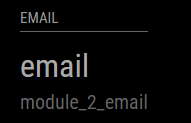
Got this:

Rebooted (just to be safe) - same result.
-
RE: Email
pi@MagicMirror2:~/MagicMirror/modules $ npm install npm WARN enoent ENOENT: no such file or directory, open '/home/pi/MagicMirror/modules/package.json' npm WARN enoent ENOENT: no such file or directory, open '/home/pi/MagicMirror/modules/node_modules/node_helper/packa ge.json' npm WARN modules No description npm WARN modules No repository field. npm WARN modules No README data npm WARN modules No license field. pi@MagicMirror2:~/MagicMirror/modules $ ^C pi@MagicMirror2:~/MagicMirror/modules $ cd .. pi@MagicMirror2:~/MagicMirror $ cd config/ pi@MagicMirror2:~/MagicMirror/config $ ls config.1 config.2 config.5.keep config.good config.good.js config.good.swap config.js config.js.sample config.js.save config.js.save.1 pi@MagicMirror2:~/MagicMirror/config $ sudo nano config.js pi@MagicMirror2:~/MagicMirror/config $ cd .. pi@MagicMirror2:~/MagicMirror $ cd modules/ pi@MagicMirror2:~/MagicMirror/modules $ ls default email MMM-HTTPRequestDisplay MMM-wordnik MMM-WunderGround MMM-Wunderlist node_modules README.md TR_swap pi@MagicMirror2:~/MagicMirror/modules $ cd email/ pi@MagicMirror2:~/MagicMirror/modules/email $ npm install email@0.0.1 /home/pi/MagicMirror/modules/email ├─┬ debug@2.2.0 │ └── ms@0.7.1 ├─┬ imap@0.8.17 │ ├─┬ readable-stream@1.1.14 │ │ ├── core-util-is@1.0.2 │ │ ├── inherits@2.0.1 │ │ ├── isarray@0.0.1 │ │ └── string_decoder@0.10.31 │ └── utf7@1.0.0 ├─┬ mailparser@0.4.9 │ ├─┬ encoding@0.1.12 │ │ └── iconv-lite@0.4.13 │ ├── mime@1.3.4 │ ├─┬ mimelib@0.2.19 │ │ └── addressparser@0.3.2 │ └── uue@1.0.0 └── underscore@1.8.3 npm WARN email@0.0.1 No repository field. npm WARN email@0.0.1 No license field.
Note from admin: Please use Markdown on code and shell snippets!
-
RE: Email
Git pull was easy.
npm install yieldedpi@MagicMirror2:~/MagicMirror/modules $ npm install npm WARN enoent ENOENT: no such file or directory, open '/home/pi/MagicMirror/modules/package.json' npm WARN enoent ENOENT: no such file or directory, open '/home/pi/MagicMirror/modules/node_modules/node_helper/packa ge.json' npm WARN modules No description npm WARN modules No repository field. npm WARN modules No README data npm WARN modules No license field.I’ll go ahead, but thought you might want to know.
Note from admin: Please use Markdown on code and shell snippets!