Yes, the same here
B
Offline
A New Chapter for MagicMirror: The Community Takes the Lead
Read the statement by Michael Teeuw here.
Read the statement by Michael Teeuw here.
Posts
-
RE: Fu.. OFF... What happned? Unexpected Token
That’s the crazy one. I have not installed or configured any modules for over a week. Yesterday morning the screen was black. After a reboot, MM did not work anymore.
-
RE: help ! My MM² don't start after reboot rasbian'system.
SyntaxError: Unexpected token ) at new Script (vm.js:51:7) at NativeCompileCache._moduleCompile (/usr/lib/node_modules/pm2/node_modules/v8-compile-cache/v8-compile-cache.js:226:18) at Module._compile (/usr/lib/node_modules/pm2/node_modules/v8-compile-cache/v8-compile-cache.js:172:36) at Object.Module._extensions..js (internal/modules/cjs/loader.js:665:10) at Module.load (internal/modules/cjs/loader.js:566:32) at tryModuleLoad (internal/modules/cjs/loader.js:506:12) at Function.Module._load (internal/modules/cjs/loader.js:498:3) at Module.require (internal/modules/cjs/loader.js:598:17) at require (/usr/lib/node_modules/pm2/node_modules/v8-compile-cache/v8-compile-cache.js:159:20) at Object. (/usr/lib/node_modules/pm2/node_modules/chalk/index.js:4:21) -
Fu.. OFF... What happned? Unexpected Token
After 7 Day i works fine. Today i have a Problem, but i have nothing NOTHING configured or else.
What odes it means? I have no time to reconfigured the system every weeks again and again!pm2 restart mm /usr/lib/node_modules/pm2/node_modules/supports-color/index.js:1 (function (exports, require, module, __filename, __dirname) { );return d?(d.path=c,f(d)):c}function h(a,d){""===a&&(a=".");""===d&&(d=".");var c=b(d),n=b(a);n&&(a=n.path||"/");if(c&&!c.scheme)return n&&(c.scheme=n.scheme),f(c);if(c||d.match(z))return d;if(n&&!n.host&&!n.path)return n.host=d,f(n);c="/"===d.charAt(0)?d:k(a.replace(/\/+$/,"")+"/"+d);return n?(n.path=c,f(n)):c}function d(a){return a} ^ SyntaxError: Unexpected token ) at new Script (vm.js:51:7) at NativeCompileCache._moduleCompile (/usr/lib/node_modules/pm2/node_modules/v8-compile-cache/v8-compile-cache.js:226:18) at Module._compile (/usr/lib/node_modules/pm2/node_modules/v8-compile-cache/v8-compile-cache.js:172:36) at Object.Module._extensions..js (internal/modules/cjs/loader.js:665:10) at Module.load (internal/modules/cjs/loader.js:566:32) at tryModuleLoad (internal/modules/cjs/loader.js:506:12) at Function.Module._load (internal/modules/cjs/loader.js:498:3) at Module.require (internal/modules/cjs/loader.js:598:17) at require (/usr/lib/node_modules/pm2/node_modules/v8-compile-cache/v8-compile-cache.js:159:20) at Object.<anonymous> (/usr/lib/node_modules/pm2/node_modules/chalk/index.js:4:21) -
New Position / Area in the middle
Is it possible to create a new area? I’d like to create a center_middle_lr section. This should allow me that I have in the middle again a division left right. Background: In the middle on the right side I want to display the soccer results and to the left the soccer clubs table.
How can I create this? -
RE: After Reboot BlackScreen - Cannot open display 0
completle new! PI OS and MM!
-
RE: After Reboot BlackScreen - Cannot open display 0
After new installation, no Problems.
-
After Reboot BlackScreen - Cannot open display 0
Hi,
since yesterday, i have make a reboot, i get a BlackScreen on my Mirror.
The log shows me:0|MagicMir | > magicmirror@2.4.1 start /home/pi/MagicMirror 0|MagicMir | > sh run-start.sh 0|MagicMir | (electron:27307): Gtk-WARNING **: cannot open display: :0 0|MagicMir | npm 0|MagicMir | ERR! code ELIFECYCLE 0|MagicMir | npm ERR! errno 1 0|MagicMir | npm 0|MagicMir | ERR! magicmirror@2.4.1 start: `sh run-start.sh` 0|MagicMir | npm ERR! Exit status 1 0|MagicMir | npm ERR! 0|MagicMir | npm ERR! Failed at the magicmirror@2.4.1 start script. 0|MagicMir | npm ERR! 0|MagicMir | This is probably not a problem with npm. There is likely additional logging output above. 0|MagicMir | npm ERR! A complete log of this run can be found in: 0|MagicMir | npm ERR! /home/pi/.npm/_logs/2018-08-12T06_58_34_353Z-debug.logBut what happen? git pull & npm install show me…your System is up to date.
-
RE: MMM-Jnews
Great module. I like it. Question: Some lines of text consist of 3 lines and the next message is 4. As a result, the modules above will always jump “up and down”. Can you set the module to 4 lines and these automatically fill depending on the content? Do you understand what I want to express?
-
RE: Emoji Black & White
I want Color too ! 😀
Anyone a hint how I can fix the issue?
-
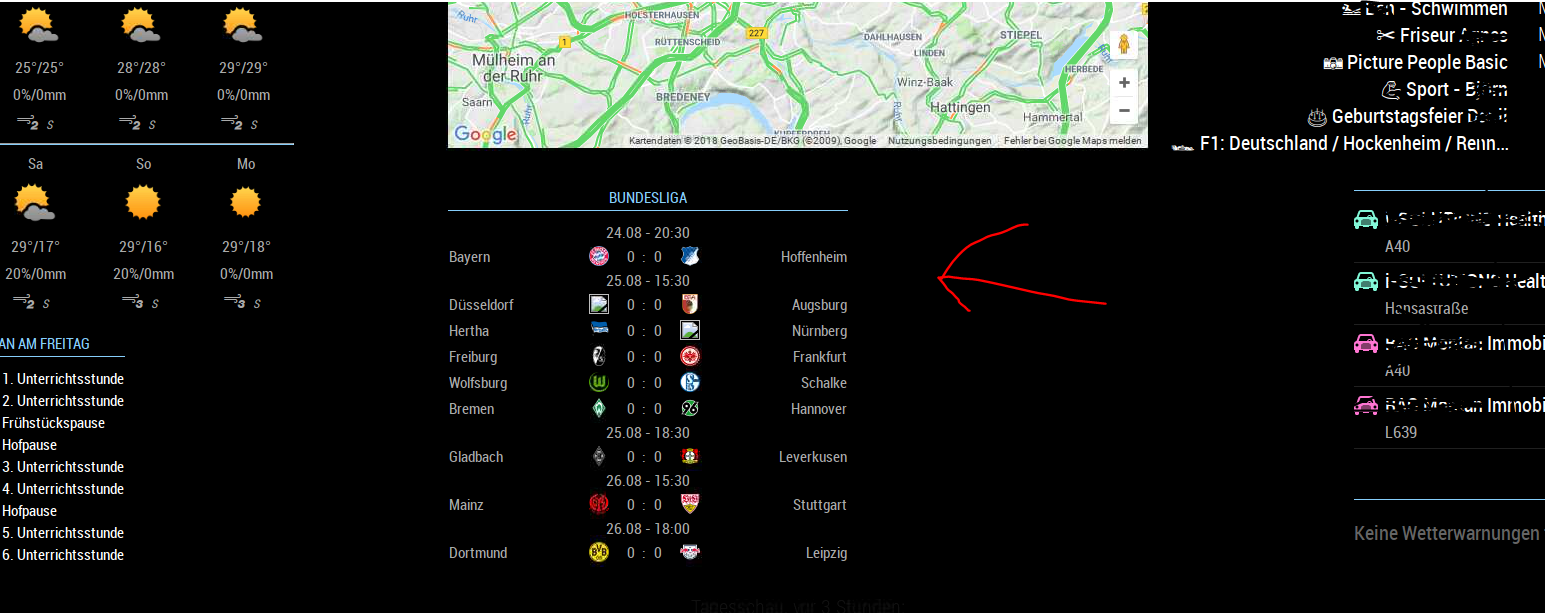
Module "centered"
Hi, what is the right Code-Element to set the Soccer-Module in centered position in my custom.css ?? Thanks for helping.
.MMM-SoccerLiveScore {
width: 400px;
}
-
Error Proto-List after reboot !?
after reboot i can’t start MagicMirror. The Log show me:
/home/pi/.pm2/logs/MagicMirror-error-0.log last 15 lines: 0|MagicMir | internal/modules/cjs/loader.js:550 0|MagicMir | throw err; 0|MagicMir | ^ 0|MagicMir | 0|MagicMir | Error: Cannot find module 'proto-list' 0|MagicMir | at Function.Module._resolveFilename (internal/modules/cjs/loade r.js:548:15) 0|MagicMir | at Function.Module._load (internal/modules/cjs/loader.js:475:25 ) 0|MagicMir | at Module.require (internal/modules/cjs/loader.js:598:17) 0|MagicMir | at require (internal/modules/cjs/helpers.js:11:18) 0|MagicMir | at Object.<anonymous> (/usr/lib/node_modules/npm/node_modules/c onfig-chain/index.js:1:79) 0|MagicMir | at Module._compile (internal/modules/cjs/loader.js:654:30) 0|MagicMir | at Object.Module._extensions..js (internal/modules/cjs/loader.j s:665:10) 0|MagicMir | at Module.load (internal/modules/cjs/loader.js:566:32) 0|MagicMir | at tryModuleLoad (internal/modules/cjs/loader.js:506:12) 0|MagicMir | at Function.Module._load (internal/modules/cjs/loader.js:498:3) -
RE: MMM-Fuel
sorry, my mistake. I had no provider deposited. after I deposited Tankerkoenig everything works again now.
-
RE: MMM-Fuel
I’ve been using the module for a while, but since this morning I’m not getting any posts.
-
RE: Weather Radar module...
Use a link from Weatherradar an put it in MMM-iFrameReloaded. I used this for GoogleTraficMaps.
-
RE: MMM-MyCalendar - Problem with ICON, not changing
ok, to change the color for the head an the line i used the following entries in my custom.css-File an it works.
header {
  color: #87cefa;
 border-bottom-color: #87cefa;
}