nevermind. now pm2 start mm works!
i dont know what those commands did, but it worked
nevermind. now pm2 start mm works!
i dont know what those commands did, but it worked
What if node is still 25?
My MM that I built last December died. I don’t know why. When booting up, screen would stay black, seemingly not booting into the OS. So I am starting again from scratch. I was able to extract the config.js from the previous SD card.
I am at the step where I am setting up pm2 - https://docs.magicmirror.builders/configuration/autostart.html
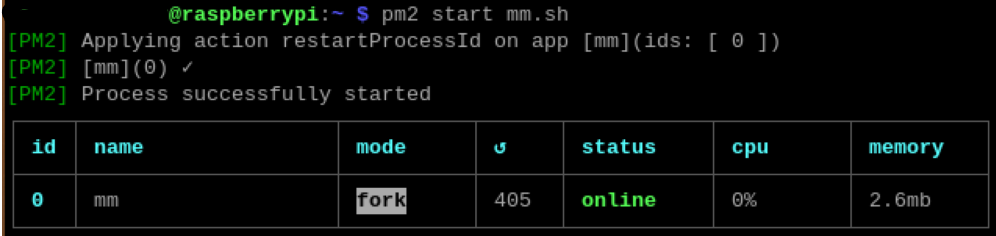
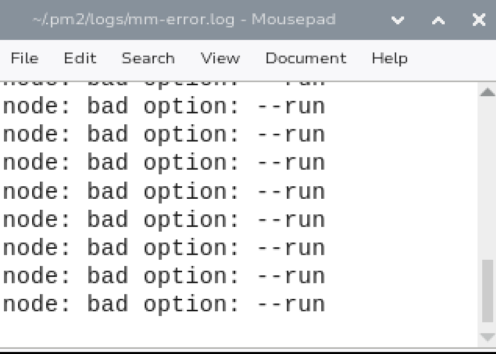
pm2 will not launch the MM display. After executing pm2 start mm.sh, the MM display does not appear, although it shows status online. In /.pm2/logs/mm-error.log, I am seeing node: bad option: --run many times.
When I execute node --run start, the MM display appears as normal.
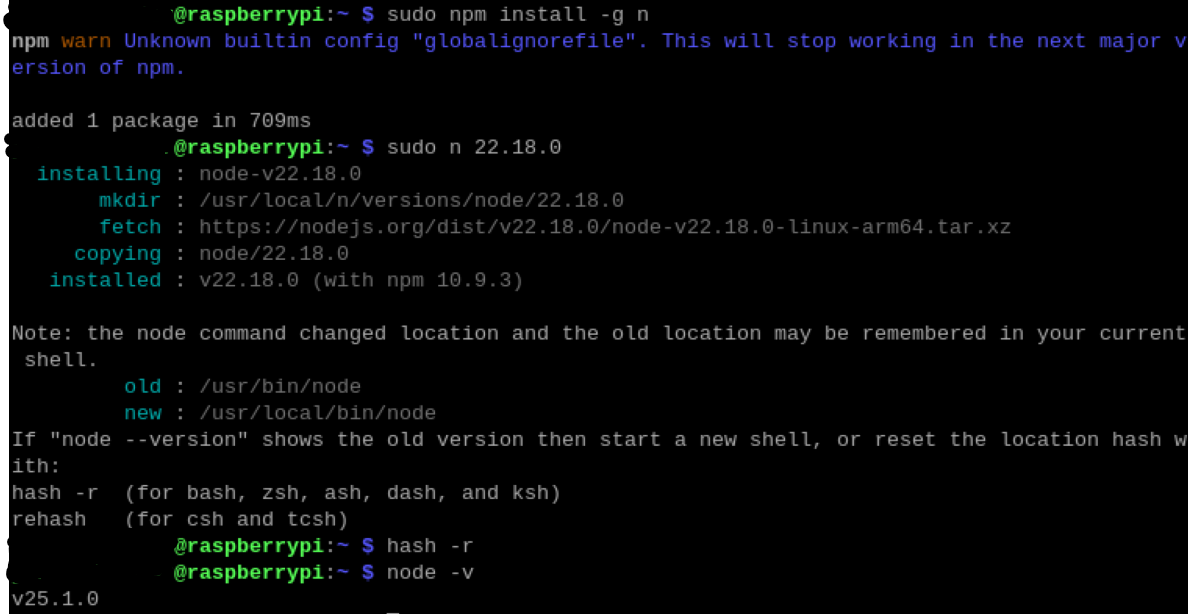
node -v returns v25.1.0
npm -v returns 11.6.2
nvm -v returns 0.40.3
pm2 -v returns 6.0.13
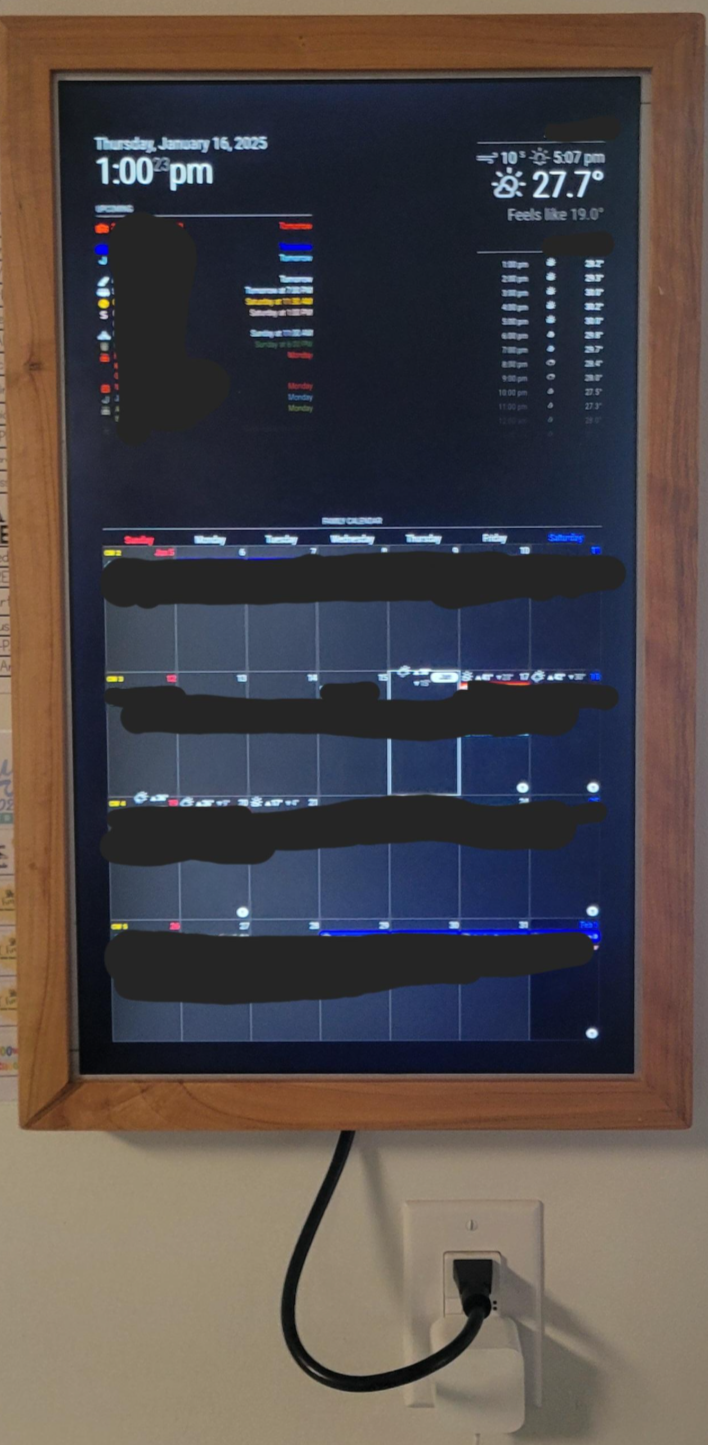
Framed and hung in kitchen. Raspberry Pi 5 and 22" Asus monitor (case removed), mounted in handmade wood frame. Total weight is about 10 pounds. Hanging on a gorilla hook rated for over 20 pounds.
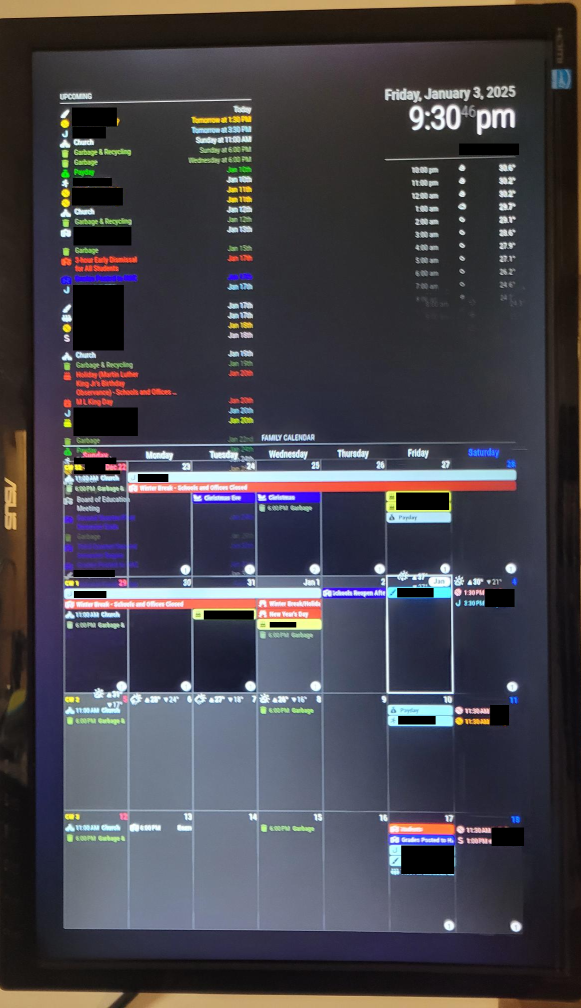
Displaying default clock and default calendar module in upper left, default weather module twice in upper right. MMM-CalendarExt3 at bottom, which pulls calendar data from another default calendar module which is not displayed. Using the two separate default calendar modules allowed me to show more events in MMM-CalendarExt3 than are displayed in the upper left default calendar module.
@sdetweil I found a fix.
//position: "",                      //commented out so this module does not show on screen
maximumNumberOfDays: 45,
maximumNumberOfDays: 10,
change the names of all the calendars in the original default MM calendar module, so they are unique and distinct from the second default MM calendar module.
used the CalendarSet in the MMM-CalendarExt3 module to select the calendars in the hidden default MM calendar module
I am new to Raspberry Pi and MM and CSS and Github, but learning fast. I am running MM on a Raspberry Pi 5. I am using the default MM calendar module to show upcoming stuff in upper left and MMM-CalendarExt3 module to show previous, current, and next 2 weeks.
I want the default MM calendar module to show only a few days (maybe up to a week of upcoming events) and I want the MMM-CalendarExt3 to show everything in the visible date range (previous week, current week, and next 2 weeks). The purpose being to see near-future detail in a quick view at upper left while also being able to see further future at bottom.
The problem I am encountering is it seems that if I limit the default MM calendar module to a desirable number of events (using maximumEntries=10), then the MMM-CalendarExt3 module also will hide events. In my tinkering, I have not found a way to limit the MM calendar module while not limiting the MMM-CalendarExt3 module. I tested using the ExcludedEvents filterBy, which worked for the default MM calendar module, but unfortunately also suppressed events in the MMM-CalendarExt3 module. I also tested with the fadePoint in the default MM calendar module, but this does not seem to do much (the fading is too gradual for a long list of events).
Does anyone have any pointers for how I might limit the number of events shown in the default MM calendar module while not limiting the number of events shown in the MMM-CalendarExt3 module?
config.js excerpts:
               {
                        module: "calendar",
                        header: "upcoming",
                        position: "top_left",
                        config: {
                                maximumEntries: 50,              //don't want to show this many, but if I reduce, then events start disappearing from MMM-CalendarExt3
                                fade: true,
                                fadePoint: 0,                                     //does not help with hiding
                                wrapEvents: true,
                                wrapTitleLines: true,
                                broadcastEvents: true,
                                broadcastPastEvents: true,
                                titleReplace: {
                                        'Christmas Day':'Christmas',
                                },
                                maximumNumberOfDays: 45,
                                excludedEvents: [
                                        "Hanukkah",
                                        "Kwanzaa",
                                        //{filterBy: "", until: "7 days"},          //testing
                                ],
                                hideDuplicates: true,
                                coloredSymbol: true,
                                coloredText: true,
                                fetchInterval: 60 * 60 * 1000,
                                ...
                                },
                                {
                                                        module: "MMM-CalendarExt3",
                                                        position: "bottom_bar",
                                                        header: "Family Calendar",
                                                        config: {
                                                                mode: "week",
                                                                locale: 'en-US',
                                                                maxEventLines: 10,
                                                                firstDayOfWeek: 0,
                                                                calendarSet: [],
                                                                skipDuplicated: true,
                                                                useWeather: true,
                                                                displayWeatherTemp: true,
                                                                weekIndex: -1,
                                                                weeksInView: 4,
                                                                useMarquee: true,
                                  ...
                                   },
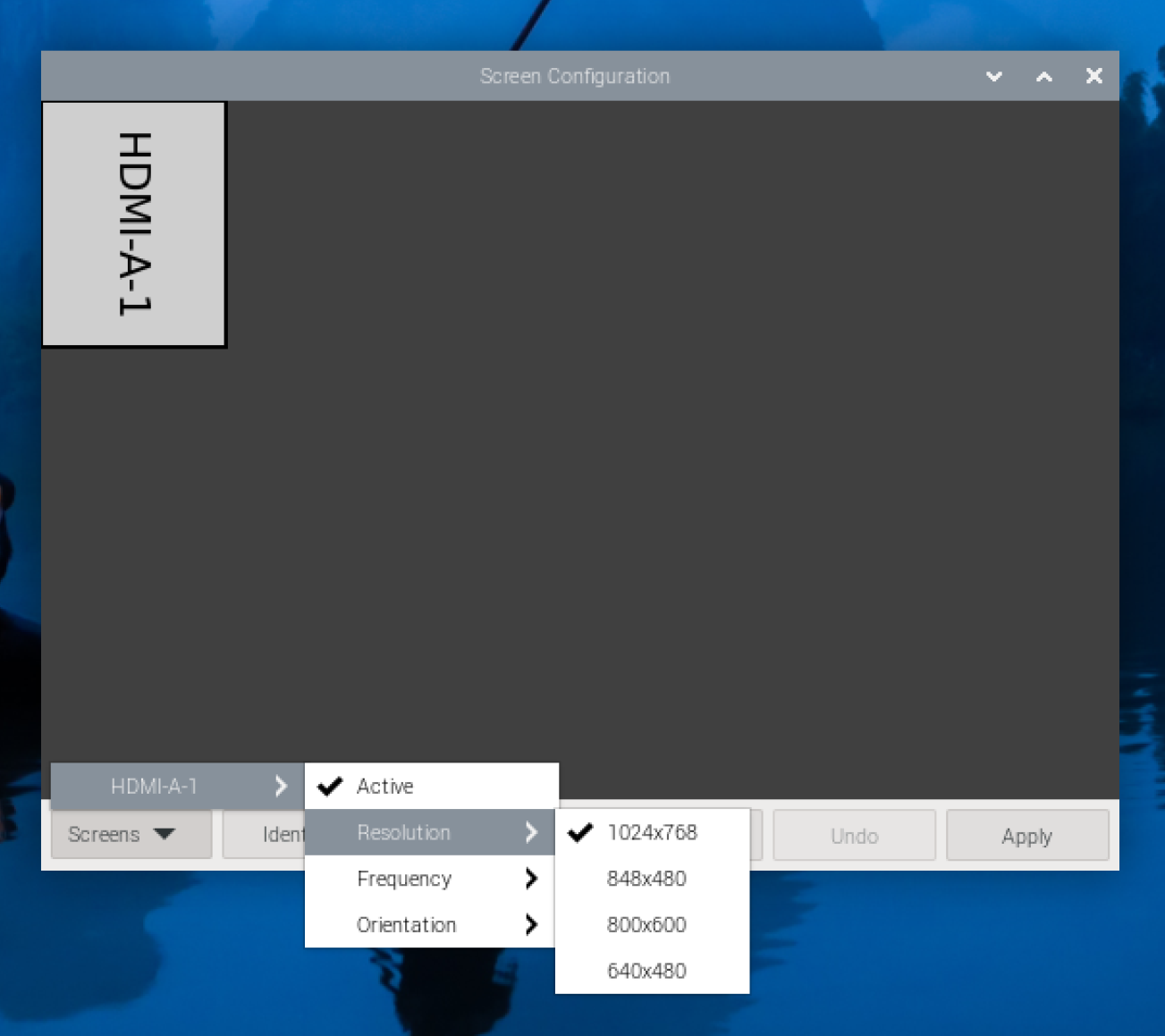
I thought I would post the final fix for the screen resolution.
Through many Google searches, I found some commands that would theoretically would force the OS to use 1920x1080 resolution. (https://forums.linuxmint.com/viewtopic.php?t=274540)
However, I was receiving errors on execution of the cvt command.
cvt 1920 1080
More Google searches revealed that I had to install cvt.
sudo apt-get install xcvt
next, I was getting errors on the last xrandr command (setting the current output mode).
xrandr --newmode "1920x1080_60.00"  173.00  1920 2048 2248 2276  1080 1083 1088 1120 -hsync +vsync
xrandr --addmode WAYLAND1 1920x1080_60.00
xrandr --output WAYLAND1 --mode "1920x1080_60.00"
More Google searches indicated WAYLAND output is enabled when VNC is enabled for remote connections. More searches lead me to the raspi-config, where I found the display was set to ‘WAYLAND’. I had to change the display setting to X11. Now the commands could all succeed.
xrandr --newmode "1920x1080_60.00"  173.00  1920 2048 2248 2276  1080 1083 1088 1120 -hsync +vsync
xrandr --addmode HDMI-1 1920x1080_60.00
xrandr --output HDMI-1 --mode "1920x1080_60.00"
However, the resolution setting would not persist through a reboot. I started exploring how to set these xrandr commands to execute at startup. Google searches lead me to try modifying config files, which failed due to access denied. Then I remembered that MM uses pm2 to auto start when OS starts. So I created a .sh file to execute the xrandr commands and followed the same steps in MM (https://docs.magicmirror.builders/configuration/autostart.html#using-pm2) , replacing file names as needed, to launch my Set_Resolution.sh at startup.
Viola!
My raspberry pi 5 now boots up and sets screen to 1920x1080 right away!
It took a great deal of searching and learning how Raspberry Pi works. In the end, I got there.

@cyclonej said in scaling gone wonky:
@cyclonej said in scaling gone wonky:
I am marking this as solved. I think when I first booted up the Raspberry Pi, the resolution was 1920x1080. I am not sure what is preventing from going to that resolution now. That is where I will focus my troubleshooting.
Thanks all for the assistance.
I spent another couple hours trying things in the preferences, display settings, even tried to modify the /boot/config to no avail. I then reseated the HDMI cable and the OS started allowing resolutions up to 1920x1080. MM looks great again!
Thanks again everyone for your help.
After I got everything working nicely, I disconnected everything to move to the permanent installation location. Hung everything on kitchen wall, then reconnected everything and powered on… screen resolution stuck back on 1024x768.

@cyclonej said in scaling gone wonky:
I am marking this as solved. I think when I first booted up the Raspberry Pi, the resolution was 1920x1080. I am not sure what is preventing from going to that resolution now. That is where I will focus my troubleshooting.
Thanks all for the assistance.
I spent another couple hours trying things in the preferences, display settings, even tried to modify the /boot/config to no avail. I then reseated the HDMI cable and the OS started allowing resolutions up to 1920x1080. MM looks great again!
Thanks again everyone for your help.
I am marking this as solved. I think when I first booted up the Raspberry Pi, the resolution was 1920x1080. I am not sure what is preventing from going to that resolution now. That is where I will focus my troubleshooting.
Thanks all for the assistance.
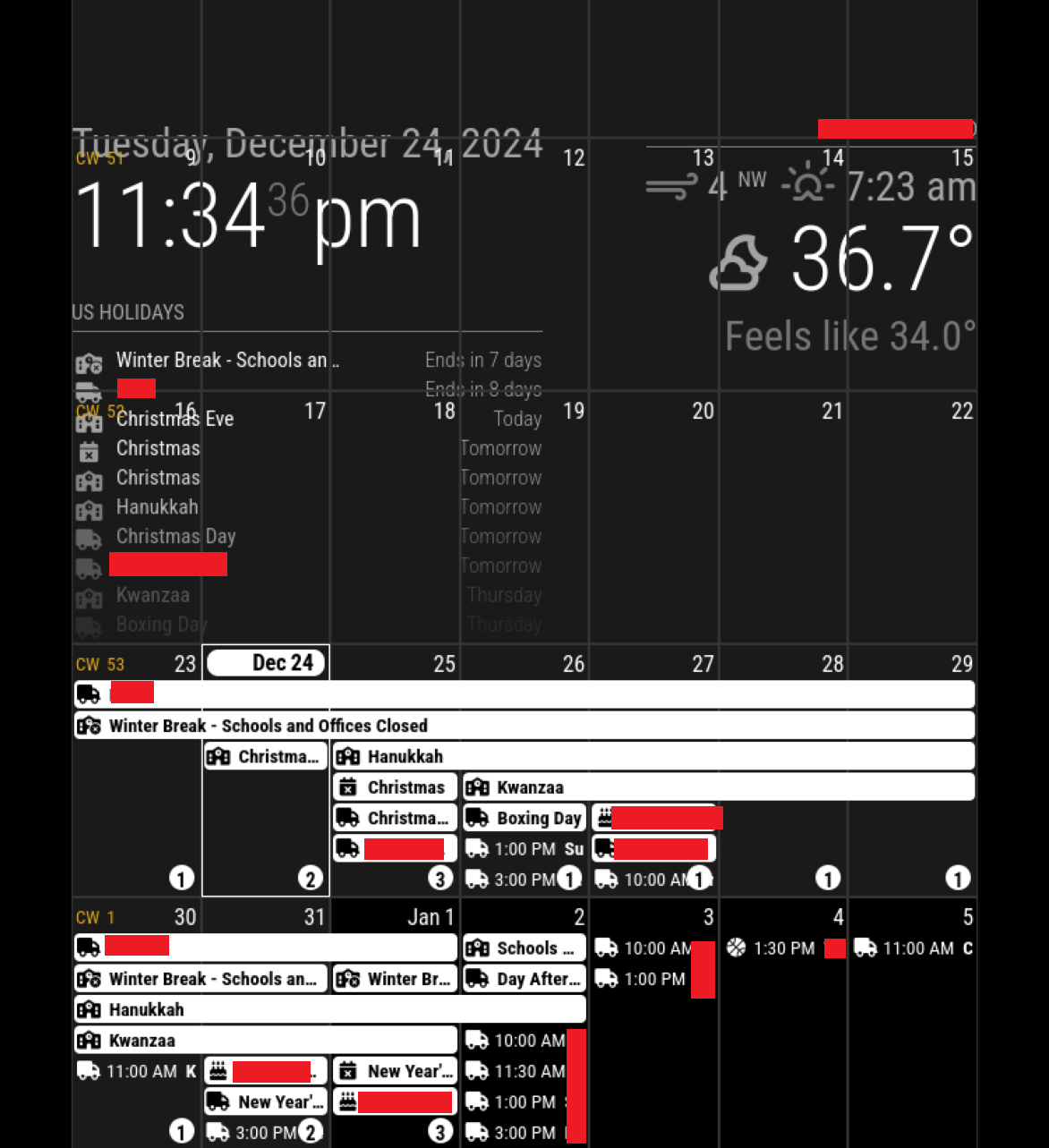
I went ahead and installed Ext3. This looks just as bad as Ext2. The calendar is occupying the whole screen. I think something has gone arwy in MM. Normal websites look fine. Its just in the MM page that the calendar is too big and i guess the date/time and weather information seem larger/wider than they should be.
In case I forgot to mention earlier, I have my display in portrait orientation
.
new config.js
/* Config Sample
 *
 * For more information on how you can configure this file
 * see https://docs.magicmirror.builders/configuration/introduction.html
 * and https://docs.magicmirror.builders/modules/configuration.html
 *
 * You can use environment variables using a `config.js.template` file instead of `config.js`
 * which will be converted to `config.js` while starting. For more information
 * see https://docs.magicmirror.builders/configuration/introduction.html#enviromnent-variables
 */
let config = {
	address: "localhost",	// Address to listen on, can be:
							// - "localhost", "127.0.0.1", "::1" to listen on loopback interface
							// - another specific IPv4/6 to listen on a specific interface
							// - "0.0.0.0", "::" to listen on any interface
							// Default, when address config is left out or empty, is "localhost"
	port: 8080,
	basePath: "/",	// The URL path where MagicMirror² is hosted. If you are using a Reverse proxy
									// you must set the sub path here. basePath must end with a /
	ipWhitelist: ["127.0.0.1", "::ffff:127.0.0.1", "::1"],	// Set [] to allow all IP addresses
									// or add a specific IPv4 of 192.168.1.5 :
									// ["127.0.0.1", "::ffff:127.0.0.1", "::1", "::ffff:192.168.1.5"],
									// or IPv4 range of 192.168.3.0 --> 192.168.3.15 use CIDR format :
									// ["127.0.0.1", "::ffff:127.0.0.1", "::1", "::ffff:192.168.3.0/28"],

	useHttps: false,			// Support HTTPS or not, default "false" will use HTTP
	httpsPrivateKey: "",	// HTTPS private key path, only require when useHttps is true
	httpsCertificate: "",	// HTTPS Certificate path, only require when useHttps is true

	language: "en",
	locale: "en-US",
	logLevel: ["INFO", "LOG", "WARN", "ERROR"], // Add "DEBUG" for even more logging
	timeFormat: 12,
	units: "imperial",

	modules: [
		{
			module: "alert",
		},
		{
			module: "updatenotification",
			position: "top_bar"
		},
		{
			module: "clock",
			position: "top_left"
		},
		{
			module: "weather",
			position: "top_right",
			config: {
				weatherProvider: "openmeteo",
				type: "current",
				lat: REDACTED
				lon: REDACTED
			}
		},
		{
			module: "calendar",
			header: "REDACTED",
			position: "top_left",
			config: {
				calendars: [
					{
						name: "REDACTED",
						symbol: "calendar-xmark",
						coloredBackground: true,
						bgColor: "white",
						fetchInterval: 7 * 24 * 60 * 60 * 1000,
						url: "REDACTED",
					},
					{
						name: "REDACTED",
						symbol: "cake-candles",
						coloredBackground: true,
						bgColor: "white",
						fetchInterval: 7 * 24 * 60 * 60 * 1000,
						url: "REDACTED",
					},
					{
						name: "REDACTED",
						symbol: "google",
						coloredBackground: true,
						bgColor: "white",
						fetchInterval: 7 * 24 * 60 * 60 * 1000,
						url: "REDACTED",
					},
					{
						name: "REDACTED",
						symbol: "truck",
						coloredBackground: true,
						bgColor: "green",
						fetchInterval: 7 * 24 * 60 * 60 * 1000,
						url: "REDACTED",
					},
					{
						name: "REDACTED",
						symbol: "basketball",
						coloredBackground: true,
						bgColor: "orange",
						fetchInterval: 7 * 24 * 60 * 60 * 1000,
						url: "REDACTED",
					},
					{
						name: "REDACTED",
						symbol: "school-circle-xmark",
						coloredBackground: true,
						bgColor: "red",
						fetchInterval: 7 * 24 * 60 * 60 * 1000,
						url: "REDACTED",
					},
					{
						name: "REDACTED",
						symbol: "school",
						coloredBackground: true,
						bgColor: "blue",
						fetchInterval: 7 * 24 * 60 * 60 * 1000,
						url: "REDACTED",
					},
					{
						name: "REDACTED",
						symbol: "school-circle-exclamation",
						coloredBackground: true,
						bgColor: "white",
						fetchInterval: 7 * 24 * 60 * 60 * 1000,
						url: "REDACTED",
					},
				]
			}
		},
		{
			module: "MMM-CalendarExt3",
			position: "bottom_bar",
			title: "",
			config: {
				mode: "month",
				instanceId: "basicCalendar",
				locale: 'en-US',
				maxEventLines: 7,
				firstDayOfWeek: 1,
				calendarSet: [],
			}
		}
	]
};

/*************** DO NOT EDIT THE LINE BELOW ***************/
if (typeof module !== "undefined") { module.exports = config; }
@sdetweil said in scaling gone wonky:
they use the default calendar module to get data, which then broadcasts it to other modules just comment out the default cal position to have it not show on the screen.
I used MMM-CalendarExt2 because I liked the look in the sample better than the one in Ext3. This meant less work for me to do to get the look I was after.
I do not have the default calendar module included in my config.js (I assume you mean the MM-supplied calendar module).
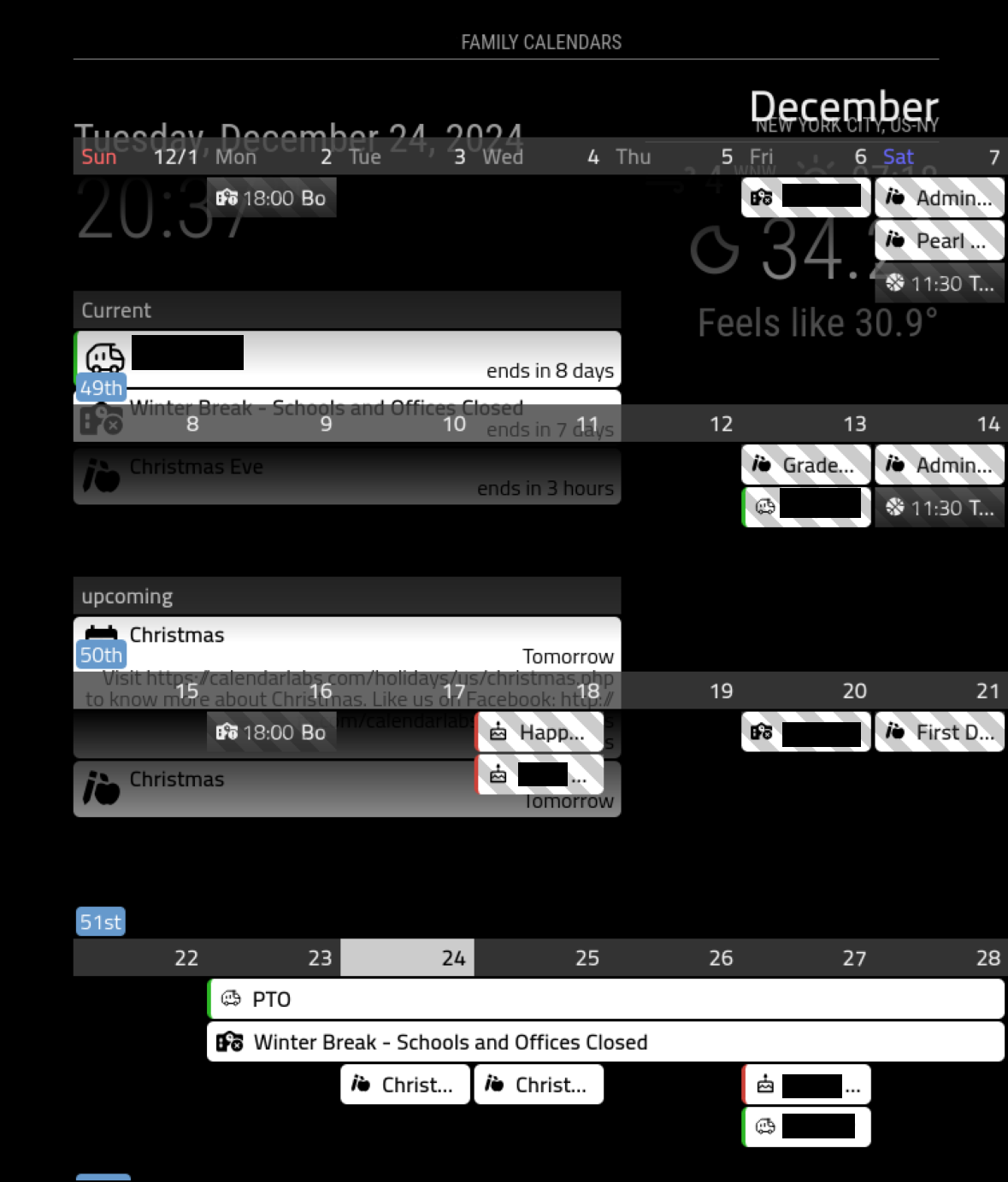
I am new to Raspberry Pi and MM and CSS and Github. I am running MM v2.29.0 on a Raspberry Pi 5. I am using MMM-CalendarExt2 to show my current month calendar in bottom of screen and upcoming stuff in upper left. Basically took the example from MMM-CalendarExt2 and stripped out some.
I had my MM looking great a few days ago. All of the sudden after booting up and launching, my MM looks awful. The modules are overlapping. No idea how this happened. The main calendar, which is set for bottom_bar, is taking up the while screen.
I have the browser set to 100% size, which I think should be normal. Whether running in Firefox or Chromium , MM looks equally bad.
I recently enabled VNC to remotely control the Pi from my regular Windows laptop. I would not expect this to affect scaling of modules.
Troubleshooting I have done so far:
I tested disabling VNC temporarily, which had not effect on MM.
I reverted back to the default config.js and custom.css, then rebuilt my layout from scratch. It still looks awful.
I tested with varying zoom in firefox. While this did change the look, it still looked bad no matter what zoom was set to. At 50% zoom, the overlap is gone, but text is too small to read. At >100% zoom, it looks soooo bad.
I have no idea is this issue is in MM or in the OS (Raspberry Pi OS).
Here is my config.js:
/* Config Sample
 *
 * For more information on how you can configure this file
 * see https://docs.magicmirror.builders/configuration/introduction.html
 * and https://docs.magicmirror.builders/modules/configuration.html
 *
 * You can use environment variables using a `config.js.template` file instead of `config.js`
 * which will be converted to `config.js` while starting. For more information
 * see https://docs.magicmirror.builders/configuration/introduction.html#enviromnent-variables
 */
let config = {
	address: "localhost",	// Address to listen on, can be:
							// - "localhost", "127.0.0.1", "::1" to listen on loopback interface
							// - another specific IPv4/6 to listen on a specific interface
							// - "0.0.0.0", "::" to listen on any interface
							// Default, when address config is left out or empty, is "localhost"
	port: 8080,
	basePath: "/",	// The URL path where MagicMirror² is hosted. If you are using a Reverse proxy
									// you must set the sub path here. basePath must end with a /
	ipWhitelist: ["127.0.0.1", "::ffff:127.0.0.1", "::1"],	// Set [] to allow all IP addresses
									// or add a specific IPv4 of 192.168.1.5 :
									// ["127.0.0.1", "::ffff:127.0.0.1", "::1", "::ffff:192.168.1.5"],
									// or IPv4 range of 192.168.3.0 --> 192.168.3.15 use CIDR format :
									// ["127.0.0.1", "::ffff:127.0.0.1", "::1", "::ffff:192.168.3.0/28"],

	useHttps: false,			// Support HTTPS or not, default "false" will use HTTP
	httpsPrivateKey: "",	// HTTPS private key path, only require when useHttps is true
	httpsCertificate: "",	// HTTPS Certificate path, only require when useHttps is true

	language: "en",
	locale: "en-US",
	logLevel: ["INFO", "LOG", "WARN", "ERROR"], // Add "DEBUG" for even more logging
	timeFormat: 12,
	units: "imperial",

	modules: [
		{
			module: "alert",
		},
		{
			module: "updatenotification",
			position: "top_bar"
		},
		{
			module: "clock",
			position: "top_left"
		},
		{
			module: "weather",
			position: "top_right",
			config: {
				weatherProvider: "openmeteo",
				type: "current",
				lat: 40.776676,
				lon: -73.971321
			}
		},
		{
		    module: 'MMM-CalendarExt2',
		    config: {
			rotateInterval: 60*1000,
			deduplicateEventsOn: ["title","startDate","endDate"],
			scenes:[
			    {
				name: "DEFAULT",
				views: ["current","upcoming","Overview Private"],
			    },
			],
			views:[
			    {
				    name: "current",
				    mode: "current",
				    position: "top_left",
				    maxDays: 1,
				    locale: "en",
				    hideOverflow: false,
				    filterPassedEvent: false,
			    },
			    {
				name: "upcoming",
				mode: "upcoming",
				position: "top_left",
				maxDays: 5,
				locale: "en",
				hideOverflow: false,
				filterPassedEvent: false,
				useEventTimeRelative: false,
			    },
			    {
				name: "Overview Private",
				title: "Family Calendars",
				mode: "month",
				type: "row",
				position: "bottom_bar",
				slotCount: 7,
				locale: "en",
				hideOverflow: false,
				filterPassedEvent: false,
				calendars: [],
			    },

			],
			calendars: [
					{
						name: "REDACTED",
						icon: "mdi:calendar-star",
						maxItems: 100,
						scanInterval: 1000*60*30,
						beforeDays: 30,
						afterDays: 90,
						url: "REDACTED",
					},
					{
						name: "REDACTED",
						icon: "mdi:birthday-cake-outline",
						maxItems: 100,
						scanInterval: 1000*60*30,
						beforeDays: 30,
						afterDays: 90,
						url: "REDACTED",
					},
					{
						name: "REDACTED",
						icon: "mdi:google",
						maxItems: 100,
						scanInterval: 1000*60*30,
						beforeDays: 30,
						afterDays: 90,
						url: "REDACTED",
					},
					{
						name: "REDACTED",
						icon: "hugeicons:garbage-truck",
						maxItems: 100,
						scanInterval: 1000*60*30,
						beforeDays: 30,
						afterDays: 90,
						url: "REDACTED",
						filter: (event) => {
						  if (event.title == "PTO") {
						    return true
						  }
						  if (event.title == "Payday") {
						    return true
						  }
						  return false
						},
					},
					{
						name: "REDACTED",
						icon: "mdi:basketball",
						maxItems: 100,
						scanInterval: 1000*60*30,
						beforeDays: 30,
						afterDays: 90,
						url: "REDACTED",
						filter: (event) => {
						  if (event.title == "End Date") {
						    return false
						  }
						  return true
						},
					},
					{
						name: "REDACTED",
						icon: "fa6-solid:school-circle-xmark",
						maxItems: 100,
						scanInterval: 1000*60*30,
						beforeDays: 30,
						afterDays: 90,
						url: "REDACTED",
					},
					{
						name: "REDACTED",
						icon: "maki:school",
						maxItems: 100,
						scanInterval: 1000*60*30,
						beforeDays: 30,
						afterDays: 90,
						url: "REDACTED",
						filter: (event) => {
						  if (event.title == "Kwanzaa") {
						    return false
						  }
						  if (event.title == "Hanukkah") {
						    return false
						  }
						  return true
						},
					},
					{
						name: "REDACTED",
						icon: "fa6-solid:school-circle-exclamation",
						maxItems: 100,
						scanInterval: 1000*60*30,
						beforeDays: 30,
						afterDays: 90,
						url: "REDACTED",
					},
				],

		    },
		},
	]
};

/*************** DO NOT EDIT THE LINE BELOW ***************/
if (typeof module !== "undefined") { module.exports = config; }
my custom.css
/* Custom CSS Sample
 *
 * Change color and fonts here.
 *
 * Beware that properties cannot be unitless, so for example write '--gap-body: 0px;' instead of just '--gap-body: 0;'
 */

/* Uncomment and adjust accordingly if you want to import another font from the google-fonts-api: */
/* @import url('https://fonts.googleapis.com/css2?family=Poppins:wght@100;300;400;700&display=swap'); */

:root {
  --color-text: #999;
  --color-text-dimmed: #666;
  --color-text-bright: #fff;
  --color-background: black;

  --font-primary: "Roboto Condensed";
  --font-secondary: "Roboto";

  --font-size: 20px;
  --font-size-small: 0.75rem;

  --gap-body-top: 60px;
  --gap-body-right: 60px;
  --gap-body-bottom: 60px;
  --gap-body-left: 60px;

  --gap-modules: 30px;
}

.wi-day-sunny {
  color: #ffff00;
}

.CX2 .event[data-calendar-name="Birthdays"] {
  /*color: #ce4138;*/
  border-left: #ce4138 solid;
}
.CX2 .event[data-calendar-name="Paradigm"] {
  /*color: #c632ff;*/
  border-left: #2cb825 solid;
}