@JohnGalt No, this won’t display the 1090 dump from PiAware. It. uses the software from planefinder.net. The planefinder software is an addon to the Raspberry Pi OS and runs in the background. I use it on a Pi 4 Bookworm
E
Offline
A New Chapter for MagicMirror: The Community Takes the Lead
Read the statement by Michael Teeuw here.
Read the statement by Michael Teeuw here.
Posts
-
RE: Request: Flight tracker using PiAware
-
RE: Request: Flight tracker using PiAware
@sdetweil Oops…The. repo is at http://github.com/kds54/MMM-Planefinder
I also put it in the listing. of 3rd party modules
-
RE: Request: Flight tracker using PiAware
@Richard238 Let me know if you need help.
-
*Newly created module - MMM-Planefinder*
I have managed to find a way to create a module showing the aircraft overhead without having any API calls:
https://github.com/kds54/MMM-Planefinder
I hope others are able to make some use of it.
-
RE: Request: Flight tracker using PiAware
Well…I managed to come up with a viable alternative for what I was wanting to display. I will continue to clean it up and let everyone know
-
Request: Flight tracker using PiAware
I have missed having a module that lists the flights overhead since it went dark some time ago. I may have a solution but have no idea how to code it since JavaScript is pretty much like hieroglyphics to me.
I am running PiAware on separate pi and the listing of overhead aircraft can be read as a json file but not all of the information that I would like displayed is in the json file. Would someone be willing to work on this with me?
-
RE: MMM-Fuel
Hi Ray,
I am experiencing the same thing. No stations and no prices. My provider is GasBuddy also
-
RE: Schedule reboot of Pi or MagicMirror
I have mine set up with a Python script to do a reboot and invoke it with crontab. As far as the television monitor is concerned, I use a Sonoff S31 and programmed it to shut down and turn on at certain times.
#! /usr/bin/env python3
#Shutdown.py
#Do the actual reboot
os.system(‘sudo shutdown now’) -
RE: MagicMirror no longer fills the screen
@sdetweil I am afraid that I was the one that wasn’t understanding what you were saying. I corrected the config file and it’s working properly again.
Thanks again for the great install scripts! Cheers
-
RE: MagicMirror no longer fills the screen
@sdetweil Thanks Sam but still no go. I don’t think that I’m expressing the problem correctly. As you can see in the screenshot below, the MagicMirror isn’t filling the screen on the the Pi. In terminal, I stopped the MM (pm2 stop MagicMirror) and then started the MM (pm2 start MagicMirror) and the MagicMirror refuses fill the screen. Since the MM isn’t full screen, some of the information at the bottom of the MM window is cut off. Under normal circumstances, the terminal window and the menu bar at the top would disappear under the MM. The desktop image shown in the screenshot is the default desktop when I installed the Bullseye Pi OS. The display appears the same when I connect a monitor directly to the Pi or by viewing in VNC.
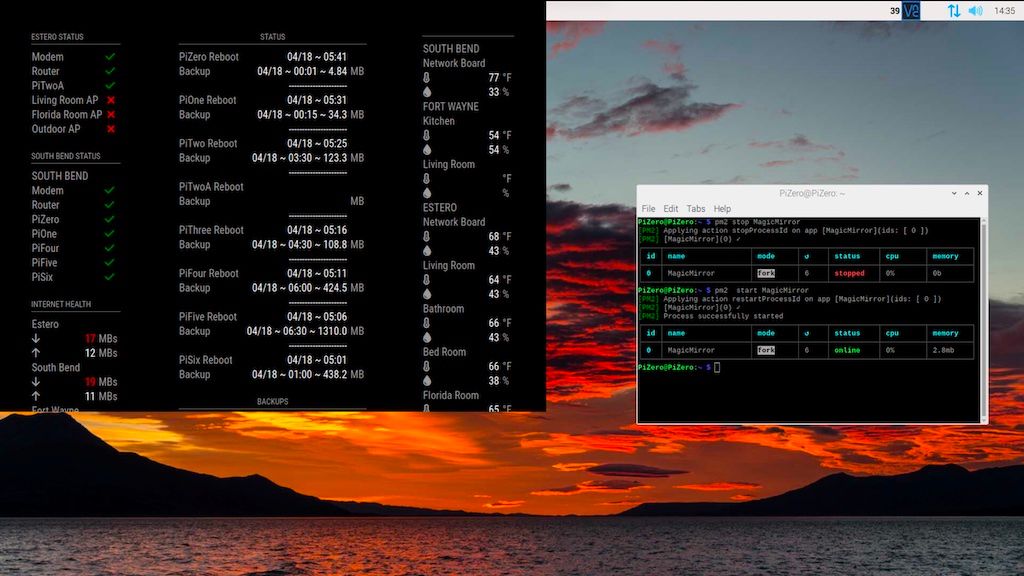 The MM worked correctly yesterday and filled the screen but this problem showed up overnight. I’m thinking that a setting inside MM got dorked and I have no idea where it would be.
 -
RE: MagicMirror no longer fills the screen
Thanks for the suggestion, Sam but unfortunately it didn’t make a difference. Any additional thoughts?
I run the Pi headless and display the screen on an old iPad with VNC. The screenshot was made using VNC on my laptop.
BTW - I installed MagicMirror using your great install script.
-
MagicMirror no longer fills the screen
After a fresh install of the OS an MagicMirror, I have been successfully running MagicMirror on a Pi4 (Bullseye) for several weeks now but today it no longer fills the screen. The Pi runs headless . Here is a screenshot of the problem:
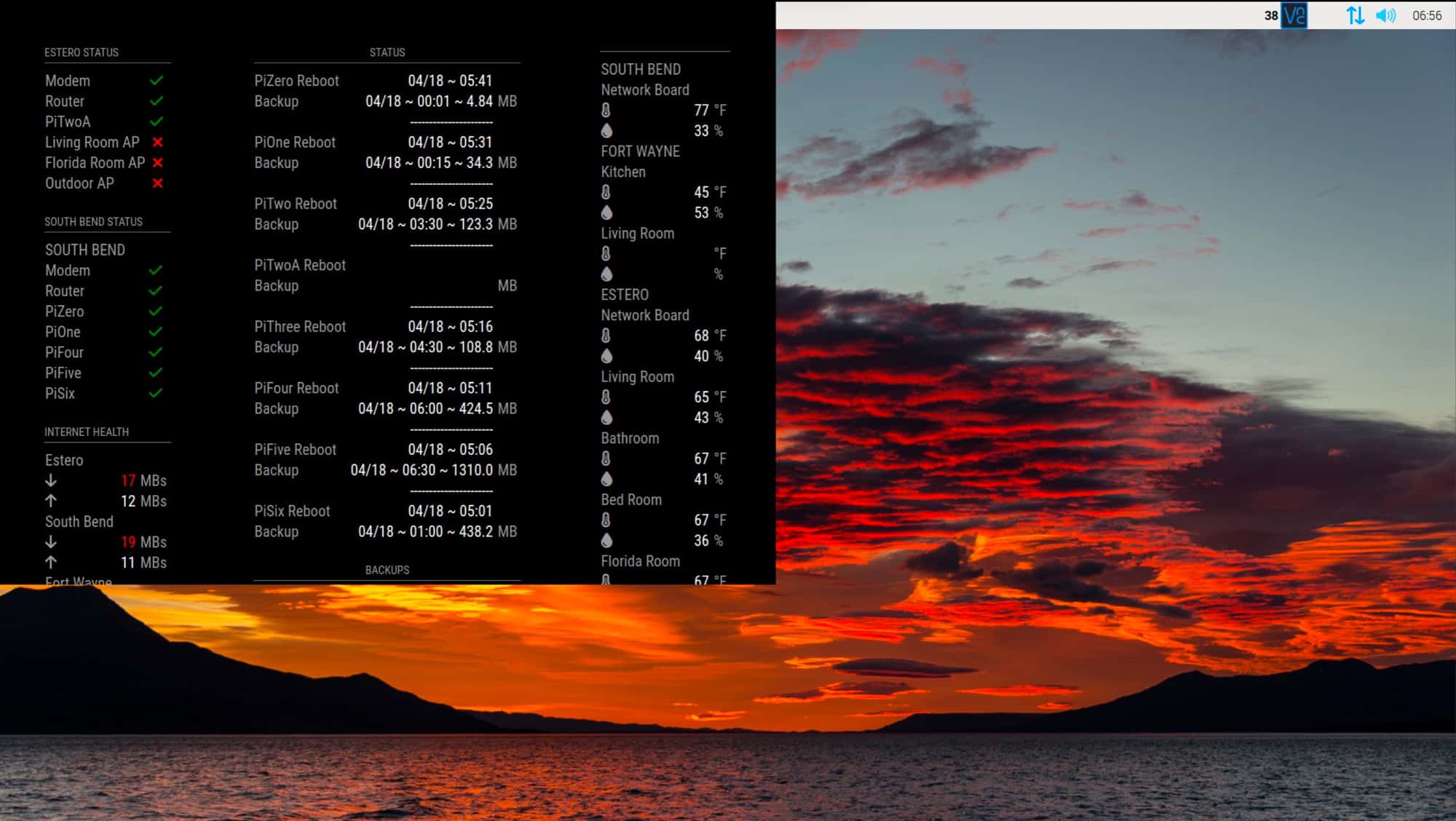
Since the MM window isn’t full size, the information is cut off at the bottom of the window but the width seems to be compressed with all 3 columns shown. Everything else seems to be working properly so I am thinking that it is something in the MagicMirror application.
I’ve tried quitting the application and restarting and playing with the css files with no success. Can someone please help me resolve the problem?
-
RE: MMM-FlightRadarTracker width problem
@hango
That worked like a charm! Thanks!
-
Whole home energy monitor from Emporia
Emporia makes a home energy monitor that looks pretty decent and I am planning on installing one at my home:
https://www.emporiaenergy.com/how-the-vue-energy-monitor-worksIt is available on Amazon:
https://www.amazon.com/dp/B08CJGPHL9/?coliid=IBHVVRPS25PA5&colid=2BS56XD6WYJ4H&ref_=lv_ov_lig_dp_it&th=1There is a package by jertel available that fetches the data from the Emporia cloud server that puts it into a influxDB database:
https://hub.docker.com/r/jertel/vuegrafI would like to (when I install the monitor in my home) to be able to view it in my MagicMirror in real time. Would anyone be interested in developing a module to accomplish this?
-
MMM-FlightRadarTracker width problem
I have 2 Magic Mirrors running and both of them have jesmak’s Flight Radar Tracker module installed. On the large mirror, the display is correct:
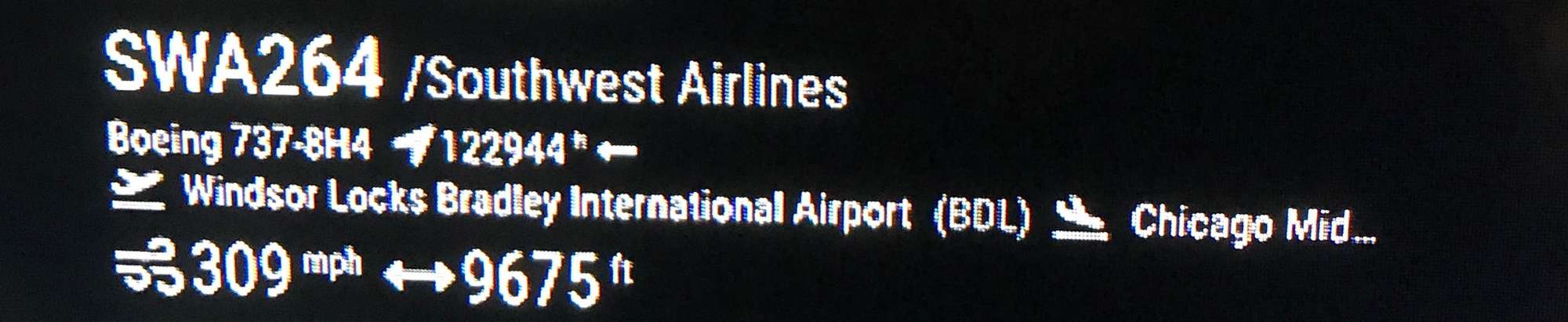 Both the origin and destination airports are shown (destination is sometimes shortened which is okay).
My problem is on my second MagicMirror that is using an iPad as the display. Due to the limited real estate on the iPad, I had to narrow the column width and now the destination airport doesn’t display:
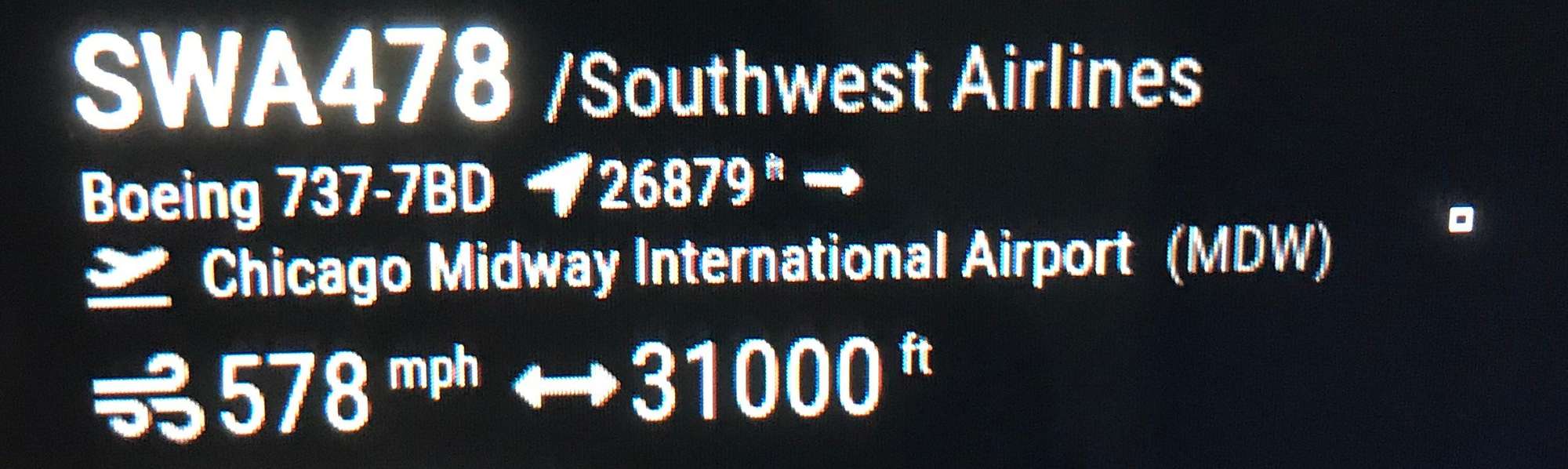
I would like for the origin and destination airports to be on separate lines but can’t figure out for the life of me of how to do it. I am a complete novice when it comes to Javascript and when I attempted to alter the code, the module broke and displayed nothing.
Is there a Javascript genius here that can guide me on what to change in the module to display the origin and destination airports on separate lines? Thanks!
-
MagicMirrors that are information centers
Thought that I would share the MagicMirrors that I built…
The first endeavor utilized a 32" LED television that had been given to me by a friend. I removed the plastic cabinetry from the television and then cut an opening in the basement family room wall the exact size of the television (I chose the location at the bottom of the stairs and was fortunate that the back side of the wall wasn’t finished as it was in the mechanical area of the basement). I put the television in the opening and then used oak trim to make a nice frame. Pictures are of the front side and the back side.
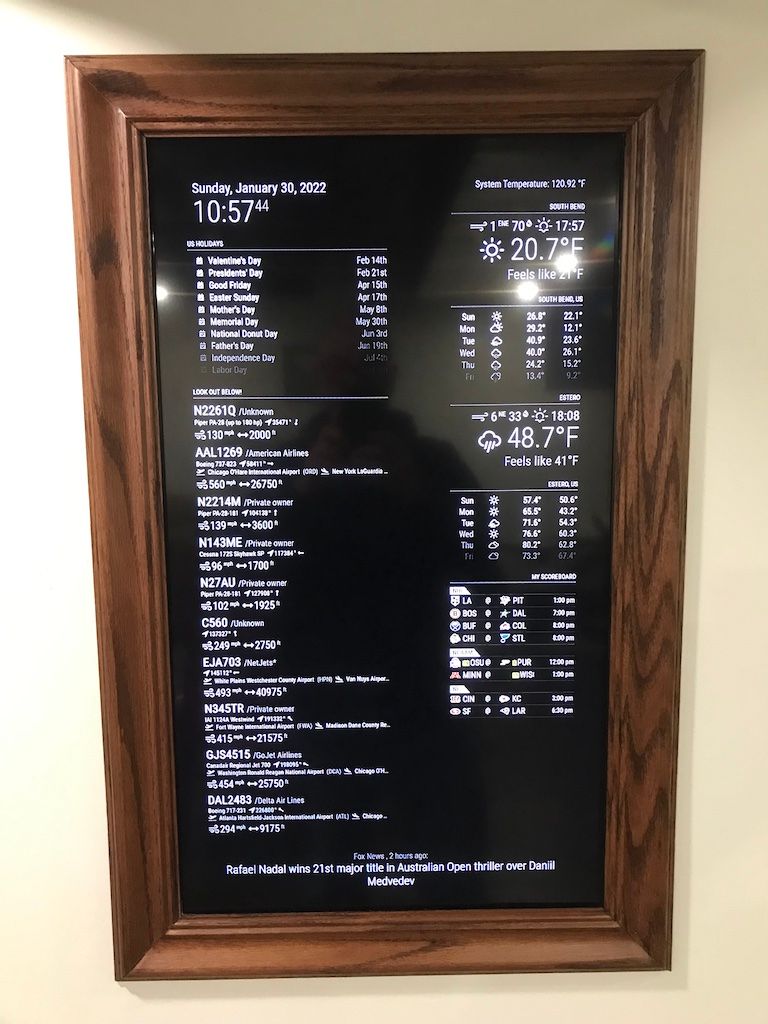
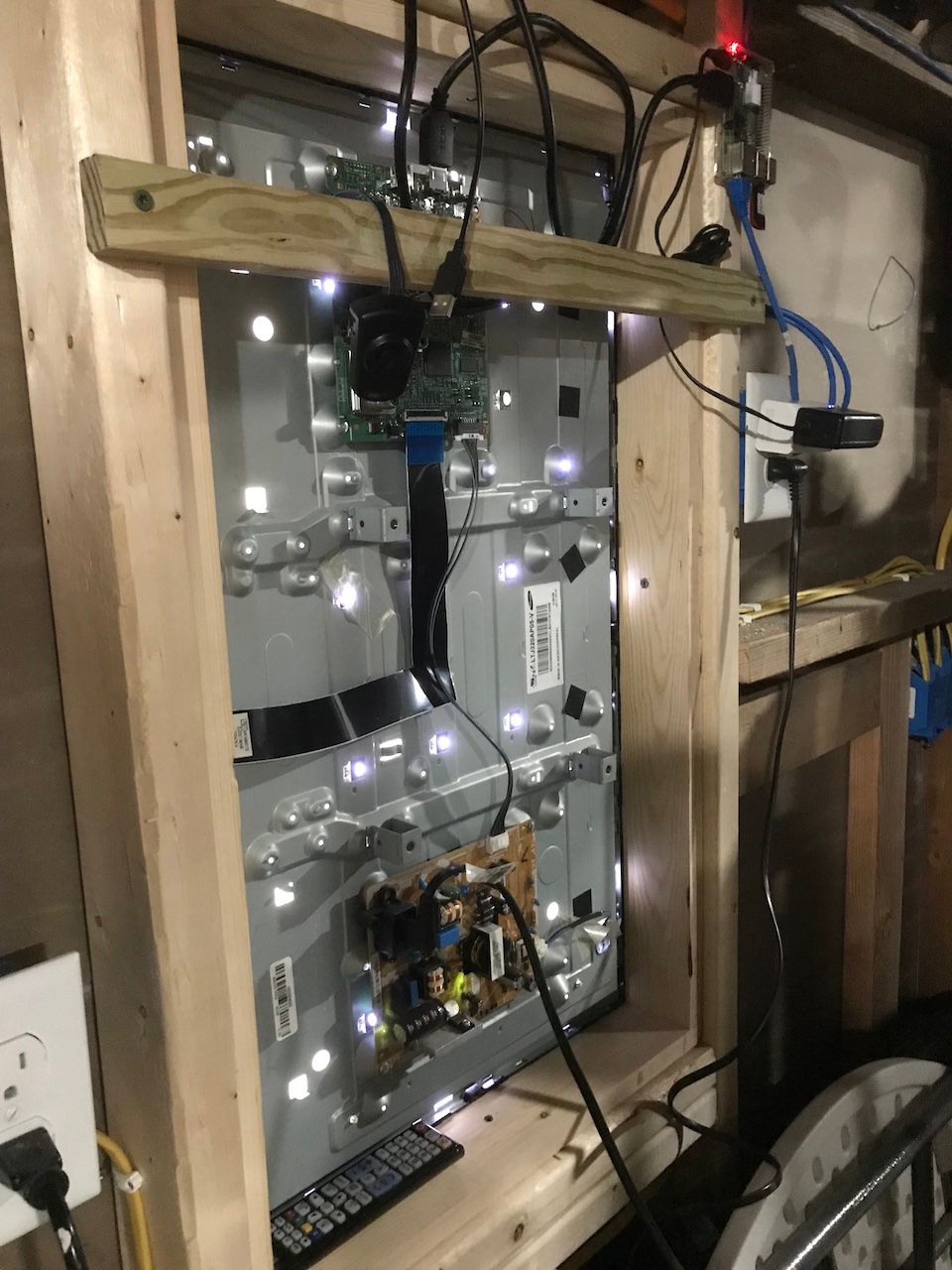
After I built my first MagicMirror, I found that it was really inconvenient to have to go to the basement just to see the important stuff so, I decided to build a second mirror utilizing a second Raspberry Pi. (Truth is I needed a project to keep my hands and mind occupied!) I had an old iPad laying around that wasn’t doing anything so I decided that it would make a nice display.
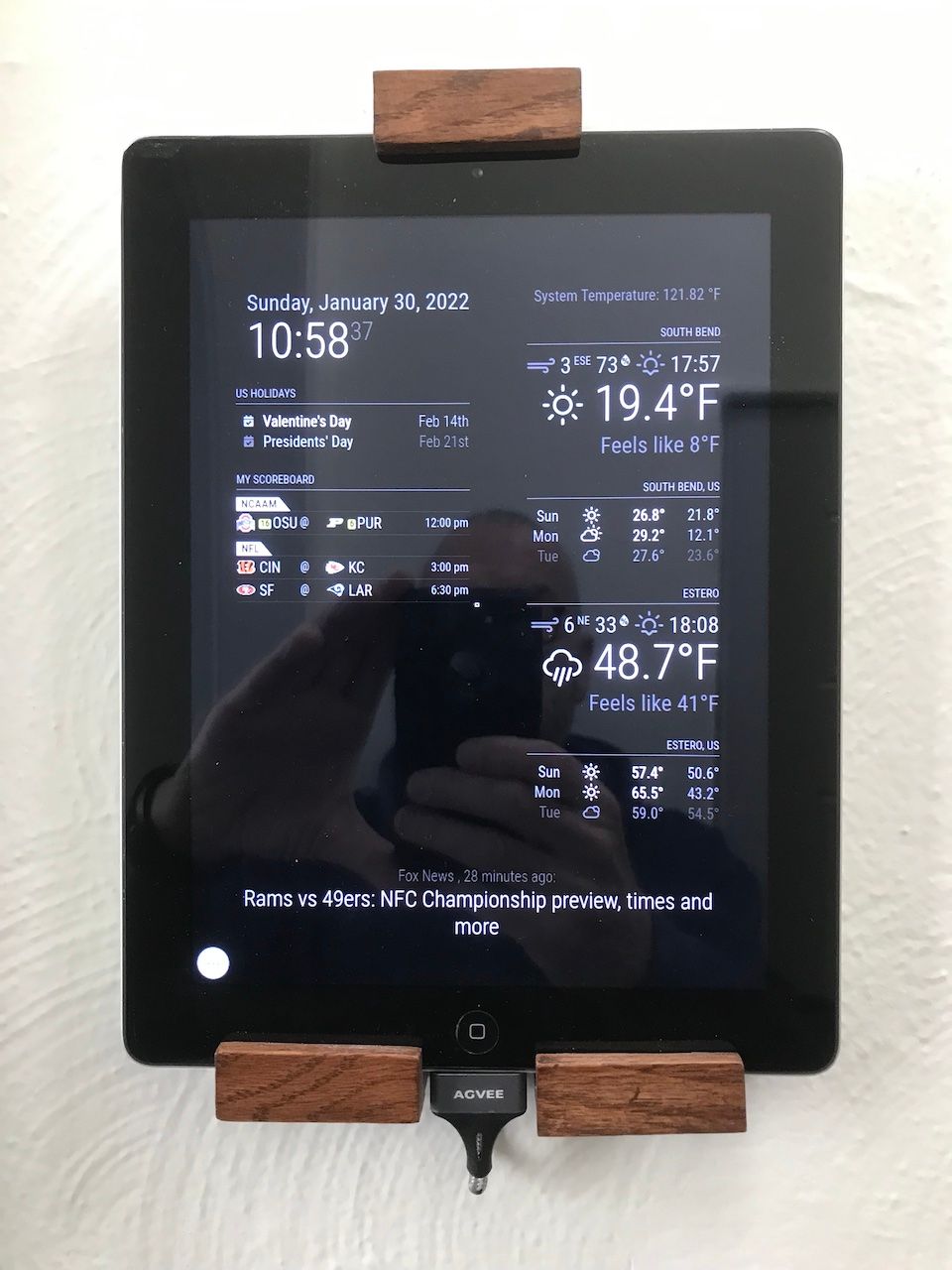
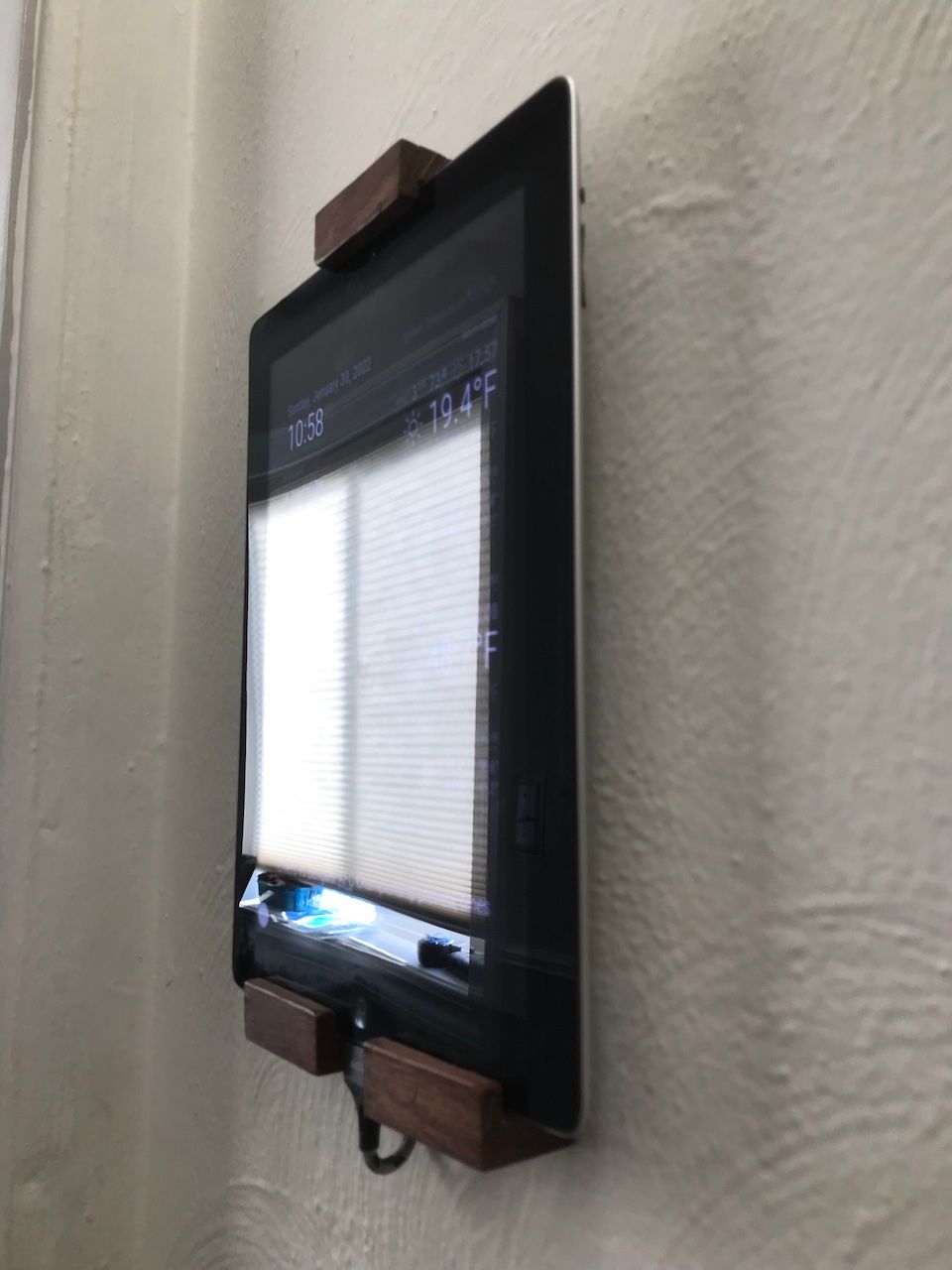
For the iPad, I made a small opening in the wall behind the iPad and fished the power cord down into the basement laundry room. I used small pieces of oak (1/2" and 1/4" thick) to hold the iPad on the wall. This MagicMirror is on the wall immediately inside the back door. This one is more convenient for us to see the temperature as we are leaving the house. I did have to remove the overhead flights module on this one because of space limitations. This MagicMirror uses VNC to connect to the Raspberry Pi which is located in the networking closet of our home.
Both of the Raspberry Pis backup their respective home folders to a Macintosh on the home network every morning. Every night (around midnight) the Macintosh sends a shutdown command to the Pis and then sends a command to the Sonoff at each Pi to cut the power. The
Sonoffs power up in the morning which causes the Pis to power up for the day.Building these have been fun and I hope that these pics inspire others to build.
-
Default newsfeed module showing old news
I have been using the default newsfeed article for some time and it was working properly.
Suddenly it stopped showing any new news items and is currently showing news from 9 days ago for the Fox News RSS feed.
I changed the config file to show BBC news and it displayed news several years old.
I changed the config file to ignore old news items and then nothing loads.
Can someone please offer some ideas or help?