MagicMirror Forum
    • Recent
    • Tags
    • Unsolved
    • Solved
    • MagicMirror² Repository
    • Documentation
    • 3rd-Party-Modules
    • Donate
    • Discord
    • Register
    • Login
    1. Home
    2. fribse
    3. Posts
    A New Chapter for MagicMirror: The Community Takes the Lead
    Read the statement by Michael Teeuw here.
    F
    Offline
    • Profile
    • Following 0
    • Followers 0
    • Topics 35
    • Posts 159
    • Groups 0

    Posts

    Recent Best Controversial
    • RE: MMM-MQTTbridge

      Hmm, not really sure what changed. I’ve tried setting the notilisten to false, and then I don’t see the error, but after reactivating it, I still dont’ see it.
      I can see that the log reports state 0x6 when the monitor is on, and 0x2 when it’s off.
      I can send commands to the Remote_Control module via http api, but nothing happens when I try it via the mqttbridge.
      I guess I have to ask @Jopyth about that?

      I also tried changing the quotation markings in the dict file, to match the Remote_Control parameters in the examples, but no change :-(

      var mqttNotiCommands = [
          {
            commandId: "MONITOROFF",
            notiID: 'REMOTE_ACTION',
            notiPayload: '{action: "MONITOROFF"}'
          },
          {
            commandId: "MONITORON",
            notiID: 'REMOTE_ACTION',
            notiPayload: '{action: "MONITORON"}'
          },
          {
            commandId: "UNDIM",
            notiID: 'REMOTE_ACTION',
            notiPayload: '{action; "BRIGHTNESS", value: "100"}'
          },
          {
            commandId: "DIM",
            notiID: "REMOTE_ACTION",
            notiPayload: '{action: "BRIGHTNESS", value: "75"}'
          },
          {
            commandId: "RESTART",
            notiID: "REMOTE_ACTION",
            notiPayload: '{action: "RESTART"}'
          },
        ];
      
      posted in System
      F
      fribse
    • RE: MMM-MQTTbridge

      Ok, I fixed the config.
      The typo is back :-)

      I see a few results right of the bat:

      [15:55:10.009] [LOG]    [MQTT bridge] MQTT brocker error: Error: client disconnecting
      [15:55:10.015] [LOG]    [MQTT bridge] NOTI->MQTT. Topic: home/bathroom/mirror/set, payload: {"state":"OFF"}
      [15:55:20.026] [LOG]    [MQTT bridge] MQTT brocker error: Error: client disconnecting
      [15:55:20.028] [LOG]    [MQTT bridge] NOTI->MQTT. Topic: home/bathroom/mirror/set, payload: {"state":"ON"}
      

      It also pops up on the screen that the MQTT broker is not replying, which is weird, as it’s in use for a lot of systems. Not sure what is going on?

      The dict looks like this:

      var mqttHook = [
          {
            mqttPayload: "TURN_OFF_SCREEN",
            mqttNotiCmd: ["MONITOROFF"]
          },
          {
            mqttPayload: "TURN_ON_SCREEN",
            mqttNotiCmd: ["MONITORON"]
          },
          {
            mqttPayload: "UNDIM_SCREEN",
            mqttNotiCmd: ["UNDIM"]
          },
          {
            mqttPayload: "DIM_SCREEN",
            mqttNotiCmd: ["DIM"]
          },
       ];
      var mqttNotiCommands = [
          {
            commandId: "MONITOROFF",
            notiID: "REMOTE_ACTION",
            notiPayload: "{action: 'MONITOROFF'}"
          },
          {
            commandId: "MONITORON",
            notiID: "REMOTE_ACTION",
            notiPayload: "{action: 'MONITORON'}"
          },
          {
            commandId: "UNDIM",
            notiID: "REMOTE_ACTION",
            notiPayload: "{action; 'BRIGHTNESS 100'}"
          },
          {
            commandId: "DIM",
            notiID: "REMOTE_ACTION",
            notiPayload: "{action: 'BRIGHTNESS 75'}"
          },
        ];
      
        module.exports = { mqttHook,  mqttNotiCommands};
      

      When I publish the MONITOROFF to it, it seems to pick it up and then bummer:

      [16:04:30.547] [LOG]    [MQTT bridge] MQTT message received. Topic: cmnd/home/bathroom/mirror, message: TURN_OFF_SCREEN
      [16:04:30.639] [LOG]    [MQTT bridge] MQTT -> NOTI issued: REMOTE_ACTION, payload: {action: 'MONITOROFF'}
      [16:04:30.646] [LOG]    Whoops! There was an uncaught exception...
      [16:04:30.665] [LOG]    MagicMirror will not quit, but it might be a good idea to check why this happened. Maybe no internet connection?
      [16:04:30.667] [LOG]    If you think this really is an issue, please open an issue on GitHub: https://github.com/MichMich/MagicMirror/issues
      [16:04:30.710] [LOG]    Whoops! There was an uncaught exception...
      [16:04:30.713] [LOG]    MagicMirror will not quit, but it might be a good idea to check why this happened. Maybe no internet connection?
      [16:04:30.714] [LOG]    If you think this really is an issue, please open an issue on GitHub: https://github.com/MichMich/MagicMirror/issues
      

      So for me it looks like the MQTT part works, it’s the sending to ‘Remote commander’ that is not working, or am I wrong?
      I’ve also tried creating a ‘RESTART’ command, same result.
      posted in System
      F
      fribse
    • RE: Working on getting a good hardware solution for MMM-AssistantMK2

      @Serge Very interesting, I even have the 4466 mic here :-)

      posted in Hardware
      F
      fribse
    • RE: MMM-MQTTbridge

      Ok, so now I tried setting it up, so far without luck.

      In the config.js I added

      {
                  module: 'MMM-MQTTbridge',
                  disabled: false,
                  config: {
                      mqttServer: "mqtt://user:password@mqttserver:1883",
                      mqttConfig:
                      {
                          listenMqtt: true,
                          useMqttBridgeFormatOnly: false,
                          interval: 300000,
                          topicSubscr: ["cmnd/home/bathroom/mirror"],
                      },
                      notiConfig:
                      {
                          listenNoti: true,
                          useMqttBridgeFormatOnly: false,
                          ignoreNotiId: ["CLOCK_MINUTE", "NEWS_FEED"],
                          ignoreNotiSender: ["system", "NEWS_FEED"],
                      },
      		// set "NOTIFICATIONS -> MQTT" dictionary at /dict/notiDictionary.js
      		// set "MQTT -> NOTIFICATIONS" dictionary at /dict/mqttDictionary.js
      	        },
              },
      

      So this should make it listen to the topic

      cmnd/home/bathroom/mirror
      

      I have added the MMM-Remote module to have the screen off/on commands.
      in the dict/mqttDictionary.js I have written

      /**  mqtt-to-notification                     **/
      /**  dictionaty                               **/
      /**  for MMM-MQTTbridge module                **/
      /**  modify comands                           **/
      /**         @sergge1                          **/
      
      var mqttHook = [
          {
            mqttPayload: "TURN_OFF_SCREEN",
            mqttNotiCmd: ["MONITOROFF"]
          },
          {
            mqttPayload: "TURN_ON_SCREEN",
            mqttNotiCmd: ["MONITORON"]
          },
          {
            mqttPayload: "UNDIM_SCREEN",
            mqttNotiCmd: ["UNDIM"]
          },
          {
            mqttPayload: "DIM_SCREEN",
            mqttNotiCmd: ["DIM"]
          },
       ];
      var mqttNotiCommands = [
          {
            commandId: "MONITOROFF",
            notiID: "REMOTE_ACTION",
            notiPayload: 'MONITOROFF'
          },
          {
            commandId: "MONITORON",
            notiID: "REMOTE_ACTION",
            notiPayload: 'MONITORON'
          },
          {
            commandId: "UNDIM",
            notiID: "REMOTE_ACTION",
            notiPayload: 'BRIGHTNESS 100'
          },
          {
            commandId: "DIM",
            notiID: "REMOTE_ACTION",
            notiPayload: 'BRIGHTNESS 75'
          },
        ];
      
        module.exports = { mqttHook,  mqttNotiCommands};
      

      But if I publish MONITOROFF to cmnd/home/bathroom/mirror nothing happens?
      Now, how do I debug this, where can I see if it even receives the message?

      posted in System
      F
      fribse
    • RE: I can't get mmm-screencast to work

      @Stoffbeuteluwe I have only tested with youtube so far, did you try that?

      posted in Troubleshooting
      F
      fribse
    • RE: MMM-MQTTbridge

      @Serge is it on purpose you write:
      useMqttBridgeFromatOnly
      and not
      useMqttBridgeFormatOnly
      ?

      posted in System
      F
      fribse
    • RE: I can't get mmm-screencast to work

      @sdetweil Ahhh, no, that was limited, and now it works :-)
      Thankyou

      posted in Troubleshooting
      F
      fribse
    • RE: I can't get mmm-screencast to work

      Hi @sdetweil
      It’s set to 0.0.0.0

      posted in Troubleshooting
      F
      fribse
    • I can't get mmm-screencast to work

      I’ve got it installed, and it looks like it’s working, but when I try to connect to it from my cellphone it just keeps trying until it gives up.
      I have updated everything as far as I can see.

      posted in Troubleshooting
      F
      fribse
    • RE: MMM-MQTTbridge

      @Serge Wow, that looks very interesting. I’ll go and look into this!
      I have to turn the monitor on and off, and dim an undim the screen, it looks possible with this.

      posted in System
      F
      fribse
    • RE: Working on getting a good hardware solution for MMM-AssistantMK2

      @sdetweil Ok, so any cheap lavalier microphone, would be great to have something that was mounted in the frame, I know, details, details, details, but as I’m already on the edge of waf, it needs to be well designed :-D

      posted in Hardware
      F
      fribse
    • Working on getting a good hardware solution for MMM-AssistantMK2

      So after I gave up on using the Google AIY kit, I’ve ordered a usb soundcard, speakers and an amplifier for the mirror, and I’ve gotten them mounted.
      I’ve searched banggood for a proper microphone to connect to the soundcard, but I’m having some problems in finding a good solution for it, do you have any recommandations?

      posted in Hardware
      F
      fribse
    • RE: I would love to show the finished mirror, but I'm waiting for the glass :-) This is the project so far...

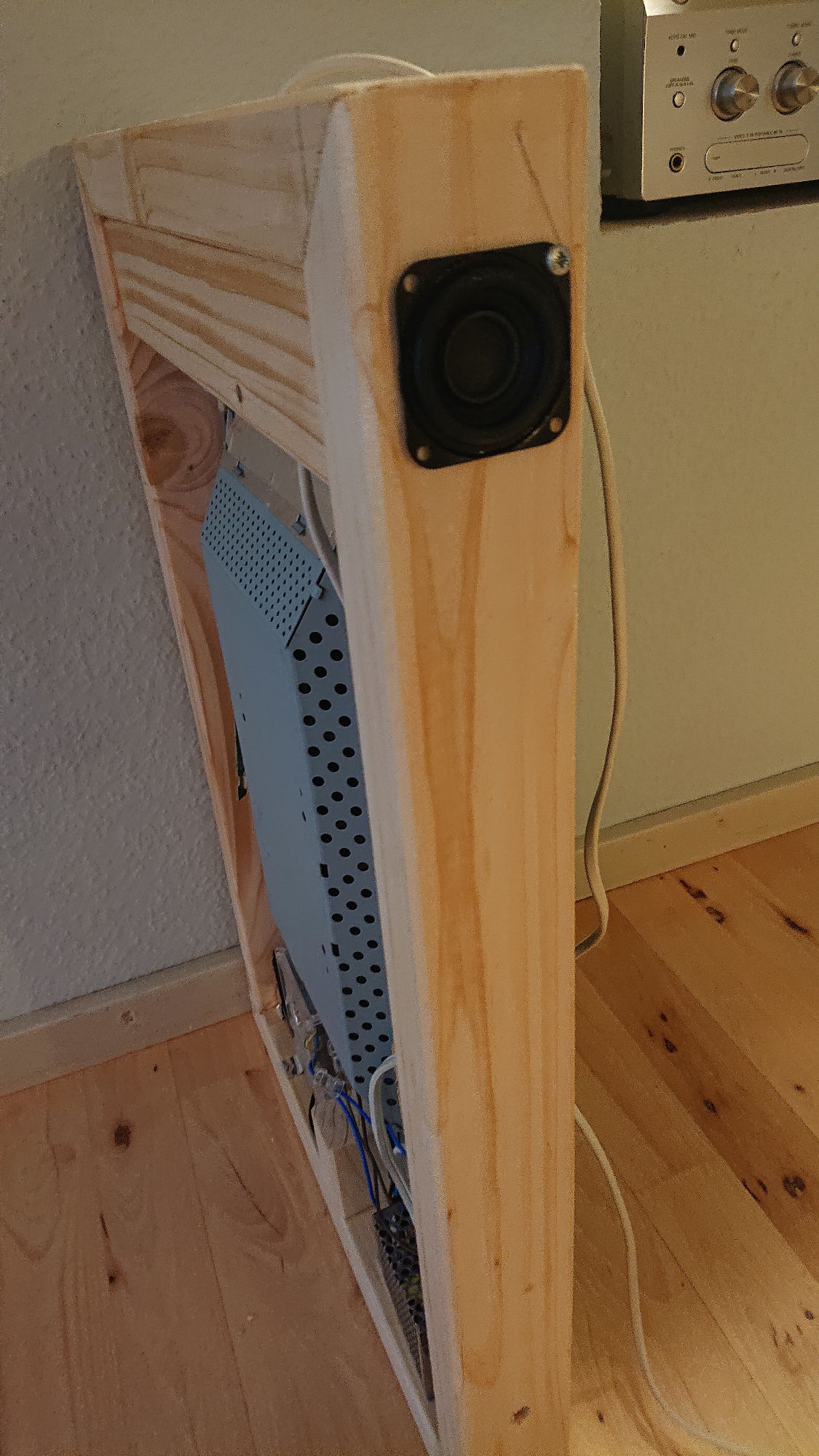
      So I got the speakers and the amplifier, and they are mounted now.
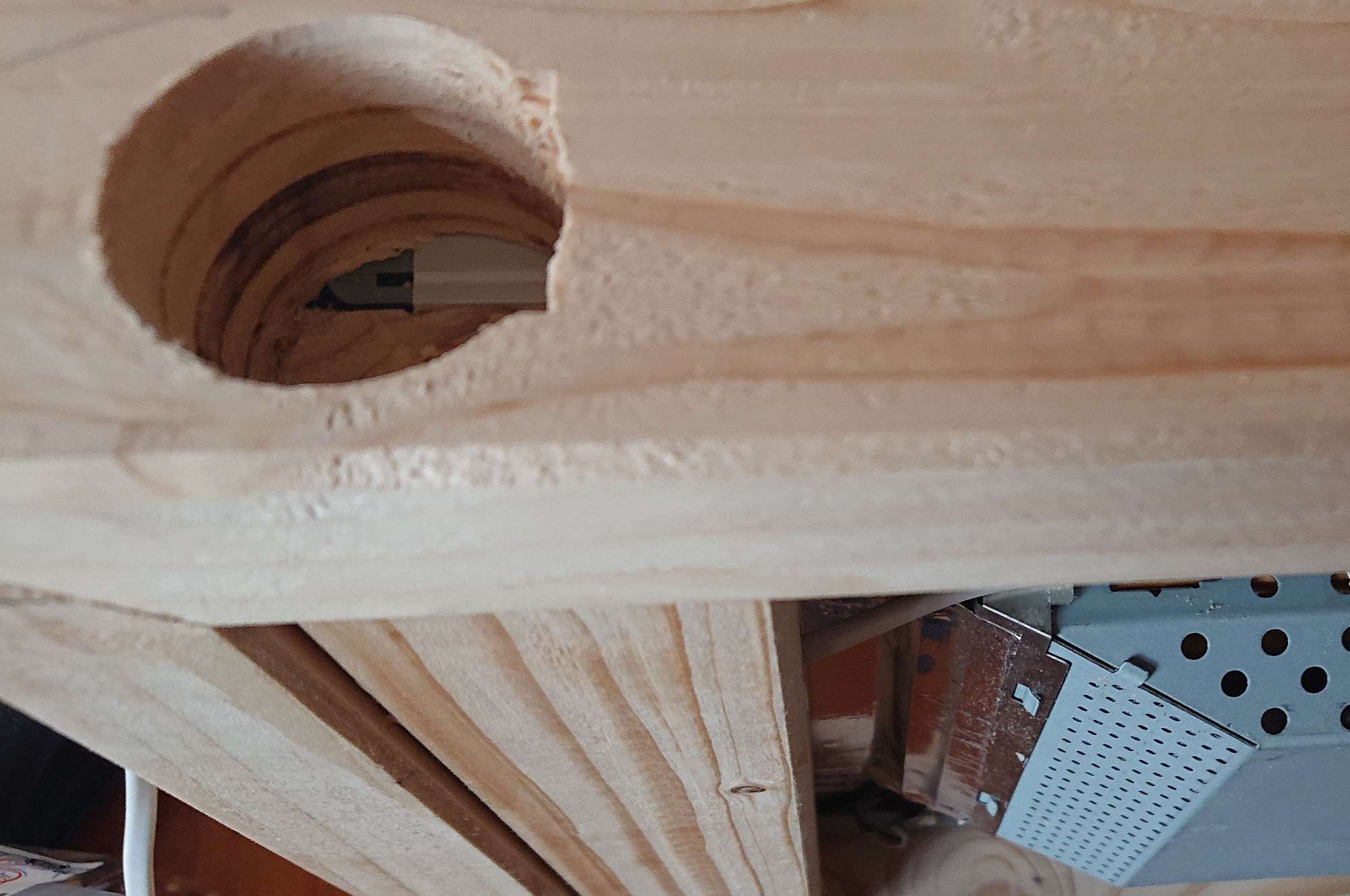
      Found a nice cup drill that fitted the speaker perfectly, so just had to chisel out a little bit for the connector.
      I still need some small black screws to fasten the speakers, then I’m going to paint the frame black, and find some mesh to cover the speakers. I also need to get a small mount printed for the amplifier, and a rod-extender for the potentionometer.
      0_1571155166052_DSC_2466.JPG
      0_1571155173397_DSC_2467.JPG
      0_1571155181816_DSC_2468.JPG
      Speakers are full tone 10W with neodymium magnets.
      The amplifier is a 15W digital amplifier

      posted in Show your Mirror
      F
      fribse
    • RE: I would love to show the finished mirror, but I'm waiting for the glass :-) This is the project so far...

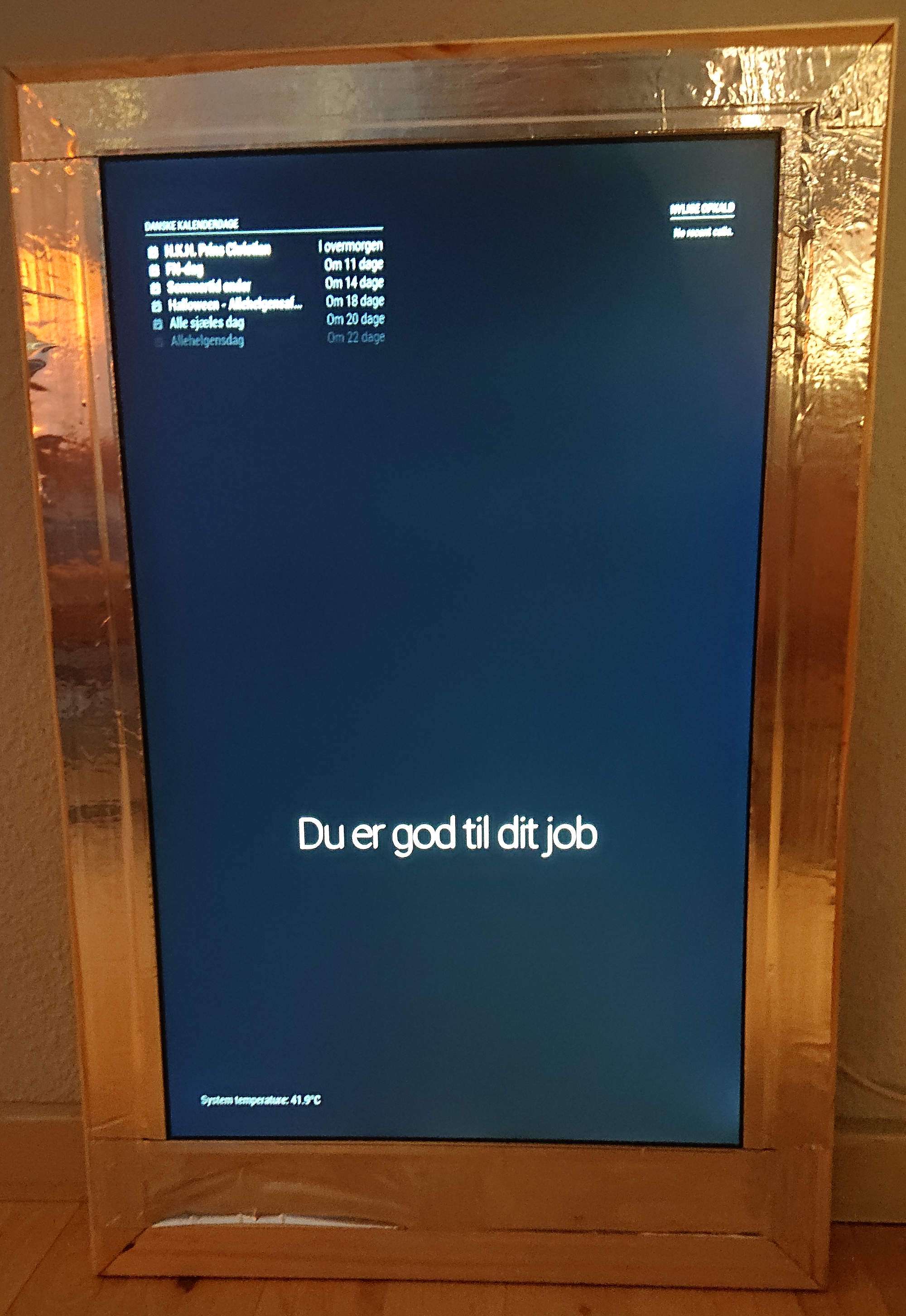
      Ok, not that interesting when there is no glass I guess.
      i have a schedule set up, so different modules are turned off. At this time of day (evening) the weatherforecase, the news and the clock is turned off…
      0_1570996032871_DSC_2464.JPG

      posted in Show your Mirror
      F
      fribse
    • I would love to show the finished mirror, but I'm waiting for the glass :-) This is the project so far...

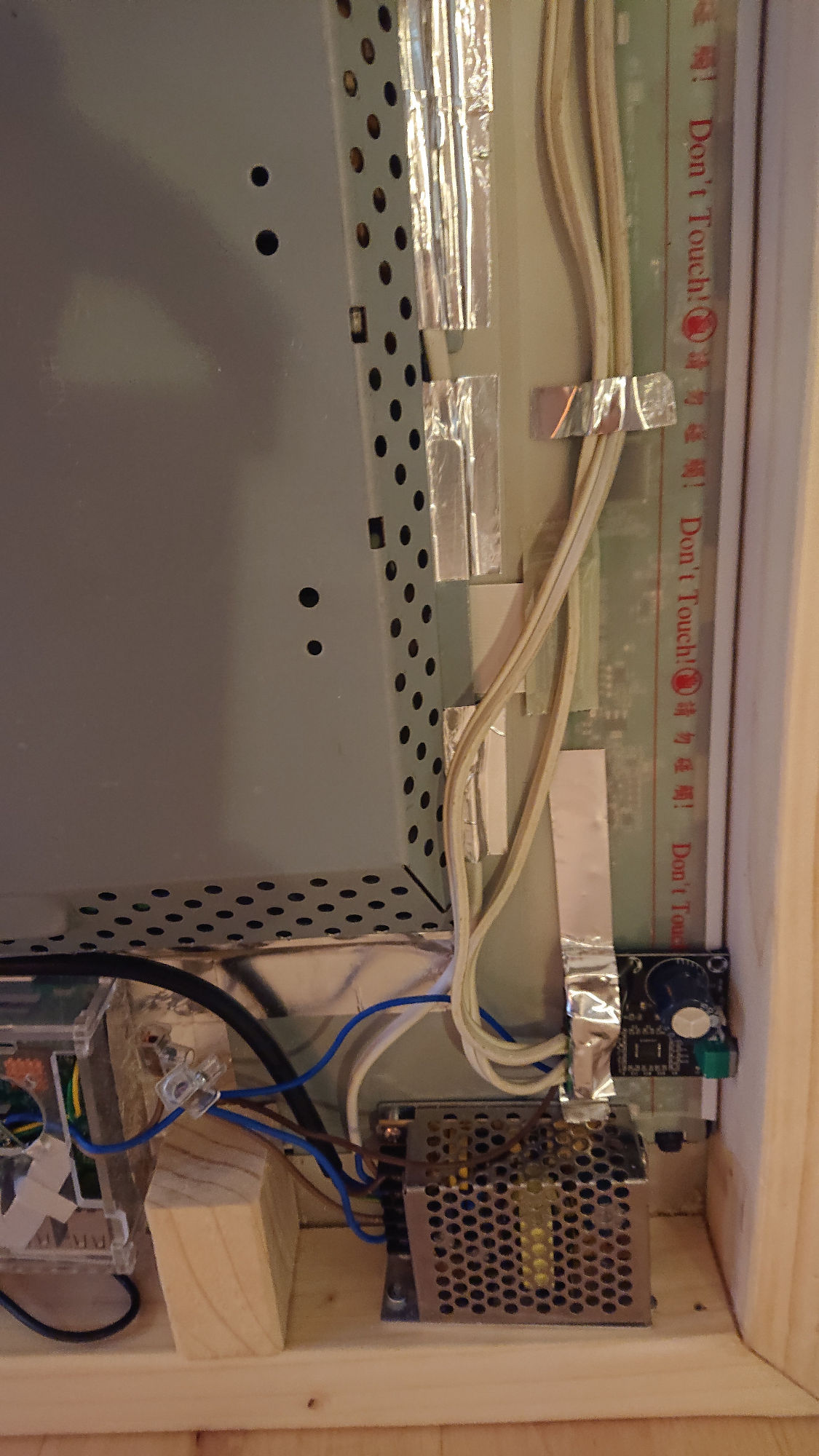
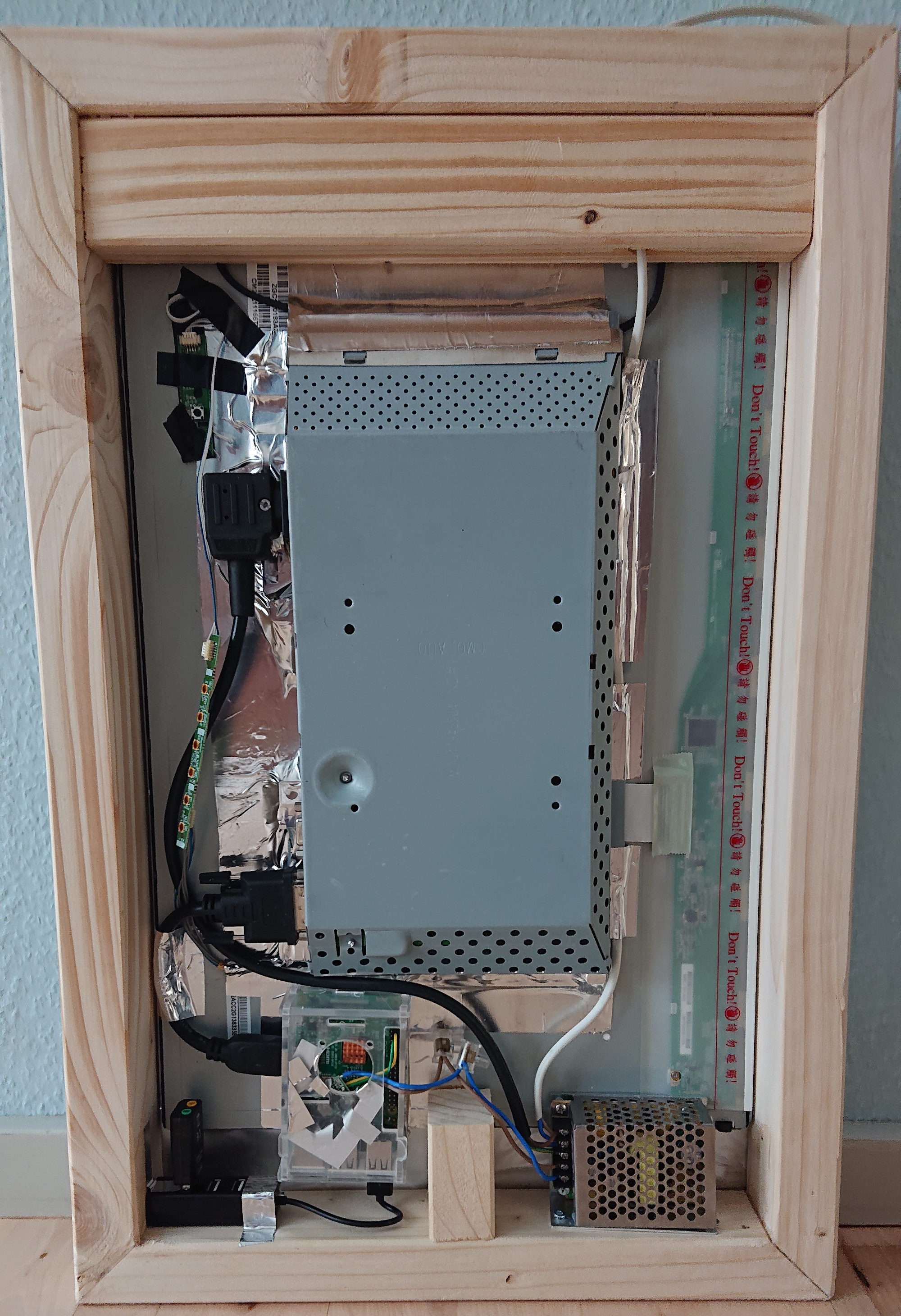
      So far the frame is built, with the monitor mounted (19" LG). It has a 12V PSU, with a buckconverter for the RPi3, and a USB hub for the USB soundcard (and also gives the possibility of adding a USB keyboard to it without twisting fingers.
      The reason for the 12V PSU is that I’m awaiting delivery of my 2x10W speakers, and a stereo 15" amplifier that will be added to the mirror as well.
      0_1570885225698_MM-back.JPG

      posted in Show your Mirror
      F
      fribse
    • RE: Just started looking into MMM-AssistantMk2 - step 3

      @Sean Ok, it seems to have compiled without problems, so far so good. Now to configuration and hotword :-)

      posted in Troubleshooting
      F
      fribse
    • Just started looking into MMM-AssistantMk2 - step 3

      So I’ve gotten most of the Magic Mirror software installed with integration to my Home Assistant, and with scheduled modules, so it’s starting to look like it’s getting there.
      I gave up on the Google-AIY HAT, and I’ve bought a tiny USB soundcard with mic-in and speaker-out (now I just need to get a mic for this that can be flush-mounted.
      I still need the mirror itself (waiting for the community order), and to build the frame for it (waiting for my kap-gering saw :-D ), but the software is about ready.

      So I’ve gone throught the MMM-AssistantMk2 steps, and now I’m at step 3, where it says:

      But if you want to run your mirror as KIOSK mode(executed by npm start), you should rebuild binaries to match with electron. You will meet this or something similar errors on running MM.

      NODE_MODULE_VERSION 59. This version of Node.js requires
      NODE_MODULE_VERSION 57. Please try re-compiling or re-installing

      If then, try this.(For Raspbian Buster or GCC 8 user)

      So I’m running it with pm2, which I guess is what is referred to here.
      Where do I see the error messages? I need to figure out if I need to do the recompilation.

      posted in Troubleshooting
      F
      fribse
    • Now I'm getting somewhere, HA turns screen on and off :-)

      Ok, finally I found the right module. So the remote module in MagicMirror (MMM-Remote-Control), and then ‘rest_command:’ setup in HA.
      That way the motionsensor can turn the screen on and off in the mirror. For now I’ve made it simple with just defining four commands, two for on / off and two for dim / undim. And then just use those services in HA automations.
      Works perfectly.
      Now I need to turn some modules on and off depending on the time of day.

      The HA commands:

      rest_command:
        turn_off_mm_screen:
          url: http://IP:8080/api/monitor/off
        turn_on_mm_screen:
          url: http://IP:8080/api/monitor/on
        dim_mm_screen:
          url: http://IP:8080/api/brightness/75
        undim_mm_screen:
          url: http://IP:8080/api/brightness/100
      

      One of the automations (at night)

      - id: '1557033756115'
        alias: Turn on bathroom light at night
        trigger:
        - entity_id: binary_sensor.bathroom_movement
          from: 'off'
          platform: state
          to: 'on'
        condition:
        - after: '23:00'
          before: '7:59'
          condition: time
        - condition: state
          entity_id: light.spejl
          state: 'off'
        action:
        - data:
            brightness_pct: 10
            entity_id: light.spejl
          service: light.turn_on
        - data: {}
          service: rest_command.turn_on_mm_screen
        - data: {}
          service: rest_command.undim_mm_screen
      

      Next step would be to modify rest_command so that I don’t have one for each action, but send a payload that is modified to the command that I want.

      posted in Troubleshooting
      F
      fribse
    • 1 / 1