MagicMirror Forum
    • Recent
    • Tags
    • Unsolved
    • Solved
    • MagicMirror² Repository
    • Documentation
    • 3rd-Party-Modules
    • Donate
    • Discord
    • Register
    • Login
    1. Home
    2. grena
    3. Posts
    A New Chapter for MagicMirror: The Community Takes the Lead
    Read the statement by Michael Teeuw here.
    G
    Offline
    • Profile
    • Following 0
    • Followers 3
    • Topics 6
    • Posts 53
    • Groups 1

    Posts

    Recent Best Controversial
    • RE: CurrentWeather and WeatherForecast with MeteoFrance

      A ma connaissance, Météo-France ne met pas gratuitement à disposition de données de prévision météo via une API ou un fichier XML. Voir l’offre de services de Météo-France !

      Donc sur Magic Mirror, Météo France ne fait pas partie des fournisseurs de données météo !

      posted in Utilities
      G
      grena
    • RE: MMM-APOD

      @rudibarani

      when I add the description. In addition, the description is shown on the left whereas the image was set to middle_center.

      I never used this position for MMM-APOD module! The text is normally automatically aligned according to the position of the module. This bug is normally fixed after updating the module:

      cd ~/MagicMirror/modules/MMM-APOD
      git pull
      

      Would it be possible

      • that the image maintains its defined size when the description is displayed

      I could not reproduce this bug! The maximum width of the text and image is already defined by the maxMediaWidth setting!

      posted in Entertainment
      G
      grena
    • RE: MMM-VigilanceMeteoFrance

      Bonjour @Wilfried,

      Je ne suis pas certain que ta question ait été postée au bon endroit… Ici, on parle du module MMM-VigilanceMeteoFrance que j’ai développé pour exploiter les données fournies sur la vigilance météo en France.

      Tu peux peut-être essayer d’ouvrir un nouveau sujet pour poser ta question ;)

      posted in Utilities
      G
      grena
    • RE: MMM-MarineWeather

      Hello everyone,

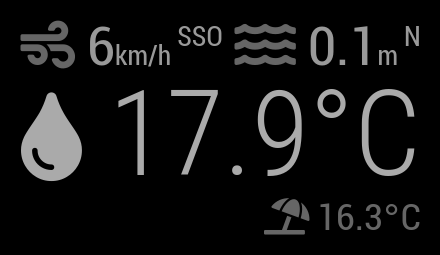
      MMM-MarineWeather 0.2.0 has just been released, you can now:

      • Display additional information (pressure, cloud cover, visibility, sea level) with API v2.
      • Customize displayed information (except water temperature and air temperature).

      MMM-MarineWeather 0.2.0 ScreenShots

      To update:

      cd ~/MagicMirror/modules/MMM-MarineWeather
      git pull
      

      I hope you like this new version.
      Please inform me of any problems.

      Grena

      posted in Utilities
      G
      grena
    • RE: trouble to login in MM forum

      @sdetweil Yes ! Thanks ;)

      posted in Troubleshooting
      G
      grena
    • RE: MMM-MarineWeather

      @Deckard99 said in MMM-MarineWeather:

      Google says this is San Diego…where I live…

      I think you forgot the - for the longitude (to the west of Greenwich) !

      With these coordinates, you’re in San Diego!

      latitude: 32.7157,
      longitude: -117.16,
      
      posted in Utilities
      G
      grena
    • RE: MMM-MarineWeather

      @Deckard99 said in MMM-MarineWeather:

      latitude: 32.7157,
      longitude: 117.16,

      For me, the place associated with this coordinates is located near a lake in China! You may be able to verify that the coordinates are correct: www.latlong.net

      posted in Utilities
      G
      grena
    • RE: MMM-MarineWeather

      @boivinmi
      With your MMM-MarineWeather configuration, it works fine! Did you restart the magic mirror?

      {
         module: "MMM-MarineWeather",
         header: "Marine Weather",
         position: "top_right",
         config: {
            latitude: 46.829853,  // Latitude 
            longitude: -71.254028, // Longitude
            appid: "414492aa-c717-11e9-a3da-0242ac130004-4144953e-c717-11e9-a3da-0242ac130004"
         }
      },
      

      magicmirror.png

      Since I can’t reproduce your bug, you have to see if there are any error messages in the console!

      posted in Utilities
      G
      grena
    • RE: MMM-MarineWeather

      @ryanbeljan : Thank you for your positive feedback. I will work on a new version of the module to use the new information of API v2 (currently the module uses API v1) ;)

      @boivinmi : Currently, it’s not possible to choose the information displayed with params. By removing this line from your configuration, it works fine!

      @Deckard99 : Indeed, there is a problem with waveHeight at your location (probably because it is a lake and not the sea). In the next version, I will integrate a better detection of this type of error to avoid the total blocking of the module!

      posted in Utilities
      G
      grena
    • RE: MMM-VigiCrues

      Bonjour @Ottosophie !

      En effet, les paramètres par défaut du graphique posaient problème quand le niveau d’eau était négatif, c’est maintenant corrigé !

      Pour mettre à jour le module sur ton Magic Mirror :

      cd ~/MagicMirror/modules/MMM-VigiCrues
      git pull
      

      J’en ai profité pour rajouter 2 options :

      • beginAtZero permet de choisir si le graphique commence (ou pas) à 0.
      • showChartBackground permet de choisir l’arrière-plan est affiché (ou non).

      Grena

      posted in Utilities
      G
      grena
    • RE: MMM-VigilanceMeteoFrance

      @omoioli said in MMM-VigilanceMeteoFrance:

      Ca ne changerait rien au résultat final, c’est juste un changement de variable, mais ça permettrais d’être sur que le module a bien eu la réponse de l’api…

      En fait, si tu regardes la fonction processVigi, je teste (sommairement) la conformité des données reçues pour l’affichage final. Il y a notamment data.department != this.config.department pour détecter si le département n’est pas le bon…

      En cas de données non utilisables, le module reste bloqué sur " Chargement… ", on voit donc très rapidement qu’il y a un problème ;)

      posted in Utilities
      G
      grena
    • RE: MMM-VigilanceMeteoFrance

      @omoioli

      En fait si ça marche! J’avais mal orthographié la notification… maintenant le changement fonctionne bien.

      Super !

      Il faudrait peut-être prévoir d’indiquer le numero de département à côté de la vigilance pour voir que le module s’est mis à jour …

      En effet, c’est une bonne idée ;) Je viens tout juste d’intégrer la fonctionnalité dans la branche testing ! L’affichage du nom et du numéro du département n’est pas activé par défaut, il faut donc rajouter la ligne suivanteshowDepartment: true, dans ton fichier de configuration.

      En tout cas merci pour ce module !

      Avec plaisir :D J’attends ton retour final pour valider ces nouvelles fonctionnalités et les basculer dans la branche principale pour que tout le monde puisse en profiter !

      posted in Utilities
      G
      grena
    • RE: MMM-MarineWeather

      @minomit, do you use MMM-Page-Selector ?

      I wanted to do a final test to reproduce your bug by installing MMM-Page-Selector, it works ! So, I added some error messages in the module to get more information but you will have to look at the console when starting MagicMirror with DevTools.

      posted in Utilities
      G
      grena
    • RE: MMM-VigilanceMeteoFrance

      Bonjour @omoioli,

      Oui c’est tout à fait possible grâce au système de notifications du Magic Mirror. Je n’utilise pas de système de contrôle vocal mais l’idée peu être étendue à l’utilisation de menus, de boutons, d’un système de rotation automatique… Et ça me semble intéressant :thumbsup:

      Bref, j’ai intégré la fonctionnalité (fonctionnelle d’après mes tests) dans la branche testing ! Si tu es partant pour tester la fonctionnalité avec ton module de contrôle vocal, on peut en discuter en privé ;)

      posted in Utilities
      G
      grena
    • RE: MMM-MarineWeather

      @minomit

      With your MMM-MarineWeather configuration, it works fine !

      {
      	module: "MMM-MarineWeather",
      	position: "top_right",
      	config: {
      		latitude: 40.10 , // Latitude
      		longitude: 18.52, // Longitude
      		appid: "414492aa-c717-11e9-a3da-0242ac130004-4144953e-c717-11e9-a3da-0242ac130004" // API Key for your tests
      	}
      },
      

      marineweather-minomit.jpg

      Since I can’t reproduce your bug, you have to see if there are any error messages in the console! To start MagicMirror with DevTools open, run npm start dev from the MagicMirror folder like this in a terminal cd ~/MagicMirror/ && npm start dev.

      posted in Utilities
      G
      grena
    • RE: MMM-MarineWeather

      @minomit said in MMM-MarineWeather:

      loading …

      Okay, on my side it works fine!

      Can you specify your MMM-MarineWeather configuration in the config/config.js file with a copy/paste into a code block (“</>” button) to try to find the problem?

      posted in Utilities
      G
      grena
    • RE: MMM-MarineWeather

      @minomit said in MMM-MarineWeather:

      I don’t see … help me please

      What is your problem? What do you want to do?

      posted in Utilities
      G
      grena
    • RE: MMM-VigilanceMeteoFrance

      @BigFer said in MMM-VigilanceMeteoFrance:

      Module mis à jour sans problème. Super pratique !

      Super ! Merci ;)

      Pour ton autre question, peux-tu ouvrir un sujet spécifique pour ne pas créer de hors-sujet dans celui-ci ? J’y répondrai avec plaisir :slightly_smiling_face:

      Pour plus de lisibilité, n’hésites pas à utiliser le bouton " Code " </> pour coller tes lignes de code et ta configuration !

      posted in Utilities
      G
      grena
    • RE: MMM-VigilanceMeteoFrance

      Je viens d’ajouter une nouvelle fonctionnalité à mon module MMM-VigilanceMeteoFrance !

      Un notification sera affichée dans les cas suivants :

      • Vigilance jaune, orange ou rouge au démarrage du MagicMirror.
      • Augmentation ou diminution du niveau de vigilance.
      • Ajout d’un ou plusieurs nouveaux risques.

      Cette fonctionnalité est activée par défaut mais il est très simple de la désactiver dans les options. Vous pouvez aussi choisir la durée d’affichage du message (1 minute par défaut).

      Pour mettre à jour le module :

      cd ~/MagicMirror/modules/MMM-VigilanceMeteoFrance
      git pull
      

      N’hésitez pas si vous avez des questions ou des problèmes !

      posted in Utilities
      G
      grena
    • RE: MMM-VigiCrues

      @Ottosophie said in MMM-VigiCrues:

      -je n’ai pas de titre comme toi sur le graphique :

      Le " titre " du graphique c’est tout simplement le header du module !
      Dans ton fichier config.js, tu peux ajouter header: "Vigilance Crue" comme ici :

      modules: [
      	{
      		module: "MMM-VigiCrues",
      		position: "top_left",
      		header: "Vigilance Crue",
      		config: {
      			stationid: "A123456789" // Station identifer (www.vigicrues.gouv.fr)
      		}
      	}
      ]
      

      -je n’ai pas non plus de pointillés couleur comme sur ton graphique.

      Les pointillés sur le graphique correspondent aux alertes personnalisées à ajouter dans alertTable de la configuration du module comme ici :

      alertTable: [
      	{ "value": 5430, "title": "Flood 2017", "color": "red" }, // Alert set to 5430 mm displayed in red with the title "Flood 2017"
      	{ "value": 3120, "title": "Flood 2014", "color": "orange" }, // Alert set to 3120 mm displayed in orange with the title "Flood 2014"
      ]
      

      Toutes les informations se trouvent dans le ReadMe ;)

      Grena

      posted in Utilities
      G
      grena
    • 1 / 1