Hello everyone,
To complete my first Magic Mirror Module, MMM-APOD, I created another Module, MMM-SolarPicture, it displays the last Solar Dynamics Observatory (SDO) picture :

I hope you like the module.
Please inform me of any problems.
Grena
Hello everyone,
To complete my first Magic Mirror Module, MMM-APOD, I created another Module, MMM-SolarPicture, it displays the last Solar Dynamics Observatory (SDO) picture :
I hope you like the module.
Please inform me of any problems.
Grena
Hello everyone,
To complete the information given by my module MMM-VigilanceMeteoFrance, I created MMM-VigiCrues, it displays the last value of water level at a station in the Vigicrues network in France with chart and statistics :

You can add your own alerts !
I hope you like the module.
Please inform me of any problems.
Grena
@qu1que said in MMM-SolarPicture:
I wonder if it will be possible to show all the images from the SDO website one after the other, setting the time between one and another, so you can see them all consecutively.
This functionality was simple to integrate into the module… It’s now possible to activate an automatic slideshow of all images !
To do this, simply add the transitionInterval option in your configuration with display time of one image before moving to the next in milliseconds ;)
To update the module:
cd ~/MagicMirror/modules/MMM-SolarPicture
git pull
Happy Christmas :christmas_tree:
Hello everyone,
I just released a third Magic Mirror Module, MMM-VigilanceMeteoFrance, it displays the current level of vigilance of weather phenomena in France and the associated risks :

I hope you like the module.
Please inform me of any problems.
Grena
Hello!
The new version of MMM-APOD allows to display the image of the day in the background!
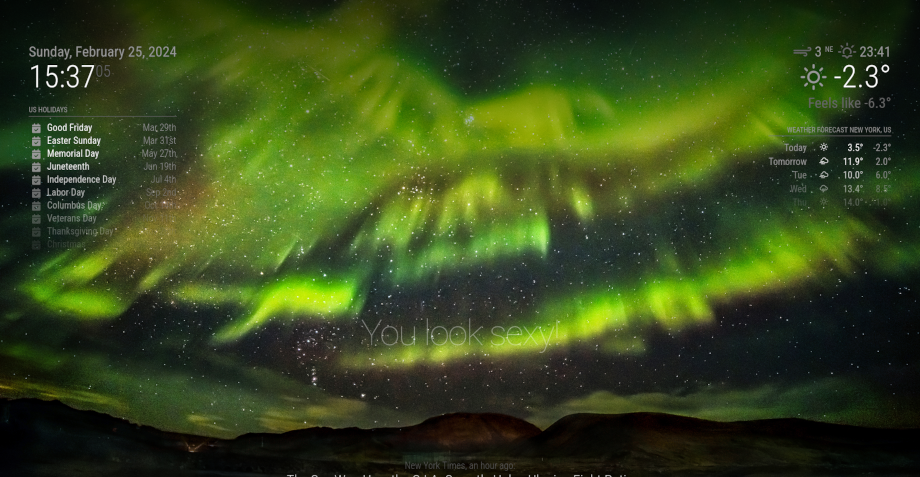
Please read the documentation to customize and update MMM-APOD on your MagicMirror :winking_face:
Grena
This is now available with my new module: MMM-APOD !
MMM-APOD is an evolution of MMM-nasaastropic (thanks to NASA API) : supports image and video and display title, description and copyright.
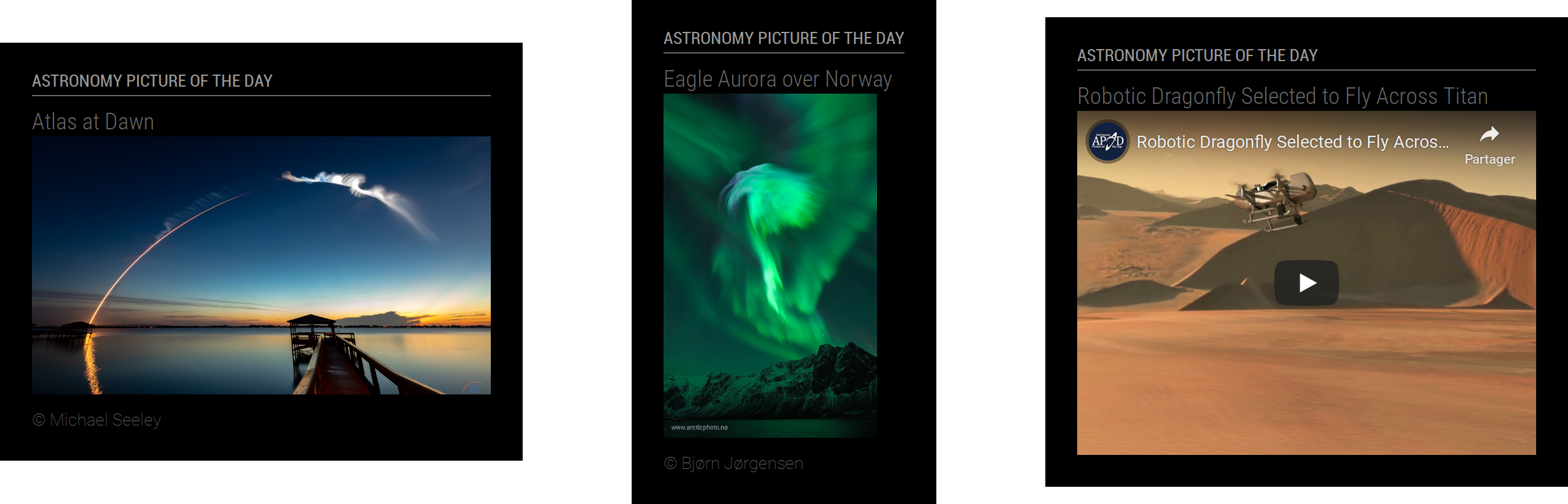
Hello everyone,
I just released a second Magic Mirror Module, MMM-MarineWeather, it displays the current marine weather :

[card:grenagit/MMM-MarineWeather]
I hope you like the module.
Please inform me of any problems.
Grena
Hello everyone,
I just released my first Magic Mirror Module, MMM-APOD, it displays the latest Astronomy Picture Of the Day (APOD) !
This is an evolution of MMM-nasaastropic because the module uses NASA API and it can display all the information provided by NASA (image or video).

I hope you like the module.
Please inform me of any problems.
Grena
Ongoing fix! More information in my last post ;-)
Hello @madradrakie,
To display Astronomy Picture Of the Day (APOD), I advise you to use MMM-APOD rather than MMM-nasaastropic. MMM-APOD uses NASA API and it can display all the information provided by NASA (image or video).
For MMM-APOD and MMM-SolarPicture, you can use the maxMediaWidth and maxMediaHeight options to set the image size in pixels.
I hope this will help!
Grena
@grena Nice little module!
Thanks ;)
I have the full thing working (like the graphic on the left), but was hoping to use the simpler version (like the graphic on the far right) – but using params causes an error… Maybe I’m getting the syntax wrong – could you provide an example of how that line of the config should appear please?
The parameters requested from Storm Glass must be kept to a minimum, i.e., airTemperature and waterTemperature like this:
modules: [
	{
		module: "MMM-MarineWeather",
		position: "top_right",
		config: {
			latitude: 0, // Latitude
			longitude: 0, // Longitude
			appid: "abcde12345abcde12345abcde12345ab", // StormGlass API key (docs.stormglass.io)
			params: ["airTemperature", "waterTemperature"]
		}
	}
]
:fire: MMM-PIR-Sensor-Lite 1.2 has just been released! It’s allows you to manage monitor on Debian 11 Bullseye :sign_of_the_horns_medium-light_skin_tone:
Learn more in ReadMe
Got everything to work perfectly…
:thumbs_up:
The following page is very useful to test the functionality of the sensor before you implement the change to mirror config file (thanks to @sdetweil for posting the link in a different thread): https://projects.raspberrypi.org/en/projects/parent-detector/3
Yes, You can also run the python script of the module: python3 -u ~/MagicMirror/modules/MMM-PIR-Sensor-Lite/pir.py SENSOR_PIN
another user noticed this only worked for the 1st HDMI port on the pi4.
Yes, I add this point of vigilance at the beginning of the readme :white_heavy_check_mark: