I put it here in config.js
			module: "calendar",
			header: "Our Calendar",
			position: "bottom_right",
			config: {
				mmFetchTimeout: 60000,
				calendars: [
I put it here in config.js
module: "calendar",
header: "Our Calendar",
position: "bottom_right",
config: {
mmFetchTimeout: 60000,
calendars: [
Hi all
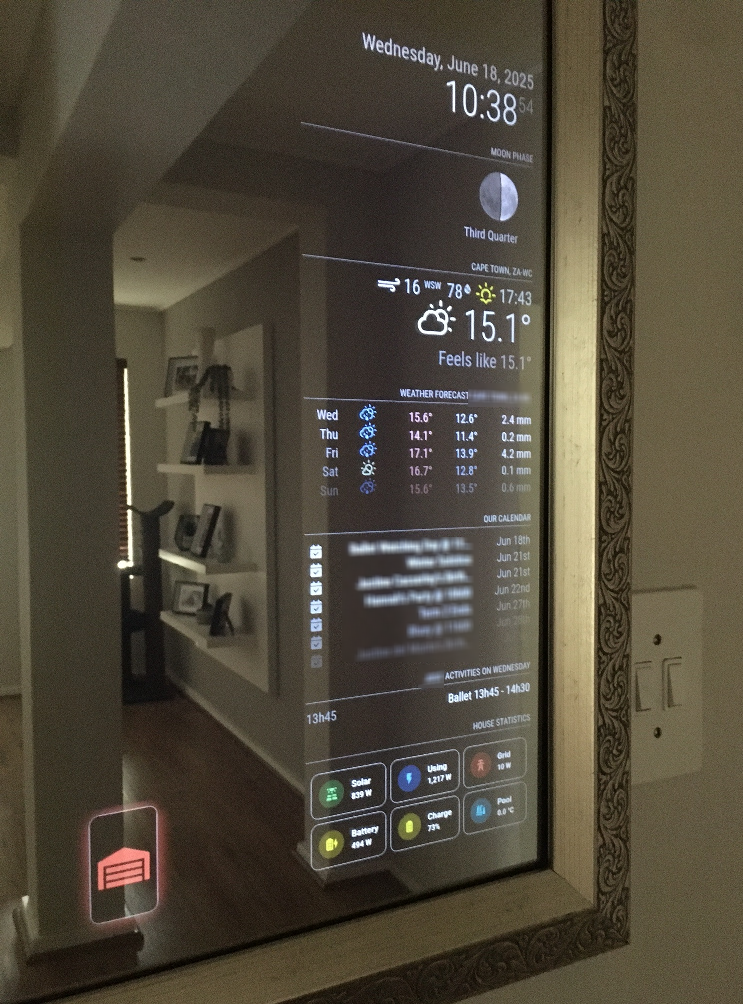
Built our first Magic Mirror in 2019. Recently did a complete software rebuild and thought I’d share.
The original Mirror was standalone. This version is integrated with Home Assistant ( HA ).
Some of the cool stuff :
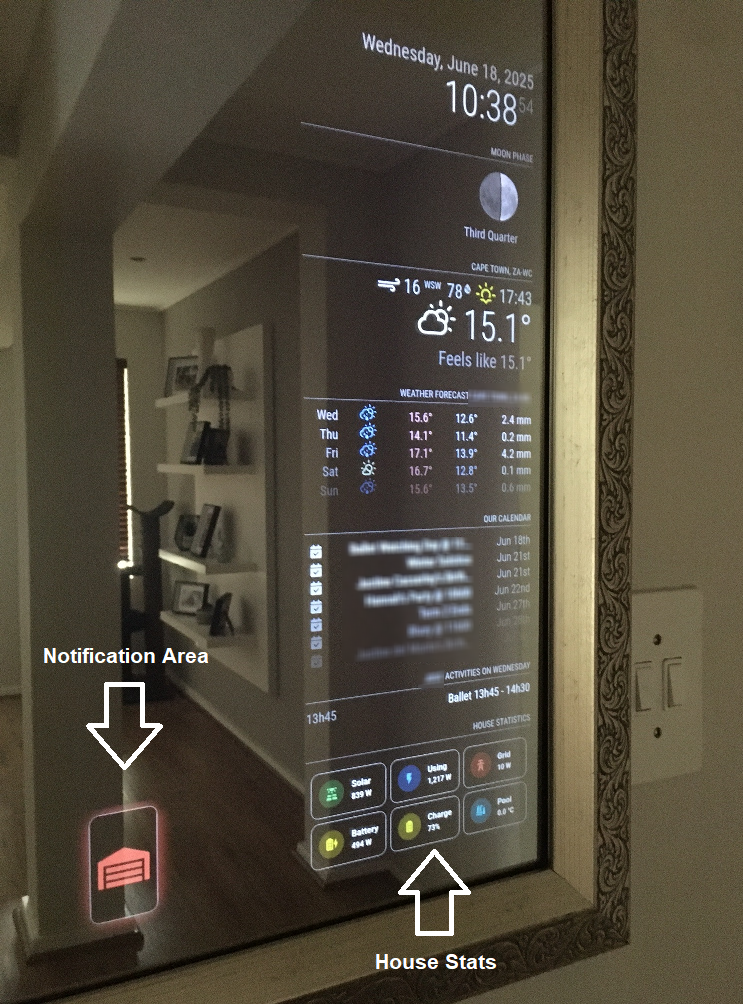
The Mirror renders an HA dashboard via an iFrame to show our house stats. Some of the figures you see there alternate every 15 seconds to display different stats with no visible refresh
Has a notification area ( another iFrame ) to alert you to things like the garage door is open, the hob gas is running low, etc. Notifications come and go i.e. you only see them when they need to be there
Uses HA for power saving. HA will turn the Mirror on or off using whose cell phone is in the house, if the alarm is on etc.
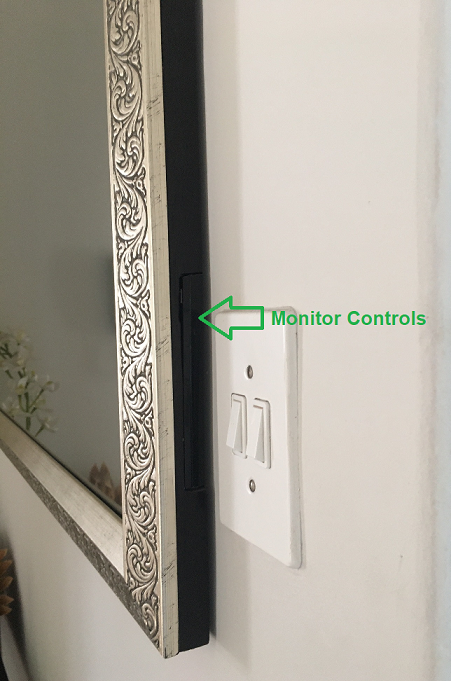
The physical mirror measures 1025mm x 720mm. But the 20" de-cased monitor that is the Magic Mirror only occupies the bottom right. The Pi 3B+ sits 5m away in cupboard. The cabling is routed through conduits in the wall. Much grinding, much dust ! The idea was to keep the profile super low so that it looks pretty much like an ordinary mirror

Thanks so much for the response. That syntax/config was the latest version ( of sooo many ) I tried where I just couldn’t get it to work
I have since taken another route. I’m running Home Assistant and MQTT Docker containers on a Synology NAS. Home Assistant displays the info I need via a simple custom dashboard. I then use an iFrame on the Magic Mirror to display said data. Works a treat
Hi all
I’m trying to display MQTT data from my solar system battery logger so that a simple capacity percentage will display on the MagicMirror. I’m using the MMM-MQTT module. While the module loads up fine, it doesn’t seem to interpret the data and simply displays " Loading "
I need to retrieve a particular value within the topic. That value has a label of capacityP. The Pi running MagicMirror has a Mosquitto broker installed natively. And if I query the MQTT topic, it’s receiving data correctly. I think where I’m falling short is the syntax around retrieving the capacityP value from the topic. Any ideas ? I’ve tried so many different options. But I just can’t get it right!
	*{
		module: 'MMM-MQTT',
		position: 'bottom_left',
		header: 'SolarMD Battery',
		config: {
			mqttServer: 'mqtt://localhost',
			port: '1883',
			label: 'Charge Level',
			decimals: 1,
			topic: 'solarmd/energy/outputEnergy/bank1',
			jsonpointer: '{"solarmd": {"energy": {"outputEnergy": {"bank1": {"capacityP"}}}}}',
			suffix: '%'*

