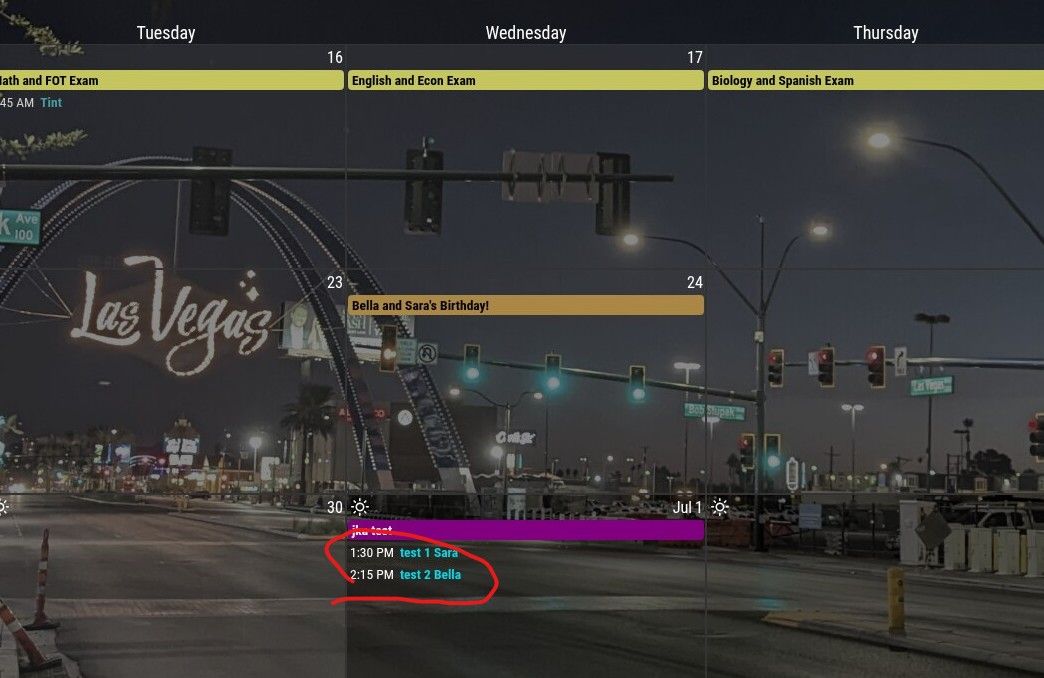
@sdetweil YES! That helped me find the missing piece.
I needed this to set the header color
background-color: var(--calendarColor);
Now I just need to figure out how to set all the text to black.
Thanks for your help! Very much appreciated.
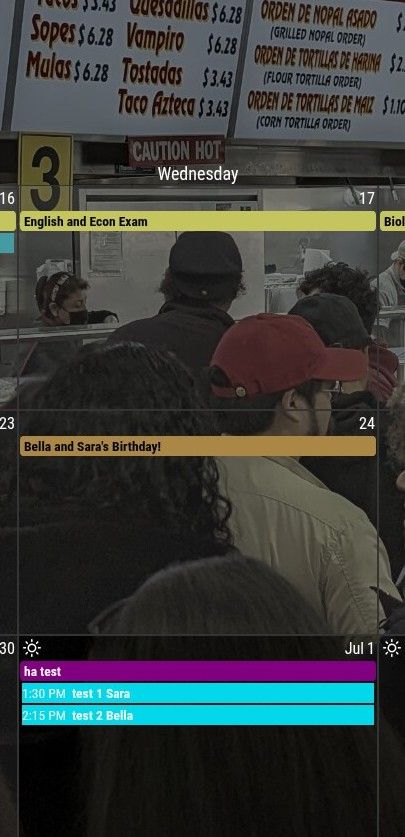
@sdetweil YES! That helped me find the missing piece.
I needed this to set the header color
background-color: var(--calendarColor);
Now I just need to figure out how to set all the text to black.
Thanks for your help! Very much appreciated.
@sdetweil right the Juneteenth is a full day event (holiday) so it has a colored background. But your timed event on the 4th is just colored text. I am able to make it do that too.
BUT what I want is the timed event, “Grandpa sam…” to also have a colored background like “Juneteenth” ( but of course a different color since it’s not a holiday).
@sdetweil i’m probably missing something…
I removed all of the other .CX3 entries and left this.
.normal,
.dimmed,
header,
body {
  color: #fff;
}

.CX3 .headline {
  color: var(--calendarColor);
}
and this is what it shows.
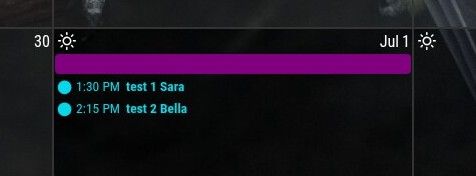
@sdetweil That didn’t work either. Here’s my custom.css file… maybe something sticks out to you?
I appreciate the help.
custom.css
.normal,
.dimmed,
header,
body {
  color: #fff;
}


.CX3 .headline {
  color: var(--calendarColor);
}

/* set text color to match color for the calendar list */
.CX3 .event:not(.fullday) .headline .title {
  color: var(--calendarColor);
}


/* Remove the colored dot marker completely in CalendarExt3 */
.CX3 .event.singleday .headline:not(.useSymbol)::before,
.CX3 .event.singleday .headline.useSymbol .symbol.noSymbol::before {
  display: none !important;
}

/* Optional: Clean up spacing if the headline text looks cut off */
.CX3 .event .headline {
  padding-left: 0px !important;
  margin-left: 0px !important;
}
@sdetweil Yeah, I saw that before but it only colors the text. I want to have it color the whole line like the full-day event.
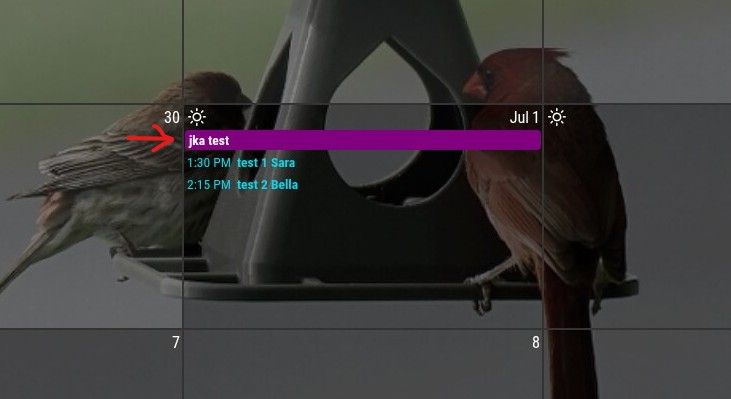
Hi. I have my MagicMirror pretty much set up the way I want except for one little thing…
I would like the timed events to have the same block coloring as the full day events. Right now, it’s just the text that’s colored. Is there a way to do this?
I eventually will also change the color based on the keyword in the title which I already know how to do for the text. I’m assuming it’ll be the same for the full entry coloring?