@mumblebaj Cool.
I’ve updated the data. Your modules look now like this:
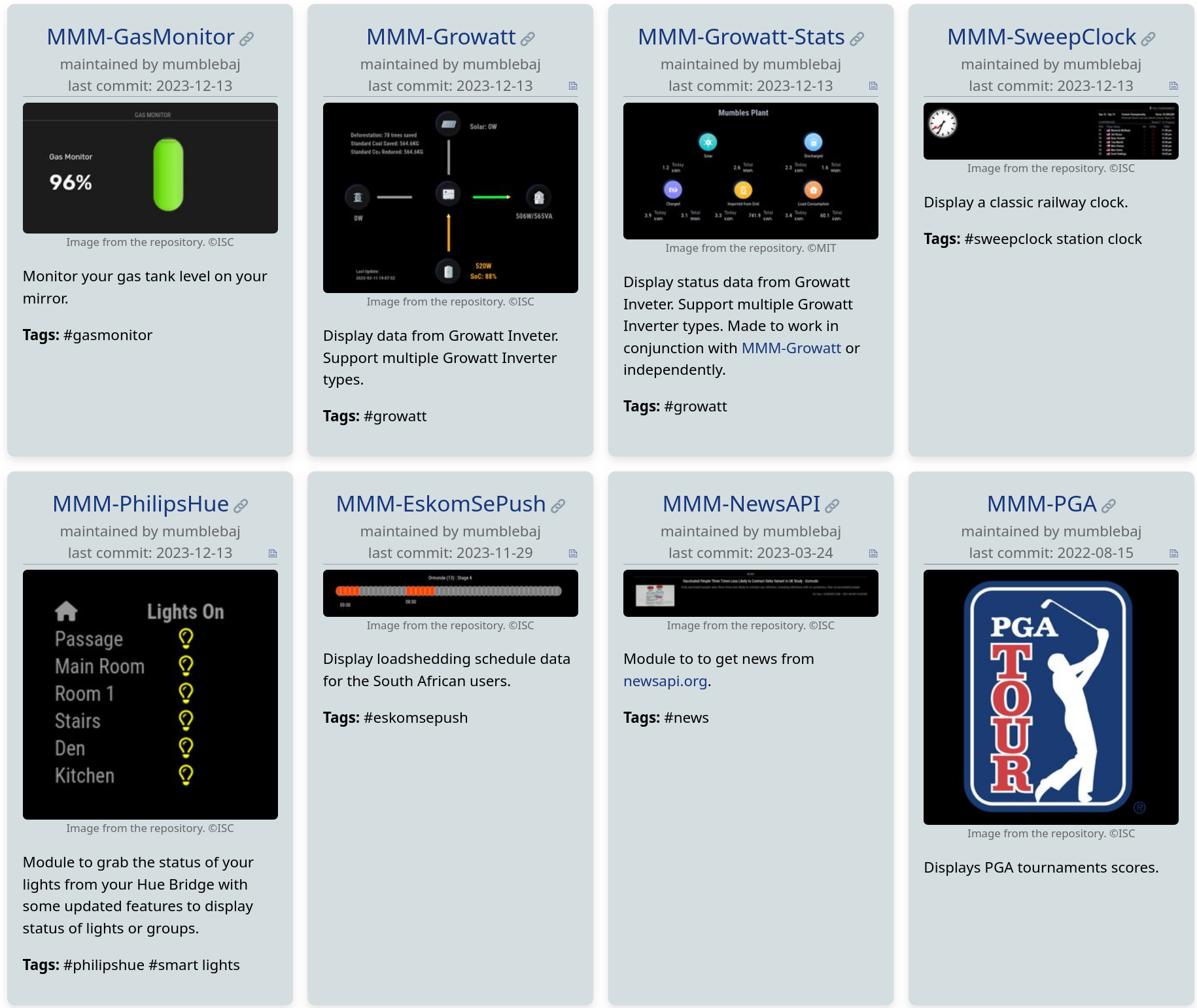
A screenshot for MMM-PGA would be nice :smiley:
 Offline
@mumblebaj Cool.
I’ve updated the data. Your modules look now like this:
A screenshot for MMM-PGA would be nice :smiley:
@mumblebaj Sure :slightly_smiling_face: I have included a brief explanation of this in the README.
If there are several images in your repository, one image is selected according to the following logic: First search for an image that contains 'screenshot' or 'example' in it's name and if none is found, take the first image that is found.
Many changes have been made to the official module list since the beginning of November. I have created an overview for this. Since not everyone regularly follows the changes to the list, such an overview may be helpful for some of you.
I don’t know yet if I will create a new list in the future and even maybe automate the process a bit. I am quite up to date of the changes as I am working on a new unofficial module list which is based on the official list.
These are the changes from November 2 to December 12. The list may be incomplete, as a part was a little manual work.
Check out these new modules:
If you use one of this modules, you should consider to switch to the new repository.
If you use one of these modules, consider looking for an alternative or adopting the module as a maintainer.
npm install node-fetch@2) and author doesn’t work on it anymore. Maybe he would react to a PR. Status as of 2023-12-03.Nice. Don’t forget to add it to the modules list: https://github.com/MichMich/MagicMirror/wiki/3rd-party-modules :smiley:
@JeffreyDaro The carouselId has to be in the config part. Like this:
{
      module: "calendar",
      position: "top_right",
      config: {
      	carouselId: "cal1",
      	...
      }
    },
    {
      module: "calendar",
      position: "top_right",
      config: {
      	carouselId: "cal2",
      	...
      }
    },
@JeffreyDaro That’s possible with MMM-Carousel. Look for carouselId in the README file :-)
@karsten13 said in Automatic checking of all MagicMirror² modules:
did you try to authenticate with a user before making the api requests?
No, I didn’t. Thanks for the hint! I’ll try that! The documentation sounds promising:
Additionally, you can make more requests per hour when you are authenticated.
@MZ-BER said in Automatic checking of all MagicMirror² modules:
Great work @KristjanESPERANTO. Really, really like this. Is there a way to also publish the github stars and # of forks? I also would love if there is a way to “like” a module.
Thank you for your appreciation! :-)
karsten13 has already suggested the GitHub API and I have tested it, but if you make requests for 1000 modules you’ll got blocked quickly. I haven’t found another good approach yet.
@MMRIZE said in Automatic checking of all MagicMirror² modules:
I suggest you and the community expand package.json to regularise the details of the module. (recommended but optional)
Storing additional data in the package.json is an interesting idea! But I would like to avoid maintaining data redundantly. So before we tackle this, it would be good to have an overview of the data that is already used for the website and where it is taken from. Plus an additional list of data that is still needed, ideally with ideas on how to collect it. What’s not easy to implement could perhaps be addressed by extending the packge.json.
@mumblebaj said in Automatic checking of all MagicMirror² modules:
My MMM-SweepClock doesn’t have a package.json either as all work done in the MMM-SweepClock.js file. I can add one for completeness and conformity. I also notice I did not have an image. I usually name my images image-1.png etc. so the main image is generally the first one.
At the moment the script has no other source for keywords and the license. And without the license information no image will be taken. If you want an image to be displayed on the website, you would have to specify a free license in the package.json.
@sdetweil said in Automatic checking of all MagicMirror² modules:
my MMM-SleepWake module does not have any UI… so there is no photo…
There is no obligation for an image. But perhaps it would be nice to use an icon that symbolizes motion detection instead of a screenshot. Like this maybe: https://openclipart.org/detail/306403/motion-detection?
@sdetweil said in Automatic checking of all MagicMirror² modules:
@KristjanESPERANTO and, this impacts my scripts as i use package.json as the indicator for doing an npm install in the module folder.
There are some modules that only have devDependencies, so your script already makes unnecessary npm install calls. Can you adjust your trigger and check whether dependencies are set in the package.json?