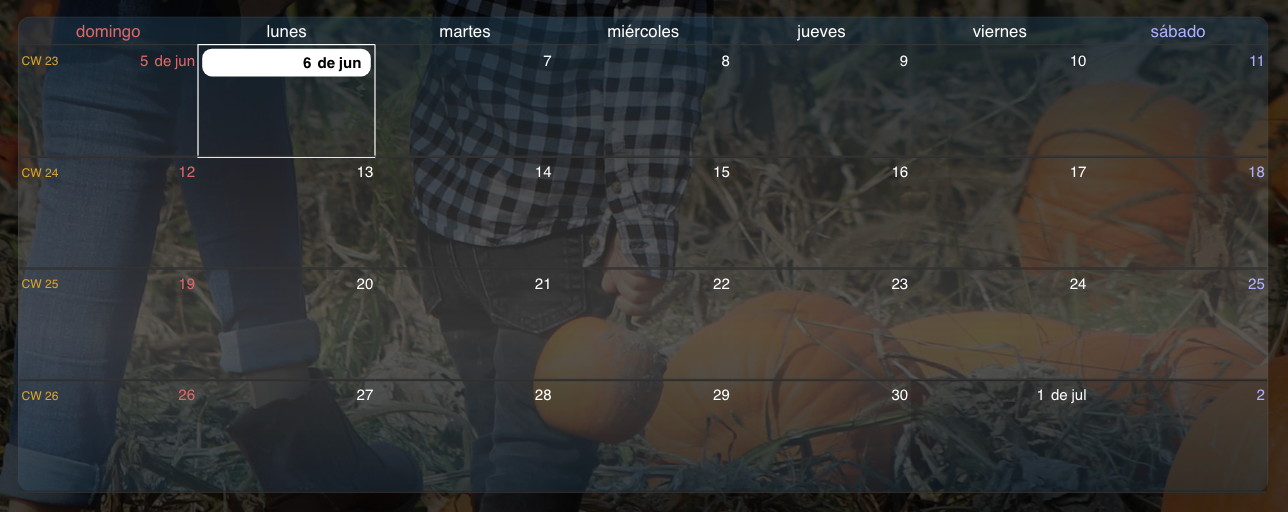
@sdetweil said in MMM-CalendarExt3:
@luisestrada there is another setting to broadcast past events too ( not by default)
Which one is that?
 L
Offline
L
Offline
@sdetweil said in MMM-CalendarExt3:
@luisestrada there is another setting to broadcast past events too ( not by default)
Which one is that?
FontAwesome is already at version 6. It would be nice if MagicMirror in the future considers a flexible version in case of future updates, where you can choose in config.js if you want “fas” (by default) of “fab”, for example 😁
Please read the whole post below
https://forum.magicmirror.builders/topic/16489/three-module-issues-from-a-new-user/
@kayakbabe I agree.
I went to line 448 and 449 of MMM-CalendarEXT3.js and edited this
        exDom.classList.add('symbol', 'fa-solid')
        exDom.classList.add(...event.symbol.map((s) => {return 'fa-' + s}))
I did it once but since the update I had to reinstall the whole MagicMirror and lost the changes, I did not realized I did not backup that part of the code. I don’t remember what I did but I removed fa-solid and made something that changes fas and fab. based on config.js.
Very similar of what it’s explain on this topic, but I can’t make it work anymore. Sorry for diverting the thread. We should talk about this on a new post as I’m talking about an extension.
FontAwesome is already at version 6. It would be nice if MagicMirror in the future considers a flexible version in case of future updates, where you can choose in config.js if you want “fas” (by default) of “fab” :beaming_face_with_smiling_eyes:
@sdetweil said in Three module issues from a new user:
// if there is a space in the name, ‘collectionname iconname’ use the string as is
// for example “fa-brands fa-canadian-maple-leaf”
// else use the current approach
symbol.className =(s.indexOf(’ ')>0?s:( “fas fa-fw fa-” +s));
This works perfectly in calendar, however in the CX3 module it does not work, apparently spaces are not allowed
@sdetweil it may sound funny but now, I see all the future events but the ones that already passed, disappeared.
and just in case:
broadcastPastEvents: true,
Hi again,
For some reason my calendars stopped working again, it seems it only shows two items in the past from two different calendars, but only once.
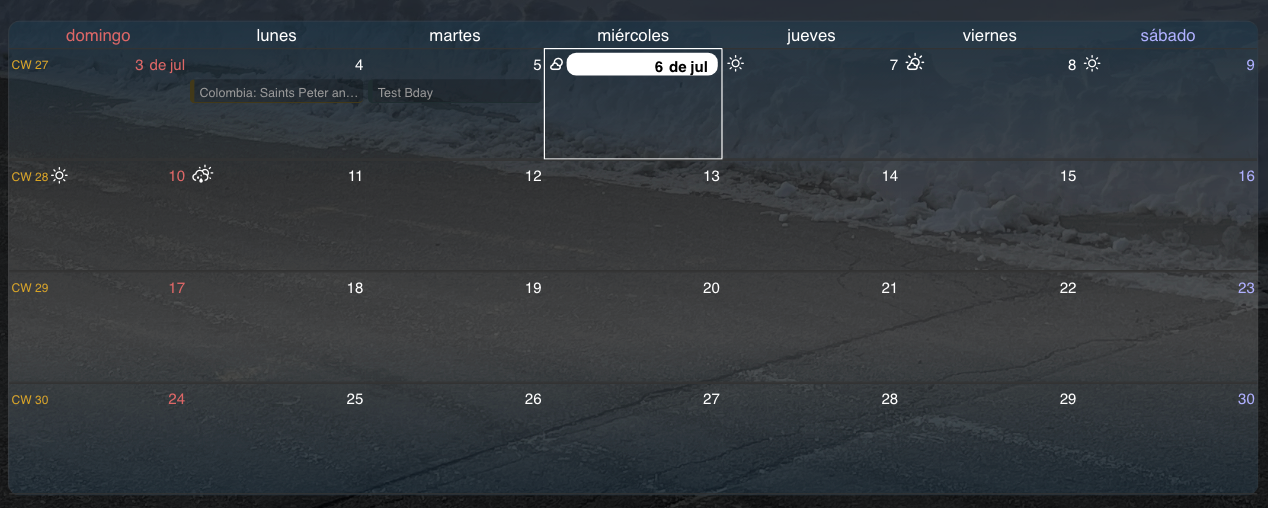
And it seems to be the missing ones are private ics from google calendar. This occurred just right after the new update. I tried ever changing the private url in google and even reinstalling MagicMirror with no luck.
I was checking this dashboard Magic(Dashboard)Mirror and saw @MZ-BER was able to stack the number of the day in the calendar icon, I saw a a html and css example, see below, but it’s way beyond my skills
@frentemorao al final te enviaron el css / config.js ? intenté contactarlo pero no responde
@skyfall I found this post exactly because of that icon, lol
Have anyone made it work? changing fas to fal does the job for the Canadian maple leaf icon but breaks the others :(
@MMRIZE I may prefer to wait until July then. :smiling_face_with_smiling_eyes:
And thank you so much for the recent update. Now the calendar works perfectly, no blinking and no black calendar as before. Works perfectly
Hi again,
I read I did not have to do anything to get the weather displayed, however I still don’t see it. Any idea why?
@MMRIZE said in MMM-CalendarExt3:
@luisestrada
By your configuration;
- It will be refreshed every
refreshIntervalby force. You’ve set up10 minutes.- It will be refreshed after 10 seconds(
waitFetch) of the last calendar parsed. a more frequent parsing of your calendar would be a more frequent updating view. If your 5 calendars finish their parsing in 10 seconds together, the view will be updated once. Meanwhile parsing your 5 calendars would take dozen seconds sequentially, the view will be flickering. In that case, setwaitFetchlonger.Anyway, I’ll release more improved version for frequent CALENDAR_EVENTS in a few days. Plz wait a little.
Thank you @MMRIZE , I took your recommendations.
@luisestrada said in MMM-CalendarExt3:
My code with the changes based on your feedback (and it seems to be working for now) Thank you!
I talked too fast, I pressed submit and the issue came back :anxious_face_with_sweat:
My code with the changes based on your feedback (and it seems to be working for now) Thank you!
//Calendar hidden Module
        {
            module: "calendar",
            //position: "top_left",
            header: "Eventos",
            config: {
                broadcastPastEvents: true, // <= IMPORTANT to see past events
                instanceId: "WeeklyCalendar",
                calendars: [
                    {
                        url: "URL1",
                        name: "Cal1", // <= RECOMMENDED to assign name
                        color: "#0760d1", // <= RECOMMENDED to assign color
                        symbol: false
                    },
                    {
                        url: "URL2",
                        name: "Cal2", // <= RECOMMENDED to assign name
                        color: "#2a4d56", // rgb(92%, 33%, 55%), // <= RECOMMENDED to assign color
                        symbol: "birthday-cake"
                    },
                    {
                        url: "URL3",
                        name: "Cal3", // <= RECOMMENDED to assign name
                        color: "#333", // rgb(92%, 33%, 55%), // <= RECOMMENDED to assign color
                        symbol: "bank"
                    },
                    {
                        url: "URL4",
                        name: "Cal4", // <= RECOMMENDED to assign name
                        color: "#3f0101", // <= RECOMMENDED to assign color
                        symbol: "flag"
                    },
                    {
                        url: "URL5",
                        name: "Cal5, // <= RECOMMENDED to assign name
                        color: "#765f02", //rgb(58%, 24%, 45%) // <= RECOMMENDED to assign color
                        symbol: "flag"
                    },
                    ],
            }
        },
// CX3 Module
        {
            module: "MMM-CalendarExt3",
            position: "bottom_bar",
            title: "Calendario",
            config: {
                mode: "week",
                instanceId: "WeeklyCalendar",
                locale: 'es-CO',
                maxEventLines: 3,
                firstDayOfWeek: 0,
                weekIndex: 0,
                weeksInView: 4,
                waitFetch: 1000 * 10, //	(ms) waiting the fetching of last calendar to prevent flickering view by too frequent fetching.
                refreshInterval: 1000 * 60 * 10, //	(ms) refresh view by force if you need it.
                glanceTime: 1000 * 60 * 10,	// (ms) Return to original view when you move to other moment by notification.
                eventTimeOptions: {
                    timeStyle: "short"
                },
                //useSymbol: false,
                calendarSet: ['Cal1', 'Cal2', 'Cal3', 'Cal4', 'Cal5'],
                }
        },
Now these 3 calendars seem not to be conflicting with CX3
{
			module: "calendar2",
			header: "CAL2",
			position: "top_left",
			config: {
				calendars: [
					{
                        url: "CAL2"
                    },
				],
				maximumEntries: "2",
                wrapEvents: true
			}
		},
{
			module: "calendar2",
			header: "CAL3",
			position: "top_left",
			config: {
				calendars: [
					{
                        url: "CAL3"
                    },
				],
				maximumEntries: "3",
                wrapEvents: true
			}
		},
{
			module: "calendar2",
			header: "CAL",
			position: "top_left",
			config: {
				calendars: [
					{
                        url: "CAL"
                    },
				],
				maximumEntries: "5",
                wrapEvents: true
			}
		},
Sorry for the long message
@sdetweil said in MMM-CalendarExt3:
@luisestrada the info inside(event broadcast) is still the same
and u didn’t need to do the rename. it supports multiple instances
All calendar were working under the same name, however i thought it was the cause of the blank CX3 so that’s why i tried to create one version for each module as a last resort
@MMRIZE said in MMM-CalendarExt3:
@luisestrada
Well, I was worried about just that case when I developed this module - multiple calendar instances. I thought Nobody would use the calendar module like that. So I haven’t considered supporting that case. But I was wrong.The current behaviour of this module is replacing whole events when the notification arrives, not combining each. So you cannot get proper whole events from multi-emitter of notifications.
I’ll modify the module in a few days to stack each event not replace it. Wait for a little.
Thank you, I will show you my code so you all can understand the mess I did :beaming_face_with_smiling_eyes:
@MMRIZE said in MMM-CalendarExt3:
@luisestrada
By the way, your configuration is not quite effective. Some options are located in the wrong place, some are invalid.
All module-specific user configuration should be placed in
config: { ... }. YourwaitFecthoreventTimeOptionsand something more would not be applied.there is no
fetchIntervalorrotateIntervaloption in CX3.
broadcastPastEventsis not forCX3module but forcalendarmodule.
refreshInterval: 1000 * 60 * 1means redraw calendar every 1 minute. Is it really needed?
It was supposed to be ten minutes but because I was trying and adding and testing, I forgot to change it back
@sdetweil said in MMM-CalendarExt3:
@luisestrada each sends out its own list of entries. maybe calext3 is replacing a with b with c
That’s exactly what i thought, so thats why I created 3 different modules by copying the entire module in a separate folder and renaming it, similar to this: https://forum.magicmirror.builders/topic/14724/run-two-instances-of-the-same-module-sometimes-tutorial
but still, if I have 3 modules called, calendar, calendar1 and calendar2, it does it
@sdetweil said in MMM-CalendarExt3:
@luisestrada do you have 3 instances of
module:‘calendar’
?
Yes, I have 3 modules, the holidays (shows 3), the birthday calendar (shows 2) and the normal calendar (shows 8).
@almightyyoshi Every time i think this is fixed then it comes back again…
I have 3 calendars so I renamed calendar1 and calendar2, as I don’t want these calendars to conflict with CX3.
Then I have my calendar module and dropped the position as I don’t want to show it.
My CX3 loads empty and after a while the information appears, then it goes and then it comes back. I think I have not set up properly the refresh. I’ve tried many combinations but nothing works
{
module: “MMM-CalendarExt3”,
position: “bottom_bar”,
title: “Calendario”,
waitFetch: 10000, // (ms) waiting the fetching of last calendar to prevent flickering view by too frequent fetching.
refreshInterval: 1000 * 60 * 1, // (ms) refresh view by force if you need it.
glanceTime: 1000 * 60 * 1, // (ms) Return to original view when you move to other moment by notification.
//animationSpeed: 2000, // (ms) Refreshing the view smoothly.
rotateInterval: 0,
eventTimeOptions: {
timeStyle: “short”
},
fetchInterval: 1000,
config: {
mode: “week”,
instanceId: “WeeklyCalendar”,
locale: ‘es-CO’,
maxEventLines: 3,
firstDayOfWeek: 0,
weekIndex: 0,
weeksInView: 4,
broadcastPastEvents: true, // <= IMPORTANT to see past events
calendarSet: [‘Cal1’, ‘Cal2’, ‘Cal3’, 'Cal4, ‘Cal5’],
}
},
And Go Jays Go!! :beaming_face_with_smiling_eyes:
Hello @Kiina,
Is there a way to limit the number of characters in the episode’s name? In some cases they are quite long