It looks so cool but could try adding more slides or something if you haven’t already
M
Offline
A New Chapter for MagicMirror: The Community Takes the Lead
Read the statement by Michael Teeuw here.
Read the statement by Michael Teeuw here.
Posts
-
RE: Finally, my first mirror is complete!
-
RE: Wit.ai Parsing error
Right,Update
I solved this issue
1.Extract files from “smart-mirror”
2.edit app.json:
{
“version” : 20160513,
“zip-command” : “zip smart-mirror.zip smart-mirror/app.json smart-mirror/entities/*.json smart-mirror/actions.json smart-mirror/stories.json smart-mirror/expressions.json”,
“data” : {
“name” : “smart-mirror”,
“description” : “smart mirror assistant”,
“lang” : “en”
}
}BECOMES
{
“version” : 20160513,
“zip-command” : “zip smart-mirror.zip smart-mirror/app.json smart-mirror/entities/*.json smart-mirror/actions.json smart-mirror/stories.json smart-mirror/expressions.json”,
“data” : {
“name” : “smart-mirror”,
“description” : “smart mirror assistant”,
“lang” : “en”,
“timezone”: “Europe/London”
}
}- Compress the newly updated “smart-mirror” file
- Do the whole wit.ai thing but insert this new zip
I’m pretty sure this should work
New problem
Failed parsing entities/
I guess we have to edit some more but what exactly??
-
RE: Mac node version
could you please please please link them here because I want an easy way to do this. Quick question, is this just Magic Mirror or MM, AI and fr?
ALSO
does this upgrade node to the needed version and all that? -
RE: Wit.ai Parsing error
Maybe I should have explained a bit more:
I was following the yt vid by HackerShack and got to the bit where he creates an app using wit.ai. In this, he presses New app+ and then types a name, description and as his bkup file, inserts wit_training_data.zip
this can be found at
https://github.com/HackerShackOfficial/AI-Smart-Mirror/tree/master/models
I pressed +create app and then the error popped up “failed parsing app.json”
I troubleshooted and found this:
https://github.com/wit-ai/wit/issues/1538
I try to change
“zip-command”: “zip smart-mirror.zip smart-mirror/app.json smart-mirror/entities/.json smart-mirror/actions.json smart-mirror/stories.json smart-mirror/expressions.json”,
to
“zip-command”: “zip smart-mirror.zip smart-mirror/app.json smart-mirror/entities/.json smart-mirror/actions.json smart-mirror/stories.json smart-mirror/expressions.json”,
but i still get the error notification. any suggestion?Like many others, this change did not work.
I copied the saved contents off app.json into
https://jsonlint.com/
and the json was validwhat do i do??
-
Wit.ai Parsing error
So,
I have looked on Google and various repos but my problem still stands,
Wit.ai failed parsing app.json
I edited this because another person said to but there is still the problem. I pasted app.json into JSONLint and it was valid. Please helpon raspberry pi3 btw
-
Mac node version
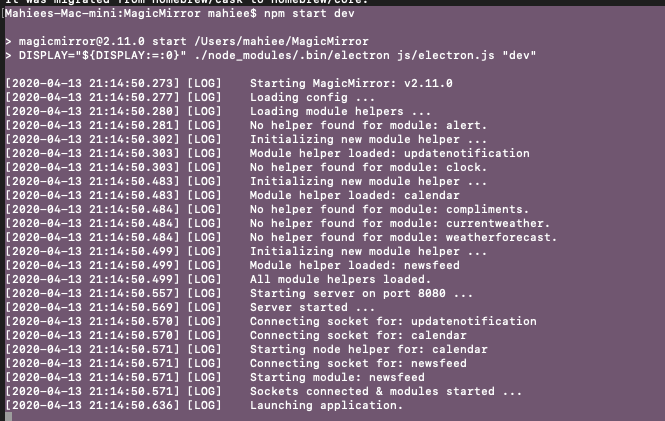
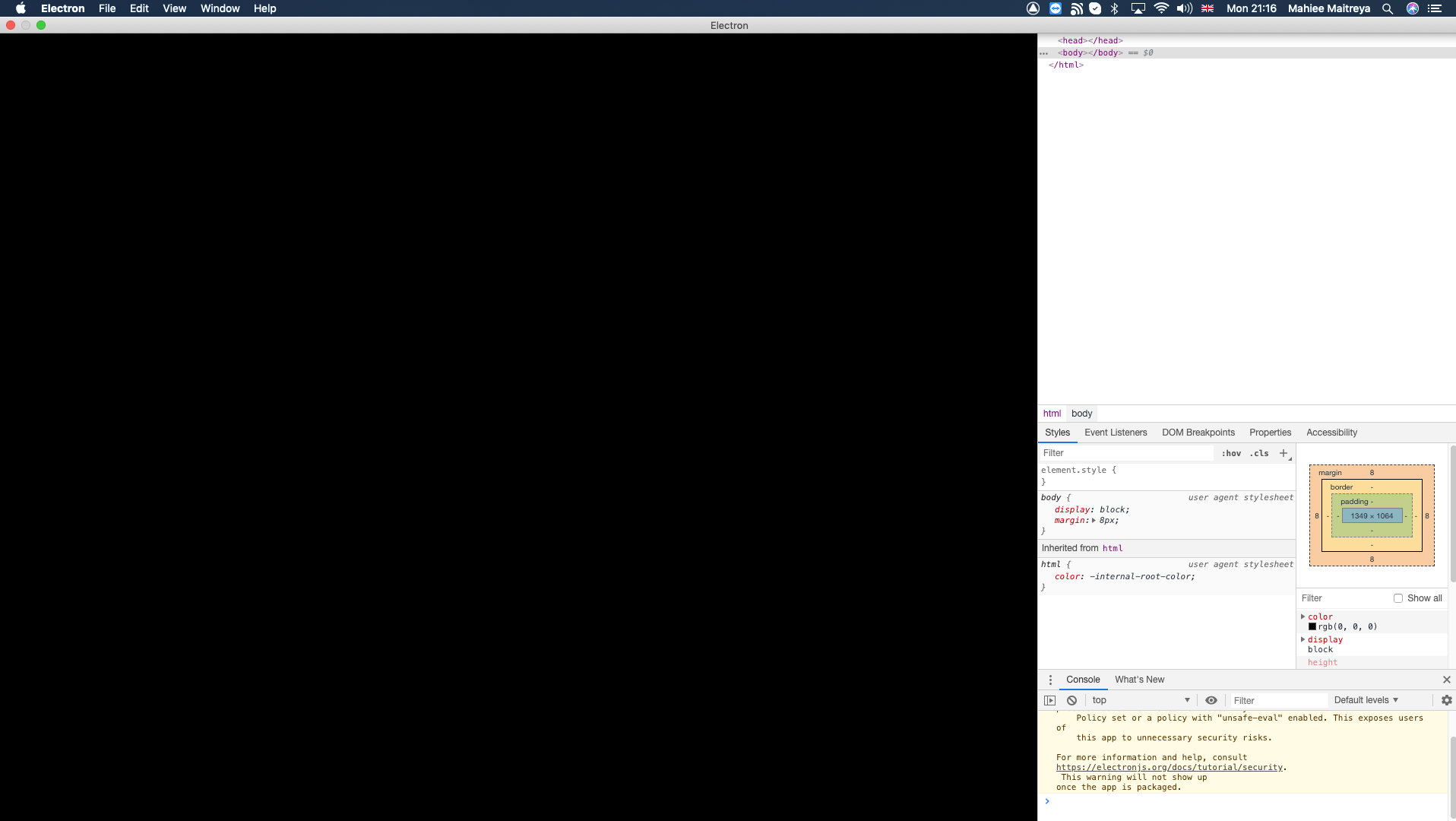
So, I intend to have Magic Mirror on both pi and mac but for mac, npm start, black screen w/ cursor problem. What node -v do i need. I currently have 10.2.1 Does anybody know what node -v the dude in the vid had on his mac?
-
I dont even know
So, Ai Mirror problem
I ran
sudo ./setup.sh. it worked for a bit and thenBam!!
 ERROR: Command errored out with exit status 1:
     command: /home/pi/AI-Smart-Mirror/hhsmartmirror/bin/python -u -c 'import sys, setuptools, tokenize; sys.argv[0] = '"'"'/tmp/pip-install-MExvPe/pyaudio/setup.py'"'"'; __file__='"'"'/tmp/pip-install-MExvPe/pyaudio/setup.py'"'"';f=getattr(tokenize, '"'"'open'"'"', open)(__file__);code=f.read().replace('"'"'\r\n'"'"', '"'"'\n'"'"');f.close();exec(compile(code, __file__, '"'"'exec'"'"'))' build_ext -I/usr/local/include -L/usr/local/lib install --record /tmp/pip-record-4BVCfU/install-record.txt --single-version-externally-managed --compile --install-headers /home/pi/AI-Smart-Mirror/hhsmartmirror/include/site/python2.7/pyaudio
         cwd: /tmp/pip-install-MExvPe/pyaudio/
    Complete output (11 lines):
    running build_ext
    building '_portaudio' extension
    creating build
    creating build/temp.linux-armv7l-2.7
    creating build/temp.linux-armv7l-2.7/src
    arm-linux-gnueabihf-gcc -pthread -DNDEBUG -g -fwrapv -O2 -Wall -Wstrict-prototypes -fno-strict-aliasing -Wdate-time -D_FORTIFY_SOURCE=2 -g -fdebug-prefix-map=/build/python2.7-InigCj/python2.7-2.7.16=. -fstack-protector-strong -Wformat -Werror=format-security -fPIC -I/usr/local/include -I/usr/include/python2.7 -c src/_portaudiomodule.c -o build/temp.linux-armv7l-2.7/src/_portaudiomodule.o
    src/_portaudiomodule.c:29:10: fatal error: portaudio.h: No such file or directory
     #include "portaudio.h"
              ^~~~~~~~~~~~~
    compilation terminated.
    error: command 'arm-linux-gnueabihf-gcc' failed with exit status 1
    ----------------------------------------
ERROR: Command errored out with exit status 1: /home/pi/AI-Smart-Mirror/hhsmartmirror/bin/python -u -c 'import sys, setuptools, tokenize; sys.argv[0] = '"'"'/tmp/pip-install-MExvPe/pyaudio/setup.py'"'"'; __file__='"'"'/tmp/pip-install-MExvPe/pyaudio/setup.py'"'"';f=getattr(tokenize, '"'"'open'"'"', open)(__file__);code=f.read().replace('"'"'\r\n'"'"', '"'"'\n'"'"');f.close();exec(compile(code, __file__, '"'"'exec'"'"'))' build_ext -I/usr/local/include -L/usr/local/lib install --record /tmp/pip-record-4BVCfU/install-record.txt --single-version-externally-managed --compile --install-headers /home/pi/AI-Smart-Mirror/hhsmartmirror/include/site/python2.7/pyaudio Check the logs for full command output.
What do i do??!!
-
RE: brew install ffmpeg problem
@sdetweil
It worked!!!
Thank you
Another bit of help needed, how do i mark this as read?? -
brew install ffmpeg problem
So, I installed brew and all that, I cd AI-Smart-Mirror,i type brew install ffmpeg, the first few install and then this one called ‘texi2html’ failed. I follow the link (https://download.savannah.gnu/org/ -> downloads->texi2html->texi2html-5.0.tar.gz and then it comes up w a page that says
This site can’t provide a secure connection
mirrors.up.pt sent an invalid response.
ERR_SSL_PROTOCOL_ERROR.What do I do and did anyone else have this issue? I am on a raspberrry pi 3 and have got the latest raspbian that was released jan this year
-
Yay!!
So I decided to just do it on the raspberry pi but thanks for all the help!! :)
-
RE: First Mirror
Can I maybe sort of indefinitely borrow that some time this winter after lockdown? :) XD
-
RE: A number of them rlly...
Hey so I entered and then electron came up with out any text, just black w/ a cursor.
Also, is there a similar AI project that is more worthwhile??
-
RE: A number of them rlly...
Hey so I entered and then electron came up with out any text, just black w/ a cursor.
Also, is there a similar AI project that is more worthwhile??
-
RE: A number of them rlly...
So is this all a waste of time? This project?
-
RE: A number of them rlly...
SO
I rm -r the MagicMirror/ and AI-Smart-Mirror. I installed the installation script you said. I think it was successful because there was a new directory named Magic Mirror. The last line was this
\e[92mWe’re ready! Run \e[1m\e[97mpm2 start MagicMirror\e[0m\e[92m from the ~/MagicMirror directory to start your MagicMirror.\e[0m
I have a feeling it is telling me to do something. But what!!!
Please help.P.S What time do you stay up till because this may take some time -_- :)