MagicMirror Forum
    • Recent
    • Tags
    • Unsolved
    • Solved
    • MagicMirror² Repository
    • Documentation
    • 3rd-Party-Modules
    • Donate
    • Discord
    • Register
    • Login
    1. Home
    2. rkorell
    3. Posts
    A New Chapter for MagicMirror: The Community Takes the Lead
    Read the statement by Michael Teeuw here.
    R
    Offline
    • Profile
    • Following 0
    • Followers 0
    • Topics 23
    • Posts 379
    • Groups 0

    Posts

    Recent Best Controversial
    • RE: Standar "weather" Module: Doesn't keep header setting?

      Additional question as CSS rookie:
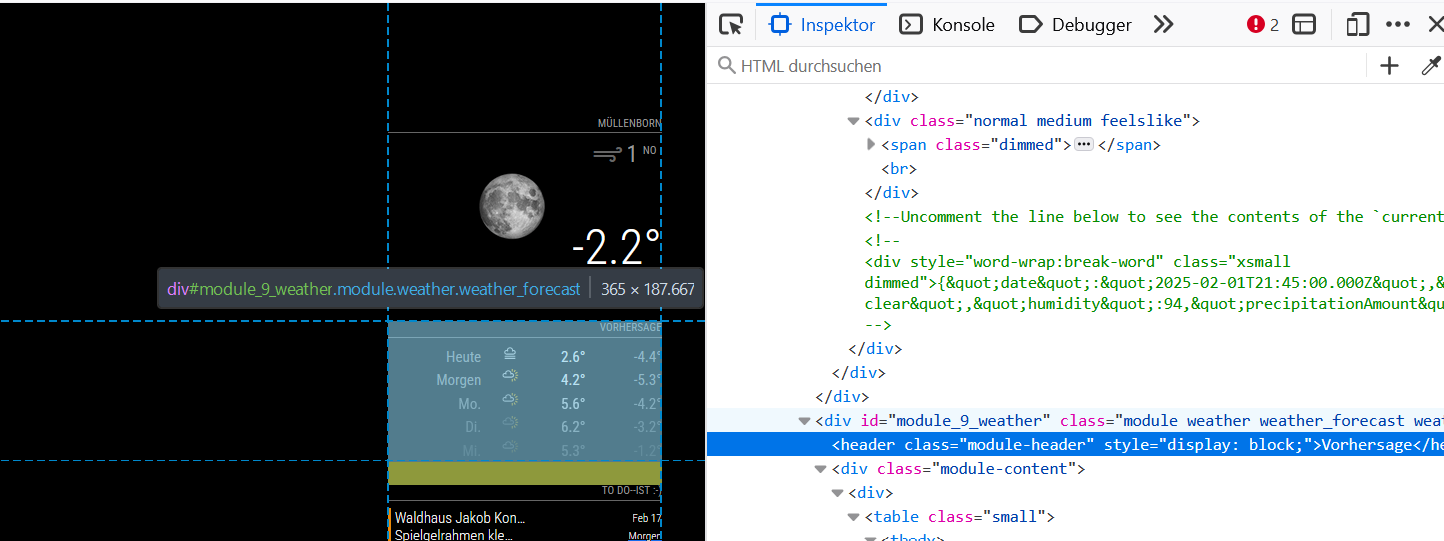
      I’ve tried to identify the object of the header.
      KlassenBeispiel.png

      how can I address this correctly?
      Sorry, I’m not able to figure this out.

      My best guess is

      .weather_forecast .header {
        border-bottom-width: 0px;
        color: black;
        font-size: 0px;
      }


      but this doesn’t work.
      How do I make this right?

      Thanks!
      Ralf

      posted in Troubleshooting
      R
      rkorell
    • RE: Standar "weather" Module: Doesn't keep header setting?

      Answer yourself is a nice sport :-)

      • sometimes structured telling hepls thinking - or in other words:
        How I can I know what I mean before I’ve heard what I’ve said …

      As I read my own words - I’ve seen that it might be a good idea to test, if the header must be set indentical in both instances…

      • Leaving them both commented - so “blank” doesn’t work.
        Setting both to something “not null” at least survives some PIR-switch-offs …

      Keep you posted.

      • nevertheless with two headers it do not look nice so I’m still looking for a hint, how to get this done properly …
        Thanks so far.

      Ralf

      posted in Troubleshooting
      R
      rkorell
    • RE: MMM-FRITZ-Box-Callmonitor-py3 unknown_error

      @wuermchen
      The log info from MMM-FRITZ-Box-Callmonitor seems to be O.K. …
      Regards,
      Ralf

      posted in Troubleshooting
      R
      rkorell
    • RE: Standar "weather" Module: Doesn't keep header setting?

      After having an exact look on this - this happens immediatly if MMM-PIR switches off the monitor and first “wake-up” resets the headers.

      • So debug/debugging option doesn’t help here
      posted in Troubleshooting
      R
      rkorell
    • RE: Standar "weather" Module: Doesn't keep header setting?

      Addition: I ran into “sync” problems in another module and the “debug” + “debugging” option has helped to resolve this - that’s the reason for being present in this config as well - to give it a try…

      posted in Troubleshooting
      R
      rkorell
    • Standar "weather" Module: Doesn't keep header setting?

      Good evening team,
      as I wrote in another post I’m playing around with the weather (standard) module and today I finally was a bit successful and able to change the default icons in a way I like.
      Works as aspected and different icons in different sizes are shown appropriately.

      But:
      after a while the header of both of the module-instances (I am using two instances of the module- one for current, one for forecast) switching back to default:

      CalandarWrongTitle.jpg

      Only a restart of the mirror corrects this and the header appears as wanted (the header of second instance - forecast - is empty):
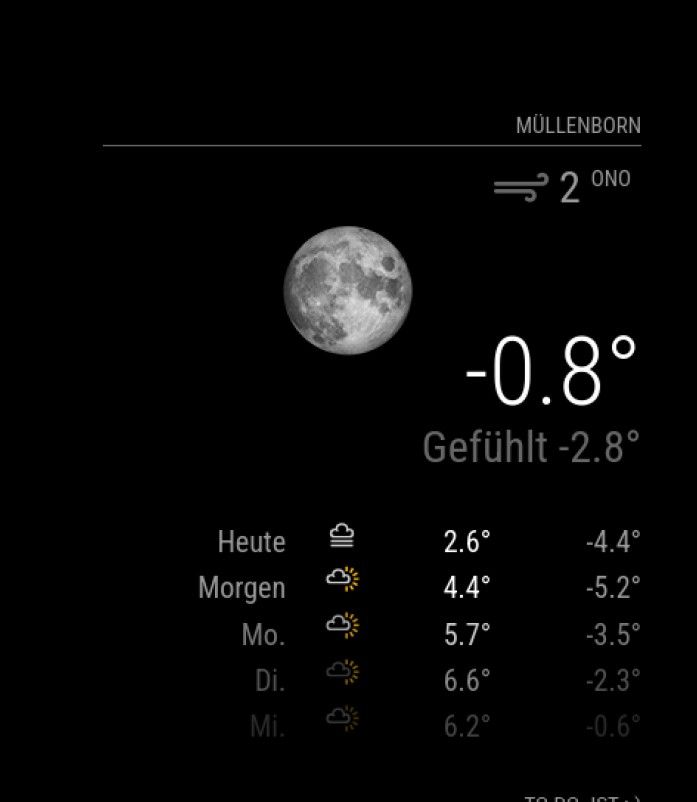
      CalandarTitleAfterRestart.jpg .

      config.js for thes modules is as follows:

      // Wetter aktuell für xxx
      
      		{
      			module: "weather",
      			disabled: false,
      			position: "top_right", 
                  header: "CityName",
                  classes: "weather_current", 
      			config: {
      				weatherProvider: "openmeteo",
      				type: "current",
      				lat: x0.24127,
      				lon: 0x.61174403,
      				showSun: false,
      				debug: true,
      				debugging: true,
      
      			}
      		},
      
      // Wettervorherssage - 
      
      		{
      			module: "weather",
      			position: "top_right",
      			disabled: false,
      			//header: "Vorhersage",
      			classes: "weather_forecast",
      			config: {
      				weatherProvider: "openmeteo",
      				type: "forecast",
      				lat: x0.24127,
      				lon: xx.6174403,
      				debug: true,
      				debugging: true,				
      
      			}
      		},


      Any idea how to solve this?
      Thanks a LOT

      Regards,
      Ralf
      posted in Troubleshooting
      R
      rkorell
    • RE: weather module (standard) - a little typo/error in weather.css?

      @sdetweil OK; good to know.
      Thanks!

      Warm regards,
      Ralf

      posted in Troubleshooting
      R
      rkorell
    • weather module (standard) - a little typo/error in weather.css?

      Hi team,

      I’m playing around with the standard “weather” module - try to understand, how it works and how I can change something or even develop an own module.
      During my journey I had a look into weather.css and there seems to be an error.
      It’s possible that my assumption is wrong and that I miss something, than please ignore this…

      I’ve found an additional space in line 39

      .weather .weathericon,
      .weather .fa-home {
        font-size: 75%;
        line-height: 65px;
        display: inline-block;
        transform: translate(0, -3px);
      }
      
      .weather .humidity-icon {
        padding-right: 4px;
      }
      
      .weather .humidity-padding {
        padding-bottom: 6px;
      }
      
      .weather .day {
        padding-left: 0;
        padding-right: 25px;
      }
      
      .weather .weather-icon {
        padding-right: 30px;
        text-align: center;
      }
      
      .weather .min-temp {
        padding-left: 20px;
        padding-right: 0;
      }
      
      .weather .precipitation-amount,
      .weather .precipitation-prob,
      .weather .uv-index {
        padding-left: 20px;
        padding-right: 0;
      }
      
      .weather tr .weathericon {
        line-height: 25px;
      }
      
      .weather tr.colored .min-temp {
        color: #bcddff;
      }
      
      .weather tr.colored .max-temp {
        color: #ff8e99;
      }


      this is the block

      .weather tr .weathericon {
        line-height: 25px;
      }


      and the space is between “tr” and the following dot “.” .

      this is not the case in the two following blocks.

      Regards,
      Ralf

      posted in Troubleshooting
      R
      rkorell
    • RE: birthdaylist - discontinued ?

      @sdetweil OK, thanks.
      Have done.

      posted in Requests
      R
      rkorell
    • RE: MMM-FRITZ-Box-Callmonitor-py3 unknown_error

      @wuermchen
      Hi.
      I guess it SHOULD work - at least it works for me at current github status (approx. 2-3 old - not sure what you have archived).
      At my own initial setup I got the same error message and after some researches it was caused by refused authentication on the fritzbox side.

      So I would start at this point initially - not at module side.
      My first attempt was login without password (as possible for console) - this doesn’t work.
      I’ve created a separate user on AVM side with full access to phonebook and so on and this worked from scratch.
      I see that you have an explicite user/pw as well - so I would double check if this user exists on AVM side and do have the right access privileges.

      For being sure I would recommend to delete all parameters from configuration you do not really need and experiment with the base parameters.
      E.g. you have set the Port number - at default - I would delete this one.

      I’m not sure if you are aware but you can find the documentation of the module in your module folder as well - you do not need the - closed - github entry.
      “README.md” is the file.

      Good luck!
      Ralf

      posted in Troubleshooting
      R
      rkorell
    • 1
    • 2
    • 29
    • 30
    • 31
    • 32
    • 33
    • 37
    • 38
    • 31 / 38