Anyone??? I’ll bump this to see if anyone can help. There has to be a way to get the chart to look better than this.
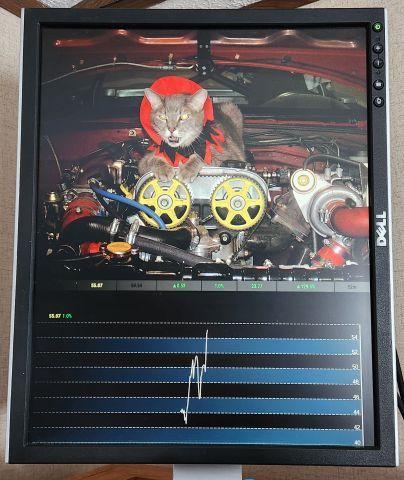
Anyone??? I’ll bump this to see if anyone can help. There has to be a way to get the chart to look better than this.
I’m looking for a little help to make my chart look better. I’m only interested in one stock so that is all I am displaying. I notice the docs say the chart is only 90 days but the examples show 4 or 5 months. Anyway to increase past 90 days? OR, is there anyway to get the chart to stretch the 90 days out so it takes up the width of my vertical monitor? Anyway to get the months listed at the bottom of the chart? Any suggestions on how to make the chart look better? Thanks!
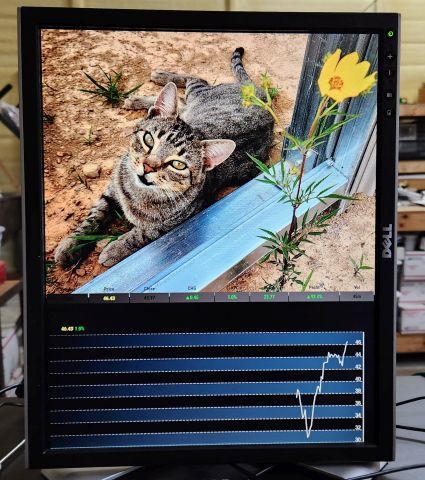
FWIW, I had a hard time getting this to run. The solution for me was to get version 18 of node running (someone else mentioned this). I was too dumb to do this until I found this webpage: https://pimylifeup.com/raspberry-pi-nodejs/
Also, mode : “chart”, did not work for me (showed a blank page).
@karsten13 said in How do I make MM wait to load until it has a wifi signal?:
look for “Network at Boot” on this site
Hmm, that didn’t work for me. If I enable that option my RPi just sits at the desktop and never loads MM. I can see the wifi signal in the corner but it just sits there for some reason. If I turn that option off everything loads fine again.
I automatically reboot my MM every 6 hours. From time to time the raspberry pi won’t grab a wifi signal while on the desktop and when I boot into MM my Google Pictures won’t work. At least that is what I think is happening. Is there a way to stay on the desktop until it recognizes my network and then proceed to load MM?
Thanks!
@djpoirrier said in MMM-CalendarExt2:
Well i ended up figuring out how to do this
I’d like to see a picture of what this looks like.
@mrjdar said in MMM-CalendarExt2:
Got CalendarExt2 up and running without a hitch. Hoping there’s a way to show a second month right next to it. Any ideas?
I set mine up to display weekly format, 6 weeks, starting with the current week. So, 50% of the time it will actually display more “future” days than what you are wanting to do. Would that help?
@DJ6sTep said in MMM-CalendarExt2:
@rmcelwee I can’t change the background of my events.
Nothing works :( What am I missing?
.CX2 .vacation.fullday {
background-color:#00FF00;
color:#000;
}
.CX2 .nights.fullday {
background-color:#009DFF;
color:#000;
}
.CX2 .days.fullday {
background-color:#FFFF00;
color:#000;
}
BTW, here is what the weather forecast does (note that it is smaller on the bottom than in my other picture). I have changed nothing…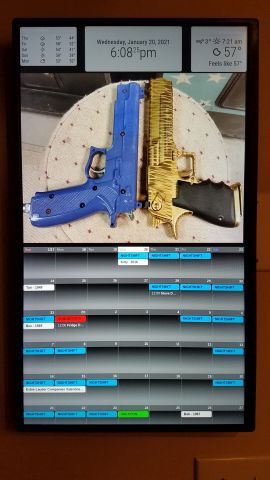
@DJ6sTep said in MMM-CalendarExt2:
Which wallpaper module are you using?
BTW- Your MM looks dope man!
No wallpaper, only google photos. Thanks!
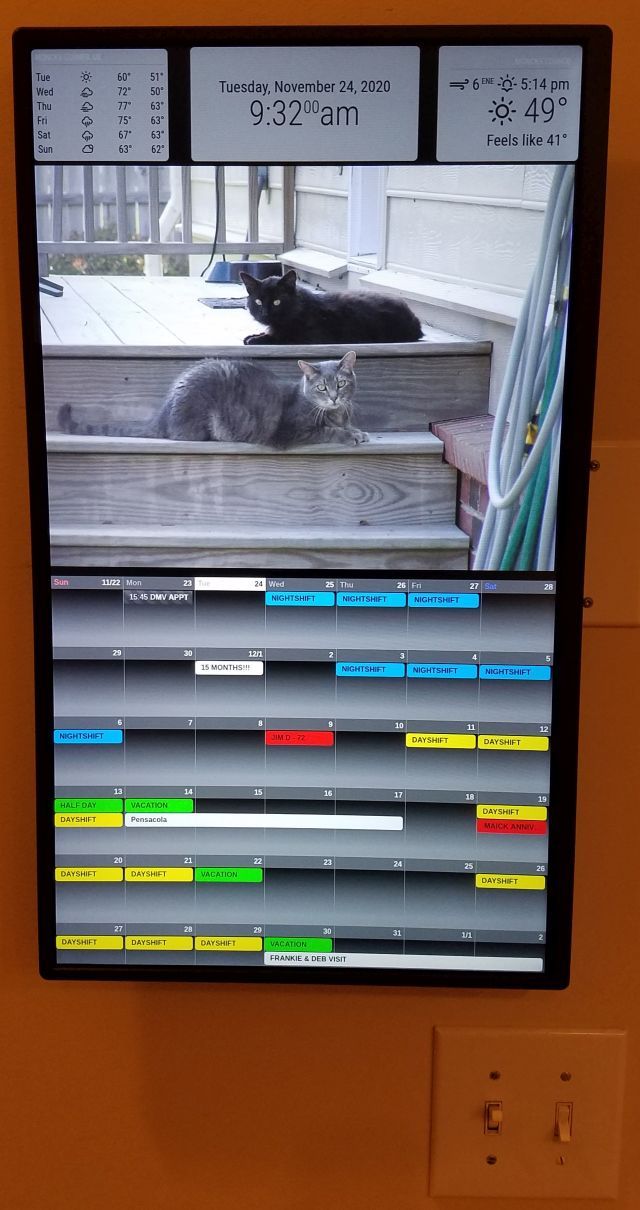
@DJ6sTep It took me DAYS of trial and error to get everything where I wanted it. I still have a weird problem where my weather forecast window changes size from time to time. Not sure why. I don’t have a picture of it but my upper left window will shrink and leave a thick black line between the picture and the weather.
@DJ6sTep said in MMM-CalendarExt2:
I almost have my calendar how I want it to be, how would I move my calendar just a few inches down from it’s current position? Closer to my WIFI password module.
I did this in the custom.css to move my photos around (note the negative numbers):
.MMM-GooglePhotos {
margin-top: -300px;
margin-left: -123;
}*/
#GPHOTO_INFO {
display:none;
}
@DJ6sTep said in MMM-CalendarExt2:
- Is there any way I could make the calendar size smaller? So it doesn’t take up the whole screen?
I had a ton of trouble with the sizing on my modules and basically fixed them via trial and error. Go to your config.js and add this to your views config (play with your px number and you will see):
slotMaxHeight: “105px”,
I think I also messed with this as well (in the same section):
slotCount: 8,
Good luck! Glad to see another newbie in here. Makes me feel a little better with the two month struggle I went through to get my mirror looking right!
@DJ6sTep said in MMM-CalendarExt2:
Still having these issues:
- What parameter do I use for weeksFormat? I tried using false & disabled & it still didn’t remove the weekly count on the left.
I am still learning this but I put this in my custom.css to get rid of the week count:
.CX2 .weeksmark {
display:none;
}
@rmcelwee said in MMM-CalendarExt2:
My calendar flashes every 60 seconds but as far as I can tell, I have all my calendars updating every 180 seconds.
					{
			  module: 'MMM-CalendarExt2',
			  config: {

				calendars : [

				  {
				    className: "vacation",
					scanInterval: "1000*180",
					url: "https://calendar.google.com/calendar/ical/...",
				  },
I forgot to post what fixed this for me. I added (without quotes):
" updateInterval: 1000*600, "
in between config: { and calendars : [ at the top. scanInterval does something completely different but I don’t know what. Now my calendar only updates every 10 minutes. Hopefully this will help someone. Thanks!
@sdetweil Just set my pictures from RANDOM to OLD and watched it scan through them twice with no change in weather forecast size. I was hoping I could see it do something. Nope, nothing…
@sdetweil I figure it is another module but nothing else changed size. In fact, 30 seconds ago I looked at it and it had fixed itself. No reboots, nothing. Just two hours of just running. I’m wondering if one of my pictures (google photos) is doing it somehow.
I’m only running forecast, clock, currentweather, google photos and mmm-calendarext2. I every day (nightshift) I wake up and my forecast is either too small or too large vertically. Horizontal size has been edited and does not change. I edit the vertical by 20 or so px and get it perfect. I go to bed and when I wake up the next night it has changed size and I must edit it again. The values aren’t changing, it just moves. Last night I pulled the Pi off the wall and took it to my shop to fix the size again. When I turned it back on it had fixed itself. I figure the reboot had done something but I rebooted a few times tonight and it did not help.
Click on image below to see what I am talking about:


@BKeyport said in MMM-CalendarExt2:
 .CX2 .daily .eventTitle {
  text-align:center;
}
This is not working for me for some reason???
.CX2 .week .eventTitle {
text-align:center;
}
I would like to center the text on my events (or whatever they are called - the yellow, green, white, etc lines). I’ve tried a few things but it has not worked for me. My calendar position is “bottom_bar”.
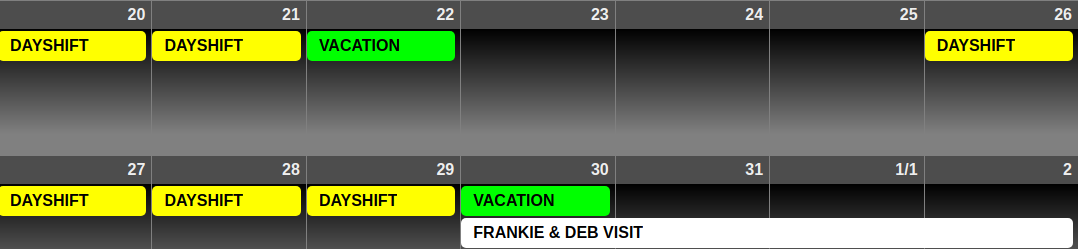
body {
  color: #000;
}

.dimmed {
  color: #000;
}

.normal {
  color: #000;
}

.bright {
  color: #000;
}
.module.clock {
  background-color:rgba(255,255,255,0.5);
  border-radius:8px;
  padding:56px;
  }
.module.currentweather {
  background-color:rgba(255,255,255,0.5);
  border-radius:8px;
  padding:22px;
  }
.module.weatherforecast {
  background-color:rgba(255,255,255,0.5);
  border-radius:8px;
  padding:8px;
  height: 200;
  }/*
 .MMM-GooglePhotos {
  margin-top: -300px;
  margin-left: -123;
    }*/
    #GPHOTO_INFO {
	display:none;
}
  #GPHOTO_BACK {
	display:none;
}
.module.MMM-CalendarExt2 {
  background-color:rgba(255,255,255,0.5);
  height: 870px;
    }
.CX2 .weeksmark {
display:none;
}
.CX2 .vacation.fullday {
background-color:#00FF00;
color:#000;
}
.CX2 .nights.fullday {
background-color:#009DFF;
color:#000;
}
.CX2 .special.fullday {
background-color:#FF0000;
color:#000;
}
.CX2 .days.fullday {
background-color:#FFFF00;
color:#000;
}
/*.region.bottom_bar {
  text-align: center;
  }
.CX2 .days.eventTitle {
text-align:center;
}*/
  .module.MMM-EventHorizon {
  background-color:rgba(255,255,255,0.5);
  border-radius:8px;
  padding:8px;
  }/*
body {
  position: absolute;
  margin: 2;
  height: 100%;
  width: 99%;
}*/
.region.top.left {
  position: absolute;
  top: -52px;
  left: 0px;
  bottom: -2px;
  width: 270px;
  }
.region.middle.center {
  width: 100%;
  left: -15px;
  top: 640px;
}
body {
  margin: 0;
  height: 100%;
  width: 100%;
}
My calendar flashes every 60 seconds but as far as I can tell, I have all my calendars updating every 180 seconds.
					{
			  module: 'MMM-CalendarExt2',
			  config: {

				calendars : [

				  {
				    className: "vacation",
					scanInterval: "1000*180",
					url: "https://calendar.google.com/calendar/ical/...",
				  },
				  {
				    className: "nights",
				    scanInterval: "1000*180",
					url: "https://calendar.google.com/calendar/ical/...",
				  },
				  {
				    className: "days",
				    scanInterval: "1000*180",
					url: "https://calendar.google.com/calendar/ical/...",
				  },
				  {
				    className: "bob",
				    scanInterval: "1000*180",
					url: "https://calendar.google.com/calendar/ical/...",
				  },
				  {
				    className: "bunny",
				    scanInterval: "1000*180",
					url: "https://calendar.google.com/calendar/ical/...",
				  },
				{
				    className: "special",
				    scanInterval: "1000*180",
					url: "https://calendar.google.com/calendar/ical/...",
				  },
						],
				views: [
				  {
					name: "view1",
					mode: "week",
					slotCount: 8,
					maxItems: "1000",
					hideOverflow: "false",
					//slotMaxHeight: "64px",
					slotMaxHeight: "105px",
					monthFormat: "MMMM YYYY",
					position: "bottom_bar",
					updateInterval: "1000*180",
					calendars: []


				  },
				],
				scenes: [
				  {
					name: "DEFAULT",
				  },
				],
			  },
			},