Dear AgP42,
thank you so much for considering this and spending the time to make it happen. I am traveling at the moment but am looking forward to testing it when I get back home.
Have a nice weekend!
 R
Offline
R
Offline
Dear AgP42,
thank you so much for considering this and spending the time to make it happen. I am traveling at the moment but am looking forward to testing it when I get back home.
Have a nice weekend!
Dear all,
would it be possible to have this module hidden until a weather module (e.g. MMM-DarkSkyForecast broadcasts a DARK_SKY_FORECAST_WEATHER_UPDATE) broadcasts a weather update that contains a snow forecast for today? That would be really useful :)
@AgP42 Thanks for your reply and happy new year!
I using MMM-Remote-Control to inject notifications from my home automation system (FHEM), as it knows all the other relevant states in the house (user-presence, lighting situation, etc.).
Maybe your module could listen to "iFrame_Ping_URL" notifications and take the "URL" from the payload and use it until a new one is provided or until a restart, in which case it would revert back to the standard URL from the setup?
This way, it would not change its behavior presented to its current users and just gain an option to change the preconfigured URL on the fly.
Dear @agp42,
unfortunately, a playlist does not help for my use case:
I found a 90 min 4K Video Collection from the ISS and want use a defined / selected / random 35 minute section to fill in for the time when the ISS is in the dark.
Currently, I am circumventing it by having multiple copies of the “Night”-page with MMM-Page-Selector and defining different instances of MMM-iFrame-Ping for each page. Each of these instances get a defined URL and I call the pages via notifications, depending on the daylight-status of the ISS.
Having a little more flexibility in the module would make this a lot easier and more dynamic.
Maybe it could be possible to pass on an URL via a notification?
Dear @Veldrovive,
oh - I have to run and hide somewhere. I did forget to clone the development branch when setting up the Mac Mini. Sorry for bothering you with this :unamused_face:
As always, if you do things right, they work :smiling_face_with_smiling_eyes:
You said you it would be a quick change to update the class list to contain the current page. If you have time to add this, it would help me a lot!
Dear @Veldrovive,
I am trying to use an old MacMini to host a mirror, as I would like play BluRays and Amazon Prime Videos on my mirror as well. Everything works fine - except for the option to save the current page.
Frist, I thought this might be a permission issue - but even setting the MagicMirror folder and all its contents recursively to “chmod 777” did not solve it. The mirror always goes back to the standard page and not the current page. Setting “persistentPages” to true does not have any effect.
As you know how you store and restore the “current page” - do you have any idea how to get this going again?
Thanks a lot for your help!
@baschke, @karsten13, @Hein-Jan
@j-e-f-f has updated the module on GitHub. Go to the module folder and update it via git pull.
If the error still persists, leave out line
concise: false,
from the config file. That solved it for me in the prior version.
@j-e-f-f said in MMM-DarkSkyForecast - Yet ANOTHER weather module:
I also fixed up how the header is formatted. I’m now using an HTML5 header element and it has two classes: module-header so that it is formatted the same as all of the other module headers, and forecast-header if you want to target it specifically with CSS.
Thanks for accepting my pull request and your improvements. They help me learn how this all works.
I have some trouble with the animated current conditions icons. Sometimes they do not show up, although configured - and reappear on a restart. Sometimes they are shown only for one instance of MMM-DarkSkyForecast. Do you have any idea, what might be the cause?
A second question: I have limited the max-width of MMM-DarkSkyForecast to 250px as I would like to have my mirror with cascading module widths with in creasing width the lower a module is. This works fine on the left side. If I send MMM-DarkSkyForecast to the right side and the module below is wider, it is aligned on the left side of the right region. Do you have any advice how to right align all modules in the right region?
Dear @j-e-f-f,
thanks for the quick reply. Today, I tried to get my toes wet with JS coding and added an option to hide the column header icons from the forecast table or optionally show a header above the forecast table. It seems to work as expected and I have created a pull-request to give others access to the feature as well and maybe safe you some time.
I also found a way to hide the vertical lines from the table via the custom.css file and now the module looks even better, if a fullscreen background image is used.
So beautiful - thank you very much!!
This is more than an adequate replacement for MyWeather. Great job!
I’d like to bring forward three questions:
Does the module support the USER_PRESENCE notification to suspend / resume API calls? If not, it would be nice if you could consider that.
Could you please add an option for a"label_timeFormatSuffix"? It would be nice if the time could be displayed like “14h” if one uses the 24h format.
Could you please add an option to hide the icons above the table (umbrella and wind) to make it more compact, if needed?
Thanks - including the current page into the class list would be helpful.
From the usability point of view, having all layout-options in the “pages” section would be clean and intuitive. Going in from the outside, one gets easily that the modules part contains all config elements and the pages part does the layout of the pages.
Having the order of the config-elements in the “modules” section play the central part in sorting everything seems a little odd. It is OK - once you know it - but also involves moving around the modules and risking bracket- and comma-errors every time you want to try a new layout.
@Veldrovive The order seems to be exactly the other way round - if module A is below module B in the config file, it will be above module B on the mirror.
I guess it would be quite intuitive if the second layout option would sort the modules on the screen in the way they are ordered in each page definition. This would also support the concept, that the module definition contains the configurations and the pages part contains all the layout.
Personally, I would also benefit from this option as I use CSS styles to e.g. show only the weather warning symbols on one page and only the text version on another page. Both would be in different positions, if it were possible.
@veldrovive I got the second page layout working with MMM-Watchdog: added a position-value to each module as you suggested and changed the settings to a heartbeat of 5 sec and a restart interval, in case the feedback is not sufficient, of 31 sec. Maybe the default values where just to tight and interfered with your tricks to layout the pages.
How does MMM-Page-Selector decide about the order in which modules within the same location are stacked on top of each other? I have would like to move an instance of MMM-DWD-WarnWeather below MMM-MyWeather but changing the order in the “pages” part of the layout does not have an effect on the order on the screen.
Dear @AgP42,
one of my use cases for your module is showing a livestream from the ISS on the night-page of my mirror, if a user is present. Looks really good!
Now i thought of enhancing it and playing some curated movies from the ISS during those moments, when it is not flying in daylight.
Would it be possible / difficult to add a limited number of youtube links and either select one of them for playback via a notification or play them randomly?
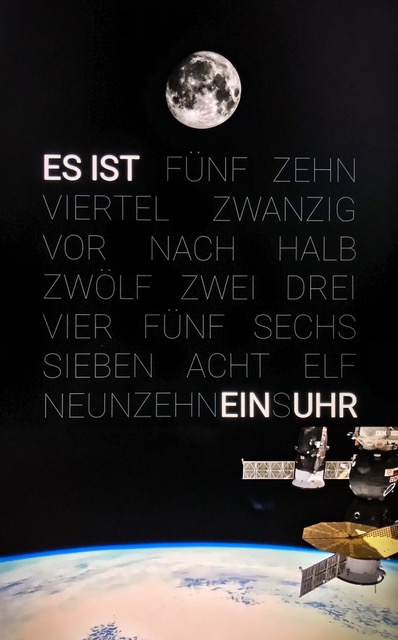
@mykle1 I also had to set an “exception”, as the HTTPS Certificate does not match. Maybe there is an option to ignore this threat.
@veldrovive PS: I tried following your workaround and just wanted to let you know that it works :) Now I am able to use your new config option for pages which makes it so much easier to set them up! Great idea to implement it!
@veldrovive said in MMM-Page-Selector: A page switcher that can set positions of modules:
Ok, I’ve implemented persistent pages. In order to access them right now, you need to be in the development branch since I don’t have the time to do extensive testing.
Thanks again for the persistent pages feature. I have tried it all day in different scenarios and it was working reliably and as expected. :clapping_hands:
Dear @Mykle1,
since yesterday, I do not get the current picture of the moon anymore, although I did not touch the MMM-Lunartic config. If I do, I can display other info - but not the current image.
I completely removed and reinstalled the module - but that did not solve the problem. I can open the direct link to the current NASA picture from the .js file - so it does not seem, that my IP is blocked from their side.
Do you have any idea, how to get the current picture of the moon back?
@veldrovive @robiv8 Thank you two for the quick feedback and nailing it down so quickly.
I will disable Watchdog for the time being. I was using it as I experienced crashes when using an iFrame module for video playback (ISS livestream on my night-page). But it should be OK to live without that for a while.