@sdetweil , don’t forget you helped me with serial notifications with Arduino…
A New Chapter for MagicMirror: The Community Takes the Lead
Read the statement by Michael Teeuw here.
Read the statement by Michael Teeuw here.
S
Offline
Posts
-
RE: MYMIRROR - From Modena
-
MYMIRROR - From Modena
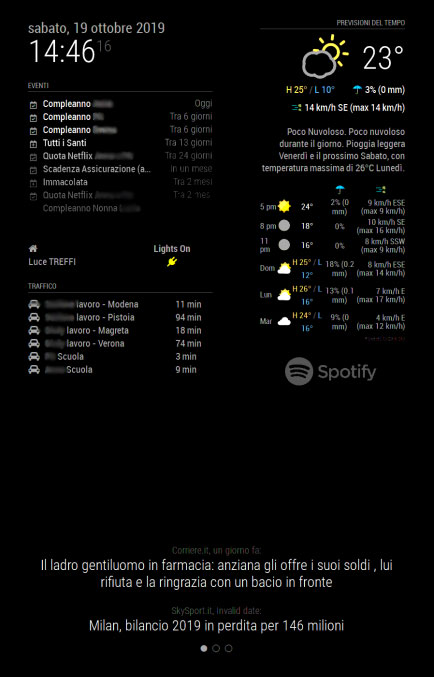
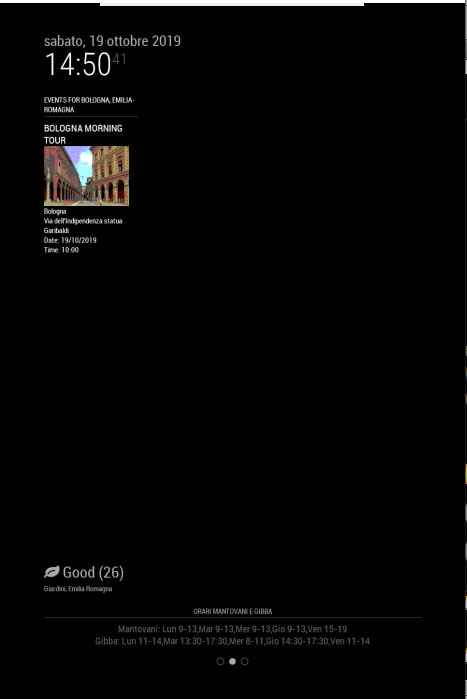
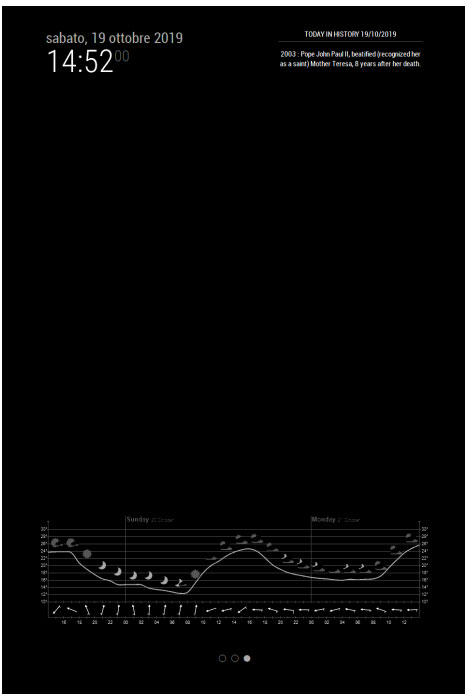
Hi, this is my mirror
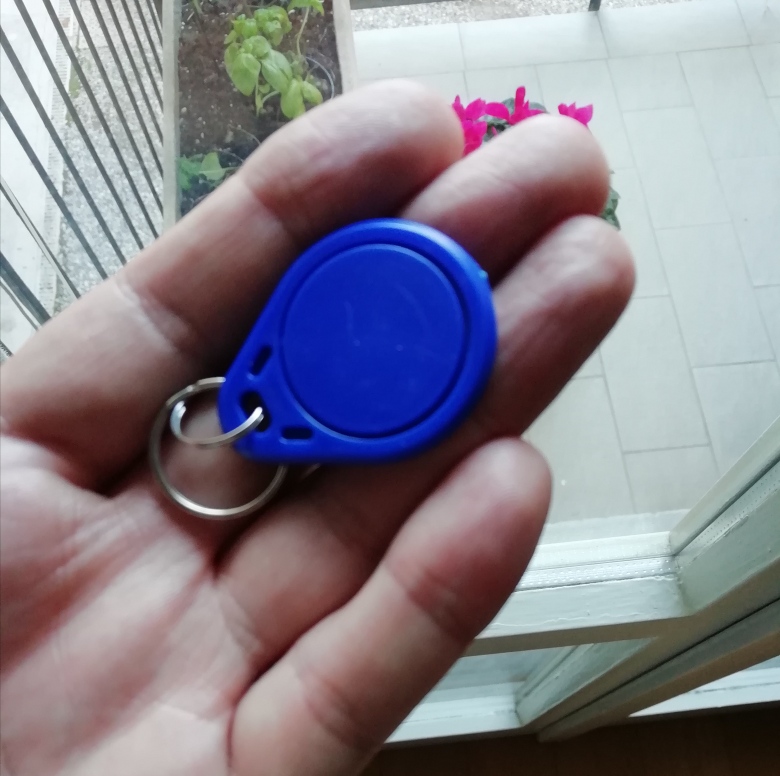
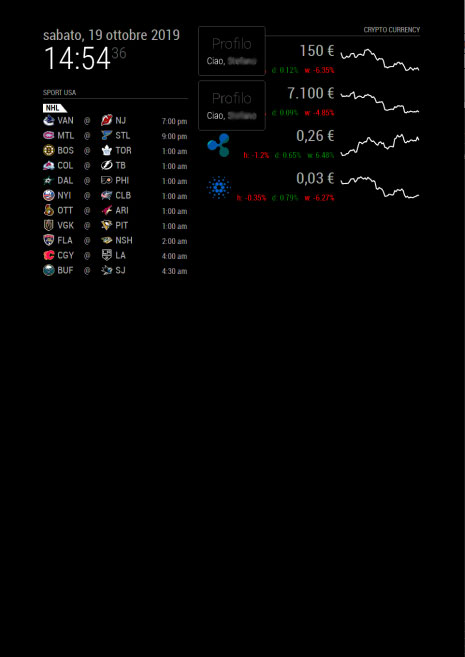
I used these modules and with Arduino I read the RFID tags (via serial notifications) to recognize the user (see the mirror photo, top right, there is the RFID tag reader) and show a personalized pageMMM-NBA
MMM-MyScoreboard
MMM-cryptocurrency
MMM-DarkSkyForecast
MMM-NowPlayingOnSpotify
MMM-TPLink
mrx-work-traffic
MMM-Traffic
newsfeed
MMM-Events
MMM-AirQuality
MMM-json-feed
mmm-weatherchart
MMM-History
MMM-Serial-Notifications
MMM-ProfileSwitcher
MMM-page-indicator
MMM-Buttons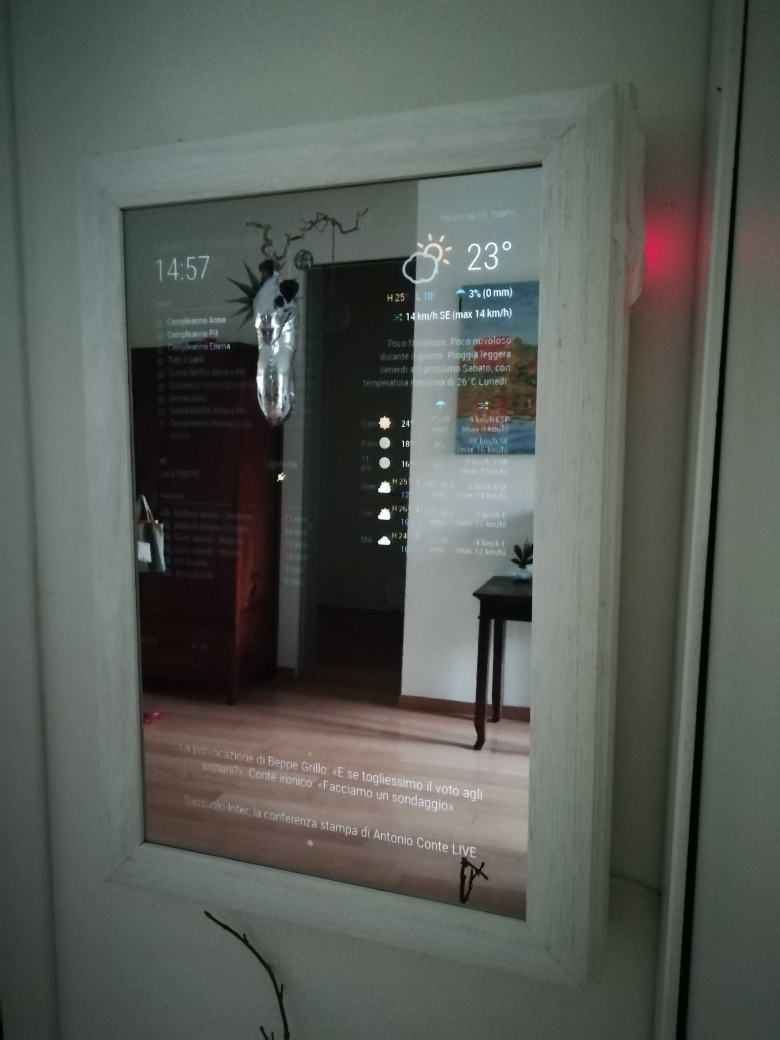
-
RE: Gettin' crazy with mmm-mycommute
also the “primitive” mrx-work-traffic module works
-
RE: Gettin' crazy with mmm-mycommute
nothing to do
MMM-TRaffic works and MMM-Commute does’t workI have enabled:
API Richieste Errori Latenza media (ms)
Directions API 73 11 187 Dettagli
Distance Matrix API 0 0 - Dettagli
Geocoding API 0 0 - Dettagli
Geolocation API 0 0 - Dettagli
Maps Embed API 0 0 - Dettagli
Maps JavaScript API 0 0 - Dettagli
Maps Static API 0 0 - Dettagli
Places API 0 0 - Dettagli
Roads API 0 0 - Dettagli
Time Zone API 0 0 - DettagliAPI
but the error is (You must use an API key to authenticate each request to Google Maps Platform APIs) -
Gettin' crazy with mmm-mycommute
I’m trying to get working the module mmm-mycommute
It gives error messages and log file says:
MMM-MyCommute: You must use an API key to authenticate each request to Google Maps Platform APIs. For additional information, please refer to http://g.co/dev/maps-no-accountI have opened a billing account and i have my api key
Where am I wrong ?
thanks a lot
-
RE: Serial Comunication with Arduino
@sdetweil YESSSS It works has I want, thanks again
-
RE: Serial Comunication with Arduino
no code runs on the pi to get the value, the value is read from arduino from the tag and arduino sends the value to the pi via serial. i don’t know which module of magic mirror I have to use to read that value and use it as a notification to switch the profile with MMM-ProfileSwitcher
-
RE: Serial Comunication with Arduino
Yes I want’t su use the tags as a profile ID and manage modules with MMM-ProfileSwitcher.
so all the members of my family (each in possession of his tag), can have custom modules
thank you very much for your advices
-
RE: Serial Comunication with Arduino
@sdetweil
mmmmmm… I’m using some MMM modules installed on my mirror, hoping that there is a module like MMM-ArduPort that I can use for my purpose
:flushed_face: -
RE: Serial Comunication with Arduino
HI sdetweil, thanks
I have connected my Arduino to RPi with USB cable and I read (on Arduino values of RFID tags) on the Serial monitor of Arduino IDE installed on my RPI
Now I don’t understand which MMM Magic Mirror module I have to use to manage serial datas that I receive from Arduinothanks a lot
bye -
RE: Serial Comunication with Arduino
so I abandon the idea of using the arduino outputs (reduced to 3.3 volts) in the GPi input of the RPi and the mmm-buttons module?
thank you very much -
RE: Serial Comunication with Arduino
@Radek said in Serial Comunication with Arduino:
MMM-Gestur
Hi I have a similar need
I wan’t to send notifications to Magic Mirror (to switch the profile) using an RFID sensor connected to an Arduino
If I pass my personal tag near the RFID sensor connected to the Arduino, I want to switch the profile of magic Mirror
Does anyone know if is possible to use the serial comunication in this way from arduino and RPi ? -
RE: MY mirror from Italy
for the frame, it’s done by a carpenter. It’s in my living room …
-
RE: MY mirror from Italy
@tom9664
for NBA schedule MMM-NBA and for soccer I use MMM-SoccerLiveScore -
RE: MY mirror from Italy
@itsmesri 150€ for the frame, and 150€ for all other parts (PI, monitor, cables., etc),. bye
-
RE: MMM-Hotword
@sean please telle me which log I have to activate and how, thanks
-
RE: MMM-Hotword
Hi , I can’t really use this module. I Have also done a minimal config.js with only this module but the mirror starts black (totally) and I have to reboot the RaspPi (I can’t close the Mirror)
What can I check ?
I have done correctly the installation of the module
Please help me
thanks from Italy

-
RE: MY mirror from Italy
@cr4z33
6 mm acrilico pretagliato Two way Mirror 600 x 300 mm
from MIrrorWorld (Amazon)