@madscientist initially for the test runs I will install two temperature sensors one in the top and one in the bottom to monitor the temperature. I have considered venting holes in the wooden backplate (bottom and top) or above the monitor in the aluminum frame and the same on the bottom but I would like to avoid that as I don’t know how much light would enter the casing.
Y
Offline
A New Chapter for MagicMirror: The Community Takes the Lead
Read the statement by Michael Teeuw here.
Read the statement by Michael Teeuw here.
Posts
-
RE: Strip Down Guide for BenQ 28" VA Monitor GC2870H
-
RE: Strip Down Guide for BenQ 28" VA Monitor GC2870H
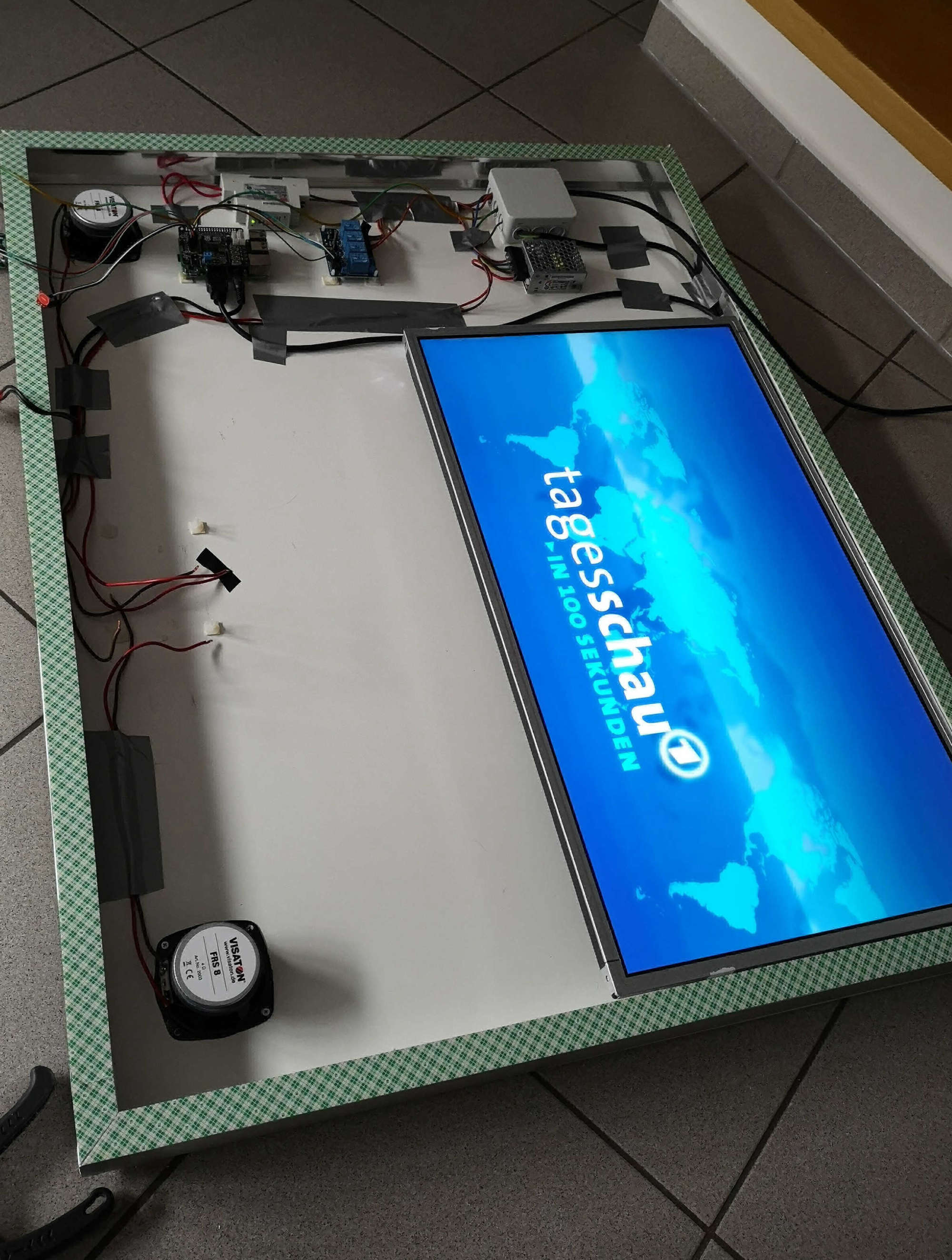
Just in case anyone is interested in what the project looks being almost fully assembled.
Features:
- Stereo Amplifier, 2 Speakers
- Google Voice hat and two Microphones, Google Assistant (MMM-Assistant)
- A2DP Bluetooth Enabled
- Capacitive Touch Button playing local news as a Podcast (MMM-Podcast)
- Landscape Mode for performance
- Meanwell 5V Power Supply
- Meanwell 12V Power Supply
- 28" GC2870VH Monitor
- Nielsen Aluminum Frame (45mm height with 20mm surface to attach two sided tape)
- 3m two sided Tape which is specially made for glueing mirros
- Standard wooden Backplate from hardware store screwed to aluminum frame
- PIR Sensor
The Mirror will be delivered first week of September. And is larger than the aluminium frame to give a clean view.
To Come:
- Casing for PIR Sensor and Cap Touch
- Maybe lighting from the inside
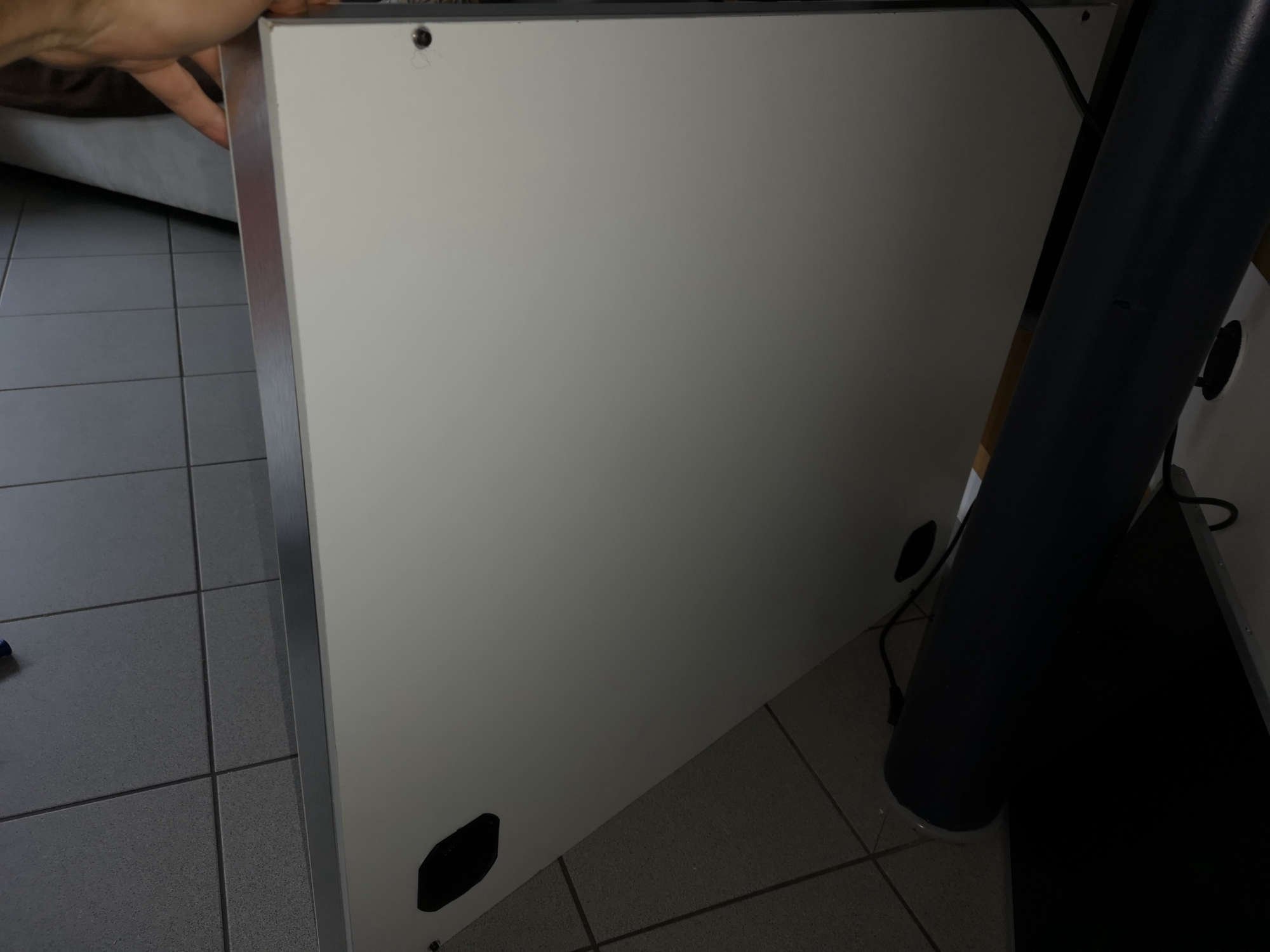
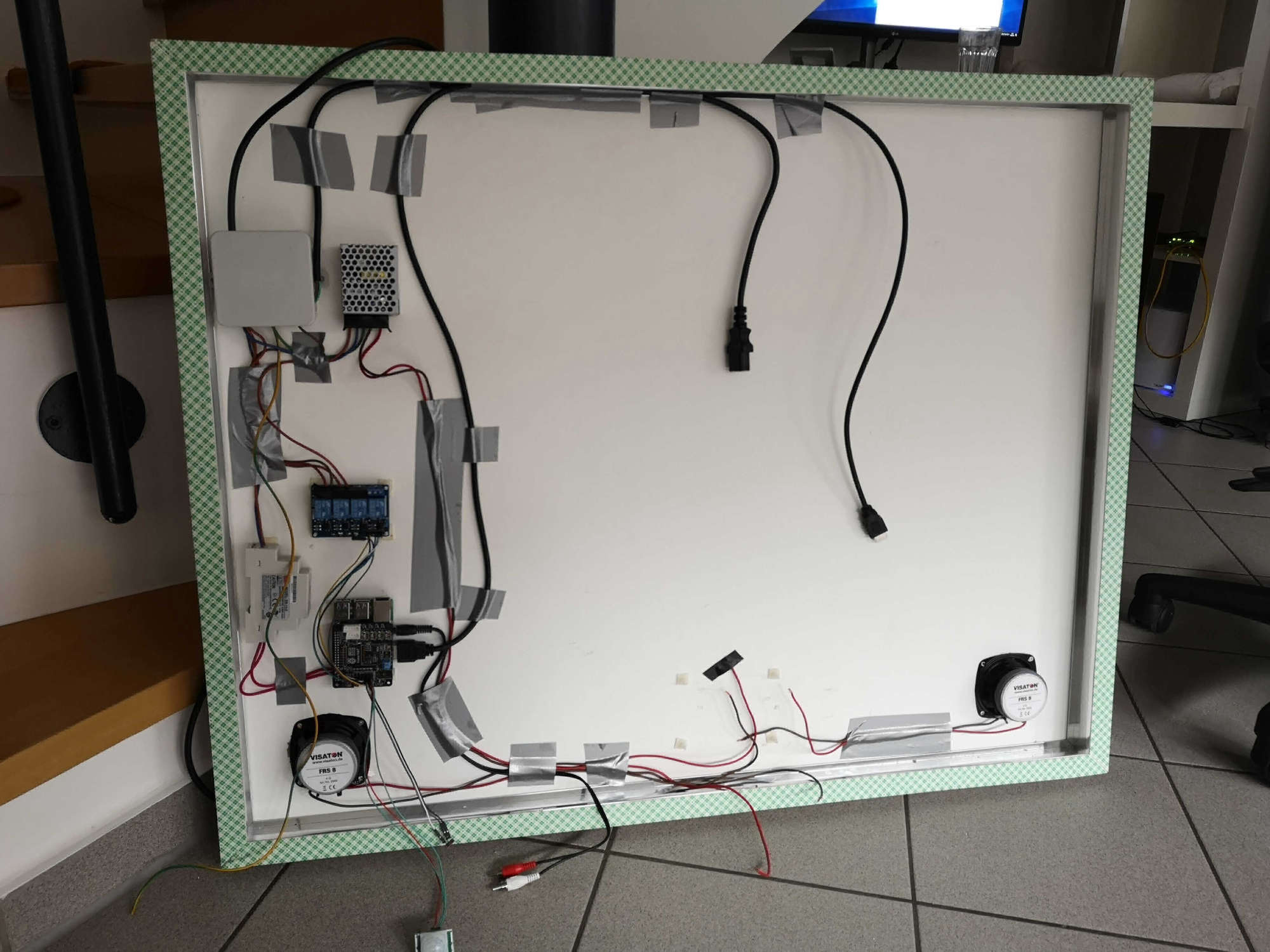
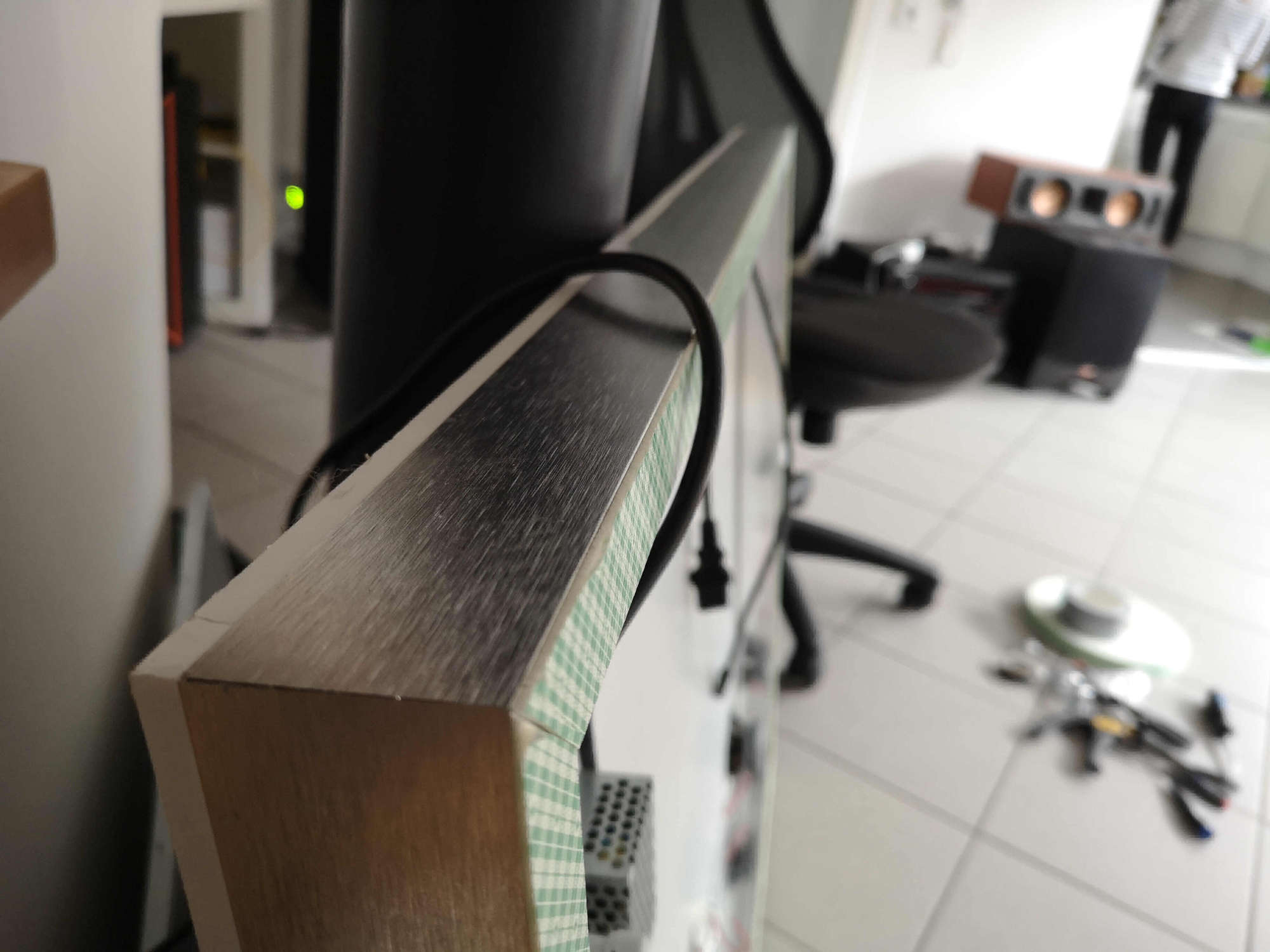
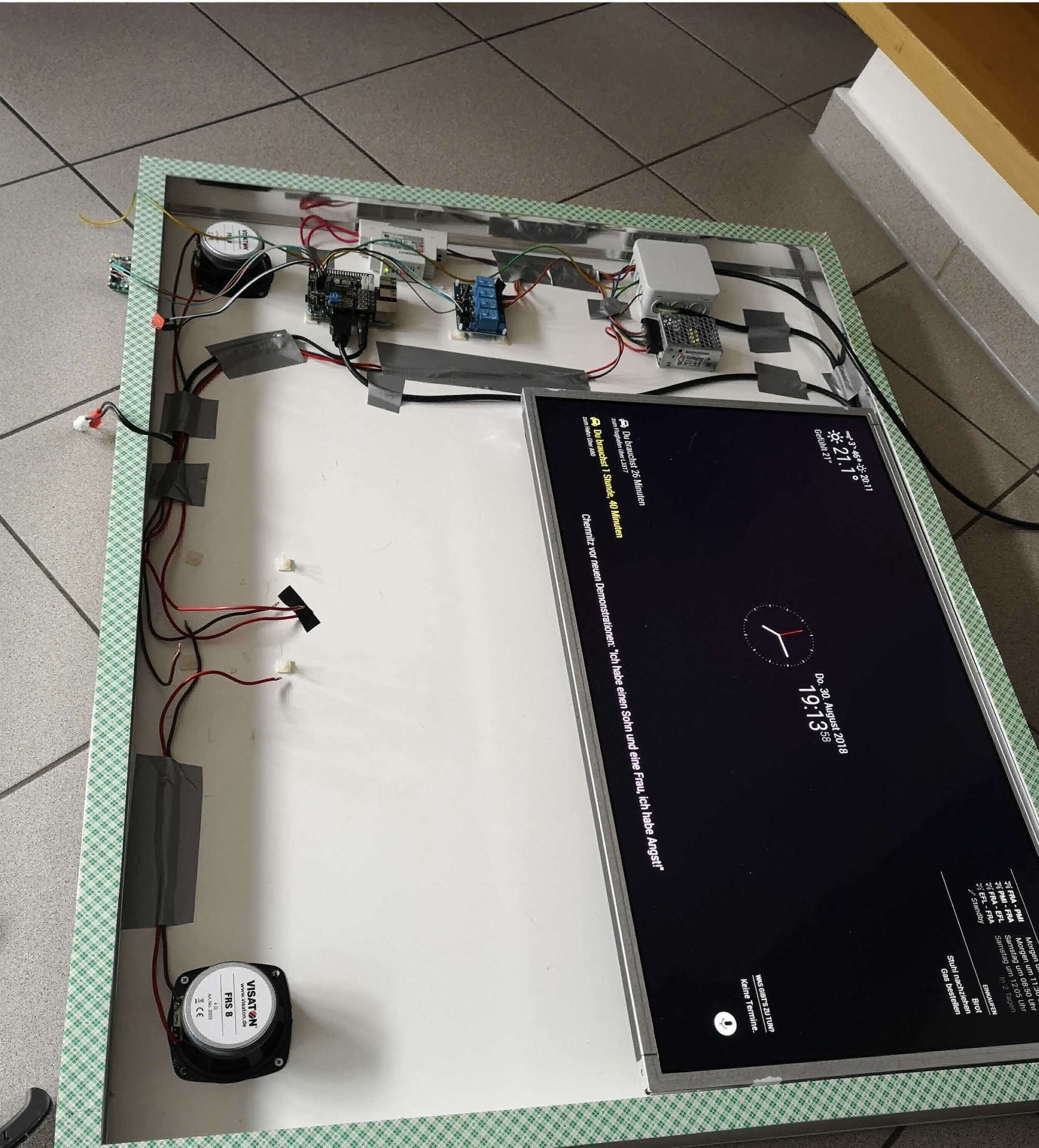
-
RE: MMM-AssistantMk2 problems when using electron-rebuild
If anyone is interested, no matter what Board you use the performance is dramatically reduced as soon as you rotate the screen. This is a measurement of PI3:
- I executed glxgears without vsync.
- measurements are average of fps
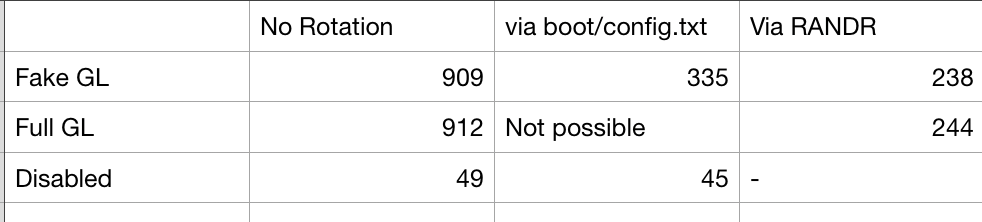
So without rotation the performance on the pi3 is a lot better. On the Tinkerboard it is even worse as it only supports Open GL ES and I have not found a solution to get that running with Electron.
-
RE: MMM-AssistantMk2 problems when using electron-rebuild
one more thing, I noticed when using the newsfeed module it stutters when fading to the next headline, can anyone confirm that? Performance is 10000x better with TinkerBoard than with PI3
-
RE: Asus Tinker Board
have you guys also experienced problems with OpenGL? I used the standard MagicMirror install script and did not compile it from scratch:
everything works just fine, but ht pm2_error.log shows this and I assume performance could be increased by solving that
libGL error: MESA-LOADER: failed to retrieve device information libGL error: unable to load driver: rockchip_dri.so libGL error: driver pointer missing libGL error: failed to load driver: rockchip -
RE: MMM-AssistantMk2 problems when using electron-rebuild
@Sean I’ve just tried the google voice hat with your module, it works fine and a lot smoothe for some reason. I disabled the BCM soundcard and no stuttering except of the first google assistent replies right after boot up. Still on RPI3, let’s see with tinker board.
-
RE: MMM-AssistantMk2 problems when using electron-rebuild
@Sean
Tinker Board looks promising… will take me a while to set up and I am working the next couple of days, let’s see :).
-
RE: MMM-AssistantMk2 problems when using electron-rebuild
I switched back to headphone jack output and it is the same. Video and sound stutters.
-
RE: MMM-AssistantMk2 problems when using electron-rebuild
@Sean
what is your CPU usage when playing youtube videos and using the google assistent? I am using OpenGL for rendering… but videos and audio via HDMiIseems to stutter
-
RE: MMM-AssistantMk2 problems when using electron-rebuild
@Sean
correct, works. Modified /usr/share/alsa/alsa.conf for the default sound card and added a “record” for MMM-Hotkey so it wouldn’t use that as default: working just fine.Just stuttering, the audio output as well as video. Let’s see why… when audio is played through the 3.5mm jack it works fine.
-
RE: MMM-AssistantMk2 problems when using electron-rebuild
@Sean
cool, works, thank you so much. Would you know where youtube audio is configured? Because that still uses the standard.
-
RE: MMM-AssistantMk2 problems when using electron-rebuild
@Sean
off topic: is there a way to set the audio output (Device / Program) routing like “record” for the mic?
-
RE: MMM-AssistantMk2 problems when using electron-rebuild
@Sean
works like a charm, thank you -
Strip Down Guide for BenQ 28" VA Monitor GC2870H
Hi guys,
I just wanted to share a Monitor I find pretty amazing to use with my magic mirror.
The BenQ GC2870 has 28" and 1920x1080. It is a VA Display and should have an amazing quality. I am only writing this because this display can be stripped down to the bezel it self and the controller board as well as power supply can be easily separated. In case some of you are looking for a nice monitor. I ordered it from amazon for just 160€.
Specs: https://www.benq.de/product/monitor/gc2870h/specifications/
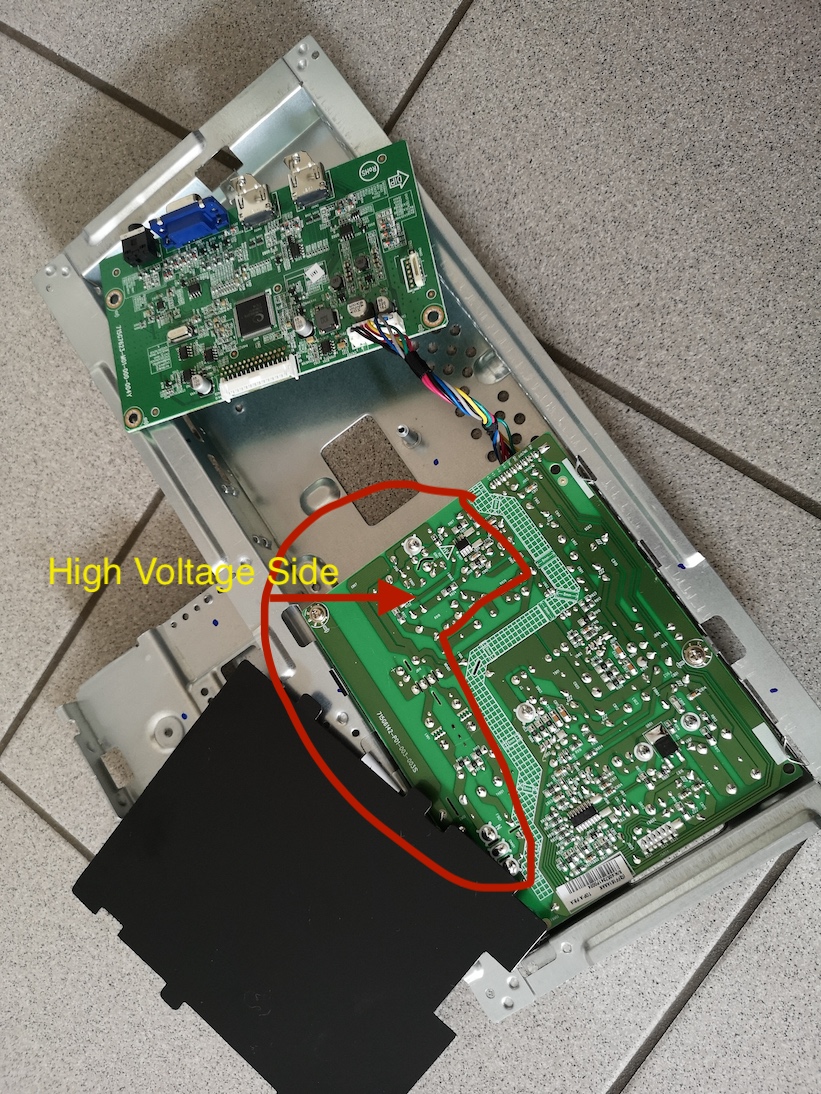
Stripped down picture: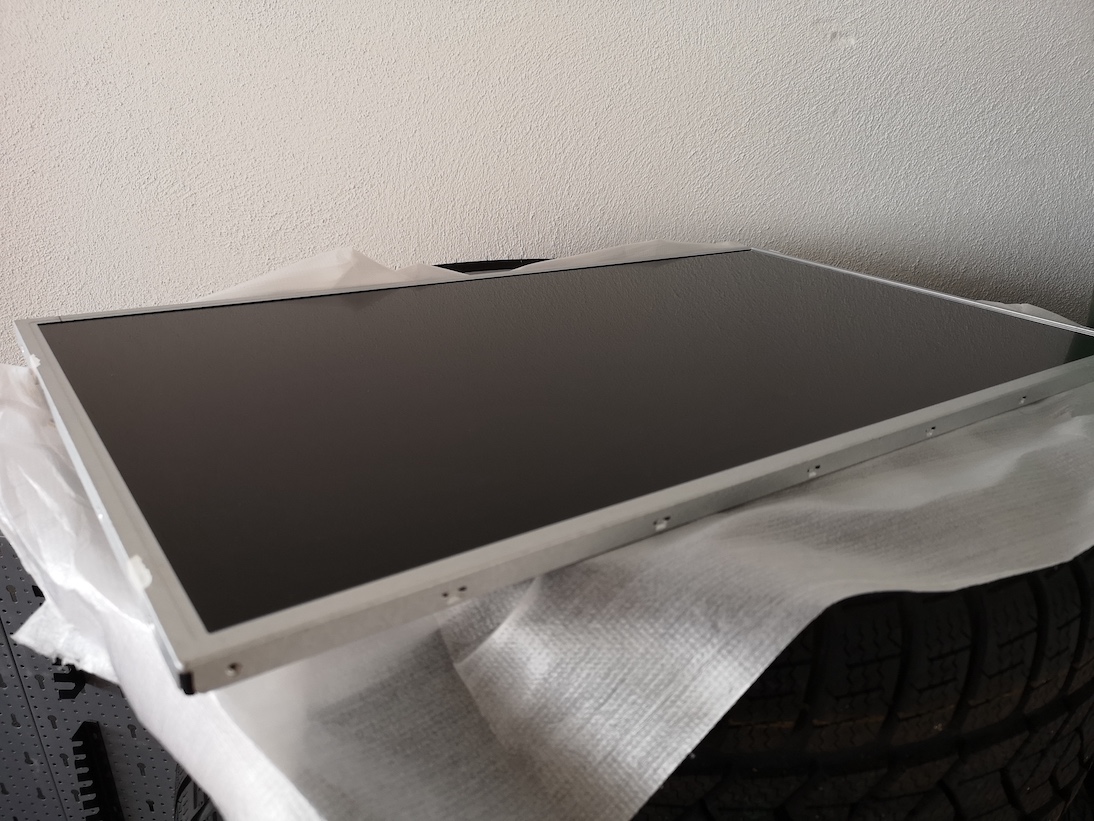
- the bezel has a depth of around 12mm and if you plan to use the casing for the power supply and control board it has a depth of 45mm
Tools used:
- Automotive Pry (Screwdriver flat should work)
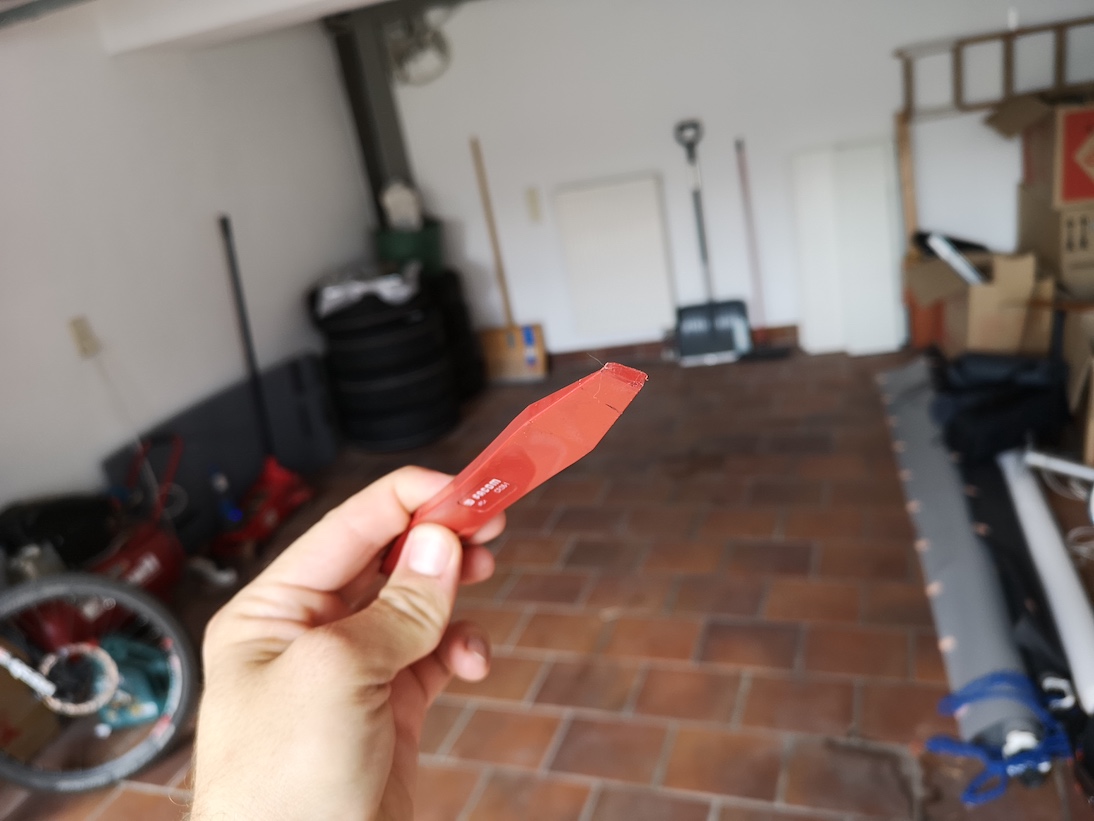
- BenQ GC2870H
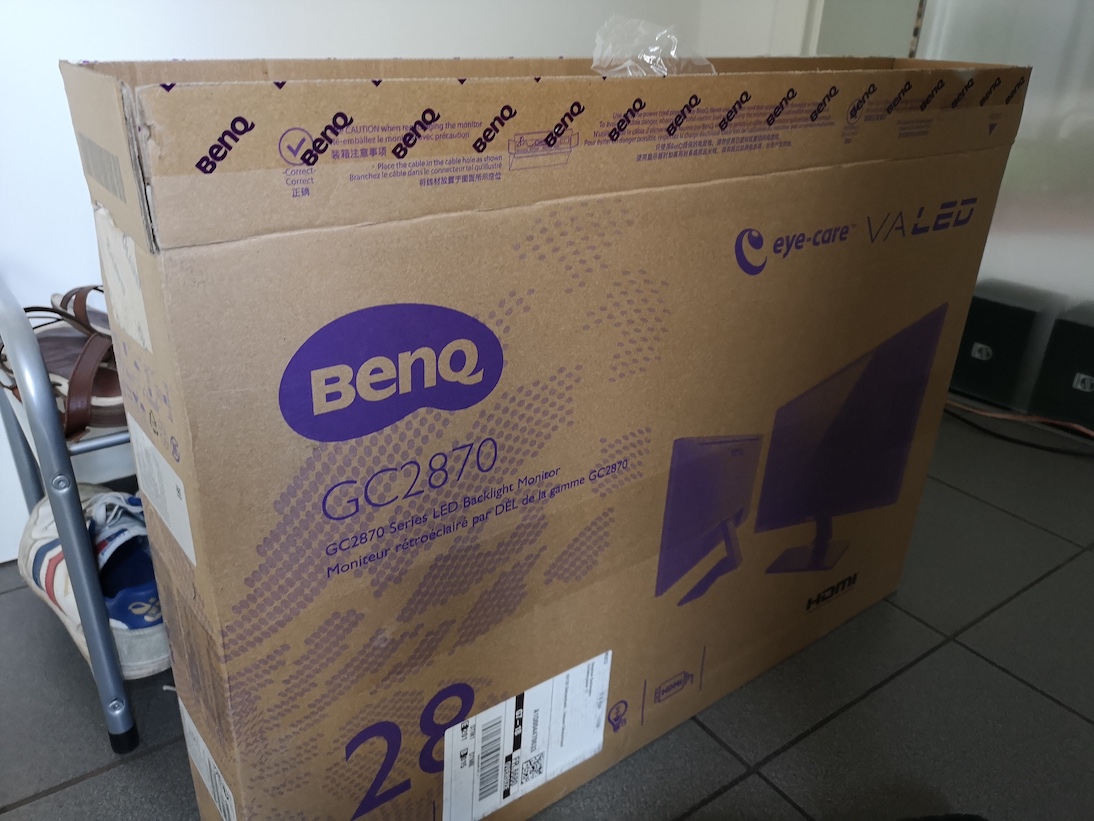
That is all you need.
To strip down:
- Take the monitor and start inserting the pry or screwdriver between the edges, it will pop open like this
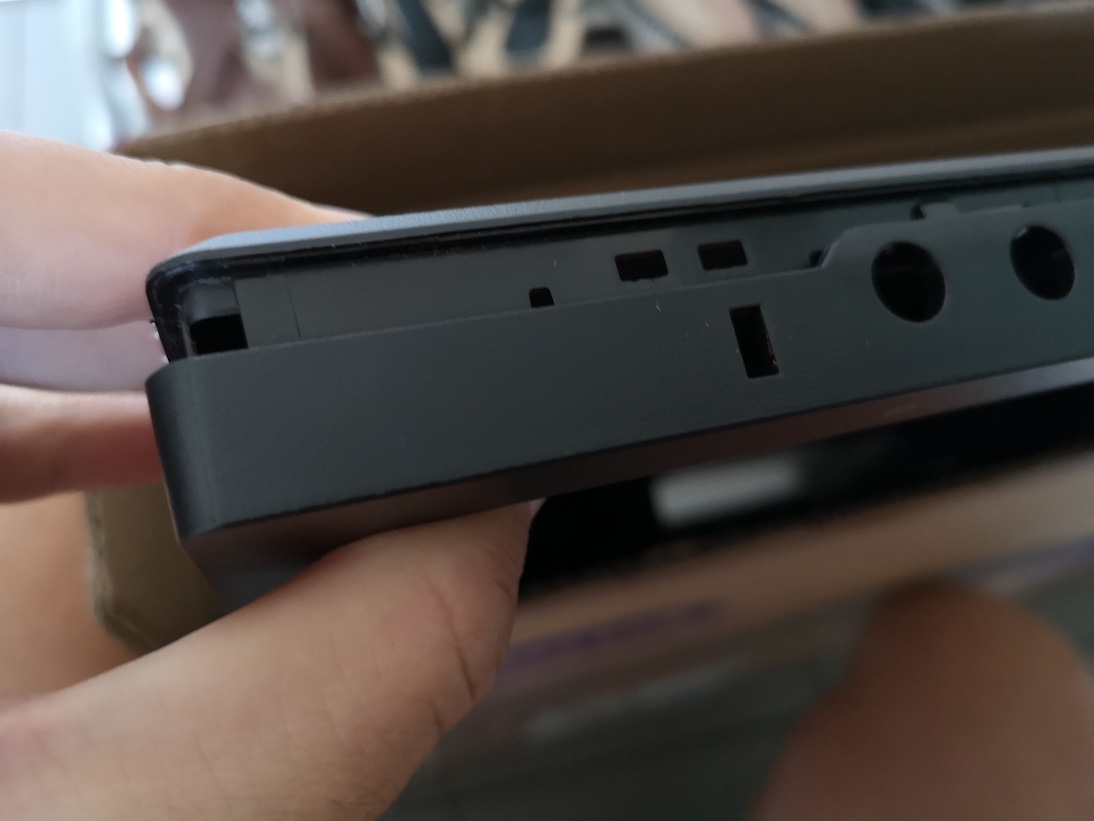
- do this all around all edges, it is incredibly easy and takes at most 5 minutes
- take out the bezel
- remove the silver aluminum tape holding the power supply and control board
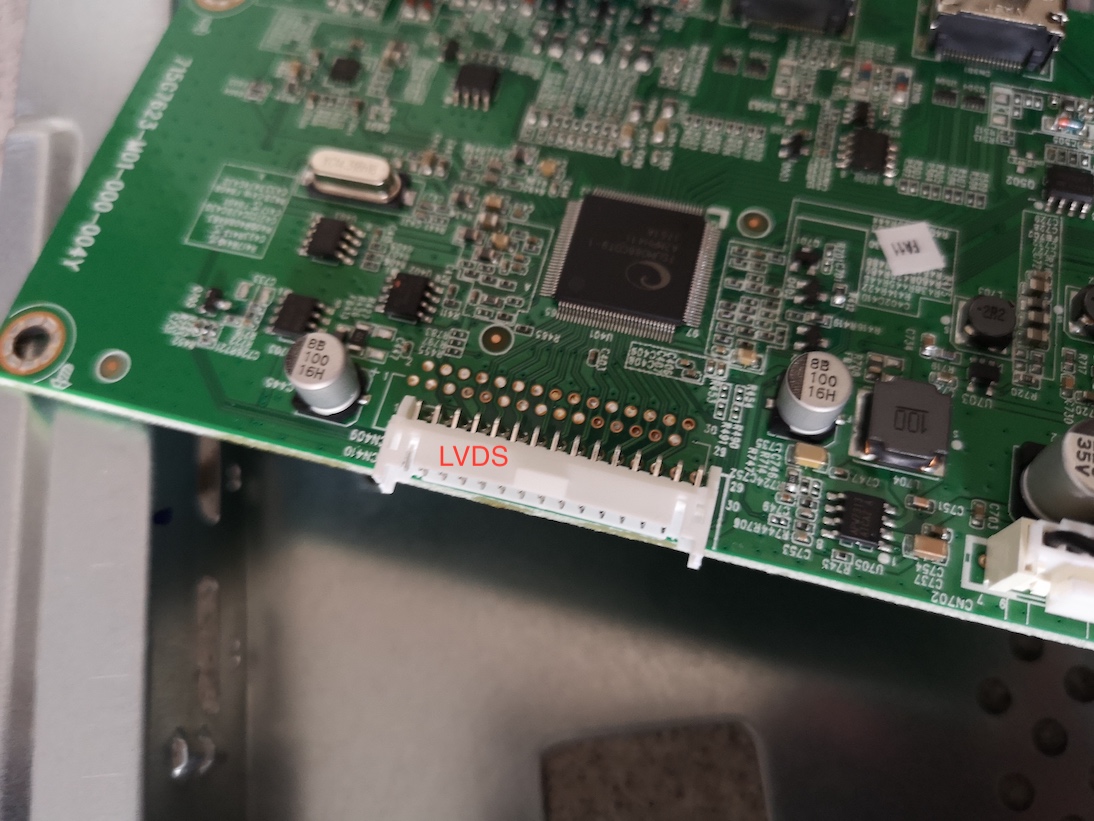
- unplug the LVDS connector
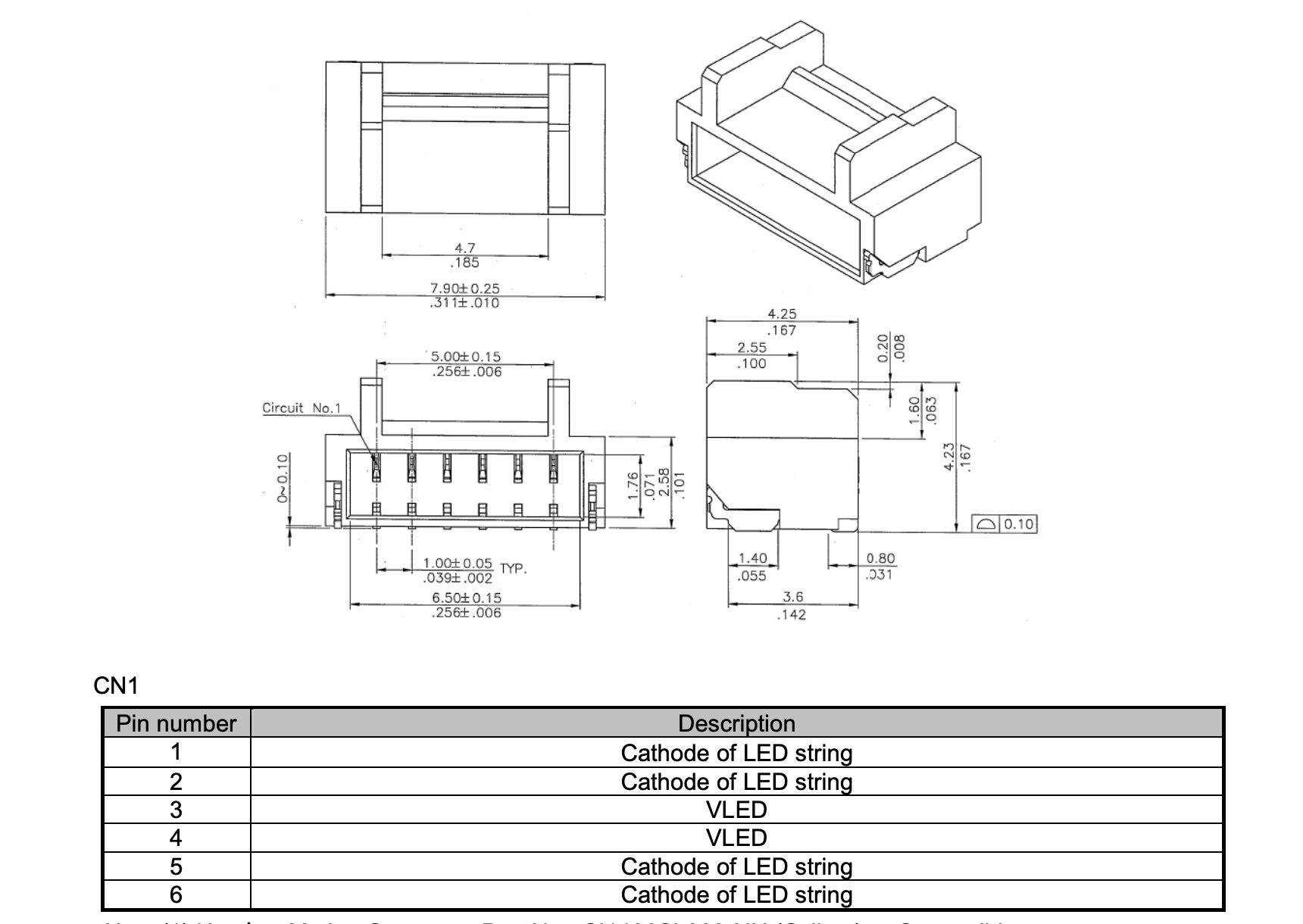
- unplug the backlight connector the circle shows VLED for the backlight
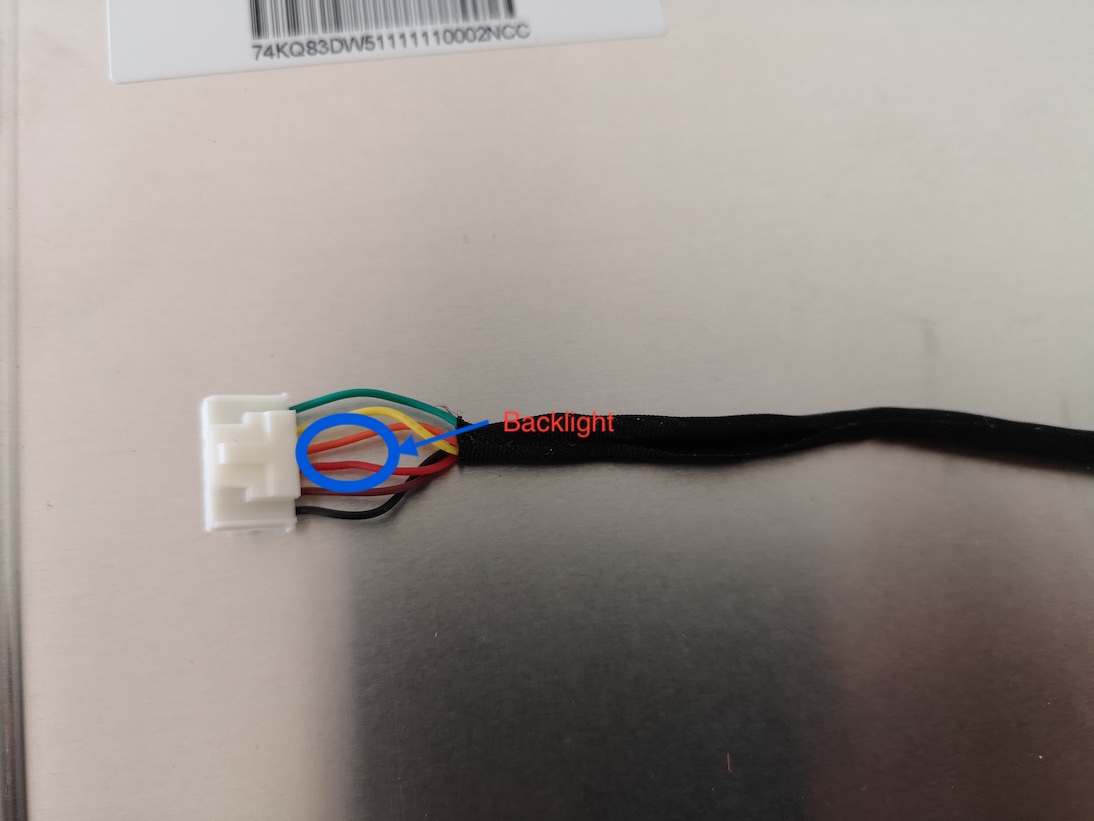
- The bezel used is a M280HKJ-L50. I found an innolux datasheet for the -L30 and according to this, these are the control lines for the backlight:
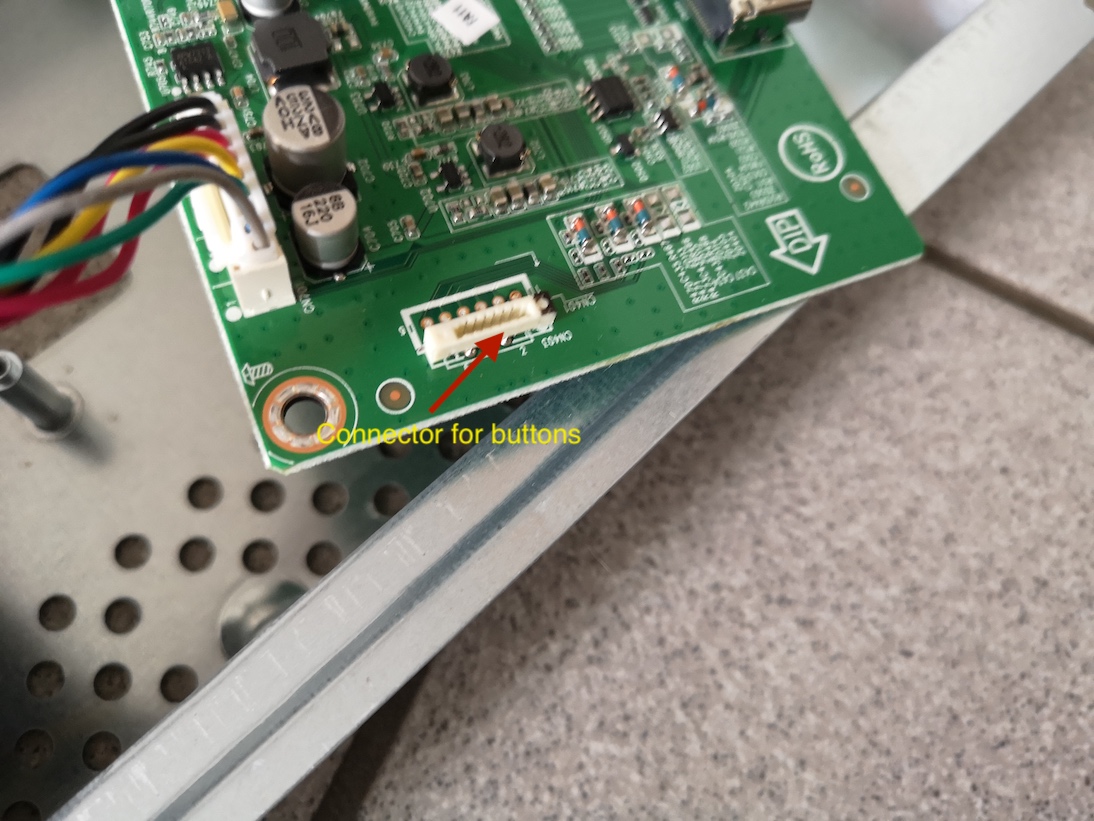
- unplug the connector for the buttons
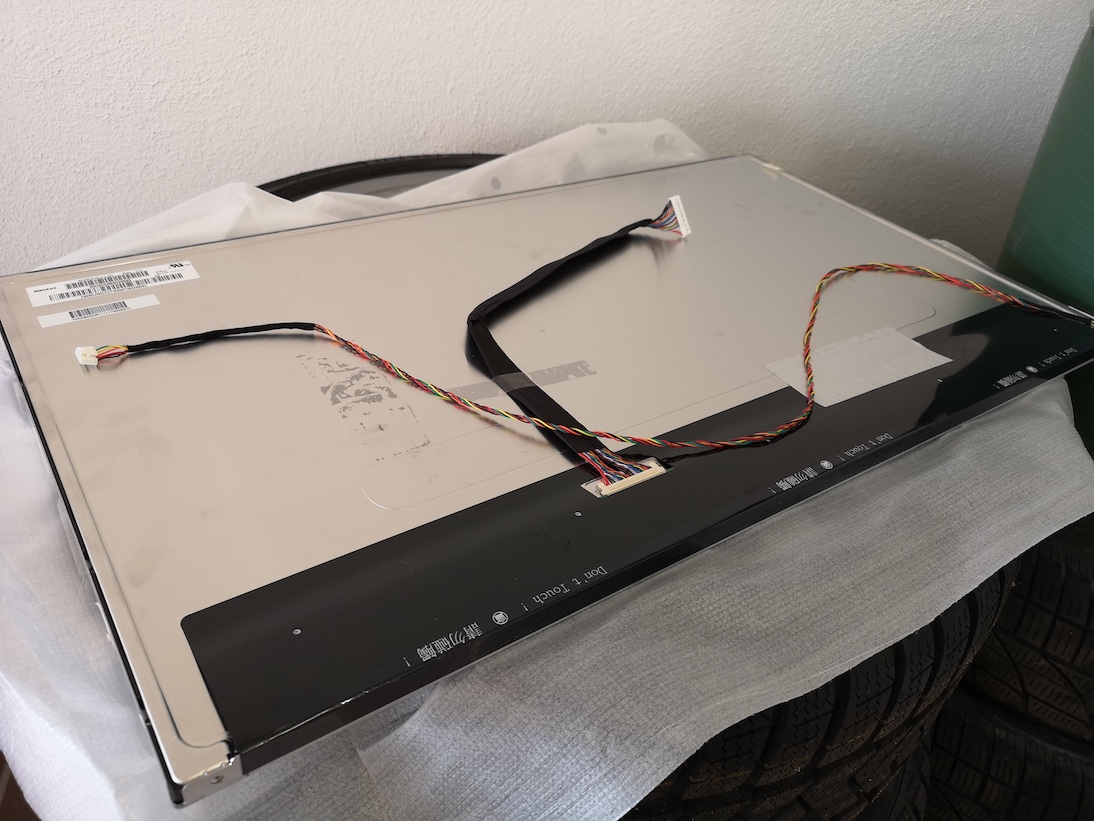
- now the bezel should be completely separate
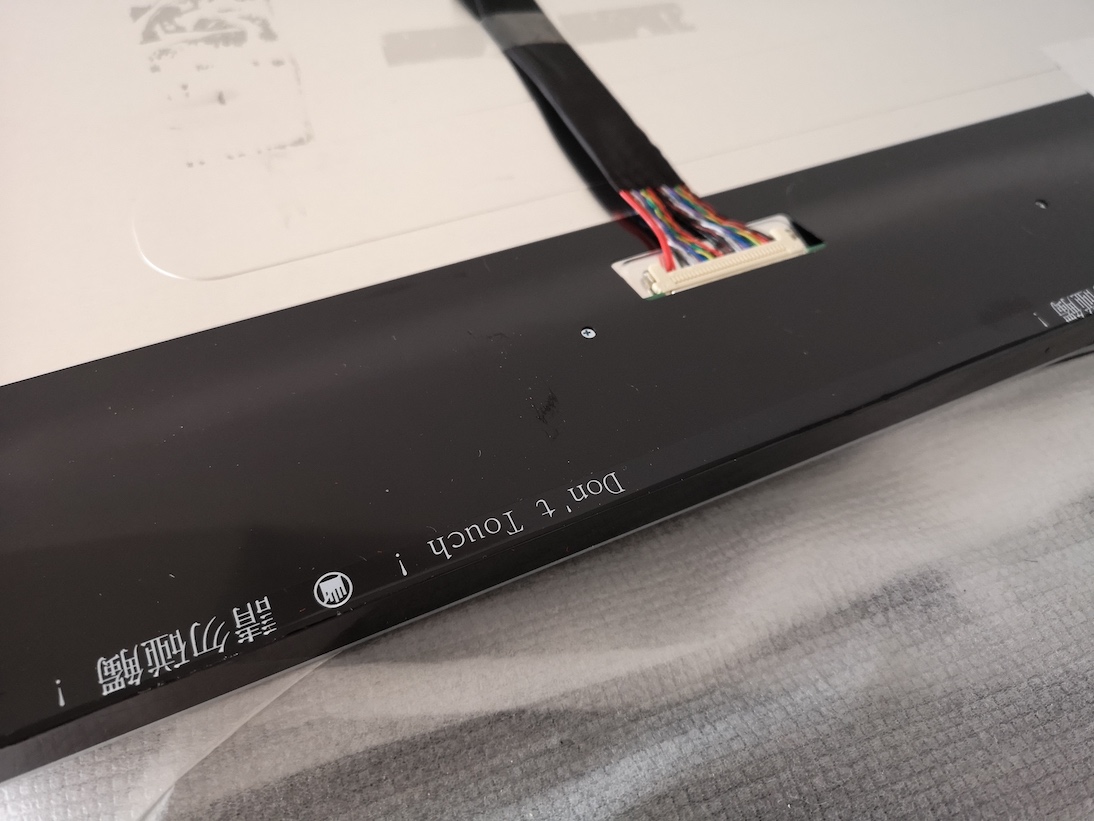
- beware not to touch where it says “DO NOT TOUCH” as the control lines for the bezel are attached to the screen:
- you can now remove the control board and, if you want the power supply beware: residue voltage might be in the capacitors, so dont touch soldering points. It might be wise to leave the power supply in and the paper protection attached
 (Source: innolux Panel_CHIMEI_INNOLUX_M280HKJ-L30_0_[DS].pdf)
-
RE: MMM-AssistantMk2 problems when using electron-rebuild
@sean said in MMM-AssistantMk2 problems when using electron-rebuild:
rm -rf grpc
Hi @Sean,
cool that helps. You you just advice for some of the not so advanced npm and node users how to downgrade?
Thank you so much,
Stephan
-
RE: MMM-AssistantMk2 problems when using electron-rebuild
Hi @Sean
I have the same problem trying to build from scratch. It fails at grpc, I tried your solution but is the samegyp ERR! build error gyp ERR! stack Error: `make` failed with exit code: 2 gyp ERR! stack at ChildProcess.onExit (/home/pi/MagicMirror/modules/MMM-AssistantMk2/node_modules/node-gyp/lib/build.js:262:23) gyp ERR! stack at ChildProcess.emit (events.js:180:13) gyp ERR! stack at Process.ChildProcess._handle.onexit (internal/child_process.js:209:12) gyp ERR! System Linux 4.14.62-v7+ gyp ERR! command "/usr/bin/node" "/home/pi/MagicMirror/modules/MMM-AssistantMk2/node_modules/.bin/node-gyp" "rebuild" "--target=2.0.0" "--arch=arm" "--dist-url=https://atom.io/download/electron" "--build-from-source" "--module_name=grpc_node" "--module_path=/home/pi/MagicMirror/modules/MMM-AssistantMk2/node_modules/grpc/src/node/extension_binary/electron-v2.0-linux-arm-glibc" "--host=https://node-precompiled-binaries.grpc.io/" "--remote_path={name}/v1.14.1" "--package_name=electron-v2.0-linux-arm-glibc.tar.gz" gyp ERR! cwd /home/pi/MagicMirror/modules/MMM-AssistantMk2/node_modules/grpc gyp ERR! node -v v9.11.2 gyp ERR! node-gyp -v v3.8.0 gyp ERR! not ok