@MMRIZE Thank you very much. I will try it, but I need to start it in a few days because of me. Thank you for your guidance
史
Offline
A New Chapter for MagicMirror: The Community Takes the Lead
Read the statement by Michael Teeuw here.
Read the statement by Michael Teeuw here.
Posts
-
RE: NPM run start cannot be used
-
RE: NPM run start cannot be used
@sdetweil Sorry, I am not convenient for debugging today. Please allow me to come back to you for consultation in a few days
-
RE: NPM run start cannot be used
@sdetweil I pressed ctrl-shift-i, but the raspberry pie didn’t respond
-
RE: NPM run start cannot be used
@sdetweil I don’t know how to open the developer window.
-
RE: NPM run start cannot be used
@sdetweil It is possible to use NPM run server
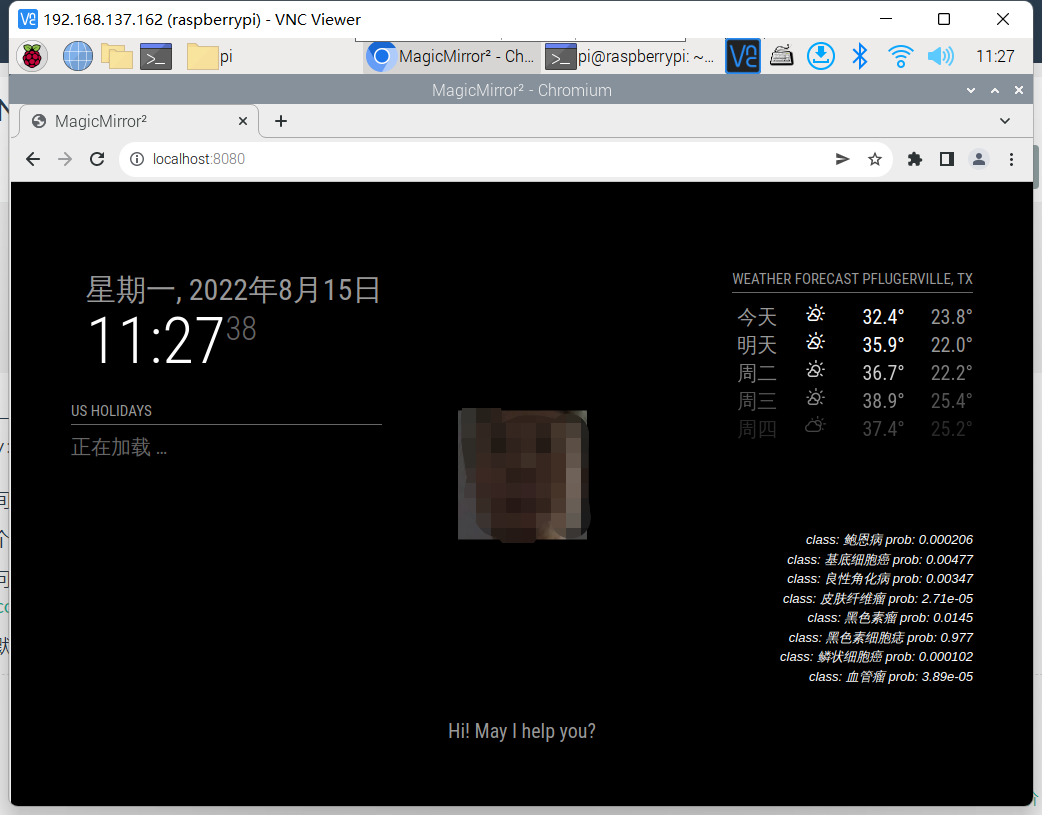
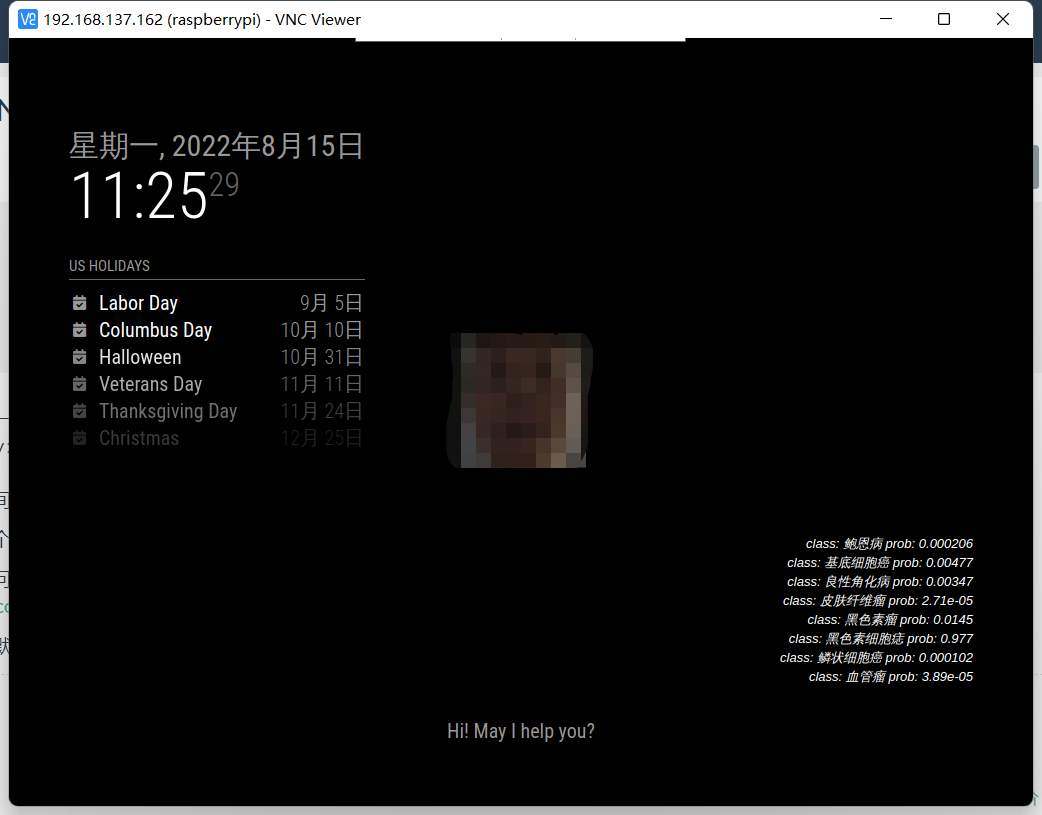 Using NPM run start will:
 -
RE: NPM run start cannot be used
{ module: "weather", position: "top_right", config: { weatherProvider:"weatherbit", type: "current", location: "New York", locationID: "5128581", //ID from http://bulk.openweathermap.org/sample/city.list.json.gz; unzip the gz file and find your city apiKey: "???" } }, { module: "weather", position: "top_right", header: "Weather Forecast", config: { weatherProvider:"weatherbit", type: "forecast", location: "New York", locationID: "5128581", //ID from http://bulk.openweathermap.org/sample/city.list.json.gz; unzip the gz file and find your city apiKey: "???" } }, -
RE: NPM run start cannot be used
@sdetweil I tried it just now, but it didn’t work. It will always show that it is loading
-
RE: NPM run start cannot be used
@sdetweil Different weather configurations should be configured in different ways。https://docs.magicmirror.builders/modules/weather.html#configuration-options
The way I learned from here -
RE: NPM run start cannot be used
@sdetweil
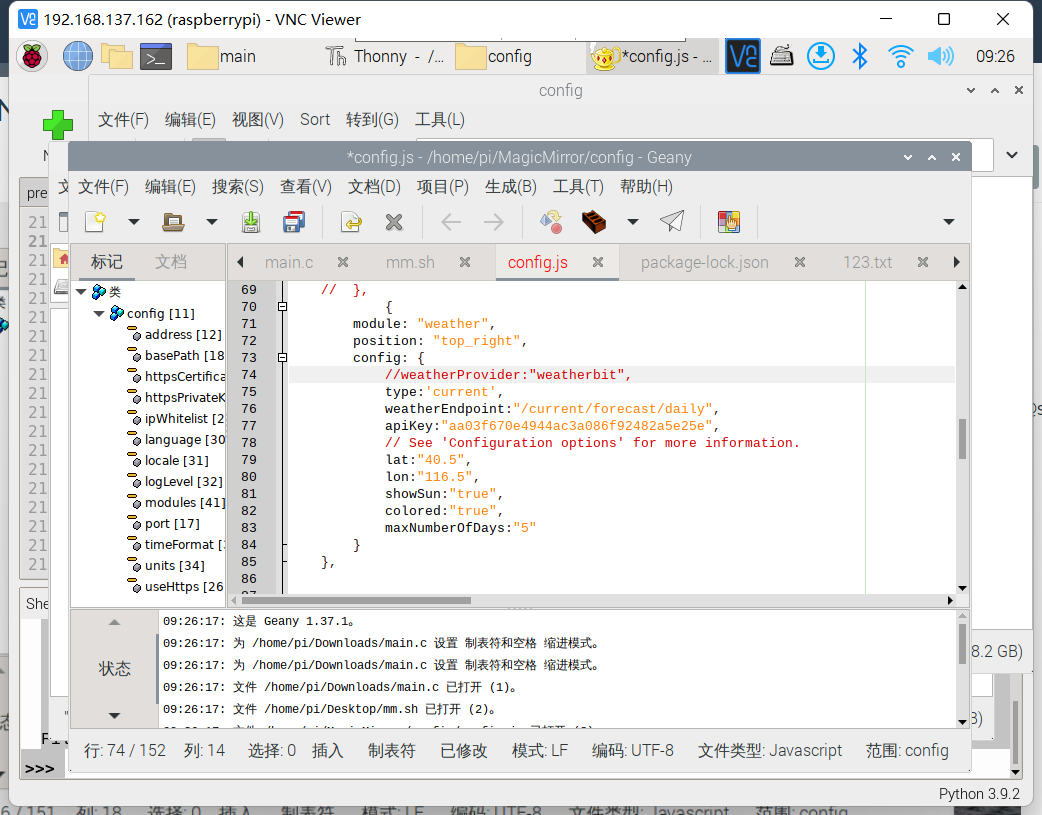
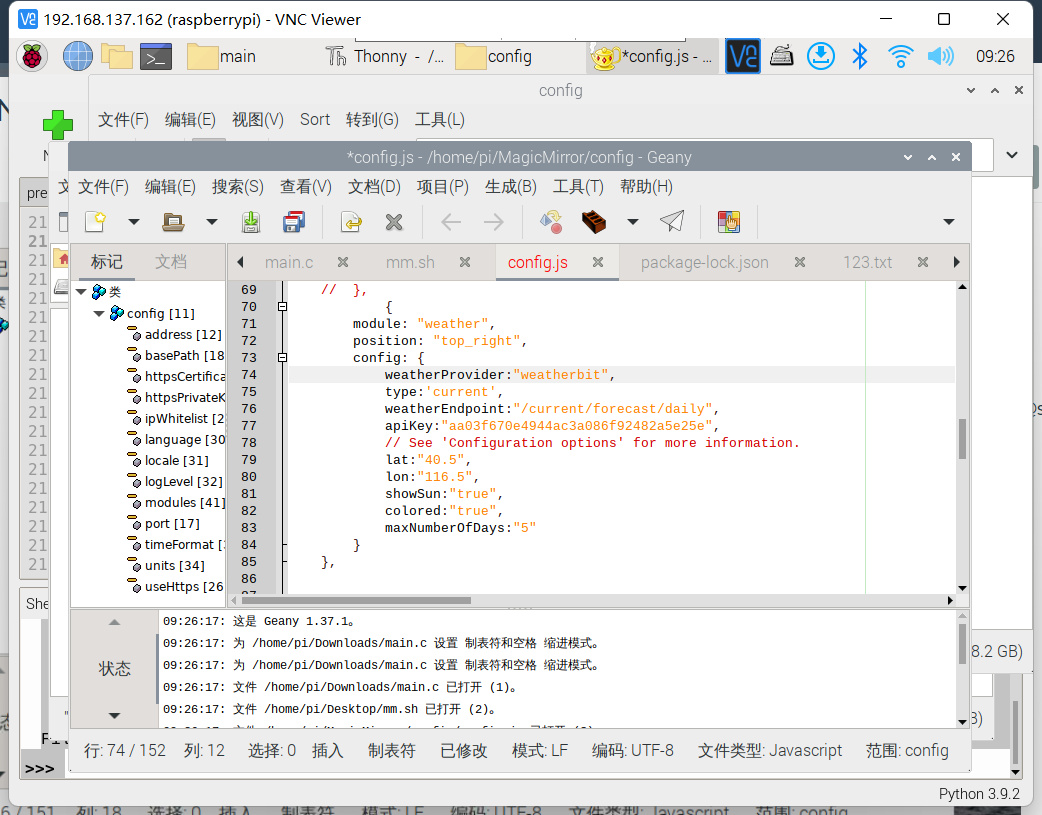
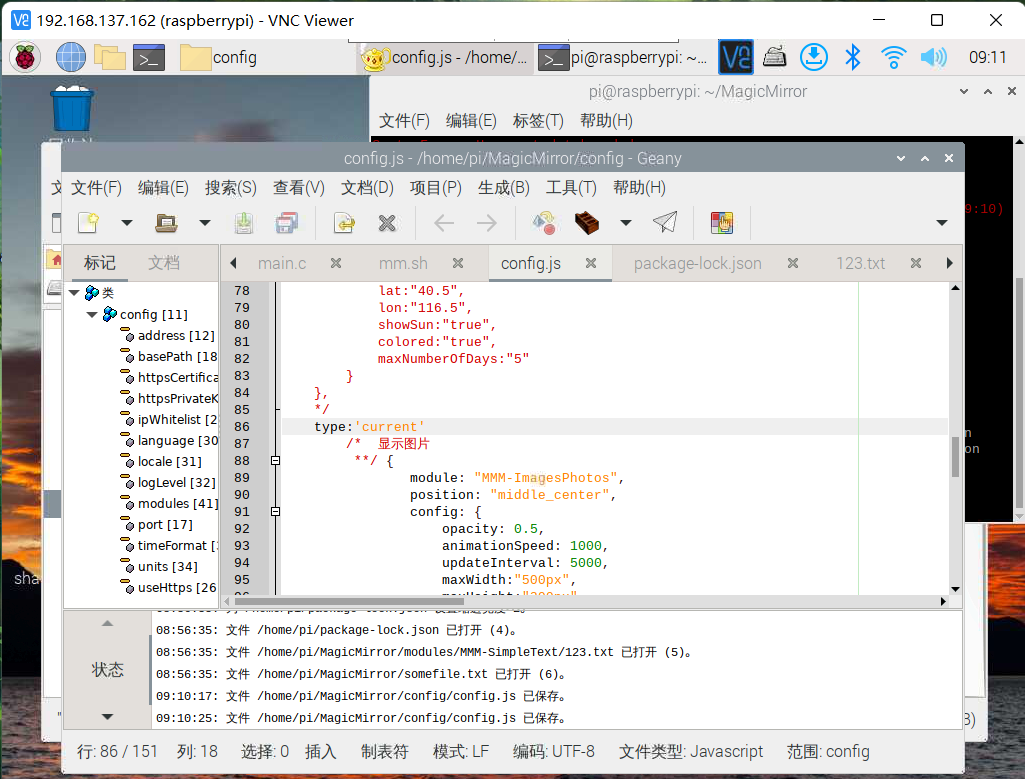
Good evening. I just woke up/* MagicMirror² Config Sample * * By Michael Teeuw https://michaelteeuw.nl * MIT Licensed. * * For more information on how you can configure this file * see https://docs.magicmirror.builders/configuration/introduction.html * and https://docs.magicmirror.builders/modules/configuration.html */ let config = { address: "localhost", // Address to listen on, can be: // - "localhost", "127.0.0.1", "::1" to listen on loopback interface // - another specific IPv4/6 to listen on a specific interface // - "0.0.0.0", "::" to listen on any interface // Default, when address config is left out or empty, is "localhost" port: 8080, basePath: "/", // The URL path where MagicMirror² is hosted. If you are using a Reverse proxy // you must set the sub path here. basePath must end with a / ipWhitelist: ["127.0.0.1", "::ffff:127.0.0.1", "::1"], // Set [] to allow all IP addresses // or add a specific IPv4 of 192.168.1.5 : // ["127.0.0.1", "::ffff:127.0.0.1", "::1", "::ffff:192.168.1.5"], // or IPv4 range of 192.168.3.0 --> 192.168.3.15 use CIDR format : // ["127.0.0.1", "::ffff:127.0.0.1", "::1", "::ffff:192.168.3.0/28"], useHttps: false, // Support HTTPS or not, default "false" will use HTTP httpsPrivateKey: "", // HTTPS private key path, only require when useHttps is true httpsCertificate: "", // HTTPS Certificate path, only require when useHttps is true language: "zh-cn", locale: "zh", logLevel: ["INFO", "LOG", "WARN", "ERROR"], // Add "DEBUG" for even more logging timeFormat: 24, units: "metric", // serverOnly: true/false/"local" , // local for armv6l processors, default // starts serveronly and then starts chrome browser // false, default for all NON-armv6l devices // true, force serveronly mode, because you want to.. no UI on this device modules: [ { module: "alert", }, { module: "updatenotification", position: "top_bar" }, { module: "clock", position: "top_left" }, { module: "calendar", header: "US Holidays", position: "top_left", config: { calendars: [ { symbol: "calendar-check", url: "webcal://www.calendarlabs.com/ical-calendar/ics/76/US_Holidays.ics" } ] } }, // { // module: "compliments", // position: "lower_third" // }, { module: "weather", position: "top_right", config: { weatherProvider:"weatherbit", weatherEndpoint:"/current/forecast/daily", apiKey:"aa03f670e4944ac3a086f92482a5e25e", // See 'Configuration options' for more information. lat:"40.5", lon:"116.5", showSun:"true", colored:"true", maxNumberOfDays:"5" } }, /* 显示图片 **/ { module: "MMM-ImagesPhotos", position: "middle_center", config: { opacity: 0.5, animationSpeed: 1000, updateInterval: 5000, maxWidth:"500px", maxHeight:"200px", backgroundColor: 'grey', // not used if fill is true fill: false, // fill around image with blurred copy of image blur: 10, // only used if fill is true } }, { module: "helloworld", position: "bottom_bar", // This can be any of the regions. config: { // See 'Configuration options' for more information. text: "Hi! May I help you?" } }, { module: 'MMM-SimpleText', position: 'bottom_right', config: { fontURL: { 'value': 'Tahoma, Geneva, sans-serif' }, fontSize: { 'value': 'small' }, fontStyle: { 'value': 'italic' }, color: { 'value': '#FFFFFF' }, refreshMs: { 'value': '10000' }, filePath: { 'value': '123.txt' }, } }, ] }; /*************** DO NOT EDIT THE LINE BELOW ***************/ if (typeof module !== "undefined") {module.exports = config;} -
RE: NPM run start cannot be used
@sdetweil I mean only the weather API, that is, the key of your openweather. I will come back to you for advice in nine hours, that is, around 8:00 p.m. us time. I hope you have time, and I hope you don’t hate me. Thank you again. I wish you good health and good luck. I’ll be with you all the time
-
RE: NPM run start cannot be used
@sdetweil To tell the truth, I didn’t remember it. Please allow me to check it tomorrow morning and tell you
-
RE: NPM run start cannot be used
@sdetweil If possible, I would like to try your API tomorrow, but this is only a test, and this is based on your consent. Generally, I will not use your API, I will continue to use my own API, I hope you can agree
-
RE: NPM run start cannot be used
@sdetweil I don’t use the same API as you, and your last reply revealed your key which is not good
-
RE: NPM run start cannot be used
@sdetweil What is described here is my latest problem. Sorry, I didn’t make it clear
-
RE: I want to display txt files from outside at the bottom
@sdetweil Thank you, but my problem now is that the weather module is not working properly
-
RE: I want to display txt files from outside at the bottom
@sdetweil Sorry, I can’t show it to you now, because my mother doesn’t allow me to use the computer at this time in the evening. It is already 12 o 'clock here, so I can only send it to you tomorrow morning, that is, August 15, around 9 o 'clock in Dong8 district. I am very sorry, and thank you very much for your guidance
-
RE: I want to display txt files from outside at the bottom
@sdetweil Thank you, sir. Is my problem easy to solve? In addition, it’s nearly 23 o’clock here, so I will turn off my computer and use my mobile phone to receive your messages. However, in this way, I will not be able to correct it as quickly as possible according to your method