MagicMirror Forum
    • Recent
    • Tags
    • Unsolved
    • Solved
    • MagicMirror² Repository
    • Documentation
    • 3rd-Party-Modules
    • Donate
    • Discord
    • Register
    • Login
    A New Chapter for MagicMirror: The Community Takes the Lead
    Read the statement by Michael Teeuw here.

    NPM run start cannot be used

    Scheduled Pinned Locked Moved Unsolved Troubleshooting
    44 Posts 4 Posters 16.9k Views 4 Watching
    Loading More Posts
    • Oldest to Newest
    • Newest to Oldest
    • Most Votes
    Reply
    • Reply as topic
    Log in to reply
    This topic has been deleted. Only users with topic management privileges can see it.
    • S Offline
      sdetweil @史新瑞
      last edited by sdetweil

      @史新瑞 no. in the weather config… that is the issue we are working on

      make it look like mine, use your apikey
      and your provider
      https://forum.magicmirror.builders/topic/17093/npm-run-start-cannot-be-used/14?_=1660526689873

      Sam

      How to add modules

      learning how to use browser developers window for css changes

      史 1 Reply Last reply Reply Quote 0
      • 史 Offline
        史新瑞 @sdetweil
        last edited by

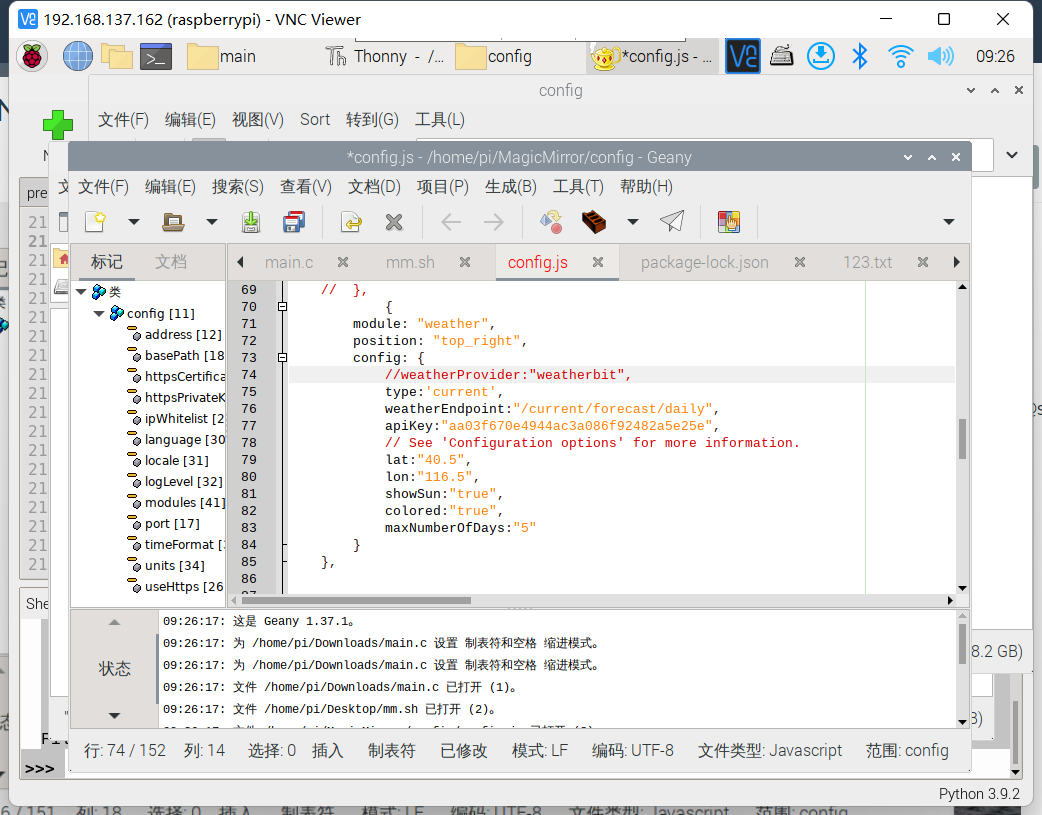
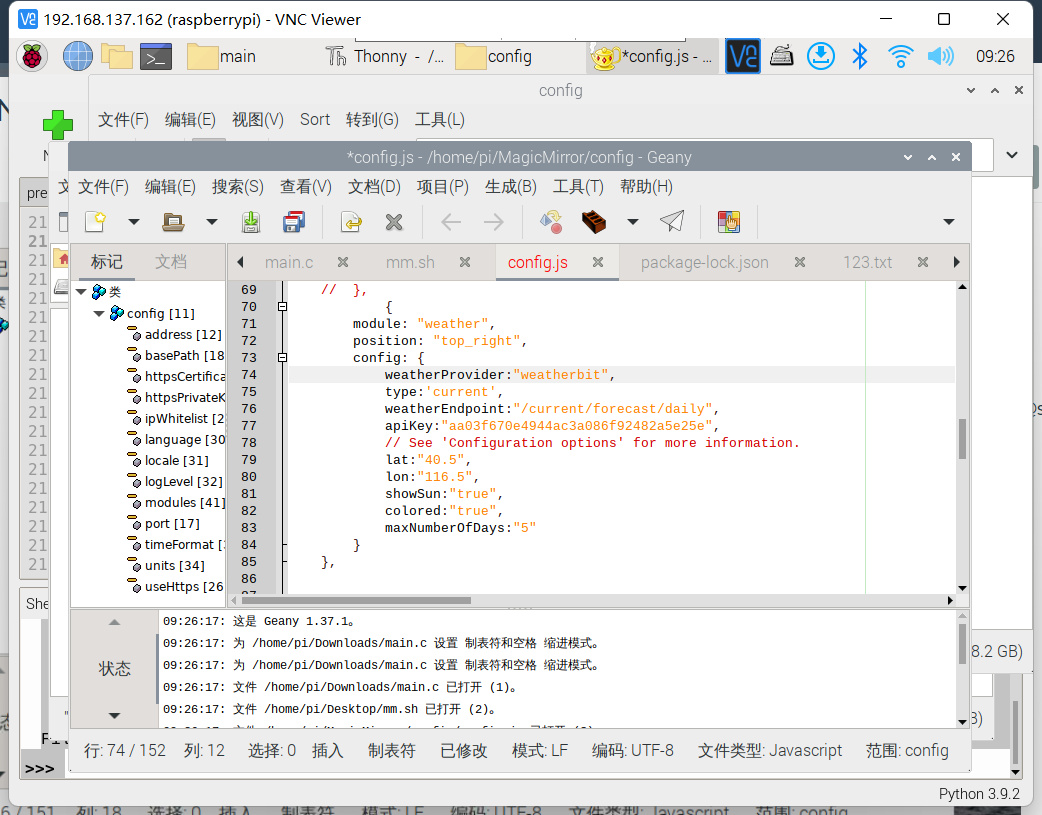
        @sdetweil 1.png 2.png
        The first or the second?

        S 1 Reply Last reply Reply Quote 0
        • S Offline
          sdetweil @史新瑞
          last edited by

          @史新瑞 either, both, whatever

          just trying to get it to work

          Sam

          How to add modules

          learning how to use browser developers window for css changes

          史 1 Reply Last reply Reply Quote 0
          • 史 Offline
            史新瑞 @sdetweil
            last edited by

            @sdetweil Different weather configurations should be configured in different ways。https://docs.magicmirror.builders/modules/weather.html#configuration-options
            The way I learned from here

            S 1 Reply Last reply Reply Quote 0
            • S Offline
              sdetweil @史新瑞
              last edited by

              @史新瑞 there are two options current weather and forecast

              the new module eliminates having to use a lot of parms…

              just try it my way, for a test

              Sam

              How to add modules

              learning how to use browser developers window for css changes

              史 1 Reply Last reply Reply Quote 0
              • 史 Offline
                史新瑞 @sdetweil
                last edited by

                @sdetweil I tried it just now, but it didn’t work. It will always show that it is loading

                S 1 Reply Last reply Reply Quote 0
                • S Offline
                  sdetweil @史新瑞
                  last edited by

                  @史新瑞 ‘loading’ is the default message, until some data arrives.

                  can u show me what you did

                  Sam

                  How to add modules

                  learning how to use browser developers window for css changes

                  史 1 Reply Last reply Reply Quote 0
                  • 史 Offline
                    史新瑞 @sdetweil
                    last edited by sdetweil

                    @sdetweil

                    		{
                    			module: "weather",
                    			position: "top_right",
                    			config: {
                    				weatherProvider:"weatherbit",
                    				type: "current",
                    				location: "New York",
                    				locationID: "5128581", //ID from http://bulk.openweathermap.org/sample/city.list.json.gz; unzip the gz file and find your city
                    				apiKey: "???"
                    			}
                    		},
                    		{
                    			module: "weather",
                    			position: "top_right",
                    			header: "Weather Forecast",
                    			config: {
                    				weatherProvider:"weatherbit",
                    				type: "forecast",
                    				location: "New York",
                    				locationID: "5128581", //ID from http://bulk.openweathermap.org/sample/city.list.json.gz; unzip the gz file and find your city
                    				apiKey: "???"
                    			}
                    		},
                    
                    S 1 Reply Last reply Reply Quote 0
                    • S Offline
                      sdetweil @史新瑞
                      last edited by sdetweil

                      @史新瑞
                      just the weather config

                      ok, this module is stupid… requires parms, but then doesn’t use them…

                      		{
                      			module: "weather",
                      			position: "top_right",
                      			header: "Weather Forecast",
                      			config: {
                      				updateInterval: 15*1000,
                      				initialLoadDelay: 2,
                      				weatherProvider: "weatherbit",
                      				weatherEndpoint:"/forecast/daily",
                      				type: "forecast",
                      				lat: 30.4548443,
                      				lon: -97.6222674,
                      				apiKey: "67f41759a9c74d8a917ac984155286f0",
                      			}
                      		},
                      

                      also, forecast has a long old bug , make sure to set
                      initialLoadDelay: 2,
                      and a short interval for testing
                      updateInterval: 15*1000,

                      you can use this apikey… I will kill it in an hour or so…

                      I opened this issue
                      https://github.com/MichMich/MagicMirror/issues/2899

                      type: current (default) worked on with my apikey

                      Sam

                      How to add modules

                      learning how to use browser developers window for css changes

                      史 1 Reply Last reply Reply Quote 0
                      • 史 Offline
                        史新瑞 @sdetweil
                        last edited by

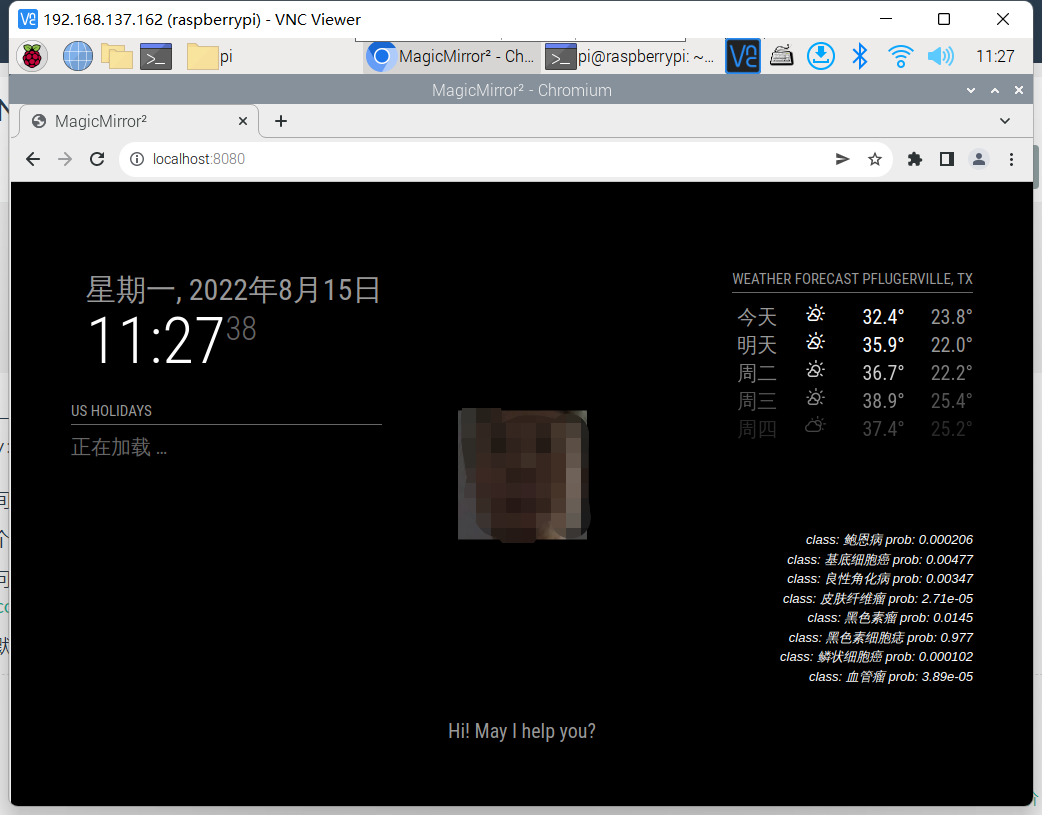
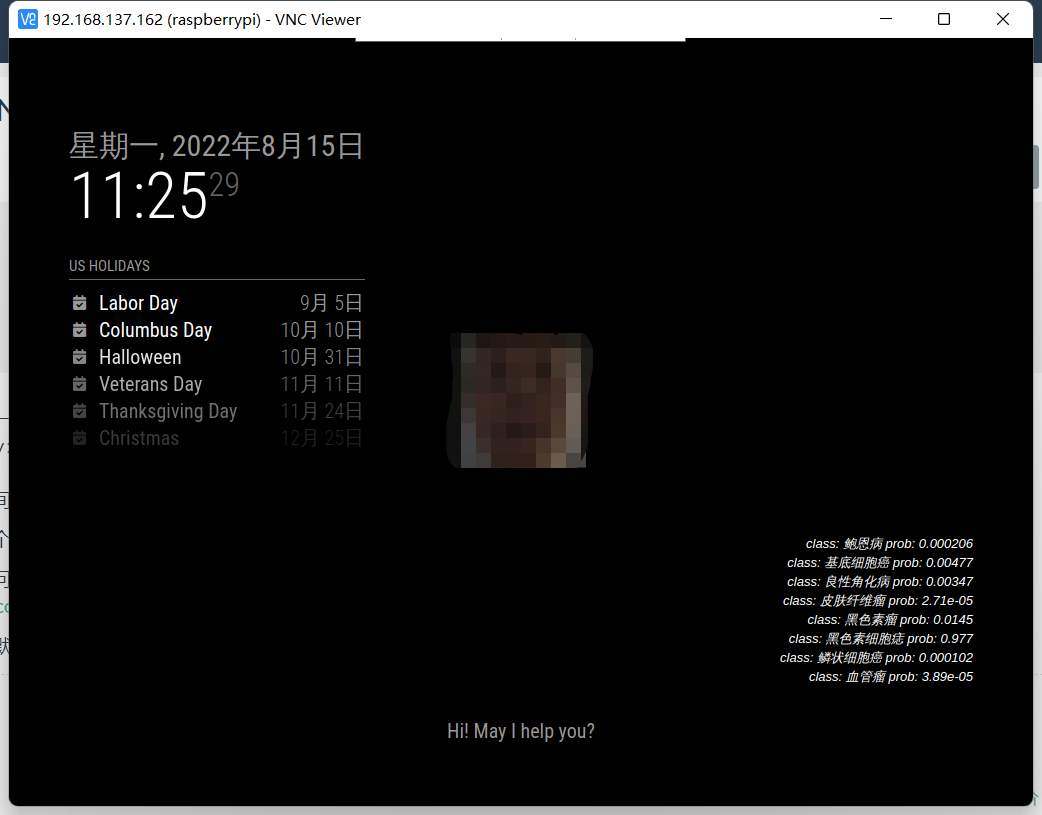
                        @sdetweil It is possible to use NPM run server2.png
                        1.png Using NPM run start will:

                        S 1 Reply Last reply Reply Quote 0
                        • S Offline
                          sdetweil @史新瑞
                          last edited by

                          @史新瑞 open the developers window.

                          ctrl-shift-i on the keyboard
                          select the console tab and enter weath
                          in the filter field

                          Sam

                          How to add modules

                          learning how to use browser developers window for css changes

                          史 1 Reply Last reply Reply Quote 0
                          • 史 Offline
                            史新瑞 @sdetweil
                            last edited by

                            @sdetweil I don’t know how to open the developer window.

                            S 1 Reply Last reply Reply Quote 0
                            • S Offline
                              sdetweil @史新瑞
                              last edited by

                              @史新瑞 I just told you how

                              Sam

                              How to add modules

                              learning how to use browser developers window for css changes

                              史 1 Reply Last reply Reply Quote 0
                              • 史 Offline
                                史新瑞 @sdetweil
                                last edited by

                                @sdetweil I pressed ctrl-shift-i, but the raspberry pie didn’t respond

                                S 1 Reply Last reply Reply Quote 0
                                • S Offline
                                  sdetweil @史新瑞
                                  last edited by sdetweil

                                  @史新瑞 on the pi keyboard, right?

                                  all keys at once
                                  with MagicMirror on the screen

                                  Sam

                                  How to add modules

                                  learning how to use browser developers window for css changes

                                  史 1 Reply Last reply Reply Quote 0
                                  • S Offline
                                    sdetweil
                                    last edited by

                                    I am going to sleep now,sorry, long day.

                                    Sam

                                    How to add modules

                                    learning how to use browser developers window for css changes

                                    1 Reply Last reply Reply Quote 0
                                    • M Offline
                                      MMRIZE
                                      last edited by MMRIZE

                                      It seems like electron and node.js version issue.
                                      As far as I know, recent MM is depending on newer node and electron, but during update, your electron and node’s version is not matched properly.
                                      I recommend you to reinstall your nodejs and electron cleanly.

                                      史 1 Reply Last reply Reply Quote 0
                                      • 史 Offline
                                        史新瑞 @sdetweil
                                        last edited by

                                        @sdetweil Sorry, I am not convenient for debugging today. Please allow me to come back to you for consultation in a few days

                                        1 Reply Last reply Reply Quote 0
                                        • 史 Offline
                                          史新瑞 @MMRIZE
                                          last edited by

                                          @MMRIZE Thank you very much. I will try it, but I need to start it in a few days because of me. Thank you for your guidance

                                          1 Reply Last reply Reply Quote 0

                                          Hello! It looks like you're interested in this conversation, but you don't have an account yet.

                                          Getting fed up of having to scroll through the same posts each visit? When you register for an account, you'll always come back to exactly where you were before, and choose to be notified of new replies (either via email, or push notification). You'll also be able to save bookmarks and upvote posts to show your appreciation to other community members.

                                          With your input, this post could be even better 💗

                                          Register Login

                                          • 1
                                          • 2
                                          • 3
                                          • 2 / 3
                                          • First post
                                            Last post
                                          Enjoying MagicMirror? Please consider a donation!
                                          MagicMirror created by Michael Teeuw.
                                          Forum managed by Sam, technical setup by Karsten.
                                          This forum is using NodeBB as its core | Contributors
                                          Contact | Privacy Policy